


Set vacation time google business page is an easy way to ensure customers are never disappointed to find out that your location is closed when they expect it to be open.
From a customer’s perspective, it’s infuriating to look up a business in Google and see it’s listed as open, and then get there in person and learn otherwise.
Customers should be able to rely on information as important as the hours of operation displayed on your Google business page. Once a customer’s trust is broken, it is very difficult to regain the customer’s trust.
Thankfully, Google keeps your hours accurate and up-to-date, even on holidays. You can literally set it and forget it.
If you know your business will revise its holiday hours in three months, set them now and Google will automatically change your hours when that day arrives.
No more need to change your working hours one day and change them back the next day. Now you can automate everything.
This feature is not limited to recognized holidays. It can be used for any occasion when your business may be running at different times than usual.
In this article, we’ll teach you step-by-step how to pre-set holiday times for your Google Business Profile.
Google Business Profile Holiday Hours
Google allows you to set holiday hours when temporarily adjusting your business hours or when your business is closed for up to six consecutive days.
If your business is scheduled to be closed for more than six days, it must be set to Temporarily Closed.
You can schedule holiday hours for statutory holidays, special events, and other situations when your business hours are different than usual.
Google recommends that you confirm your hours of operation on public holidays, even if they are the same as your normal hours, because searchers will be told that your hours are accurate.
How to Set Holiday Hours for Your Google Business Profile
Step 1: Go to Google Business Profile Manager
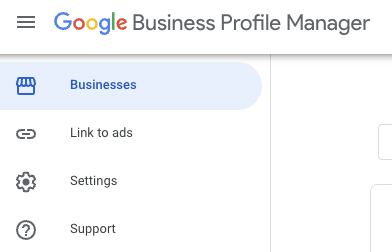
Sign in to the account you use to manage your Google Business Profile and navigate to business.google.com.
Step 2: Access your profile
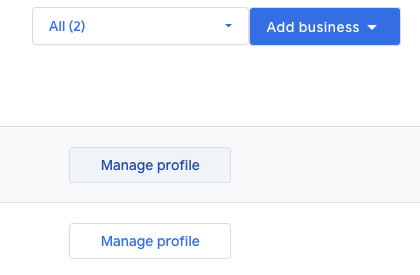 Screenshot from business.google.com, April 2022
click Manage personal data next to the business you want to visit.
then click Edit profile > business information.
Step 3: Edit Holiday Times
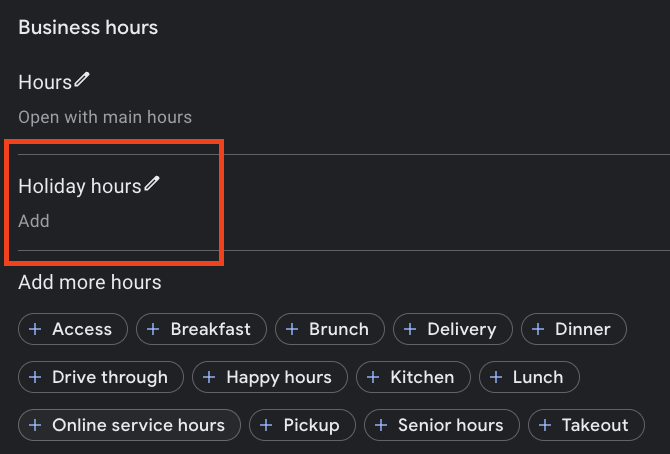 Screenshot from business.google.com, April 2022
Inside Hour Tab click holiday time.
Step 4: Add Date and Time
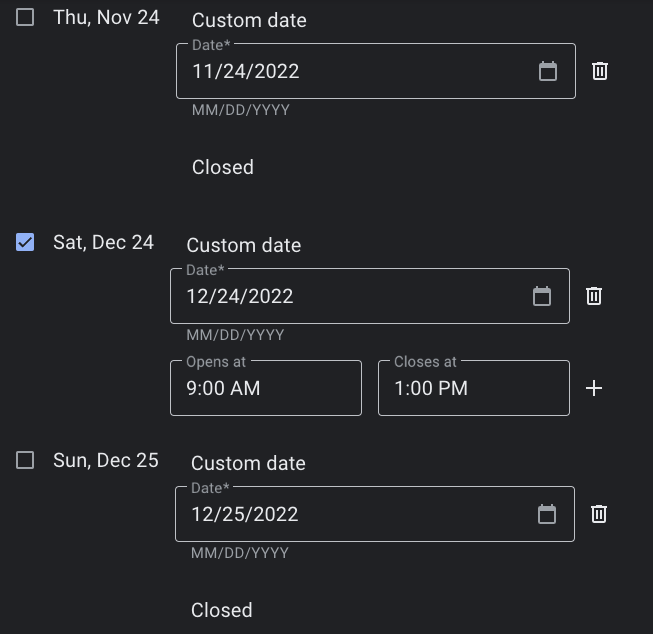 Screenshot from business.google.com, April 2022
Add the date and time you will close or modify the time.
If your business will be closed for the entire day, do not check the box next to the date.
Check the box if your business will be modifying its hours of operation for the day, then enter the hours and hours of operation.
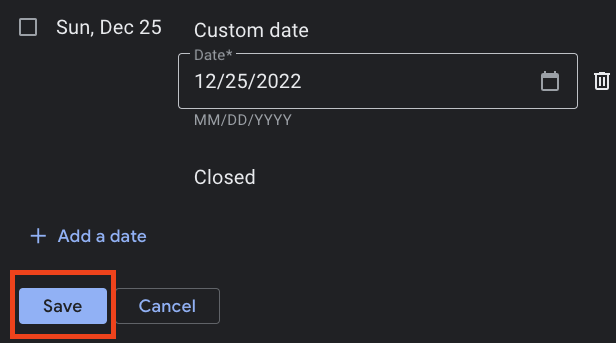
Step 5: Save Changes
 Screenshot from business.google.com, April 2022
click save After entering the required information.
After hours are saved, you can edit them at any time by following the same steps.
Additional Google Business Profile Hours Changes
If your business offers specific services at different times, such as local delivery or in-store pickup, you can set more hours instead of holiday hours.
More times can be added as a subset of the main time. You can set these times by following the same steps in the section above and selecting “Add more times” instead of “Holiday times”.
As mentioned earlier, if you plan to extend your holiday and cause your business to be closed for more than six days, you must mark it as “Temporarily Closed” on your business profile. When you get back, you can easily “reopen” your business in Google.
More resources:
Featured image: maderla/Shutterstock


