


The Google Display Network (GDN) remains the largest contextual advertising network on the Internet.
It’s also a cost-effective way to enter the market for increased visibility and re-engagement.
Chances are, your target audience Can be found on GDN.
The targeting options are endless. From reaching new audiences by raising awareness to retargeting existing customers, the Google Display Network is a powerful place to find the results you’re looking for.
With the inevitable trend of automation Google Adsit is important to understand the levers and mechanisms you can manipulate for optimum performance.
In this post, you’ll find six tips that will help you automate while maintaining control over your campaigns.
1. Remarketing campaigns
An obvious opportunity, but it’s by far the biggest: If you’re going to see any kind of return on the Display Network, you’re most likely to start remarketing.
Remarketing allows you to store cookies through the browsers of website visitors.
You can then show ads targeted to those site visitors when they visit other sites on the Google Display Network.
It might sound creepy, but it works Because people who see your ad are already familiar with your brand.
What’s more, remarketing has been shown to reduce CPA, so it’s a great option for advertisers with smaller budgets.
Here’s how to set up a basic remarketing campaign to target users who have previously visited your site:
1. Set up remarketing and add the remarketing tag to all pages of your website.
2. Set up remarketing lists Use audience tags from the Google Ads Shared Library:
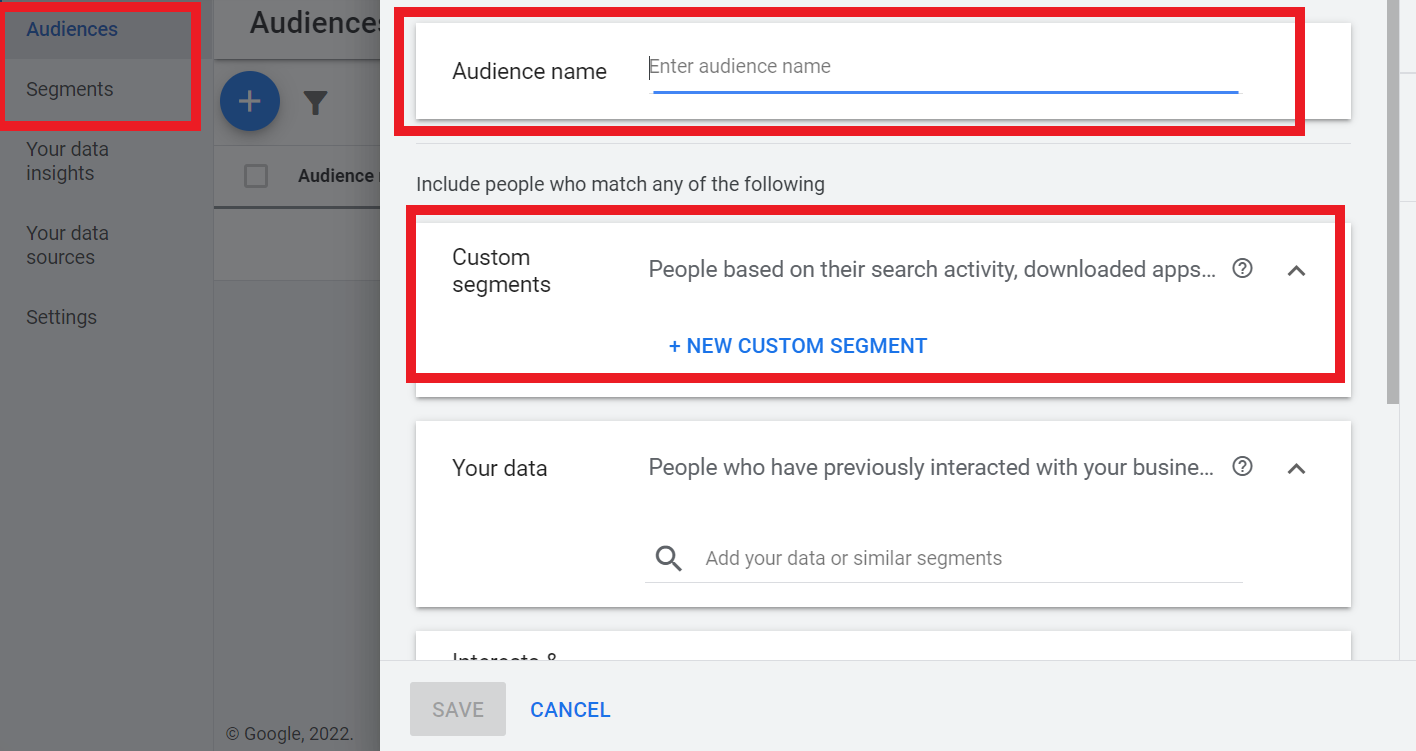
3. Within a few days, your “All Visitors” list will start to populate. As mentioned above, you can monitor this through the Audiences tab in AdWords.
4. Once your selected list gets At least 100 visitors in 30 daysyou’re ready to start remarketing.
To set up a new campaign, click +activity, then select your campaign objective. To enable all features, select “Create a campaign without targeting guidance:
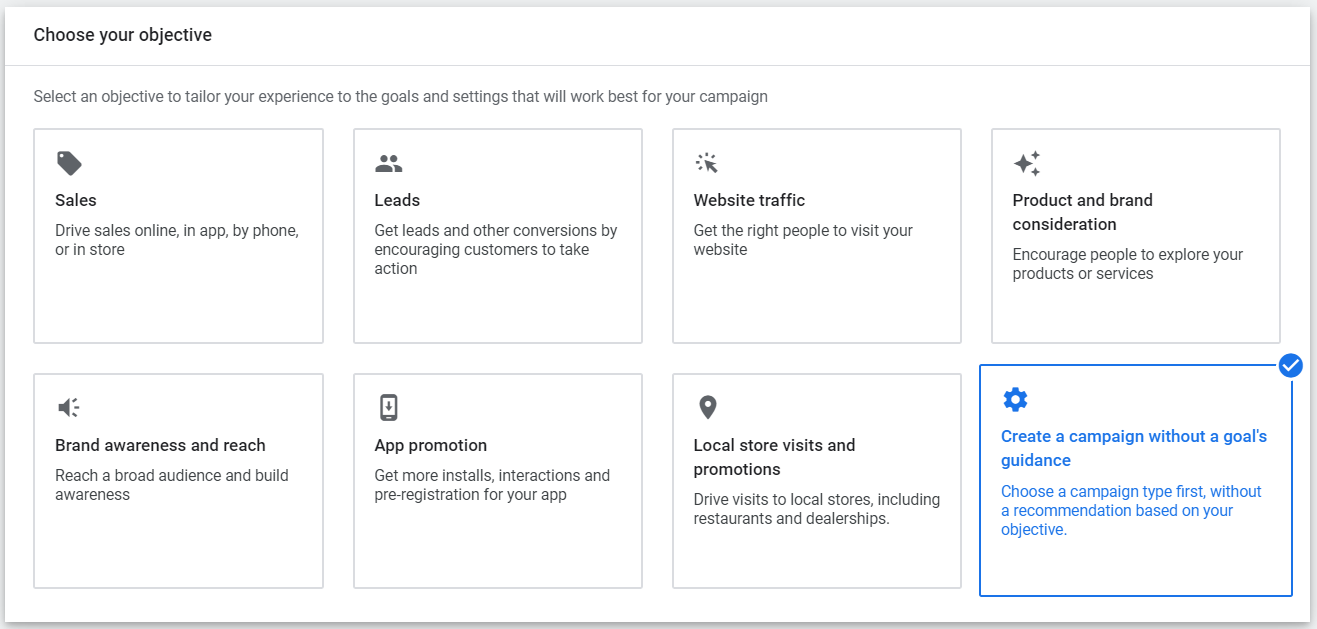 Screenshot by author, March 2022
5. Select your campaign type for “Display Network only”:
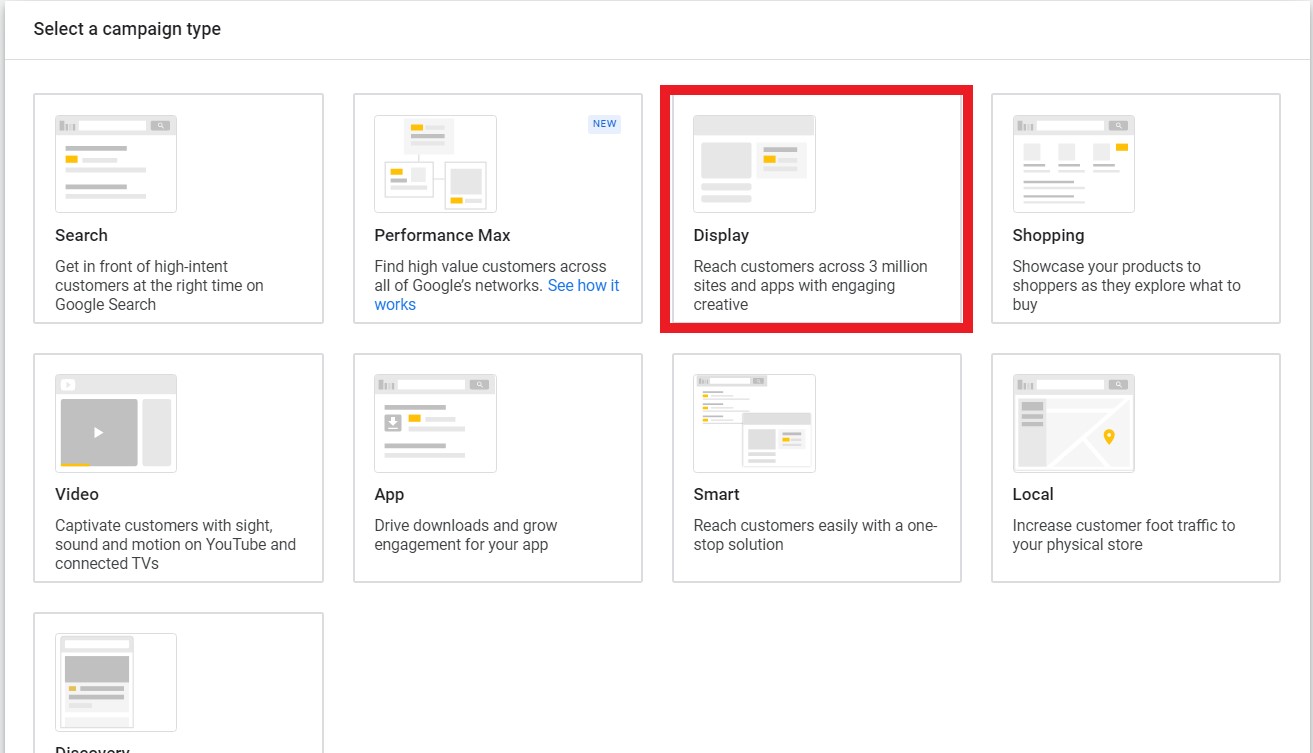 Screenshot by author, March 2022
6. Choose one target location, language, bid strategy, budget, and campaign name.
7. Click save and continue.
8. Name your first ad group and set your default CPC bid (if applicable).click how they interact with your business” Under “Audience segments”:
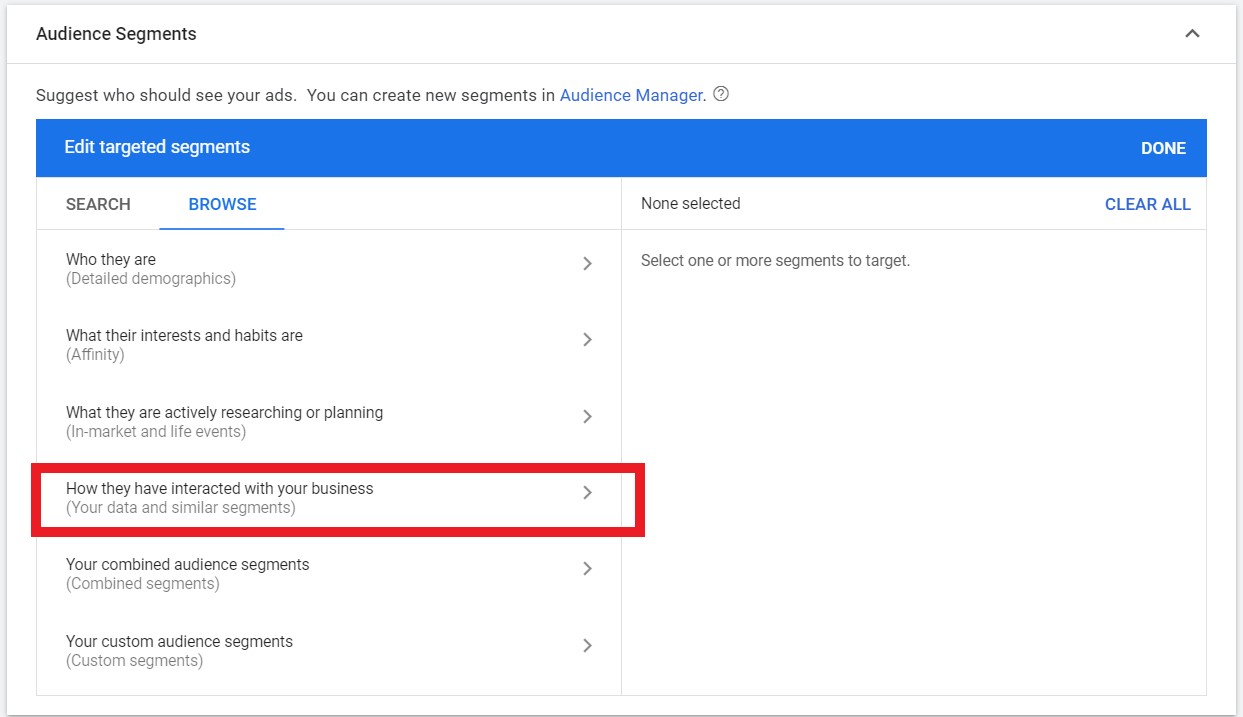 Screenshot by author, March 2022
9. In the Select Category drop-down menu, select From various market segments, including website visitors, app users, customer lists, and more:
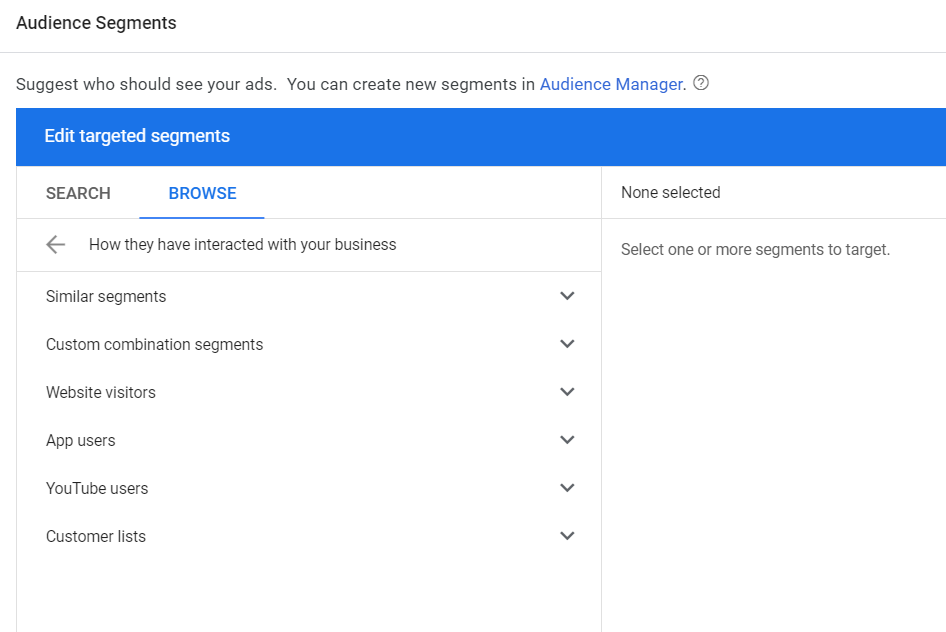 Screenshot by author, March 2022
10. Select your previous Audience tab. In this example, we’ll target “all site visitors”:
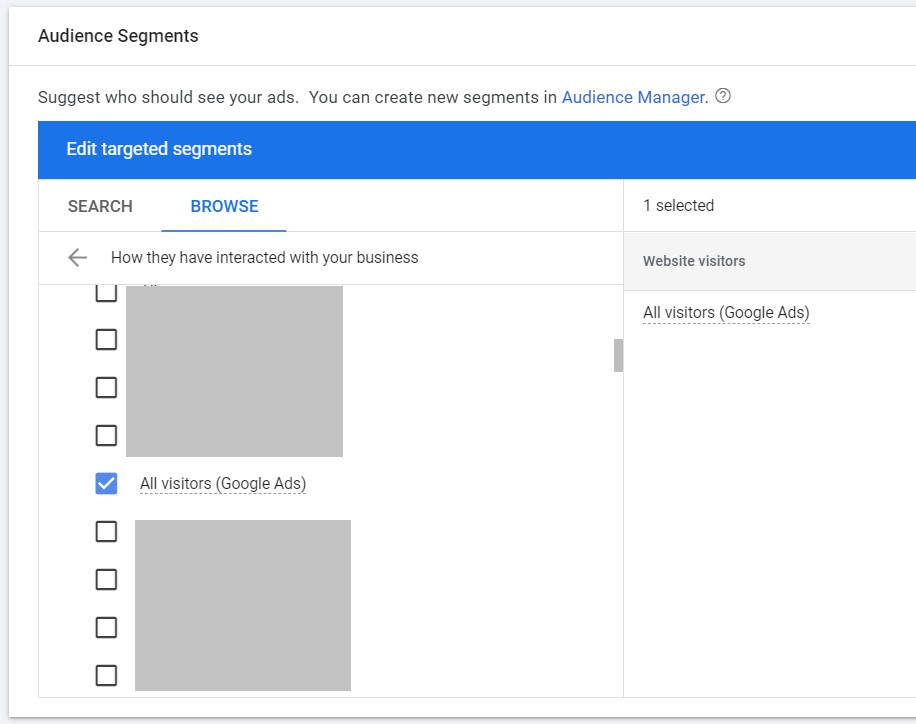 Screenshot by author, March 2022
11. Click save and continue if you want to create an ad, or Skip ad creation If you want to do this later.
12. Once your ads are created, they are eligible to serve to all previous site visitors as they browse the site on GDN.
There are many useful posts How to optimize remarketing campaignsincluding how to set appropriate frequency caps and monitor performance.
2. Target a lookalike audience
This Similar segmentation function Try to find people in Google Ads with similar interests and browsing habits as your remarketing audience.
If you’ve set up remarketing, I recommend targeting similar segments in your ad groups to see if you can improve performance.
To target similar audiences, set up a new display campaign and select “Similar to remarketing lists‘ Options in Display Network targeting settings:
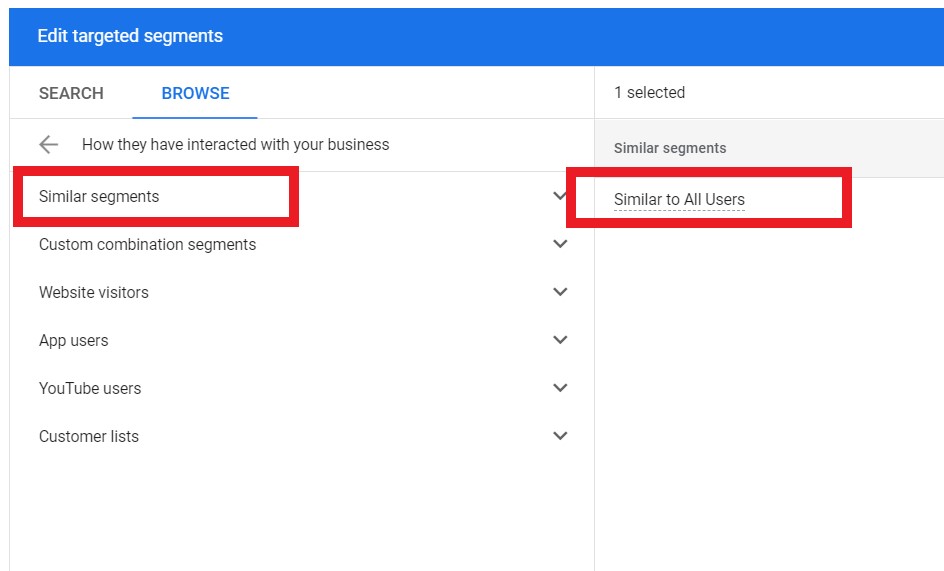 Screenshot by author, March 2022
Lookalike audiences allow you to expand the reach of your existing remarketing campaigns to drive new users to your site who share similar browsing habits as previous site visitors.
Professional Type: I always recommend splitting remarketing lists and lookalike audiences into separate campaigns to monitor relative performance, rather than grouping them into one campaign.
Audiences for similar segments are usually much larger than your remarketing lists.
3. Focus on placements
in all Targeting options available to advertisers On the Google Display Network, the best way to fine-tune your ad placement is to use Managed placements.
If you use targeting methods like interests or topics, Google is essentially guessing which sites are relevant, which means your ad may be served on irrelevant sites.
By targeting placements, you can choose exactly which sites you want your ad to appear on, so it’s a safe bet for advertisers new to display advertising.
To set up placement targeting, navigate to your Display Network campaign targeting settings and select “placement‘ from ad targeting fall:
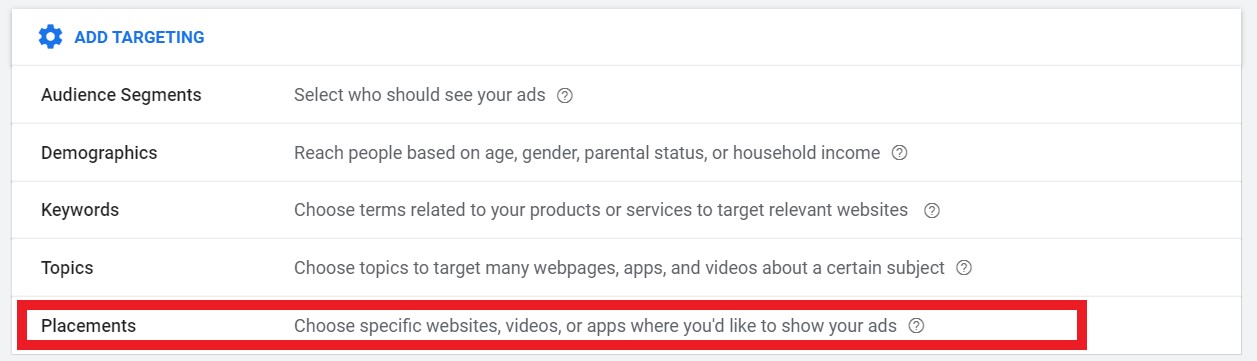 Screenshot by author, March 2022
You can then select specific placements from the list by searching for keywords or specific websites:
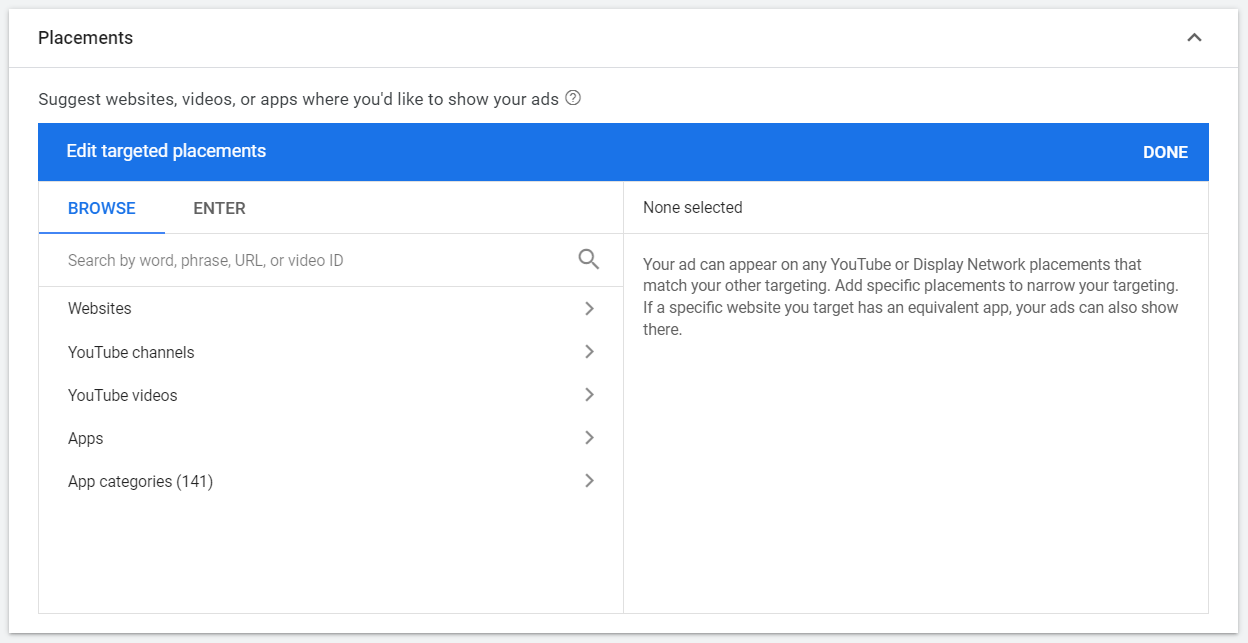 Screenshot by author, March 2022
If you have a list of placements (sites) that are performing well, you can start dividing them into separate ad groups.
Then, you can more efficiently manage your bids for the placements that offer the best return.
4. Keep an eye on mobile apps
Do you use keyword, topic or interest targeting?
It’s been a while since you’ve monitored the placements where your ad served?
If so, mobile gaming is likely to drain a lot of your budget. This is an issue that arises primarily due to kids using their parents’ mobile apps, which often results in ads being clicked accidentally.
How to check if mobile games are eating into your display budget: Navigate to your Display Network campaign, click placement campaign’s tab (under “Content” on the left), then click “See where your ad appears”:
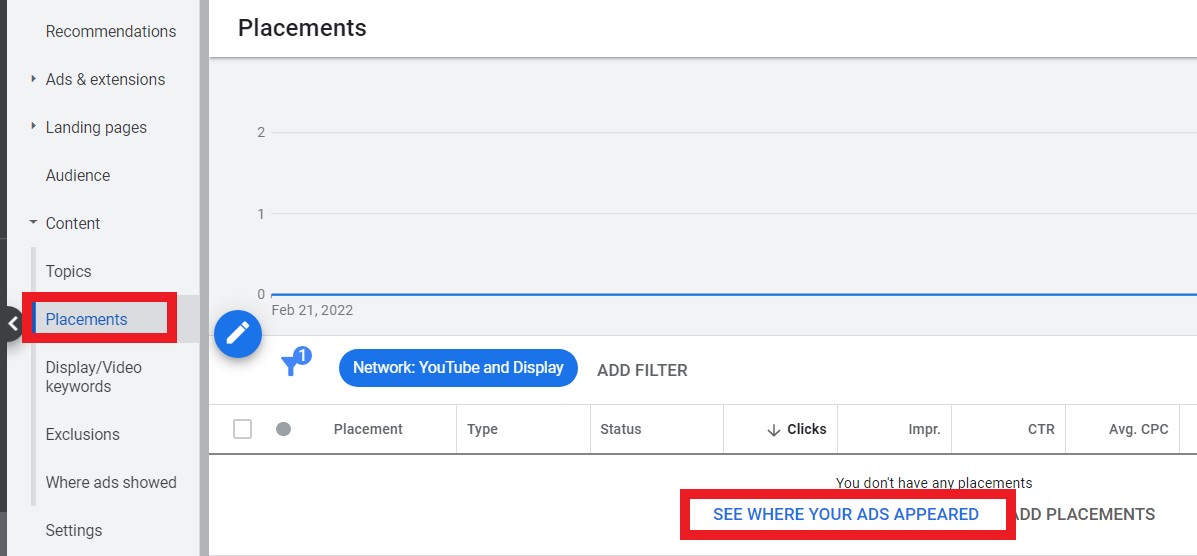 Screenshot by author, March 2022
You do have the ability to exclude mobile apps as a whole or at the category level.Tips on how to exclude can be found here.
5. Target market audience
In-market audience are the people Google has determined to be most interested in what you offer based on their browsing behavior and activity.
This audience consists of the following users Actively search and compare products and services that match what you offer.
To see if in-market audiences are a good fit for your successful targeting approach, use the “Interest and Remarketing‘ Label.
choose In-market audience from the drop down menu before checking what kind of audience You want to locate:
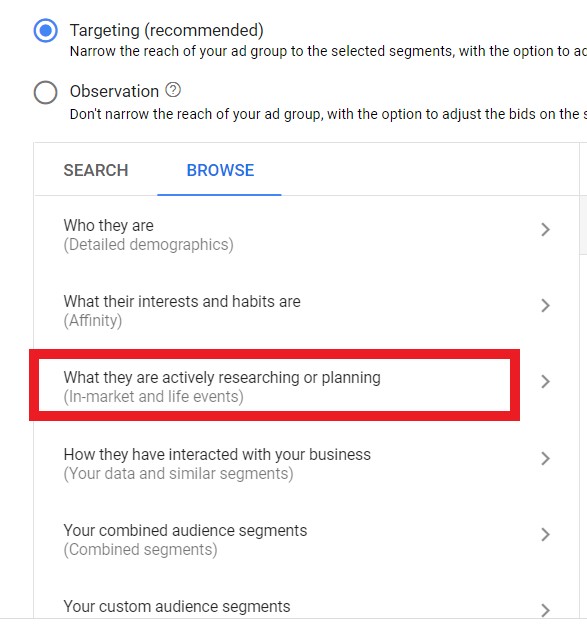 Screenshot by author, March 2022
From there, you’ll find many different categories and subcategories of in-market audiences:
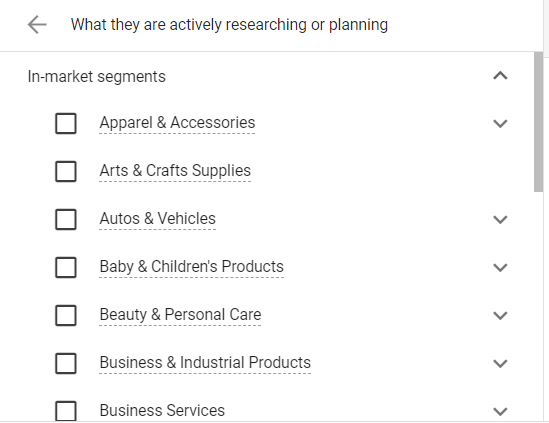 Screenshot by author, March 2022
Professional Type: To truly reflect whether this targeting method works for your business, make sure to split your in-market audience targeting into separate campaigns.
Then, keep an eye on the placement report to further improve performance over time.
6. Use Responsive Display Ads
Gone are the days of relying on still image testing to see what resonates best with users.
In fact, Responsive Display Ads It is now the default ad type for this campaign. They are also shown more frequently than static ads due to available inventory.
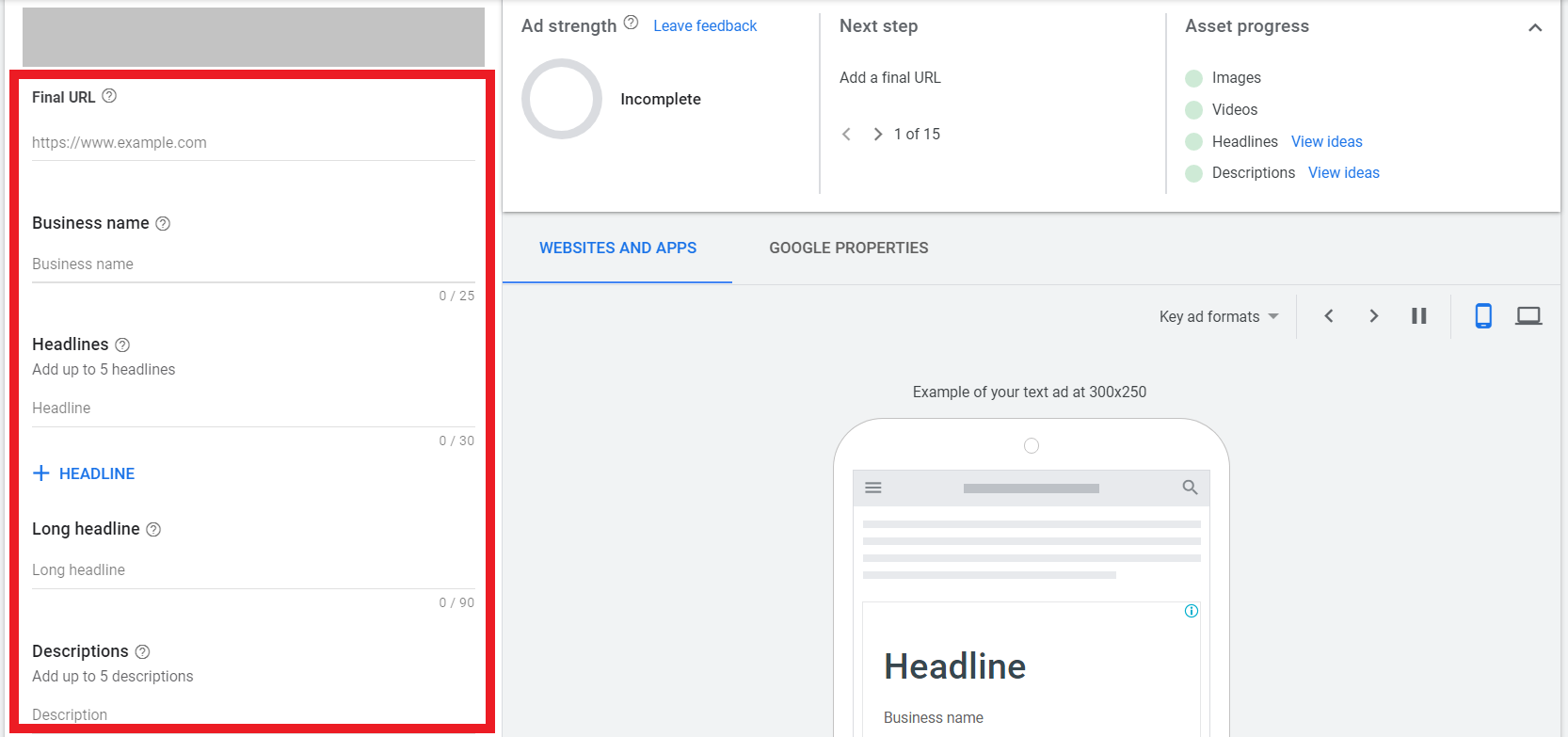
Responsive display ads combine the headline, description, image, and video (if applicable) you choose for your campaign.
Google then mixes and matches based on the available inventory to show each user the most relevant ad possible.
Here’s an example of how to create a responsive display ad in the Google Ads interface:
 Screenshot by author, March 2022
The interface will update in real time as you add assets. Google will also measure your advertising strength based on the type and volume of assets offered.
The interface will also show examples of ads simulated across different Google properties such as website, app, and Gmail.
in conclusion
The Display Network is a gold mine of opportunity—if you use it right.
Google’s reliance on automation can make or break activity performance.
By choosing the right levers to pull in your campaign settings and choose the most relevant audiences, you’ll have more control over your campaign’s performance.
It’s always a good idea to double-check your settings when setting up your campaigns, and stay up-to-date on any industry changes that might affect your campaigns.
More resources:
Featured Image: Samby/Shutterstock


