


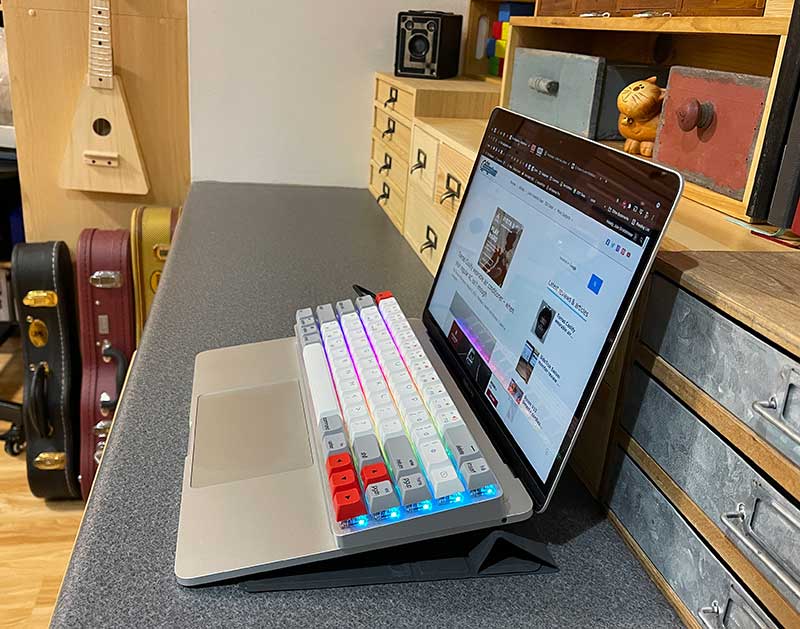
Crowdfunding review —— mechanical keyboard It has become very popular in the past few years.Today i want to show you Epomaker NT68 mechanical keyboard, currently seeking funding on Kickstarter. As can be seen from the picture above, the keyboard of this laptop is ready! Let’s take a closer look.
What is it?
Epomaker NT68 is a compact mechanical keyboard with lighting effects, key programmability, wired or wireless mode, designed to “replace” your Windows or Mac laptop keyboard. Wait, what? ? ? You will see.
What’s in the box?
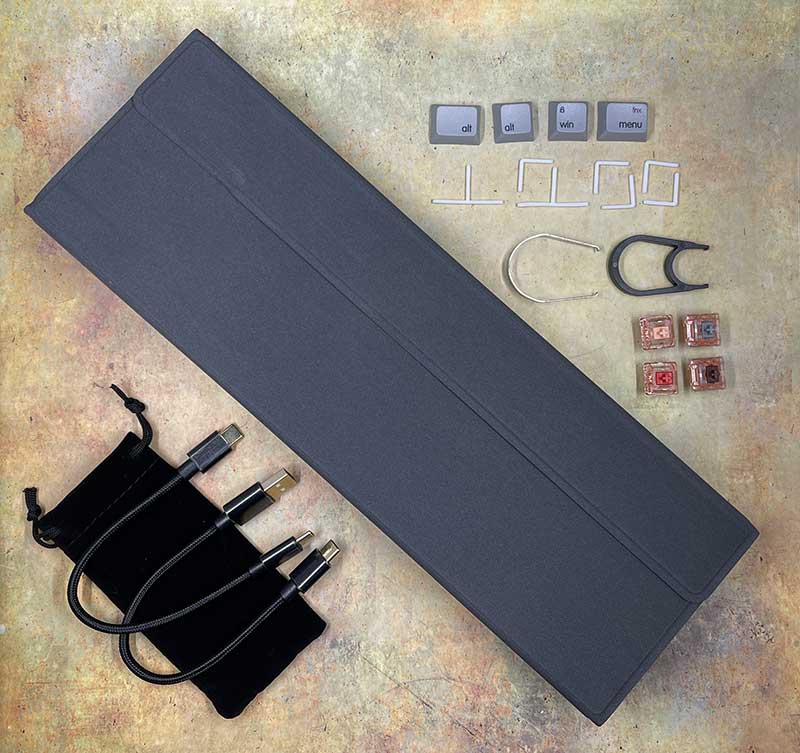
- Epomaker NT68 mechanical keyboard
- Cover/bracket
- USB cable
- Cable storage bag
- Window / Mac keycap
- Keycap removal tool
- User’s Guide
- Additional switches (as shown above, but no include)
Design and features
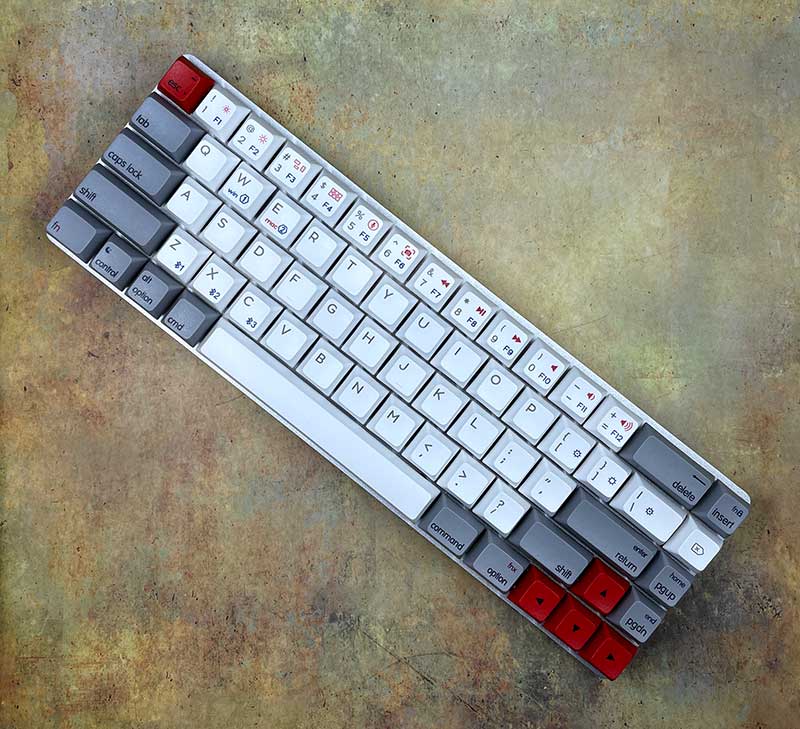
The Epomaker NT68 mechanical keyboard has 68 keys. Big surprise, right? There are two versions of the NT68 keyboard. There are regular versions with PBT keycaps, GSA appearance, Gateron conventional switches and chocolate switches, and low-profile versions with ABS keycaps, OEM appearance and Gateron low-profile mechanical switches. Please note that you can replace the mechanical switch with any 3-pin or 5-pin MX or low profile (depending on the keyboard) style switch without any soldering.
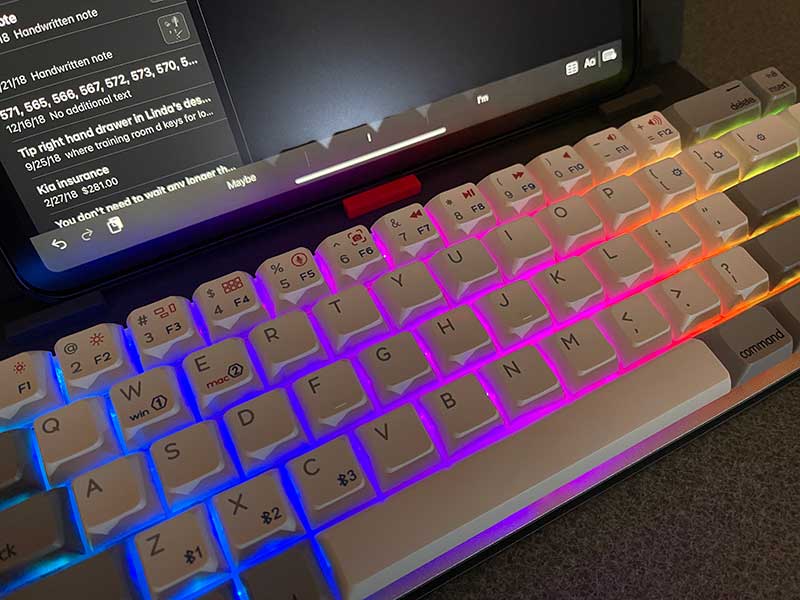
The NT68 keyboard also provides 2 different color schemes. There are silver shells with gray, white and red keycaps, like the one they sent me, or black shells with carbon, gray and red keycaps.
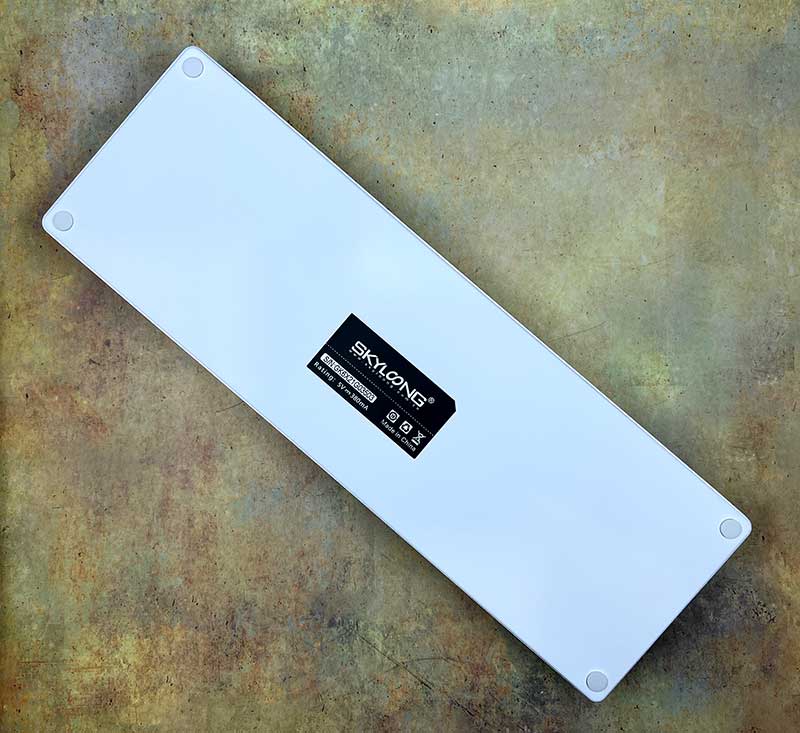
The Epomaker NT68 mechanical keyboard has an aluminum frame and rubber feet.
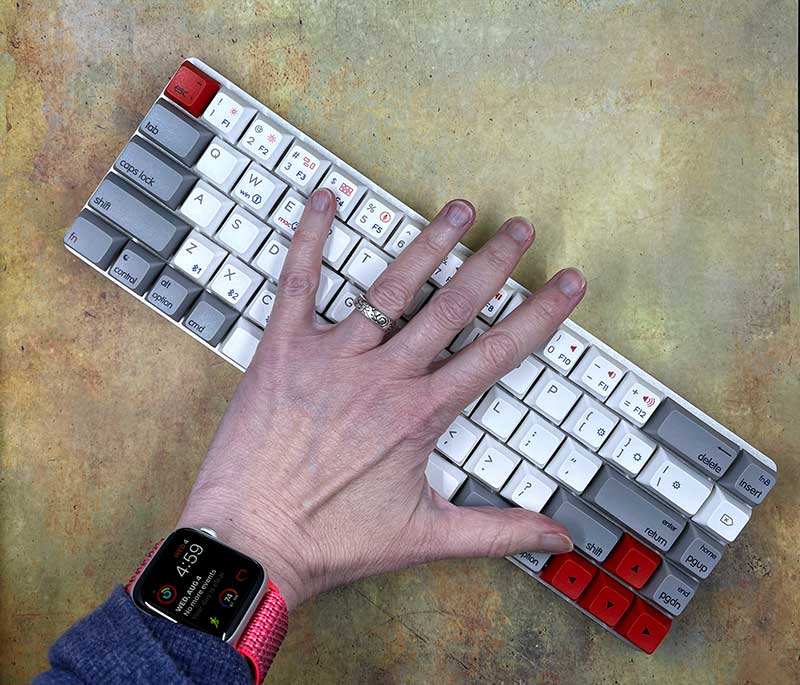
The size of the NT68 mechanical keyboard is 65% of the full-size keyboard. I found it very compact, while still feeling spacious for typing. I don’t feel cramped at all, this is from a touch typist, not from a typist and pecking style person.
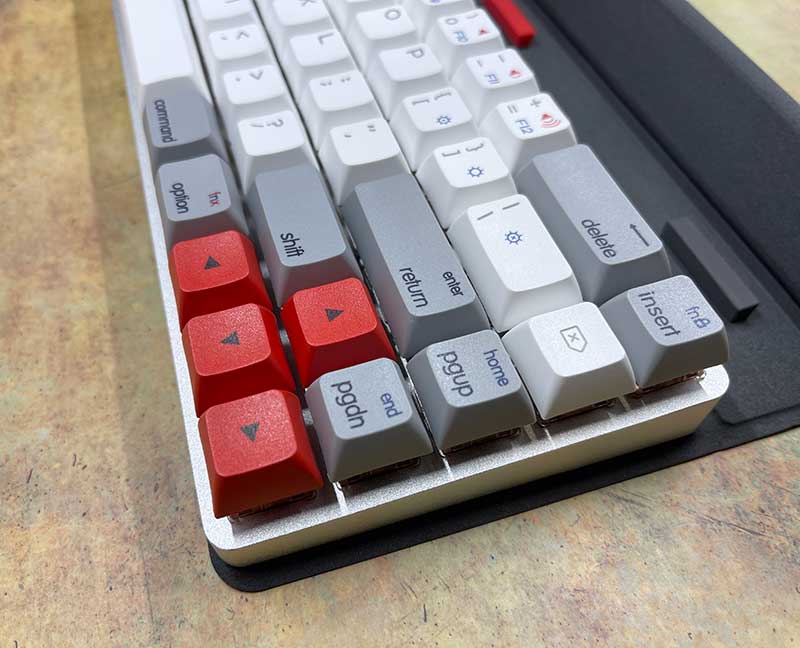
The GSA PBT keycaps of the NT68 mechanical keyboard are slightly textured, and the sublimation graphics printed on the keycaps are wear-resistant and will not fade after long-term use. The low-profile keycaps are made of ABS plastic.
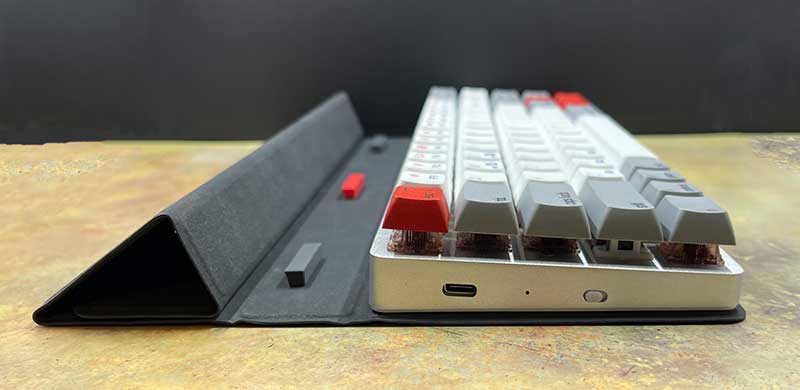
If you want to physically connect it to a laptop, tablet, or mobile phone, there is a USB-C port on the left side of the keyboard for charging and connection. There is a small status LED between the USB-C port and the wired/wireless switch. If you prefer wireless, you can use Bluetooth 5.1 to connect the keyboard to your device.
In wireless mode, Epomaker NT68 will run for 2-5 weeks according to the usage, and if the RGB lighting effect is maintained, it will run for 20-80 hours.
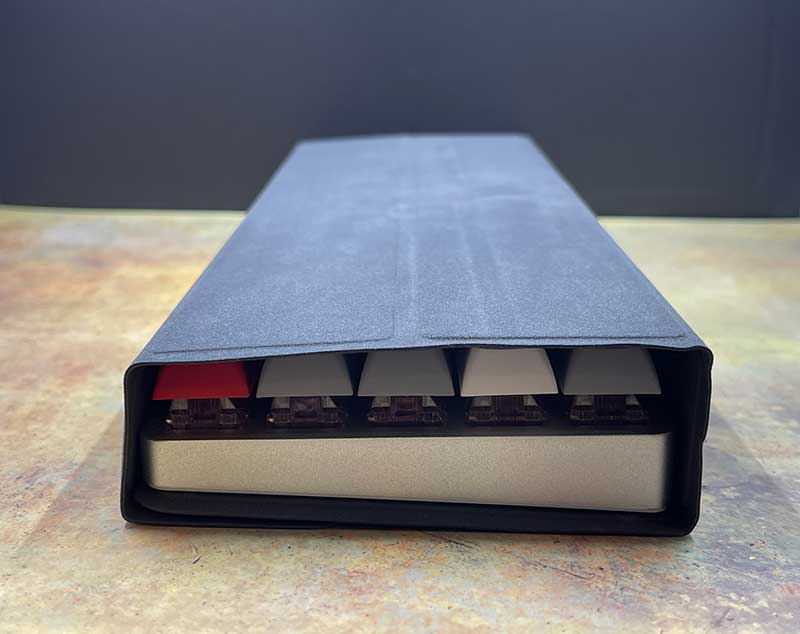
The keyboard has a unique shell that doubles as a stand. The keyboard is magnetically fixed to the cover, so it is easy to locate or remove it from the cover.
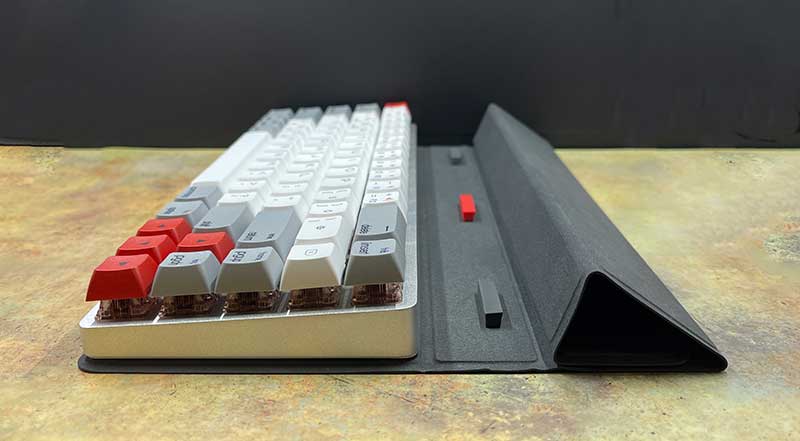
The cover can be folded to form a stand for one or more mobile devices, such as tablets and/or smartphones.
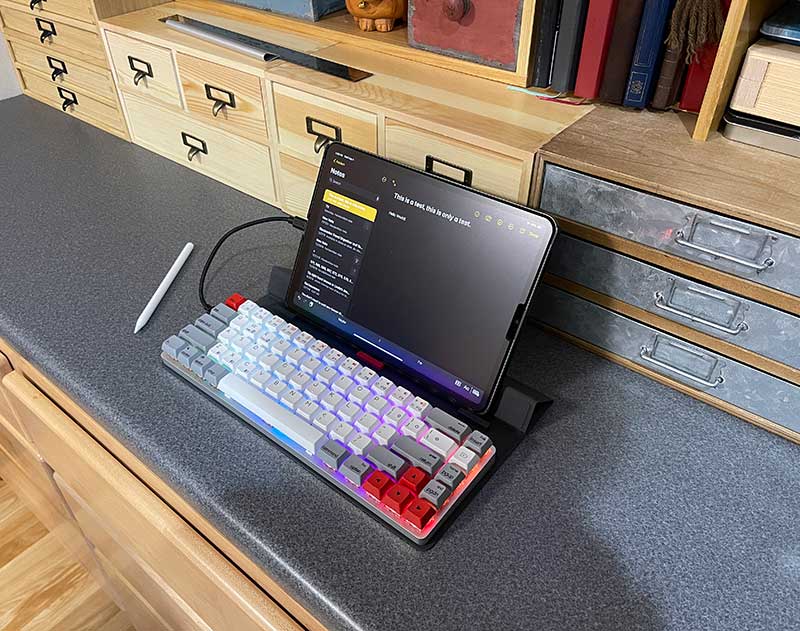
Here, I showed me how to use Epomaker NT68 mechanical keyboard on iPad Pro.
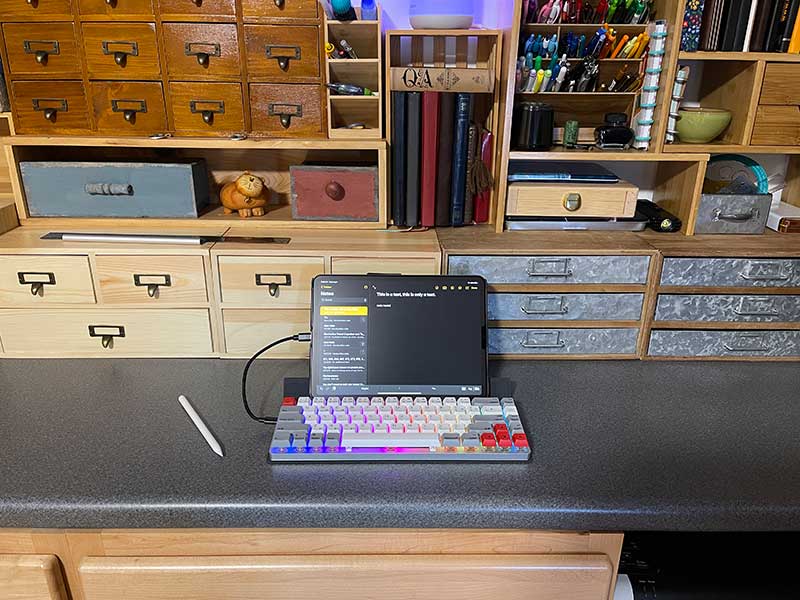
When used with an iPad or even my iPhone, NT68 is a great small portable productivity workstation. The keyboard can connect up to 3 devices via Bluetooth. Function key combinations allow easy switching between devices.
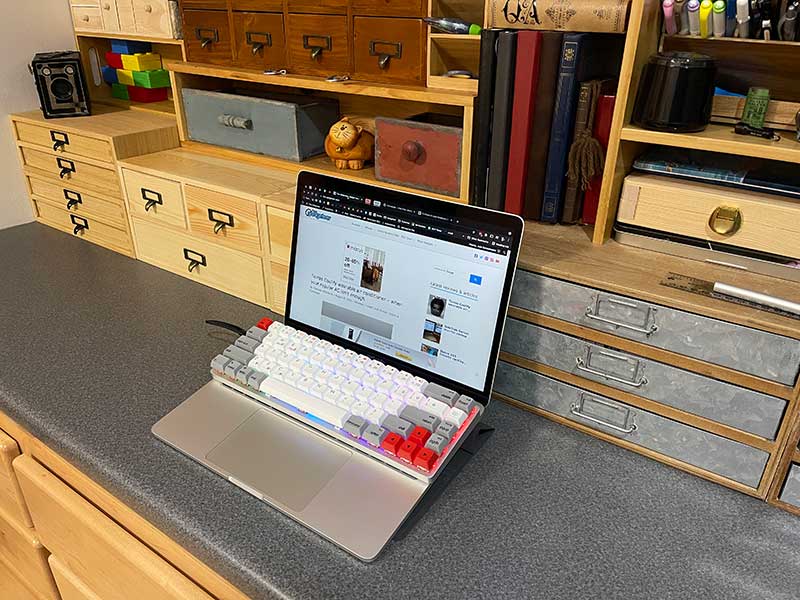
If you want to use NT68 with your MacBook (or some Windows laptops, depending on the size), it can be placed directly on the keyboard of the MacBook without pressing any keys under the MacBook.
I think it would be very strange and clumsy to use the NT68 located on the top of the MacBook keyboard, but I was wrong, it feels natural, and even better is that all the MacBook keys of the Epomaker NT68 are in the correct position on the top row. You would expect them to be like brightness, media Key, Siri, etc. Note that you must use the function key combination to activate them.
NT68 also has 16 million LED colors of RGB lighting effects and 9 different types of cycling lighting effects, which can be further customized through macOS or Windows software. Personally, I am not a big fan of keyboard lighting effects because they consume the battery life of the keyboard. But I have to admit that as long as you like to work (or play) in the dark, they look cool. In a well-lit room, I hardly noticed the effect.
what do I like
- Can be customized with other switches and button programmability
- MacOS keys on the top row
- RGB lighting effects are cool
What will i change
Final thoughts
I have been using Logitech MX Keys keyboard I have been using my MacBook for several years, and I really like it. In other words, a mechanical keyboard like Epomaker NT68 and my geek wants to be a hacker to change self-talk. He likes the click-type buttons and the ability to switch keycaps and switches to create the perfect keyboard according to my own personal preferences. I think Epomaker NT68 is definitely the guardian of function and value.
Where can I find more information?
The Epomaker NT68 event ended on September 14, 21, and they have exceeded the $10,000 funding target. You can order NT68 keyboards starting at $89. After the Epomaker NT68 event ends, the rewards are expected to start shipping in October 2021.Visit their Crowdfunding All detailed information page.
Price: $89.00
Where to buy: Crowdfunding
source: The sample of this review is made by Epomaker.


