


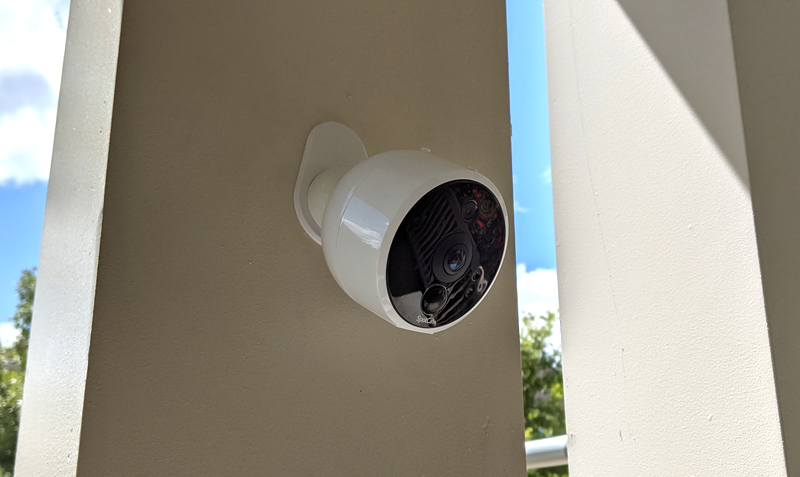
Review -I have used Camera The series of security cameras in the past few years have mainly been cameras inside the house. Solo 2 is the first camera I use outside the house, on our front porch, of course it will be affected by many different weather. So I am curious how it can withstand these elements. Let us find out!
What is it?
SpotCam Solo 2 is a wireless indoor/outdoor waterproof 1080p security camera. It can be used as a 100% wireless camera, you can place it anywhere within the wireless signal range, or you can use the included USB cable and power supply to plug it in.
What’s in the box?
- SpotCam Solo 2 camera
- A magnetic mounting bracket with screws and waterproof stickers
- Power adapter with USB cable (if used to connect to power)
- User manual
The following are the specifications:
|
size |
3.2 inches x 2.95 inches |
power input |
5V/2A or lithium battery. 3.2 feet of power cord. |
|
weight |
10 ounces (without stand) |
battery capacity |
Each charge lasts up to 6 months, and daily events trigger 20-30 times |
|
stream media |
H.264 encoding |
Vision |
180 degrees (diagonal) |
|
Vocal |
Speakers and 2 audio microphones |
Night vision |
8 high-power infrared LEDs |
|
video |
HD 1080P (1920 x 1080) up to 30 frames per second |
wireless |
Wireless 2.4GHz Bluetooth 4.0 |
|
Operating temperature |
-22 degrees Fahrenheit to 122 degrees Fahrenheit, designed for indoor/outdoor use |
Warranty |
One year parts |
|
Store |
Up to 128 GB micro SD card, free 7 days cloud recording service |
Weatherproof |
IP65 rating |
Install
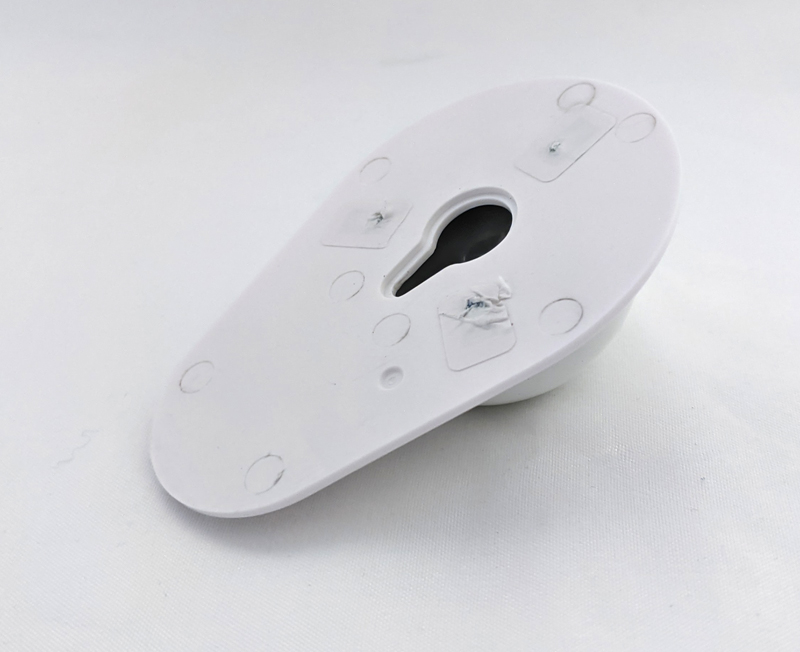
Installing the SpotCam Solo 2 camera is very simple. To use the Spotcam app, you just need to follow the instructions on the screen to connect to the device via Bluetooth, and then follow the steps to connect it to the wireless network. The whole process only takes a few minutes, and you are done. Solo 2 claims to be a true 100% wireless camera, which is true. It has a built-in lithium-ion battery and is equipped with a unique circular magnetic bracket that can be attached to any surface of your choice. The mount is round, there is a dent on the back of the camera, connect to the mount, and then you only need to move it to any angle of your choice. It’s really easy. You only need to insert 1 screw into the surface where you want to install the camera (in my case, the square wooden post on the front porch) and slide the mount onto the screw head. Then, you place the Solo 2 on the circular magnetic stand, and then place it as needed.
Features and performance
The Solo 2’s 180-degree viewing angle means you can place it almost anywhere, and you will be able to cover a lot of square feet. My front porch is about 40 feet wide and about 8 feet deep, and the Solo 2 can capture almost the entire front porch, as you can see in this image.
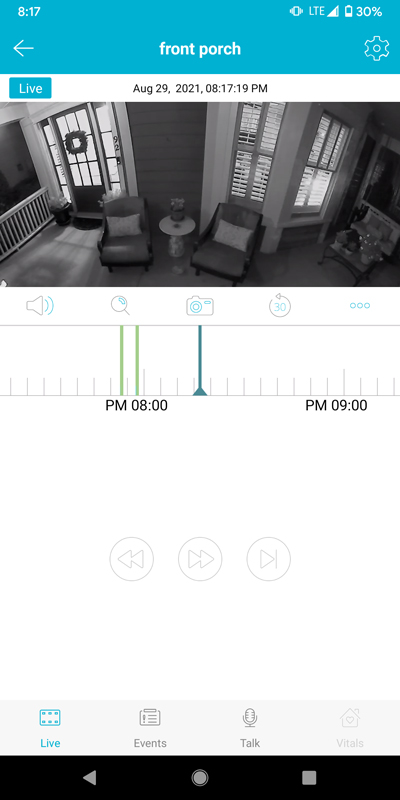
Like other SpotCam cameras, the app provides you with a timeline ruler (as shown in the image above, directly below the main image), where you can use your characters to scrub back and forth in the timeline to watch what you like Of any lens. Any sports events will be displayed as colored markers on the timeline. As you can see in the screenshot above, there are other buttons above the timeline ruler and at the bottom of the screen to perform various operations, such as taking a snapshot, viewing the history of sports events, pressing the microphone to make a call, and so on.
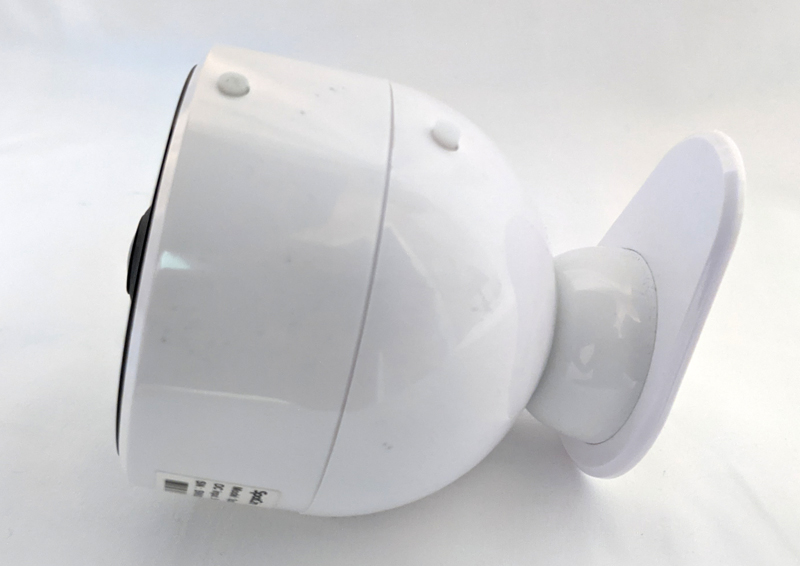
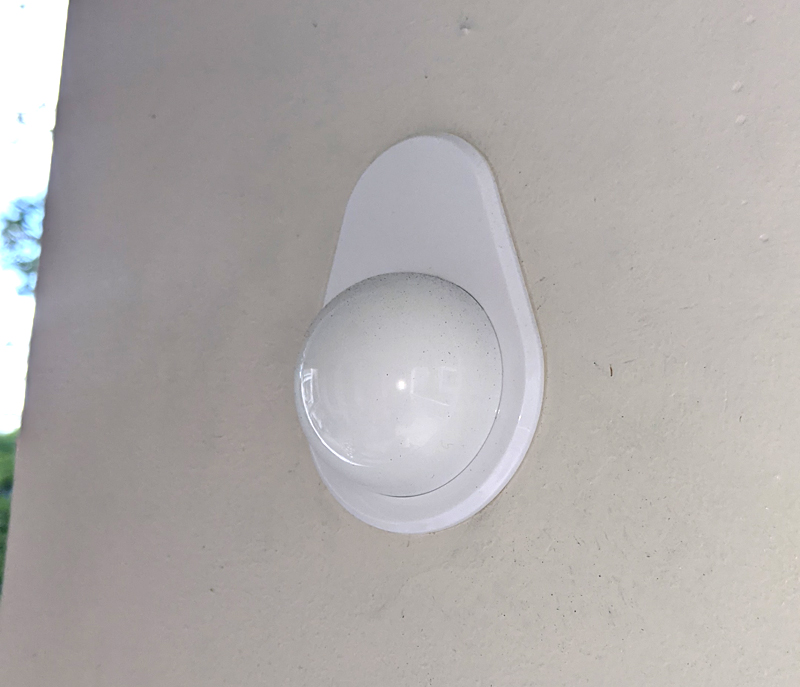
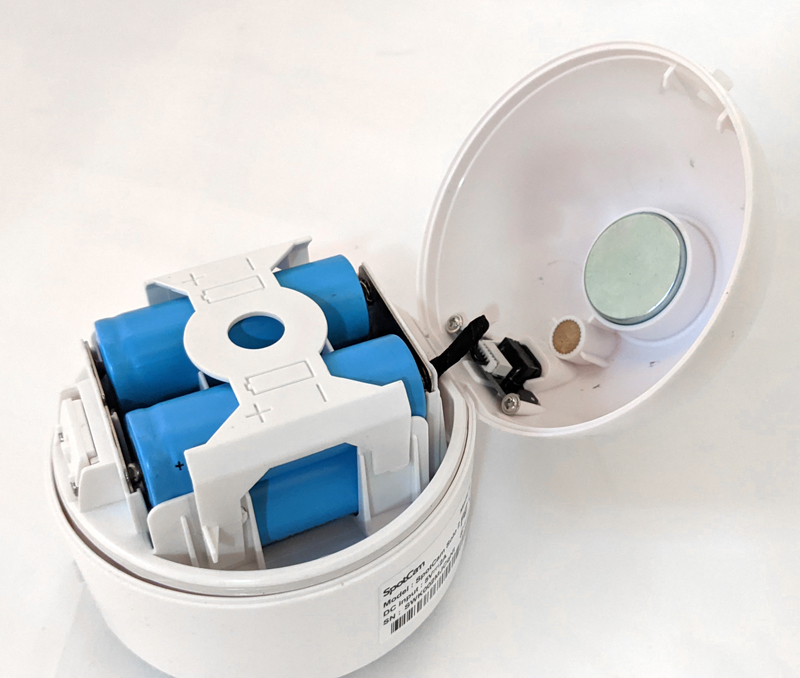
On the back of the camera, you will find the indentation of the circular magnetic bracket and the sealed rubber cover covering the USB power port for charging the camera battery or for use with the power block in an active setting. At the top, you will see 2 small rubber buttons, one to open the back of the camera to expose the battery, and the other to initiate a camera reset. The bottom of the camera is a speaker. The battery life of a lithium-ion battery depends to a large extent on the amount of activity captured by the camera. The more motion it captures, the faster the battery will drain. I have a lot of activities when I enter and leave the house every day. In the yard next to me, there are always neighbors who are planting shrubs, flowers, and cutting grass. So the camera can also capture all these activities. So my battery has lasted about 3 weeks.
The Spotcam app does an excellent job of giving you quick access to all the features provided by Solo 2. For example, you can set a schedule for your camera to send you an alert, as if only during the day when you are working. You can set the motion sensitivity. If you have to install it upside down for some reason, you can swap the image 180 degrees. Using the app, you can talk to anyone who might be in front of the camera, and you can use the app to change the volume of the speaker and microphone. You can also change the quality of the captured image. And more.
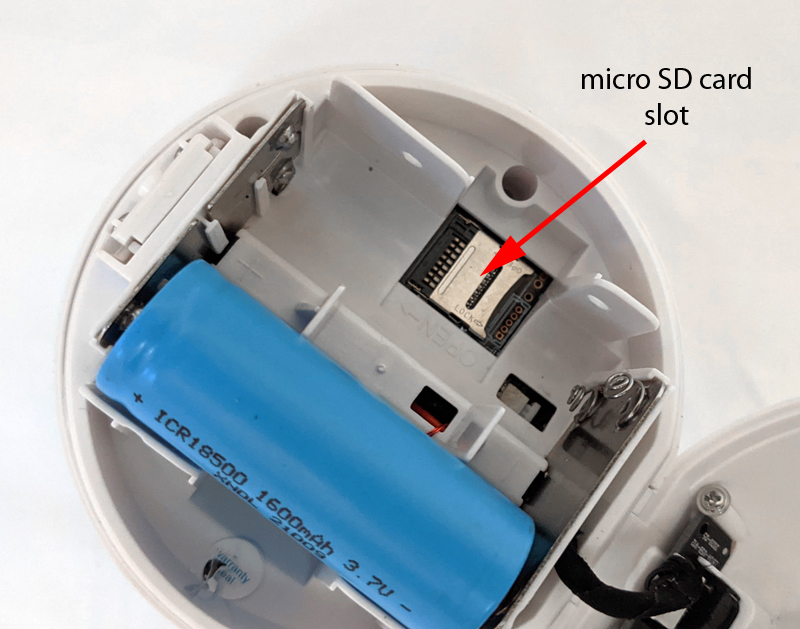
SpotCam Solo 2 has a built-in night vision function, which works very well, as shown in the picture above the front porch. Using this application, you can save videos and images and share them. Solo 2 has a micro SD card slot behind the battery, which can handle cards up to 128 GB. It also comes with 7 days of free lifetime cloud storage, which is great. If you want to buy storage for 30 days at a pretty good price of US$3 per month, or only US$6 per month, you can pay more for cloud storage.
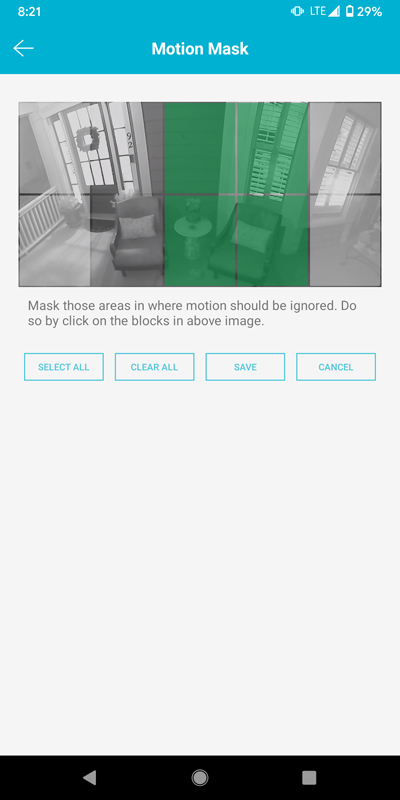
SpotCam Solo 2 does not have much that I want to change. The price of $88 is a good price for everything you get. Some people may wish to be able to fix the camera on a surface to prevent someone from walking away with it, but the magnetic stand does make it easy to remove. It’s good for me when I want to bring it into the house to recharge it, but if someone finds that they can grab it and run away, it might be bad. There is also a feature called “Motion Mask”, which allows you to split the camera image into multiple parts to prevent any motion alerts from appearing in the part of the image you are blocking. But as you can see from this picture of the application (below), you can only occlude 6 areas of the image (4 of which are highlighted in green in the image, indicating that they are within these green blocks Any content moved will be ignored), and these 6 blocks do not even cover the entire image from the camera. At the current location where I own the camera, it faces our front door and most of the front porch. This feature is not very useful for me, so I don’t use it. If I had finer control over the image area, I would use it.
what do I like
- Micro SD and cloud storage
- Easy to install
- Waterproof for outdoor use
- True wireless performance
- Acceptable price
What will i change
- A way to fix it on the wall to prevent theft
- More fine-grained control of the motion mask function
Final thoughts
In my opinion, the SpotCam camera is an affordable mid-range consumer webcam product. They are not the most expensive cameras, but neither are they cheap basement cheap products. So performance can be described in the same way. You will be very happy about the price you paid for these products. The application is rich in features and has many detailed settings to control almost everything about the camera you want to control. You can even pay for other advanced features in the app, such as detecting cars, animals, baby crying, digital fences, etc. I don’t pay any fees, and I am satisfied with the features that come with the camera. For Solo 2, its easy installation, true wireless performance, and flexibility in positioning make it an excellent choice for use inside and outside the home.
Price: $87.99
Where to buy: Amazon
source: The sample of this product is made by Camera.


