


Sharing is caring!
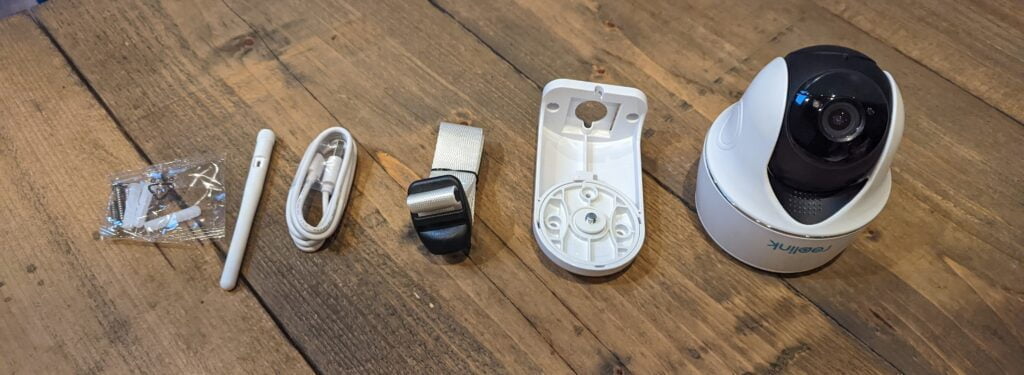
I have reviewed all the recently launched Reolink POE cameras. This time I have been checking the new Reolink Argus PT Pro.
Reolink Argus PT Pro and Reolink Argus PT
In terms of specifications, the main differences between the Pro model and the existing Reolink Argus PT are:
- The resolution has increased and is now 2560 x 1440
- Added people/vehicle detection
- Now supports 5Ghz
- Image sensor: Starlight CMOS image sensor
- Video resolution: 2560 x 1440 15 frames/sec
- Video format: H.264
- Field of view: fixed lens, 105° diagonal
- Pan/Tilt angle
- Night vision: up to 10 m (33 ft)
- Digital zoom: 6x digital zoom
- Audio: Speaker and microphone for two-way audio
- PIR detection distance: adjustable, up to 10m (33ft)
- Passive infrared detection angle: horizontal 90°
- Audio alarm: siren (customizable)
- Other alerts: instant email alerts and push notifications
- Wireless network: 2.4Ghz
- Battery: 6000mAh rechargeable battery (battery life varies with settings, usage and temperature)
Settings and settings-no NVR or Blue Iris
Since I am running a relatively earlier version of Reolink Argus PT Pro, the 5GHz WiFi option is not yet available.
The settings are the same as all other battery-powered Reolink devices and are similar to POE. Everything is easy.
- Download the Reolink app and register
- Turn on the device and make sure you are connected to a 2.4Ghz network
- Select the + icon in the upper right corner and scan the QR code on the device
- Provide a password for your network
- Display the QR code to the camera
For some competing brands, when they used the above QR code process, I had a nightmare to make them work, but Reolink worked immediately.
Battery-powered Reolink cameras are not compatible with NVR or Blue Iris. This is because the camera only records when it detects motion, so it records directly to the microSD.
I did not use the stand on this camera, it is battery-powered, and I put it on the shelf under the pizza oven so that I can point it directly to the gate in the yard. The mount itself is very malleable, so if you install it in a place where you might encounter unwelcome visitors, then I recommend installing it where people can’t reach.
Performance
Since I mainly use Reolink POE cameras, the first thing I noticed is the time it takes to switch from a low-quality smooth stream to a full-resolution 4MP stream. I have good WiFi, an access point in the kitchen on the left and an access point in the garage on the right.
Yuntai
The pan and tilt functions work well, but there is no automatic tracking function, so their practicality is limited. If you want to manually inspect an area, for example, if you have a particularly large property, then this is effective. It is also suitable for applications that don’t pay much attention to safety, such as nature. You don’t have to worry too much about the installation process. You just need to install it and then adjust the camera position from the app.
The shots during the day are good. It might be a bit dark in my sample record, but it was a cloudy day, and the camera position was under the table. You can increase the brightness in the settings.
The brightness of the second video was adjusted a bit higher from the default value, and the result was much better.
The night shooting quality is very good. In my garden, I have a POE security camera that provides some infrared lighting, which you can see at the top of the image. There is also a street light that can provide some lighting, but the garden is often very dark. In contrast, since street lights cover my front garden, my other Reolink reviews have more lighting.
Reolink stated that this is a starlight sensor with improved low-light performance. This seems to be true, and the performance is impressive under normal low light conditions. The one exception I found was mixed lighting scenes. My kitchen light was on and provided the least amount of light, and Reolink turned off its infrared light. The image ended up being almost usable but not very good. Use the pan mechanism to move the camera to the left to reactivate the IR LED.
Motion detection
Motion detection works well. There is no moving area, but the camera supports AI object detection, and in the schedule, you can set the type of detection to be recorded. You can also increase or decrease the sensitivity, allowing you to benefit the battery or improve monitoring.
I did not use the original Reolink Argus PT, but I want to say that object detection may be a huge upgrade for most people. Not only does it minimize motion alerts, but I think it should significantly extend battery life.
Battery
I did not run the camera from full to level, but the battery seems acceptable but not great. It looks like I should be able to spend a month easily. Because it is in my back garden, there are no large numbers of alarms.
This is great if you have one or two battery cameras, but it can be annoying if your entire home monitoring is done through battery-powered devices.
As always, with Reolink Argus devices, you can use solar panels to significantly extend battery life.
Prices and alternatives
Reolink listed this for £147.99, but they have regular discounts, so I hope it will be available at a lower price soon.
In contrast, the existing Reolink Argus PT has two options on Amazon:
- Reolink Argus PT with solar panels is priced at 147 pounds, with a discount of 27 to 120 pounds
- The Reolink Argus PT itself is priced at £127.99, but there is a £27 coupon to reduce it to £100.99
Unless you absolutely need pan and tilt functions, I think Argus 3 Pro is well worth considering. It has the same 2K sensor as people/vehicle detection, but you can also get a spotlight for night color video. Then, you can buy it separately for approximately £100 or use solar panels for £112.
There are some battery-powered PTZ cameras on Amazon, all random brands I have never heard of. Compared with Reolink, quite a few of them have favorable specifications and prices. Although I cannot comment on their quality, my main problem with them is that I am unlikely to run multiple cameras of these brands, but Reolink has a wide range of cameras, and I can handle all surveillance in one application.
The ieGeek 360° wireless PTZ security camera is priced at £110, has a larger battery, and there are other WiFi cameras, so you can use the brand to build a cheap surveillance system.
The £110 Ctronics Pan Tilt solar security camera has a larger battery, built-in solar energy, automatic tracking of human body detection and 4 floodlights that support color night vision recording.
overall
Like Reolink, this camera offers excellent features and good overall performance at your price, giving you great value for money.
Although battery life is acceptable, it is worth remembering that unless used with solar panels, this will require very frequent charging.
Last updated on 2021-09-19 / Affiliate link / Image from Amazon Product Advertising API


