


With Universal Analytics being deprecated in July 2023, Google has introduced a new integration of Google Analytics 4 and Search Ads 360. This integration provides valuable and necessary data sharing between the two platforms.
If you run Search Ads 360, check out these tips and benefits of integrating with Google Analytics 4.
What are the benefits of integration?
Integrating these two data sources and accounts together has several benefits:
- Analytics 4 conversions exported to Search Ads 360
- Import Search Ads 360 cost and campaign data from Analytics 4
- Analytics 4 app and website engagement metrics available in Search Ads 360
These benefits are consistent with the previous option to link Universal Analytics and Search Ads 360.
Browse cross-channel reports
One of the key benefits of linking Search Ads 360 and Google Analytics 4 is its ability to report cross-channel metrics. You’ll be able to view cross-channel attribution for search ads in these reports:
- Model comparison
- conversion path
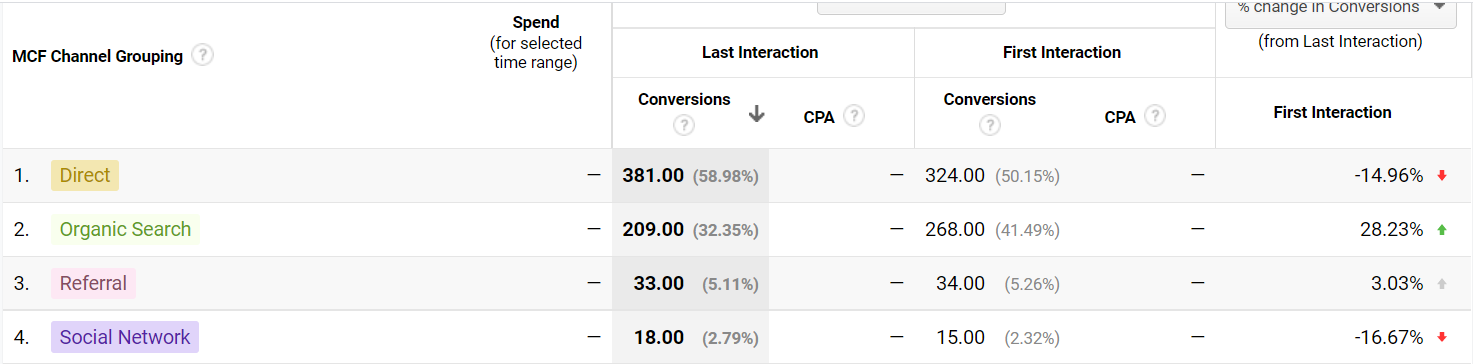
You’ll be able to access user, session, and conversion metrics across the following different dimensions:
- Source/Media
- Activity
- channel
To see cross-channel acquisition, you can find it in the acquisition report.
How to create a link integration
You must be an editor of Google Analytics 4 and an administrator of a Search Ads 360 account to link the two platforms.
First, you’ll go to the “Administration” section of your Google Analytics account. From there, you’ll find link options under the “Properties” column.
- Properties >> Product Links >> Search Ads 360
There are some key notations to keep in mind when linking the two platforms.
- “Enable auto-tagging” is on by default. This setting cannot be changed while linking.
- Keep the “Enable campaign attribution” setting. This allows you to export conversion data to Search Ads 360.
How to export conversions
In order to export Analytics 4 conversions, you need to enable this setting when creating the integration link. Just turn on the “Enable campaign attribution” setting under the property settings.
Any conversion that uses the cross-channel last-click attribution model can export conversions.
generalize
You don’t want to leave valuable conversion reports on your desktop. By integrating the two platforms, you will be able to more accurately attribute marketing efforts to your overall business strategy. This integration is useful if you are currently sharing conversions from Universal Analytics or importing campaign data into these properties.
resource: Google Analytics Help
Featured Image: Created by WDNet/Shutterstock


