


Sharing is caring!
Gmail, Yahoo and AOL are limited to 25Mb per email, while Microsoft Outlook only allows 20Mb files to be sent. Therefore, compressing your PDF file under 20MB is best for uploading the file to the Internet and sending it by mail. If you don’t know how to reduce the size of PDF files, they can be difficult to manage and share via email or other platforms.
PDF files can easily be compressed and made smaller using some free online tools and desktop programs. These compressors can reduce the size of standard or encrypted PDF files. Plus, we share with you how to make PDFs as small as an email without compromising quality.
How to reduce PDF file size for online email attachments
Compress PDF files to an email-friendly size with PDFgear’s free PDF online compressor. No registration or email address is required to use this service.
Step 1. Upload the PDF to Compressor
go PDFgear In your browser, then select Compress PDF Service from the top menu bar to go to the online compress PDF tool.
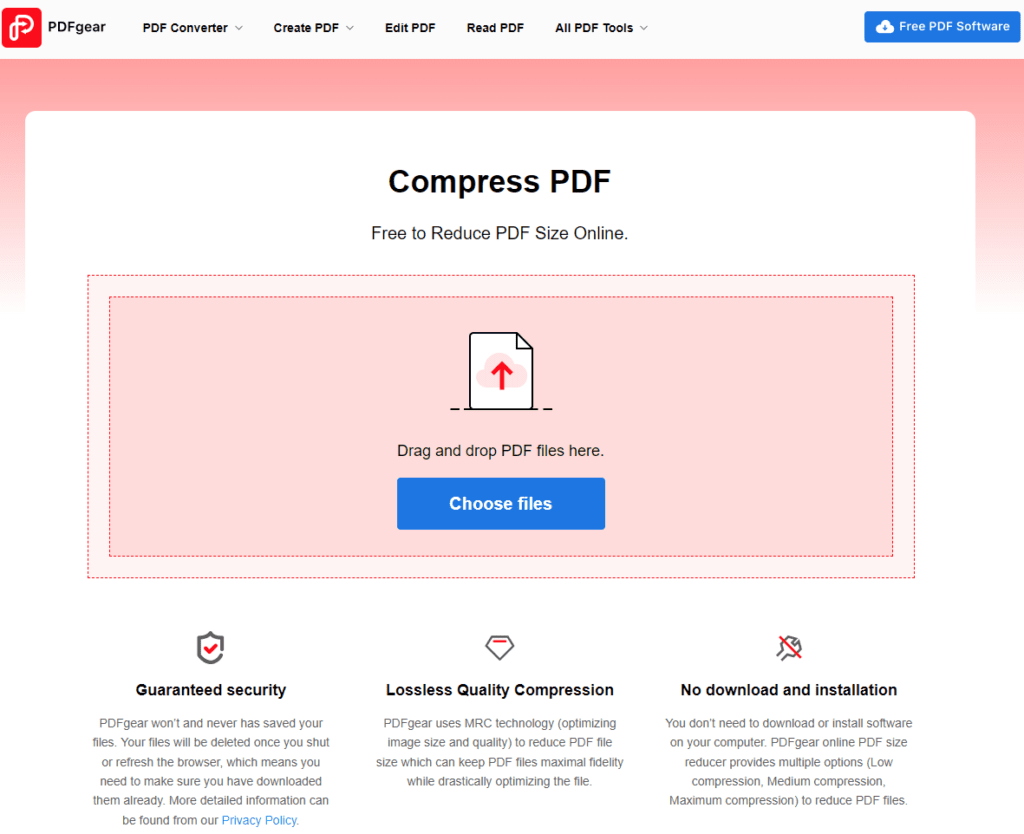
Drag your PDF into the toolbox or click Choose File to upload your PDF file to the online compressor.
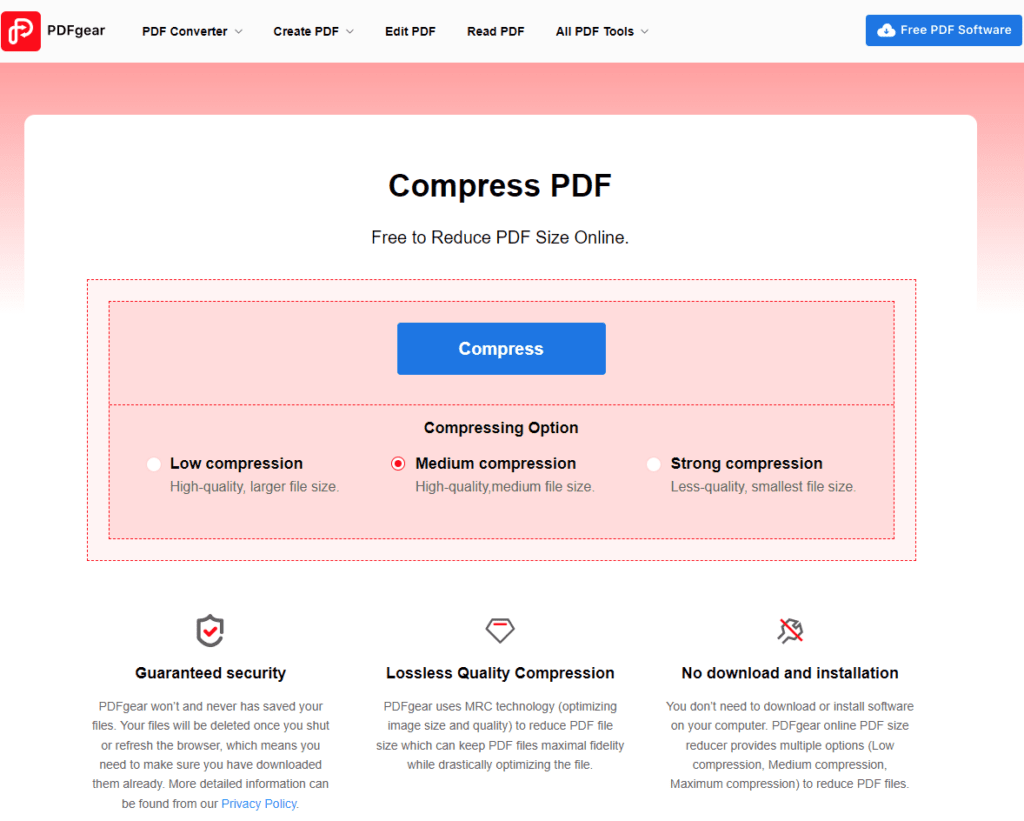
Step 2. Select Compression Options
After the file is uploaded, you will get three compression options (low compression, medium compression, strong compression). Strong compression provides the smallest file size, but it does affect quality. Low compression has a limited compression size, so medium compression is the best choice.
Repeat this process for as many files and individual folders as possible until you create a new archive file that is just below the email size limit.
Step 3. Download Email Ready PDF
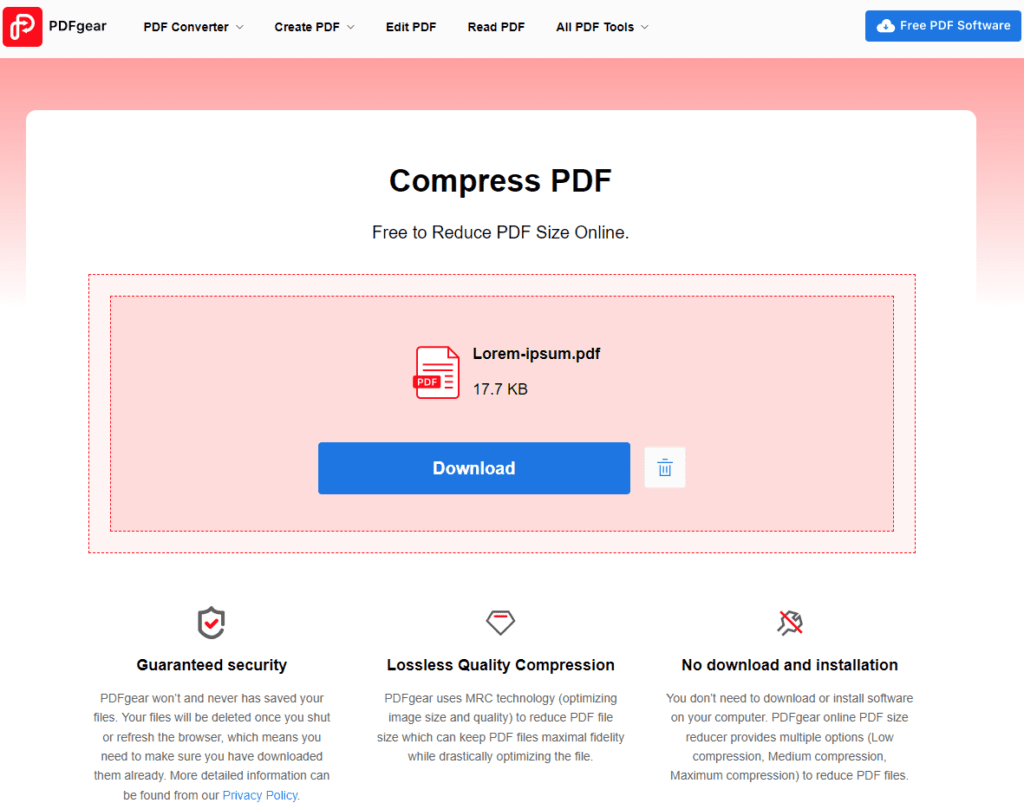
When everything is ready, PDFgear will automatically reduce the file size. After the compression is complete, a blue download button will appear, click to download the newly compressed PDF file.
How to reduce the file size of a PDF in Adobe Acrobat DC
Adobe Acrobat DC compresses your PDF documents with just a few clicks. However, this is a paid feature, so not everyone can access it. If you can allocate $24.99 per month, go ahead. Now let’s see how to compress PDF files using Adobe Acrobat.
Step 1. Open the Optimize PDF tool
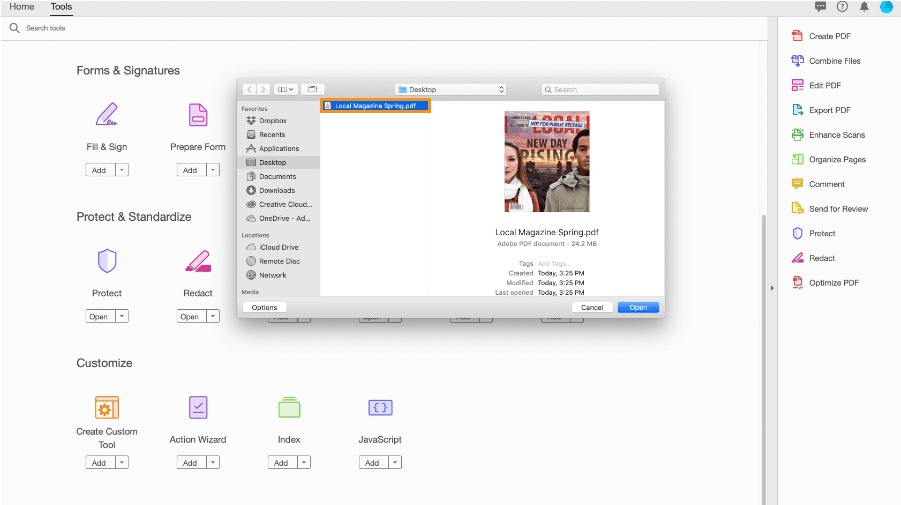
This tool can be accessed from Adobe Acrobat’s Tool Center. In the upper left corner, click the Tools tab, scroll down until you see the Optimize PDF tool, and select Open. You can use the Open dialog to upload the PDF you want to compress, then click Open.
Step 2. Reduce file size
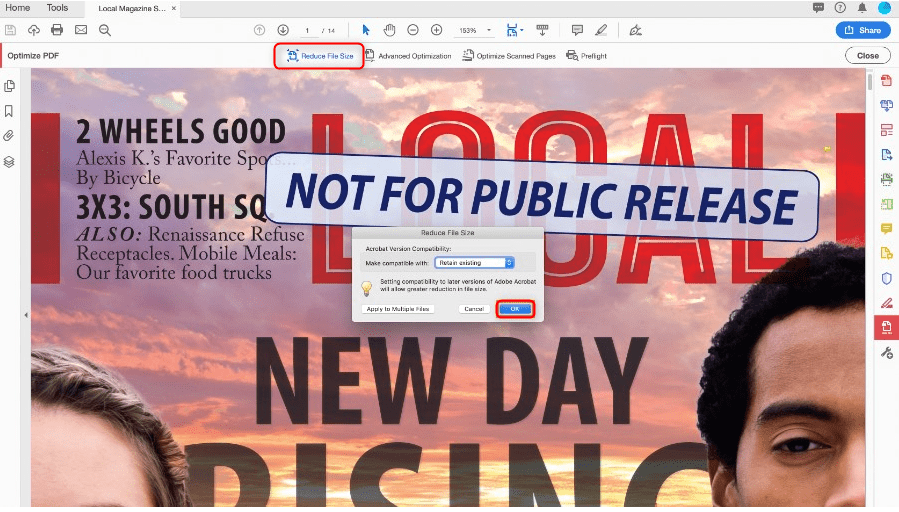
In the Reduce File Size dialog that opens, select File Version Compatibility from the drop-down menu options. Here, we leave the default settings Keep Existing and click OK.
Step 3. Rename and save the compressed PDF
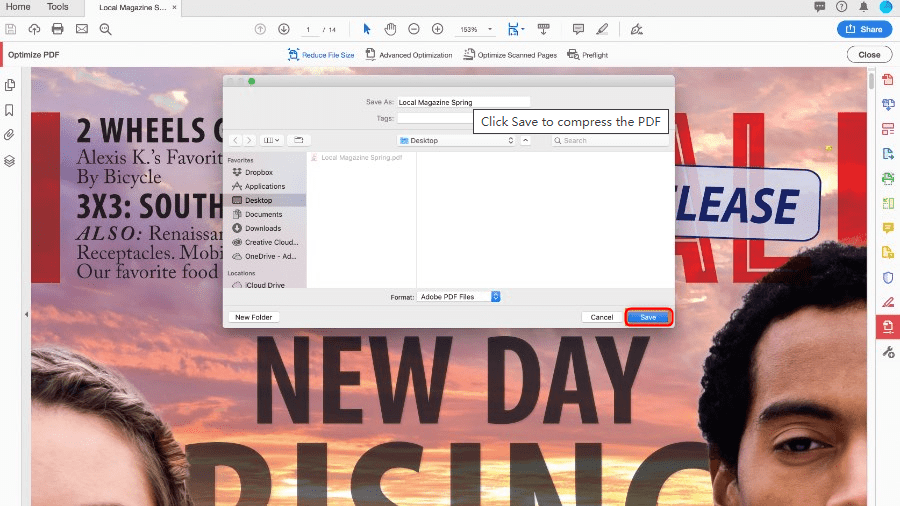
In the “Save As” dialog that pops up, you can overwrite the original PDF file with the new name. You can also customize where the compressed PDF document is stored and click Save.
Other ways to reduce PDF to small size
Another way is to reduce the size when saving in Word, to convert a .doc document to PDF, use the “Save As” option. This option usually produces a fairly small file, depending on the number of images in the document. Word also offers the option to generate a smaller file if you find that the PDF converted by Word is still too large. Here are the simple steps on how to do this:
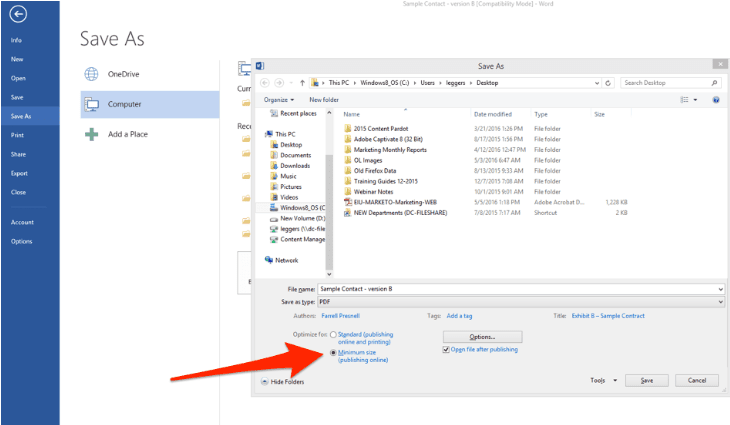
Open the Word document you want to convert to PDF > navigate to File, then in the Save As Type menu choose Save As > Choose PDF, then rename the PDF file at the bottom of the dialog > Display Optimized, choose “Minimum Size” (published online).
How to Compress PDFs for Email
How to reduce PDF file size but maintain quality?
According to our tests, all of the above methods do not affect the quality of PDF files. Compressing your PDF documents is as easy as following the steps above. Make sure not to choose strong compression when compressing the PDF document, as this may result in a loss of file quality.
How to reduce the size of PDF files for free?
You can compress PDF files for free with many PDF compressors available in the market, but there are some limitations. When you enter the PDF compressor directly in your browser, a large selection of related tools will appear. You might also want to try PDFgear, which provides a useful set of tools for working with PDF files.
Is it safe to compress PDF files with PDFgear?
Security is PDFgear’s top priority, so all connections are protected to keep your PDFs safe. Among other things, PDFgear promises to delete your document from the server as soon as you refresh your browser or leave the site. Therefore, you need to download the compressed files in advance as they do not save any copies of your PDF files.
Does PDFgear limit the size of compressed files?
PDFgear Online compressor There is no limit to your PDF file size, you can compress PDF files as large as possible. But the larger the file, the longer the compression time. Also, this tool doesn’t limit the number of PDF files you can upload, and can handle a lot of compression tasks for you for free.
in conclusion
To ensure a better way to send emails with attachments, you need to reduce the quality of the PDF file.This article shares some simple ways Reduce PDF file size. You can use Adobe Acrobat’s paid service to compress PDF files on your computer. Alternatively, you can upload a PDF file online to use a free compressor to compress the PDF file to a mailable size. Whichever method you choose, you should keep important PDF files safe.

