


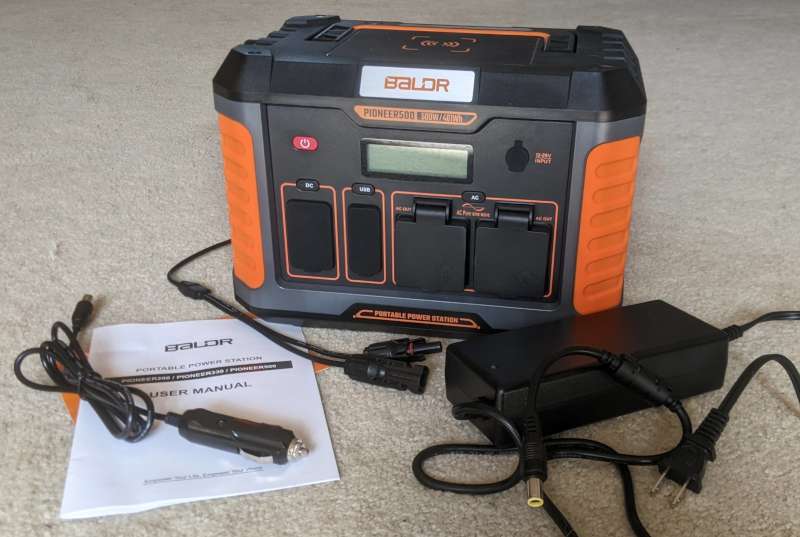
review – Living in the middle of nowhere means you have to be self-sufficient. While I don’t live off the grid, a big storm can easily knock my power out for hours. It’s not bad enough that I need a backup generator, but I still need to be able to charge my phone and lantern while powering a few lights.so portable power plant is a necessity. It needs to have multiple output ports and support powering multiple devices at the same time. The BALDR Portable Power Station 500W complies with all standards, has multiple charging methods and a wealth of different output ports, which means it is very flexible for any type of application. While I didn’t provide a solar panel for this review, it’s important to note that it’s compatible with them and can be purchased separately, which I intend to do. This is another key feature for me as I often go camping with my family in summer in areas without electricity and we need to be able to charge our lanterns and batteries.
What is it?
The BALDR Portable Power Station 500W is a large battery capable of powering multiple devices simultaneously.
What’s in the box?
- BALDR Portable Power Station 500W
- AC Wall Plug Charger
- 12V car charger
- 18V MC4 charger
- User Manual
Hardware Specifications
- Battery: 18650 lithium battery
- Capacity: 461Wh (22.2V 20.8Ah)
- Dimensions: 290 x 201 x 200 mm (11.4 in x 7.9 in x 7.9 in)
- Weight: 6.1 kg (13.4 lb)
- Charging temperature: 0 – 40° C (32 – 104° F)
- DC Input: 12 – 28V Max 100W
- AC outlet(2): 120V, 60Hz 500W, 1000W surge
- Cigarette lighter port: 12V/10A
- DC port (2): 12V/10A
- USB-A ports(3): 5V/9V/12V, up to 3A, up to 54W combined
- USB-C port: 5V/9V/12V/15V/20V, 3A, 60W max
- Wireless Charger: 10W
- LED strip: 0.5W
- Flashlight: 1W
Design and Features
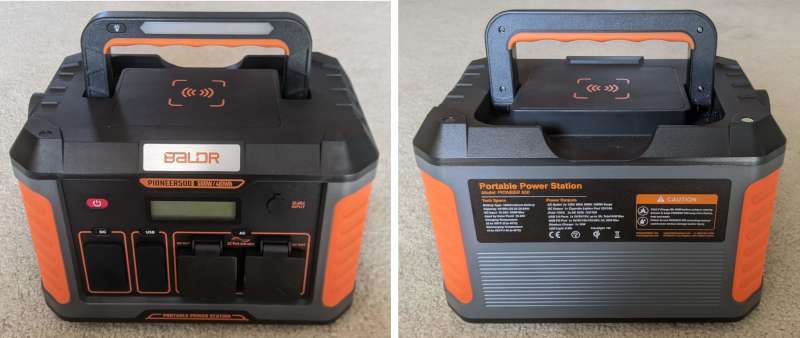
The BALDR Portable Power Station is a small power horse, less than a foot wide, eight inches high and eight inches deep, it’s surprisingly small for its capabilities! Its design is a simple dark grey and black plastic body with some orange rubber/silicon trim. The front has all the ports and the screen, while the back just has the info sticker. The handle rests completely flat on top of the workstation, and thanks to the rubber-like silicone orange grip and finger indents, it feels comfortable enough to carry for considerable distances.
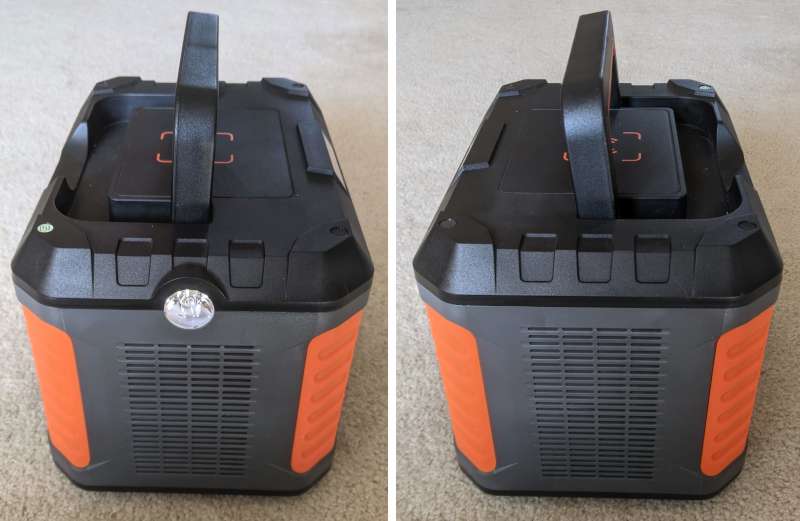
There are vents on both sides to prevent overheating, while there is also a flashlight on the left.
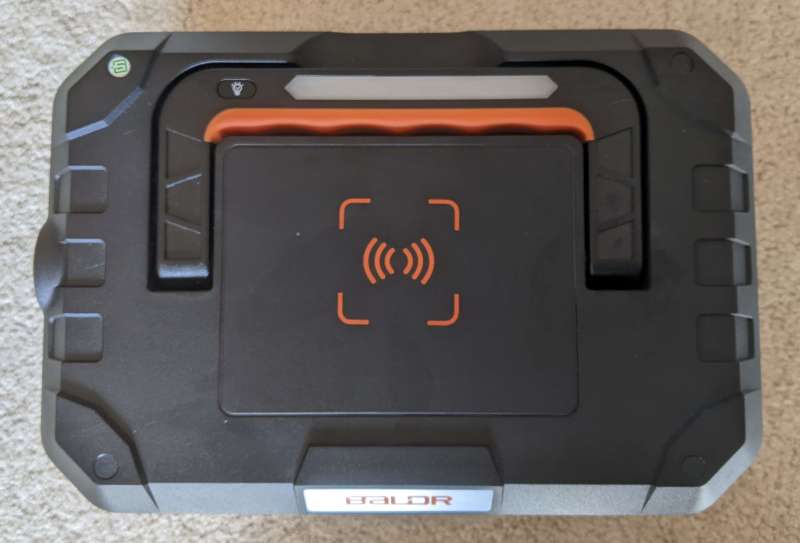
The wireless charger is located on top of the power station. The LED strip works with the button on the left to turn the LED strip and the flashlight on and off. Press the button on the handle once to turn on the flashlight, a second press to turn on the LED strip and turn off the torch, and a final press to turn off all devices. If you press and hold the light button for three seconds, it turns on SOS mode. In SOS mode, the left flashlight will automatically flash SOS repeatedly in Morse code until the button is pressed again. One thing to note about SOS mode is that it doesn’t start blinking until you release the button. When I first tried to turn on SOS mode, I held down the button for over ten seconds and nothing happened. As soon as I stopped pressing the button, it started blinking. While this isn’t a huge problem, it can be quite confusing for first-time users. It is not possible to turn on two lights at the same time. However, you don’t need to turn on the whole power station to use the lights, just press the button on the handle. You do need to power on the BALDR Portable to use the wireless charger.
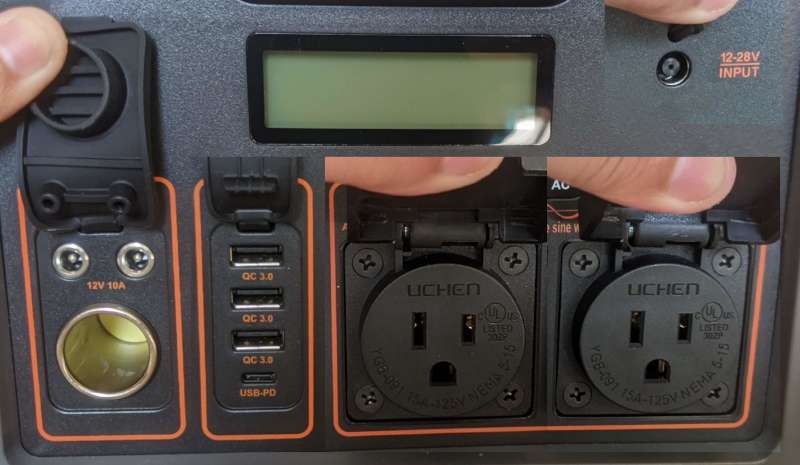
Above is a collection of multiple photos showing all ports at once. From left to right are the DC interface, USB interface, AC interface, and the upper right is the charging interface.
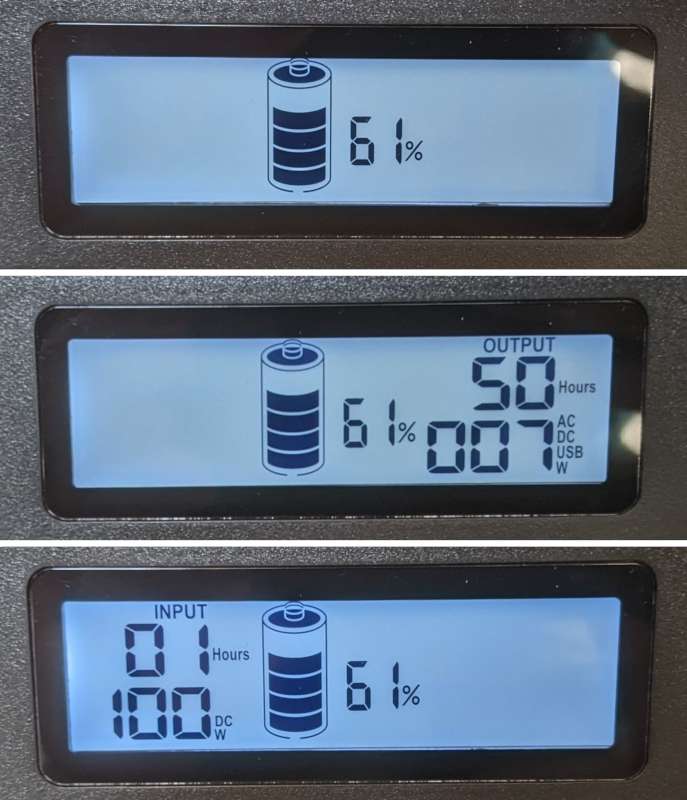
The LCD screen provides a wealth of information while being easy to understand. The photo at the top shows what the screen looks like after turning on the power station without any connections. In the center of the screen, it shows the battery percentage along with a graphical representation of the battery level. The second photo shows what the screen looks like when the station is in operation. The numbers above show how long the battery can last while powering a device that’s plugged in. The numbers below indicate the wattage in use and the ports currently open. In this photo, I have all the output ports open, but in the image below, I have only the AC port open. The last photo above shows what the power station looks like when it’s charging. The upper number indicates the number of hours the charging station was fully charged, while the lower number indicates the wattage and power type. It does support pass-through charging, which means it can charge itself as well as power other devices connected to it.
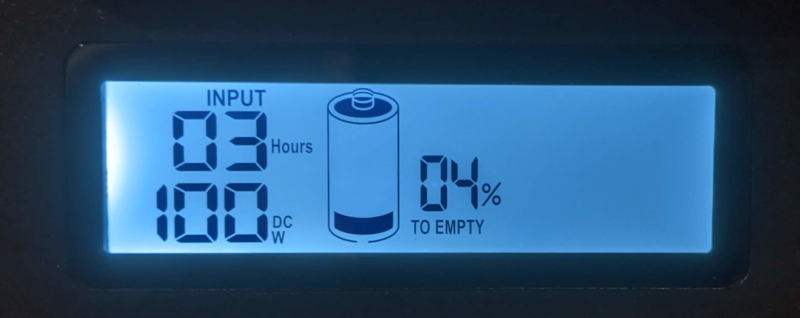
When the BALDR Portable Charging Station reaches 20% charge, a low battery alert “TO EMPTY” will appear below the battery charge percentage. According to the instruction manual, once the low battery alarm is on, you should try to charge it as soon as possible. This will extend the overall battery life of the radio. If the station is completely dead, a battery with an exclamation mark will appear on the screen, indicating low voltage. As the health of the power station is recommended to prevent it from dying completely, I didn’t discharge the power station to this point, so there is no picture of this icon. While all my photos show the screen with the backlight on, the backlight does turn off after two minutes. The screen itself will turn off after three hours.
Another icon that I can’t take pictures of is the temperature alert. This will appear as an old-fashioned thermometer bulb and indicate that the power station is beyond its safe operating temperature. All input and output ports will be disabled and inoperable until the site is back within safe limits.
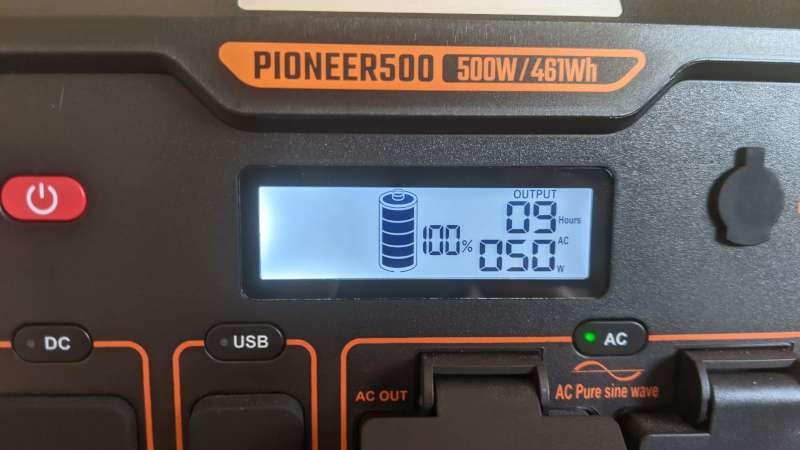
Operating the power station is as simple as pressing the power button and turning on the output you want to use! In the photo above, you can see that it is fully charged through the AC output while pulling 50W. At the current load, it will power the plugged-in device for 9 hours. For this photo, I’m actually powering my large smart TV just to see how long it’s going to last, and it’s impressive. After about four hours at about 60%, I used it to power my work laptop all day the next day before it needed to be charged.
It’s important to note that while it’s sturdy, it’s not waterproof, so it’s probably not a good idea to use it on a boat. It also can’t power a hair dryer, space heater, teapot or clay pot. This is due to the wattage required to power these types of devices. But these are deal breakers for me.
what do I like
- Easy-to-read LCD display
- Ability to choose which ports are opened to save power
- Built-in wireless charger
- Bright built-in flashlight
what would i change
- SOS mode starts automatically, no need to release the button to start flashing
final thoughts
I am absolutely in love with this little guy. It has enough power to keep your devices charged and running, but it doesn’t weigh a ton or take up too much space. The built-in wireless charger is a nice feature, and you can easily leave your phone there while charging another device for a quick boost. For anyone looking for a flexible portable power station, the BALDR Portable Power Station 500W is the answer.
price: $369.99
Where to buy: Amazon
source: Samples for this review are provided by Balder


