


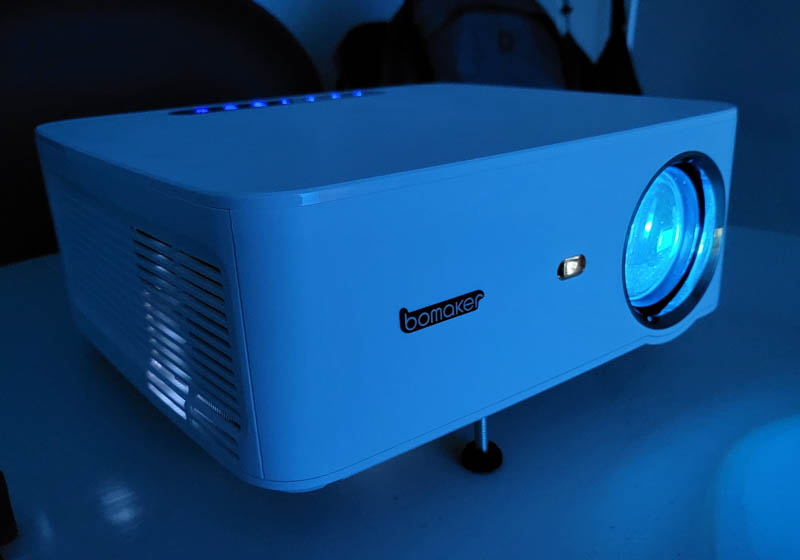
Review – I have reviewed several DLP LCDs projector Bought a pair myself here, and for various purposes in my life. The Bomaker Cinema 500 Max projector has by far the best image quality I’ve seen in a sub-$500 projector, overall I was pleasantly surprised by the features and performance, although I wish it had a full Google TV or Roku-like OS. Oh, you can hook up a portable bluetooth speaker give it to it! This is new to me!
What is it?
The Bomaker Cinema 500 Max projector is a digital light projection LCD projector with a native resolution of 1080P. It can be displayed on a screen as small as about 40 inches, or as large as you want (though the further you go, the farther the projector needs to be, and the darker the overall picture will look). In a dark room, I found 80-120 inches to be the sweet spot. Bomaker advertises it as a low-latency projector suitable for gaming, and I’ll definitely be testing it, as many budget projectors won’t work for action games due to painful input-to-display lag.
What’s in this box?
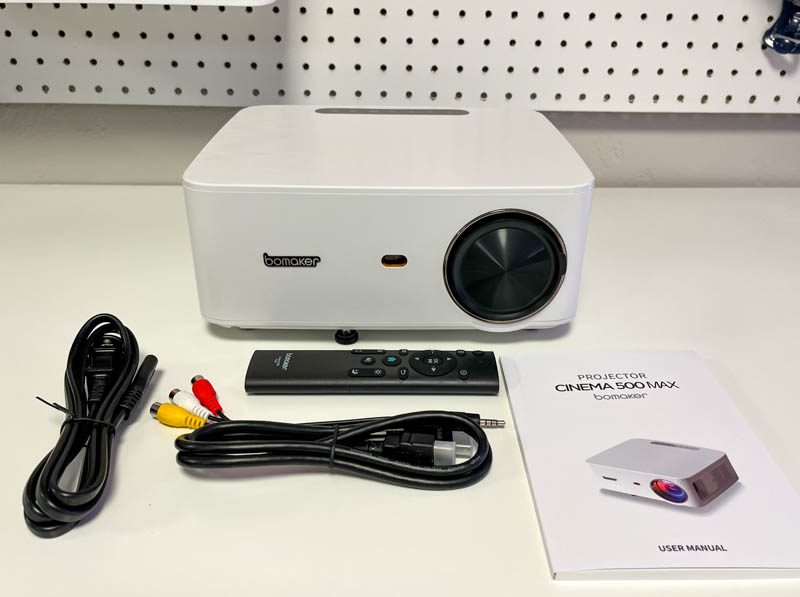
- Bomaker Cinema 500 Max Projector
- Infrared remote control
- AV analog cable
- HDMI cable
- AC power cord
- manual
Hardware Specifications
- Projector Type: DLP LCD (Digital Light Projection Liquid Crystal Display)
- Projector native resolution: 1080P (1920 x 1080 pixels, Full HD)
- Wifi: Dual Band (5G and 2.4G)
- Bluetooth: 5.0
- Chipset: MTK358
- Four-point keystone correction
- HDR10 decoding
- Supports front and rear projection modes
- Supports ceiling and standard rotation modes
- 45 dB operating noise level
Design and Features
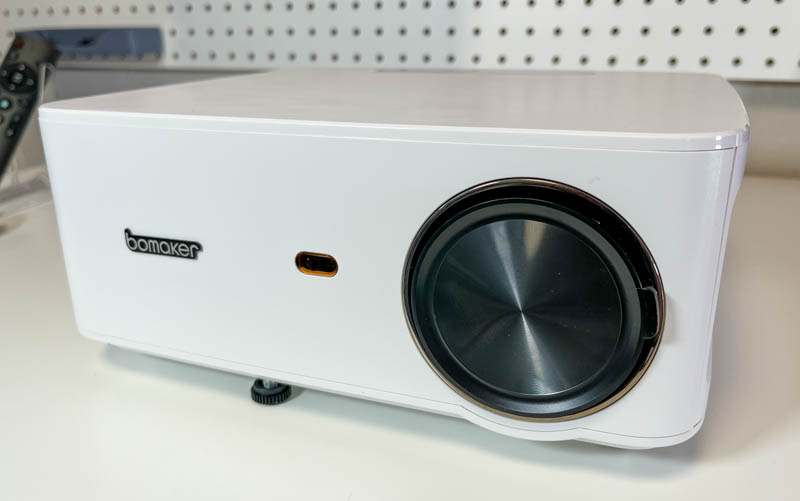
The Bomaker Cinema 500 Max projector is a square white box, very similar to most of my past projectors. It’s almost all plastic, but it feels like a nice plastic, and the fit and finish is great. On the front is the “bomaker” logo, the IR receiver for the remote and the lens (with cover).
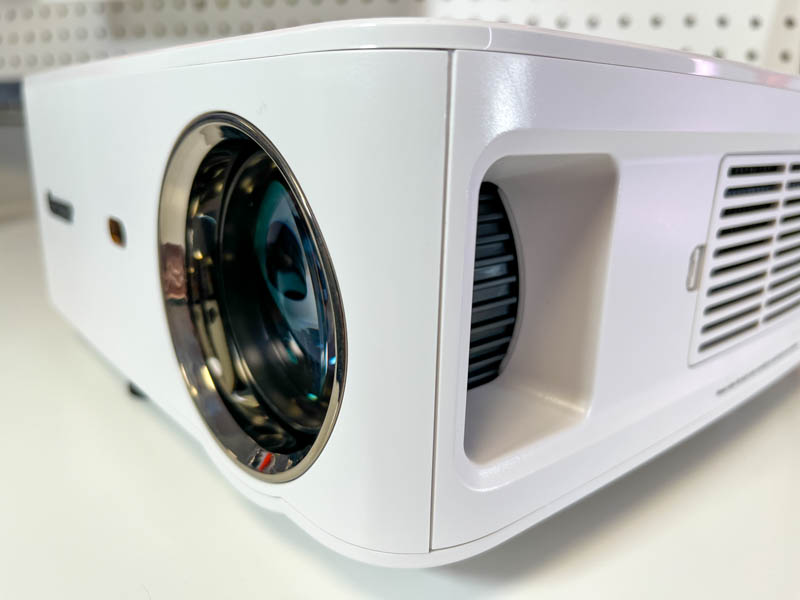
Above is the lens with the cover removed, and the focus dial on the side. Also visible is the removable ventilation filter, which pops off easily and blows away dust for occasional cleaning.
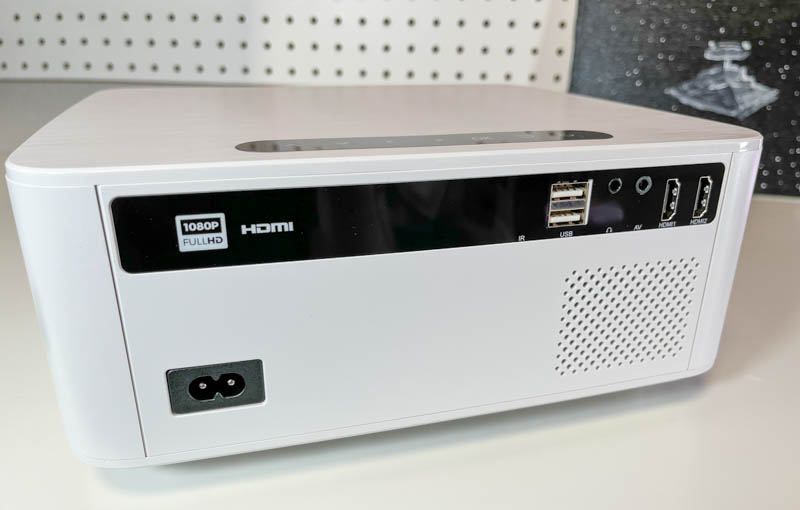
The back of the Bomaker Cinema 500 Max projector is the AC power connection, another IR receiver (so the remote can work from either side of the projector), two USB connections (these can be used to power low-power devices like Google Chromecast or Amazon Firestick, or for media on a USB storage device), headphone or audio output, analog audio/video input, and two HDMI connections.
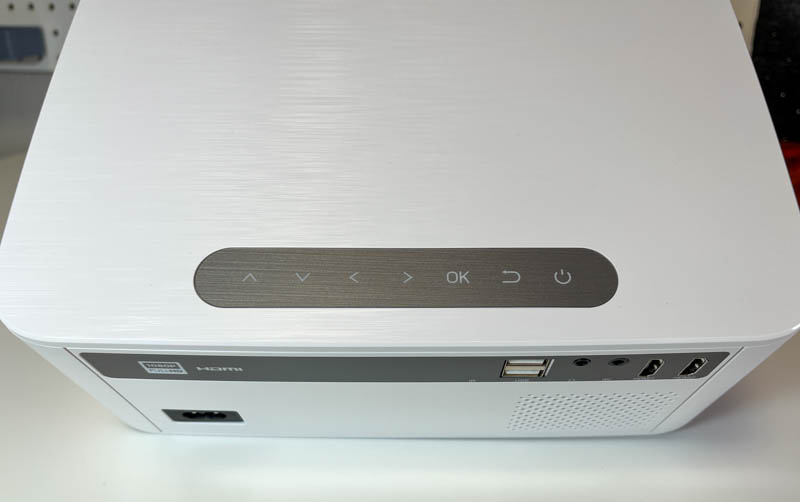
There are some capacitive buttons on the top of the projector so you can control the projector without a remote. These will light up when powered up:
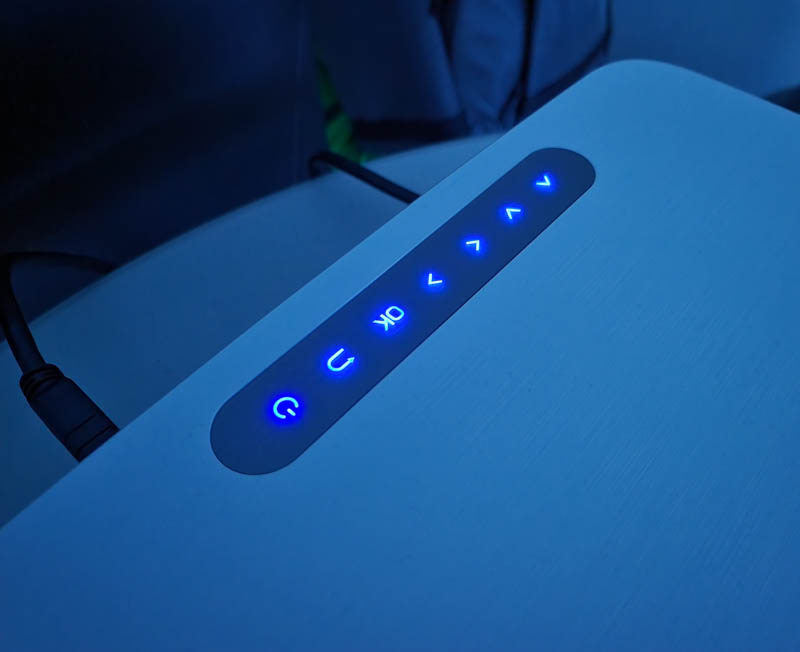
From here you can access the menu and control the volume if needed.
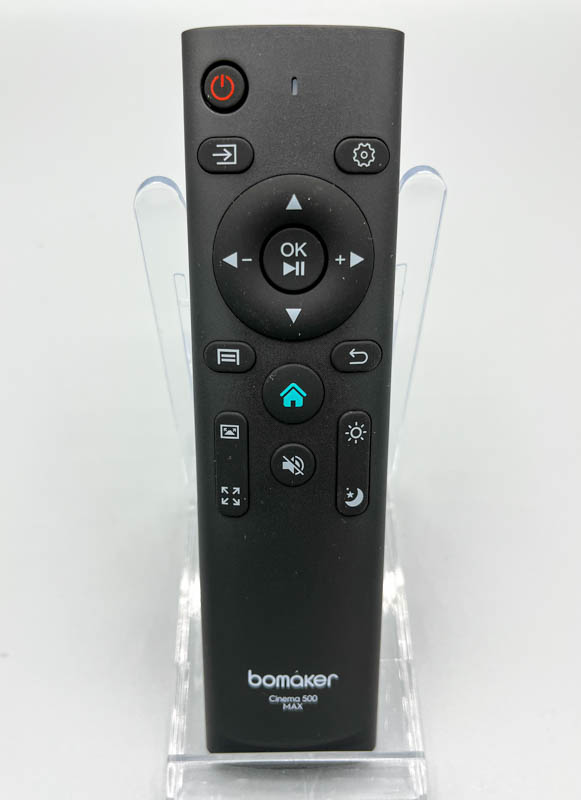
The remote does what it’s supposed to do. If I had to improve one thing here, I would change one of the two longer buttons in the bottom left and right (currently set to adjust picture mode/brightness) and adjust the volume there. According to the current settings, the volume up and down is the left and right arrows, you can get used to it. I found that I could point the remote at the screen (out of habit) and the IR was strong enough to bounce back to the projector and I didn’t have to point it behind me to make adjustments.
installation and setup
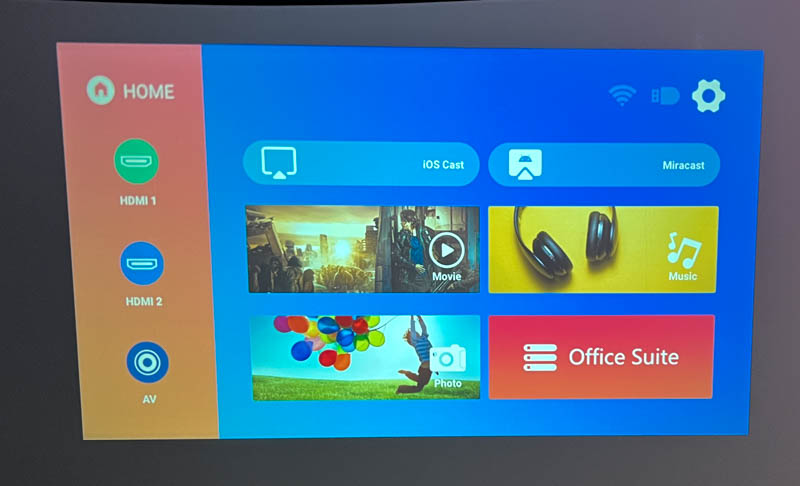
The screen above is the main view of the Bomaker Cinema 500 Max projector when it is turned on. The Movies/Music/Photos/Office options just take you to the file browser to see what’s on the USB storage device, no streaming apps installed, and no way to add any apps, even though this projector is running an Android version of Pocket cap.
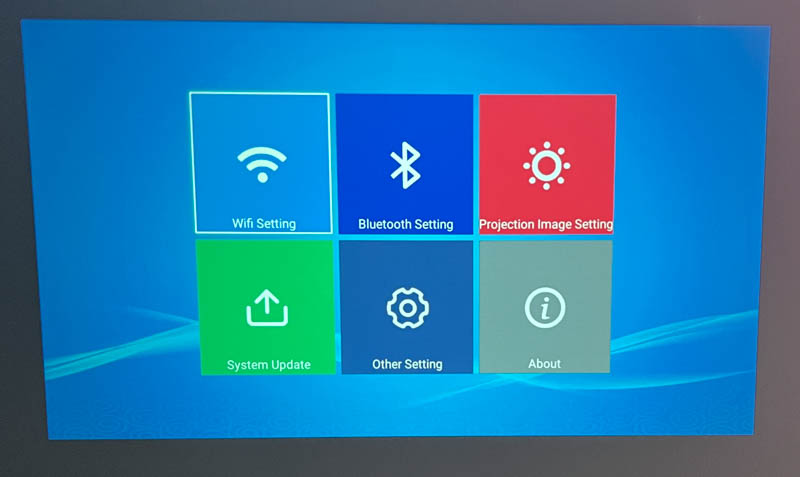
Settings menu, after connecting to WiFi (the Bomaker Cinema 500 Max can connect to 2.4 Ghz and 5 Ghz Wifi, but if you’re doing any screen mirroring, you’ll want the latter for the best performance), I checked for system updates, and applied it .
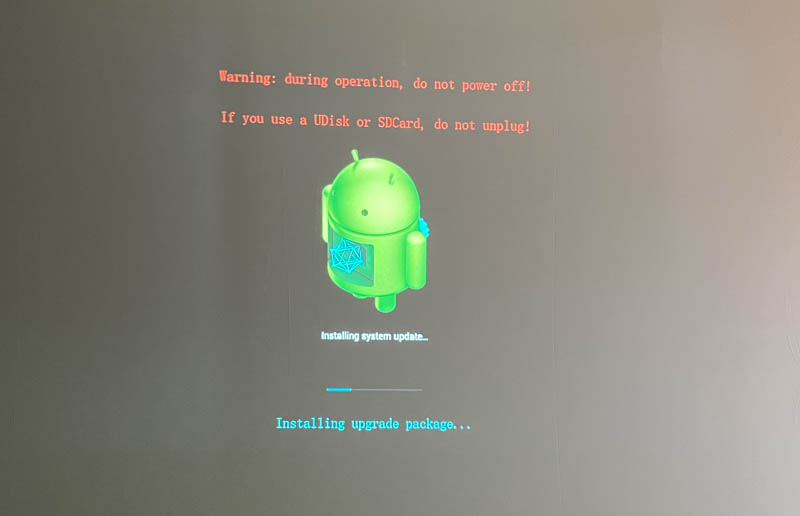
This is the screen displayed during an update, showing the old Android ROM update screen. The Bomaker Cinema 500 Max says it runs on Android 6, which is pretty old at the time of writing.
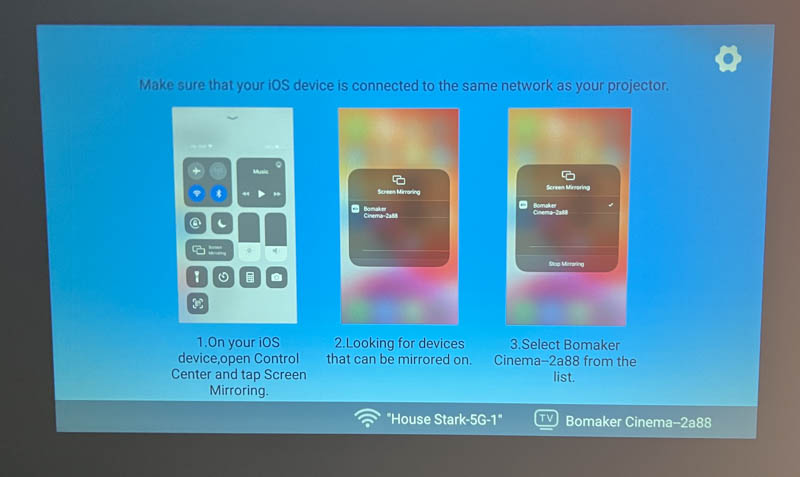
Most people want to connect some media sources via HDMI for the best results. The Bomaker Cinema 500 Max does support screen mirroring for Android and Apple devices. I tested both (with an iPhone 13 and a recent Samsung Android phone) and both work without the need for any third-party apps, which is great.
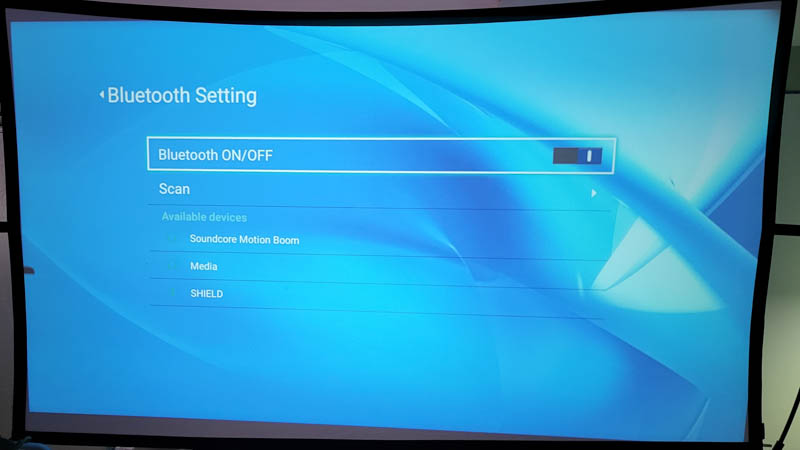
Finally, I tested bluetooth (meaning to allow connecting bluetooth speakers) and this could be the Bomaker Cinema 500 Max’s killer replacement for my previous summer movie night projector! After turning on Bluetooth on the Bomaker Cinema 500 Max, I paired a decent stereo speaker and I was impressed with the results. With no noticeable audio lag (due to audio lag sometimes bluetooth devices can get out of sync with what you’re seeing on the screen), I was able to place this portable speaker below the screen for an immersive and rich experience sound experience.
Built-in speakers are fine. I hear worse, I definitely hear better, and unless you’re the kind of person who watches full-length feature films on your phone’s speakers, you won’t want to rely on them to watch movies. The fans are audible but not particularly annoying, and they’re similar to running a laptop or quiet desktop nearby.
Performance
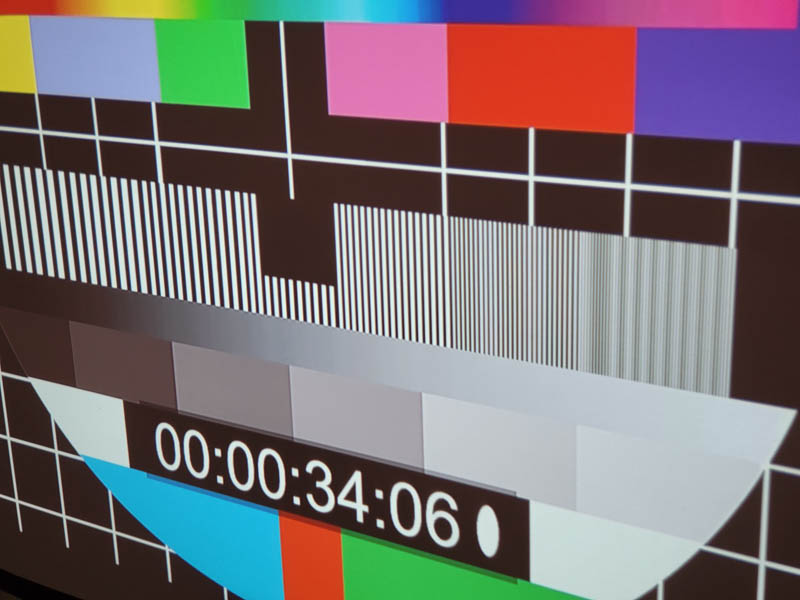
Like most sub-$500 projectors, the Bomaker Cinema 500 Max’s image quality isn’t perfect. Like all other projectors in this range, I found that you need to line it up in the center of the screen for best results. Although the projector supports 4-point keystone correction (you can adjust the image if the projector is off-center), I found that the resulting image looks square, but will be sharper in the center or part on one side than the other. When perfectly aligned and carefully adjusted, you can see in the image above that the edges are still a bit blurry. This effect is much worse on projectors I’ve tested in the past, but I didn’t notice it very often when watching movies or playing games. If you’re using it to display Office documents, you’ll probably notice more in the form of blurry text at the edges.
Speaking of focusing, the focus knob was a little too resistant on the model I tested. You have to apply more pressure than expected to make it move, and then it usually yanks too far in the direction you’re pushing. This resulted in a lot of back and forth yo-yos trying to get the focus just right. It’s not a big deal if you put it in a permanent location like a home theater because I got it after a few tries, but it’s annoying if you move it around a lot.
Cameras have a hard time capturing what the eye sees in a dark room, but the above are my attempts. The colors on the Bomaker Cinema 500 Max are very vivid, and it also has great contrast whenever the room is dark. Bomaker doesn’t advertise the exact lumen rating, but it seems to be brighter than previous budget projectors I’ve tested, it can handle some light leaks, but it will definitely wash out in brighter light like almost any other projector . With a few tweaks to the picture settings, I was able to get a fairly natural color experience.
Next, I tested gaming lag with a gaming laptop and an Nvidia Shield console, and the results were smooth. I didn’t notice any noticeable lag. I’m one of those first-person shooters who can tell when there’s lag, and the gameplay is as smooth as any other 60 Hz LCD screen I’ve tested. It’s far better than past projectors I’ve tested, from slight lag to unplayable. Here’s a short video where I compare what’s playing on the laptop (right) to the projector (left) and you can see that they are in sync:
what do I like
- Decent image quality
- As long as the projector is centered, you can get a sharp image with a few tweaks
- Connectivity options, including Bluetooth for audio
what would i change
- Full Android/Google TV will be much better than current OS
- Focus adjustment could be smoother, a little too much friction
- Allows the lens cap to be placed even if the lens is in focus (you must refocus the lens inside the projector to use the lens cap)
final thoughts
I can’t find much on this brand, so I’m not sure about the long-term reliability of this projector, but the Bomaker Cinema 500 Max projector does well at this price point. Good picture quality, low latency and Bluetooth connectivity combine to provide a great viewing experience on a budget!
Price: $219.99
where to buy: (Use code gadgeteer30 at checkout to save 30%)
resource: Samples for this review are provided by


