


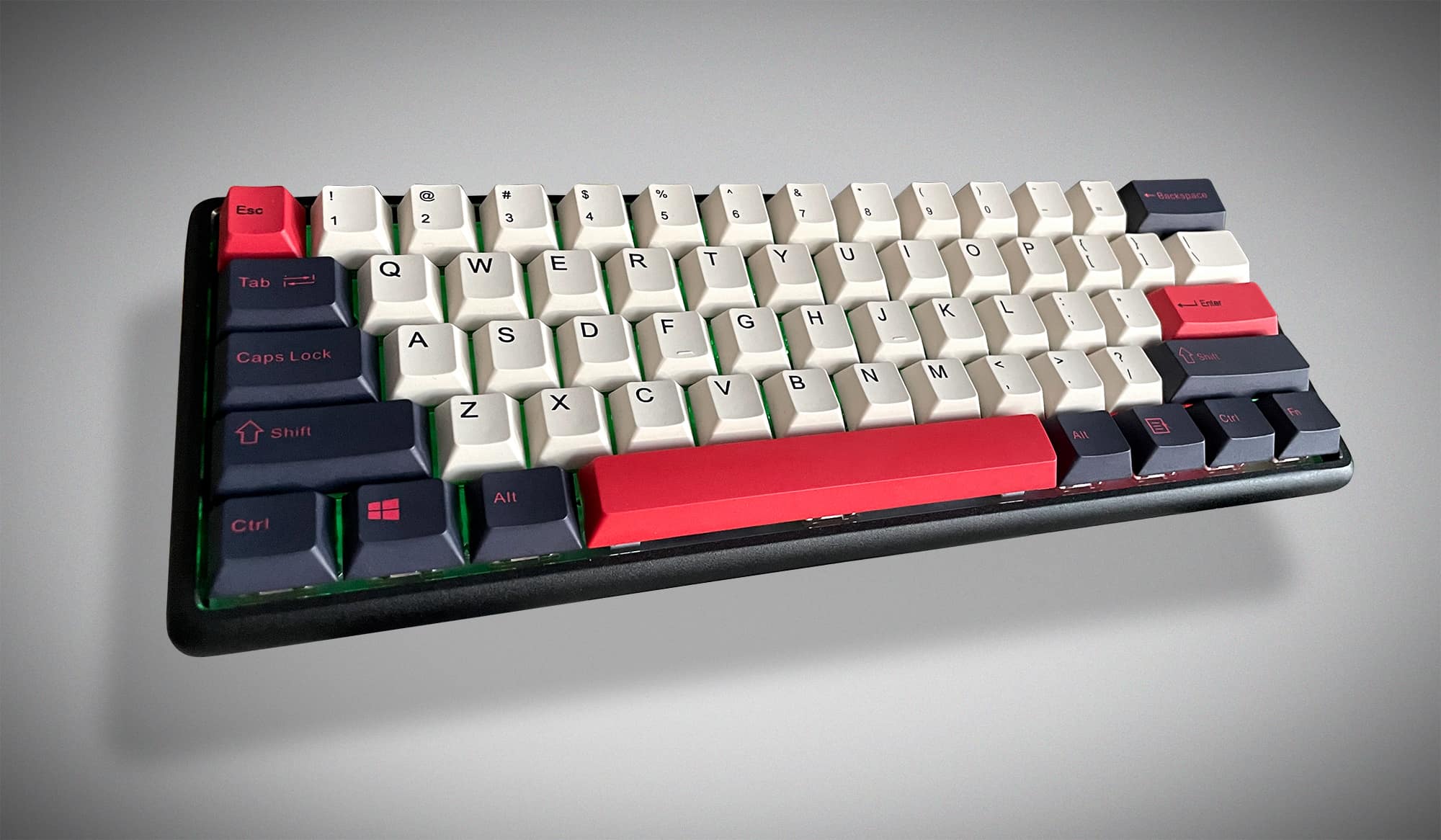
review – What do you get when you take a full-size keyboard and reduce it to the smallest viable product, and then add a bunch of features that are actually useful?something like that Epomaker Lite 60% Aluminum Mechanical Keyboard.
What is it?
Epomaker Lite is a 60% size spacer mounted aluminum mechanical keyboard Features hot swap switches, RBG backlighting, heavy duty CNC aluminum body, and Bluetooth/wired connectivity for up to 4 devices. It supports Mac or PC, and the keys can be customized through a downloadable application.
What’s in the box?
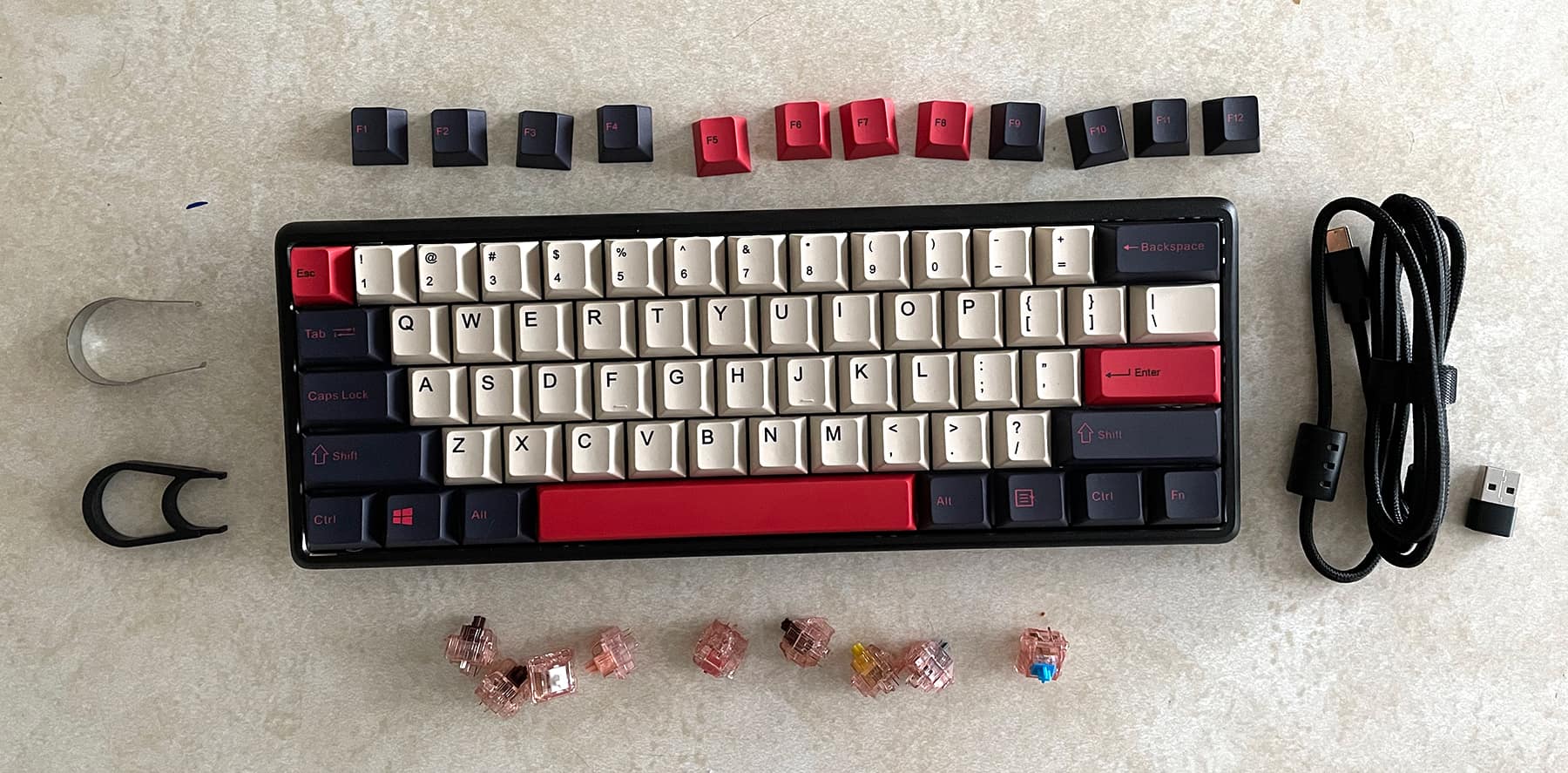
- Epomaker Lite Keyboard
- USB-C cable
- USB-C to USB-A Adapter
- Key and Switch Removal Tool
Hardware Specifications
- 61 keys (60% compact)
- Dimensions (LxWxH) 298.4 x 101mm x 25.4 mm
- Weight 1.6 lbs
- Keycap Dye-Sub PBT
- Shallow gasket structure, stable and stable typing experience
- Silicone pads cushion every keystroke and dampen sound
- CNC machined aluminum body, polished and sandblasted
- Hot-swappable keys and switches
- Includes Epomaker Chocolate switch
- replaceable board
- USB-C wired or Bluetooth 5.1 connectivity (up to 3 wireless devices and 1 wired for a total of 4 devices)
- 4000mAh battery lasts up to 80 hours
- RGB backlighting with 9 default lighting effects, software customizable
- Support Android, iOS, macOS, Win
- ANSI/ISO layout
Design and Features
After using (and reviewing) several mechanical keyboards over the past few years, people tend to form preconceived notions of what an unfamiliar keyboard will offer. There is a lot of bouncing crackling. Those tall keys with lots of travel harken back to the days when keyboards had a full beige color palette and could be tapped relentlessly before monochrome black and green CRTs.
The Epomaker Lite Mechanical Keyboard captures all that nostalgia in a small, ultra-sturdy package.
powerful. small.
When I first received the keyboard, I had reservations about how to use 60% of the keyboard for a normal work day.One of the unique aspects of almost all key configurations below 65% is the removal of two function keys and Arrow keys.i found a good article here This explains the difference between keyboard layouts.
Now, for the most part, I can get by without function keys…but I have to hesitate, I will no longer have arrow keys for pinpointing designs in several Adobe apps element. And, spoiler alert, this is the one thing I miss the most.
From the overall structure of the Epomaker Lite, this is a very compact keyboard. The entire body is a unified aluminum case that has been precision cut and sandblasted for a matte finish. It was cold, heavy, and rock solid. It didn’t move at all under the fingers I tapped.
The red, white, and black keys I received have a nice color combination with an 80s aesthetic, like the colors on a Nintendo controller or pocket calculator.
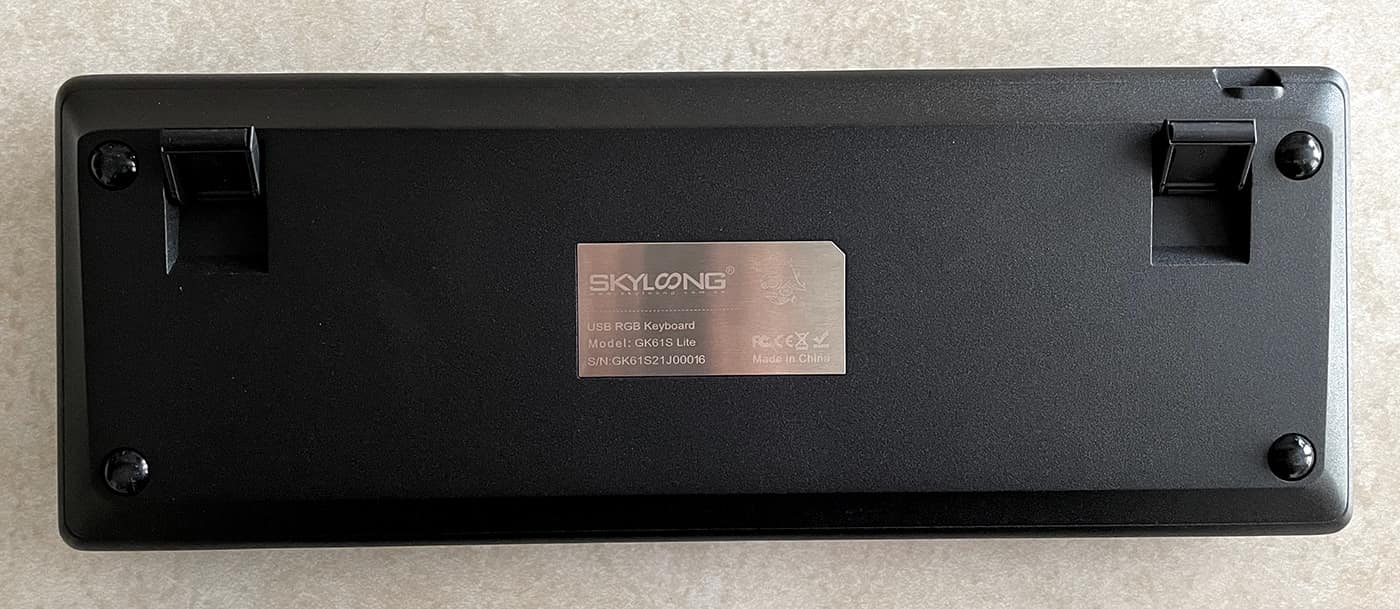
There are four rubber contacts on the bottom of the keyboard to prevent slipping.There are also two small fins at the bottom very mild Raise the angle of the keyboard toward you. They’re pretty much useless and seem to break and get lost easily.
New Voice Glory
The Lite comes pre-configured with Epomaker’s “chocolate” switches, which I believe are their own variation of the brown type switches. They have good travel, high bounce and light resistance. They don’t “click” like the blue type switches, but they aren’t completely silent either. I think they are one of the most comfortable switches I’ve personally used. I like the fact that keystrokes are logged in about half way, eliminating many of the accidental keystrokes I’ve encountered with lighter switch types.
Your typing can be very deliberate and forceful. It sounds silly, but there’s something very cathartic about typing “purpose”. I almost exclusively use Apple keyboards, whether it’s the one built into the laptop or one of the small external bluetooth keyboards, and the keys on these things are like little black chickens with little travel.they are OK. However, if you type a lot at work, you really should try a mechanical keyboard at some point and find a good type of switch that you like.
customize everything
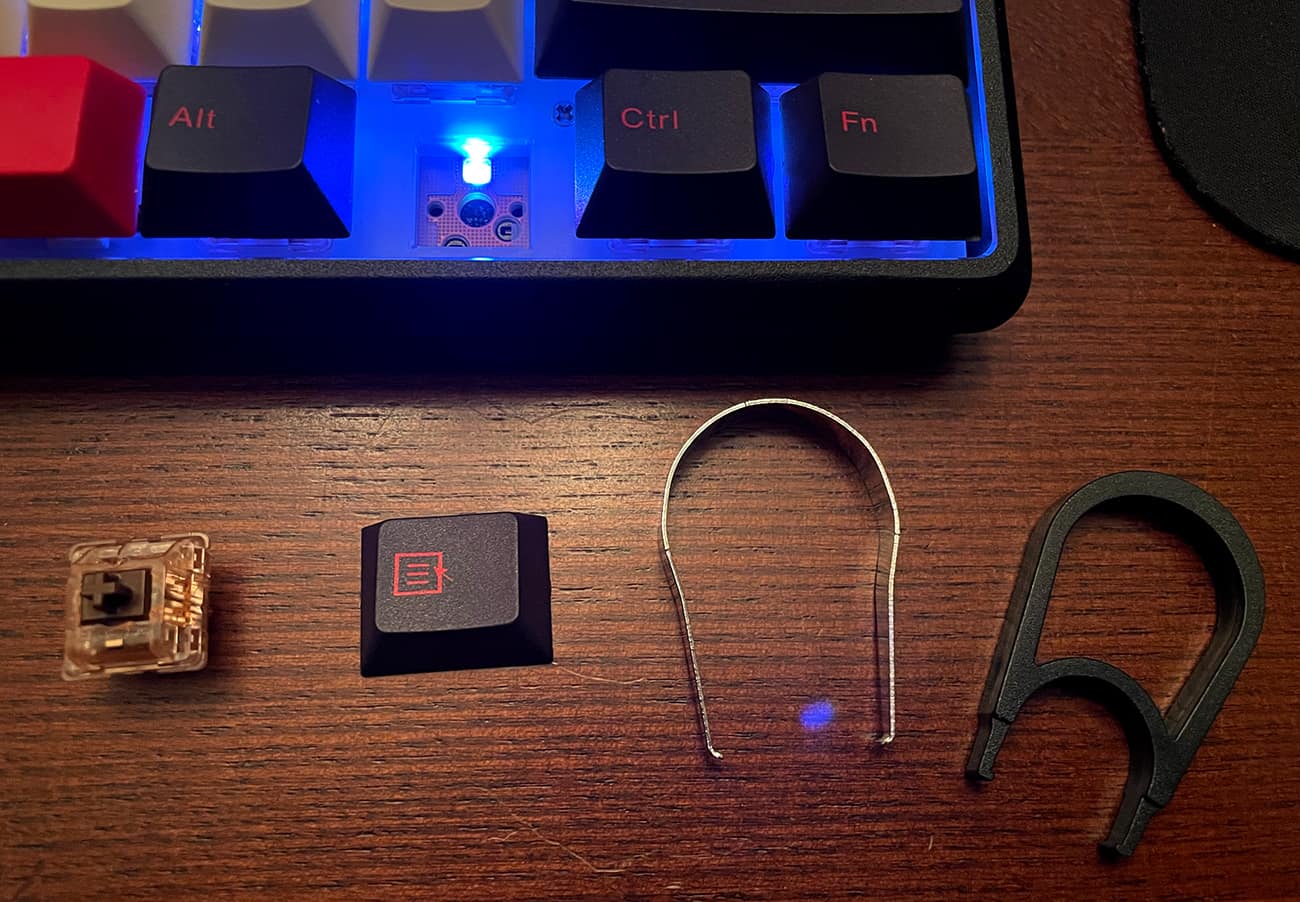
The Epomaker Lite has hot-swappable keys and switches. They were kind enough to provide a set of switches to test interchangeability and see how each switch type feels.
They also include an entire row of function keys, in case you want to swap the number row with the function keys provided. I guess there is a use case, maybe a custom key configuration, where the F keys are used more often than the actual numbers.
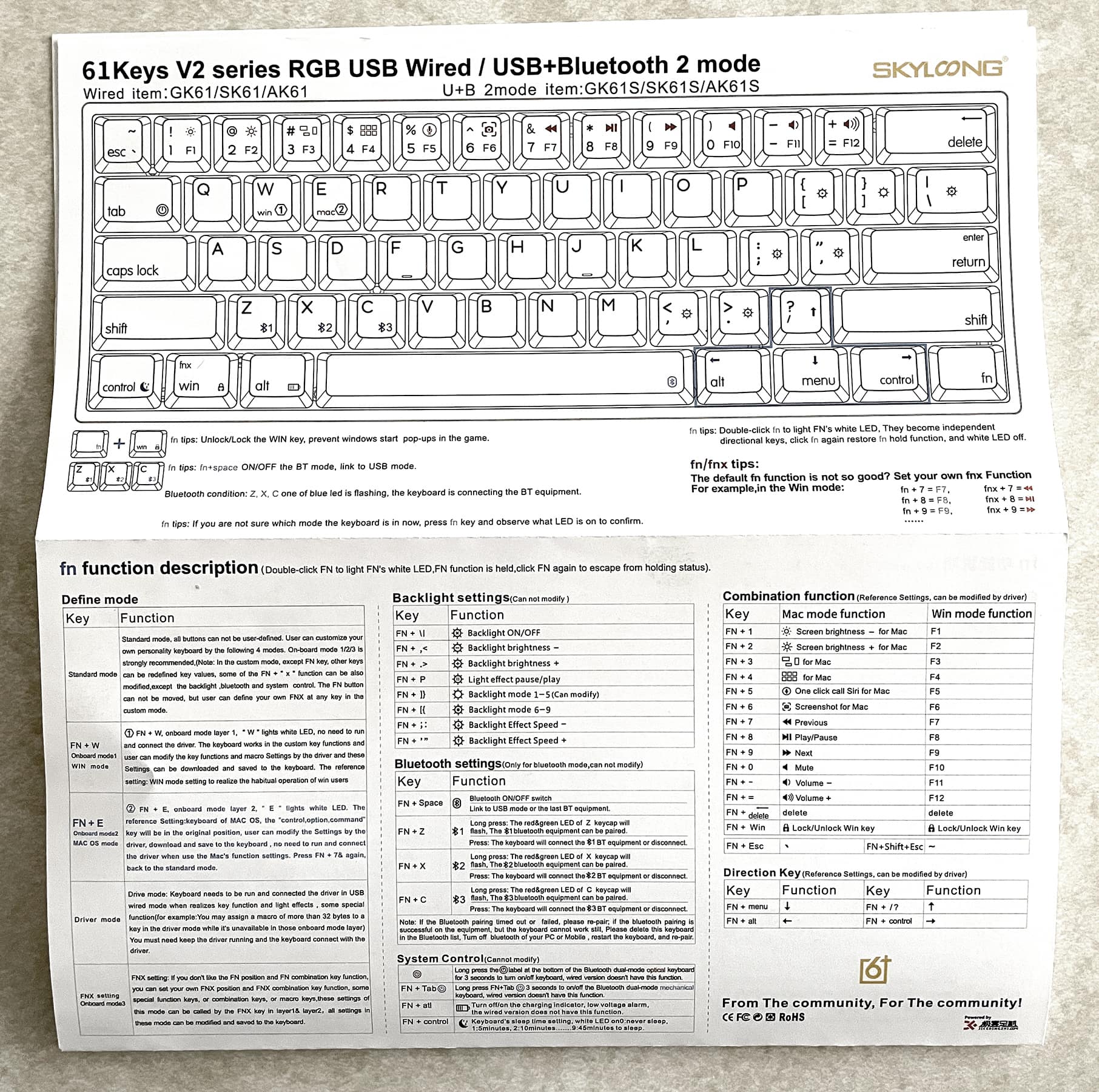
There’s a downloadable app that lets you replace basically any key on your keyboard… For example, I’ve noticed that even in Mac mode, basically swapping the positions of the control/command keys, the left option key doesn’t work properly This should .so i download and Somehow Figured out how to change the key layout to perfectly emulate the command option control keys I’m used to.
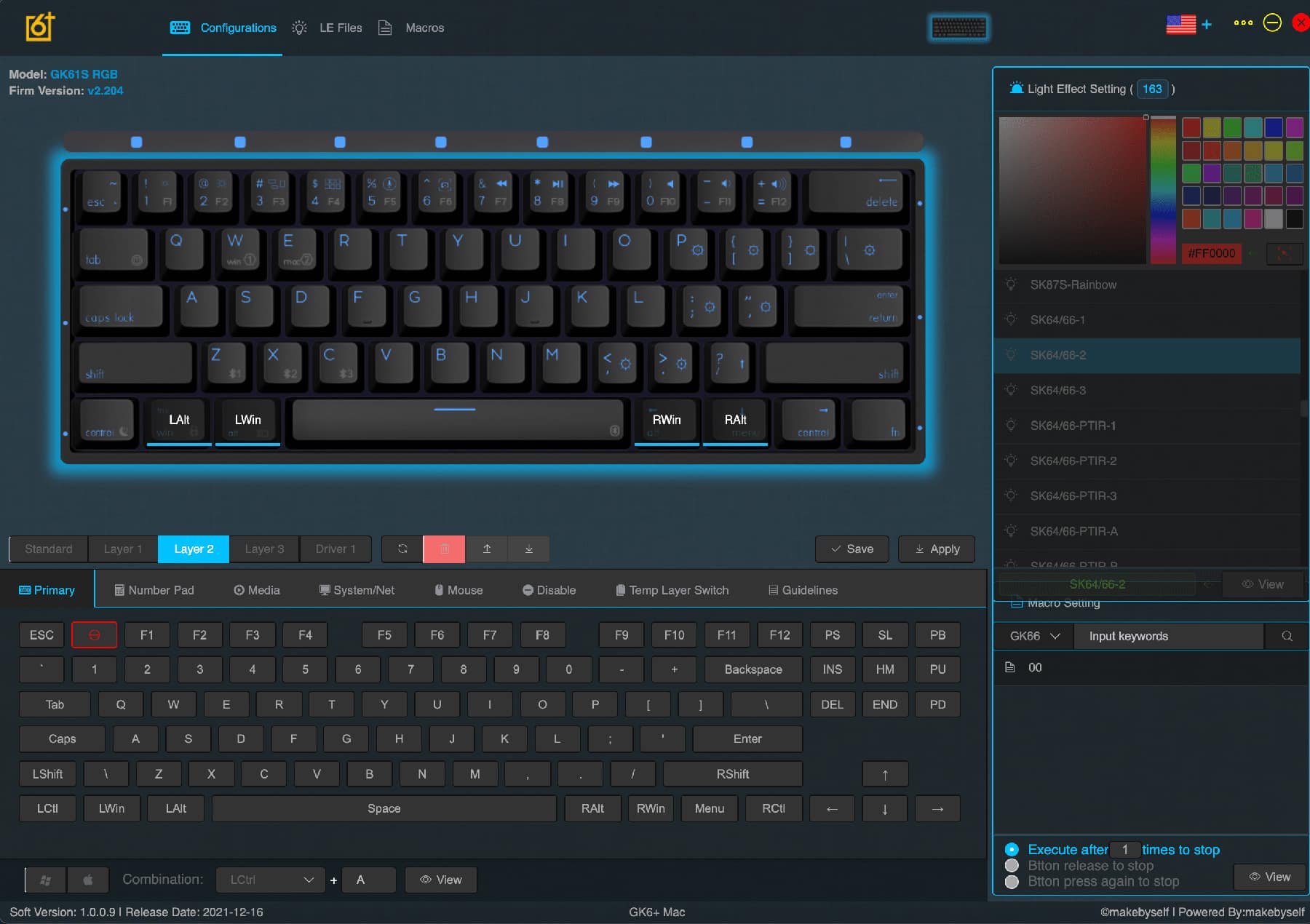
You can also use the app to create macros and personalize the RGB backlighting, but I didn’t really get into that as there’s no real documentation for the software. this is too scary.
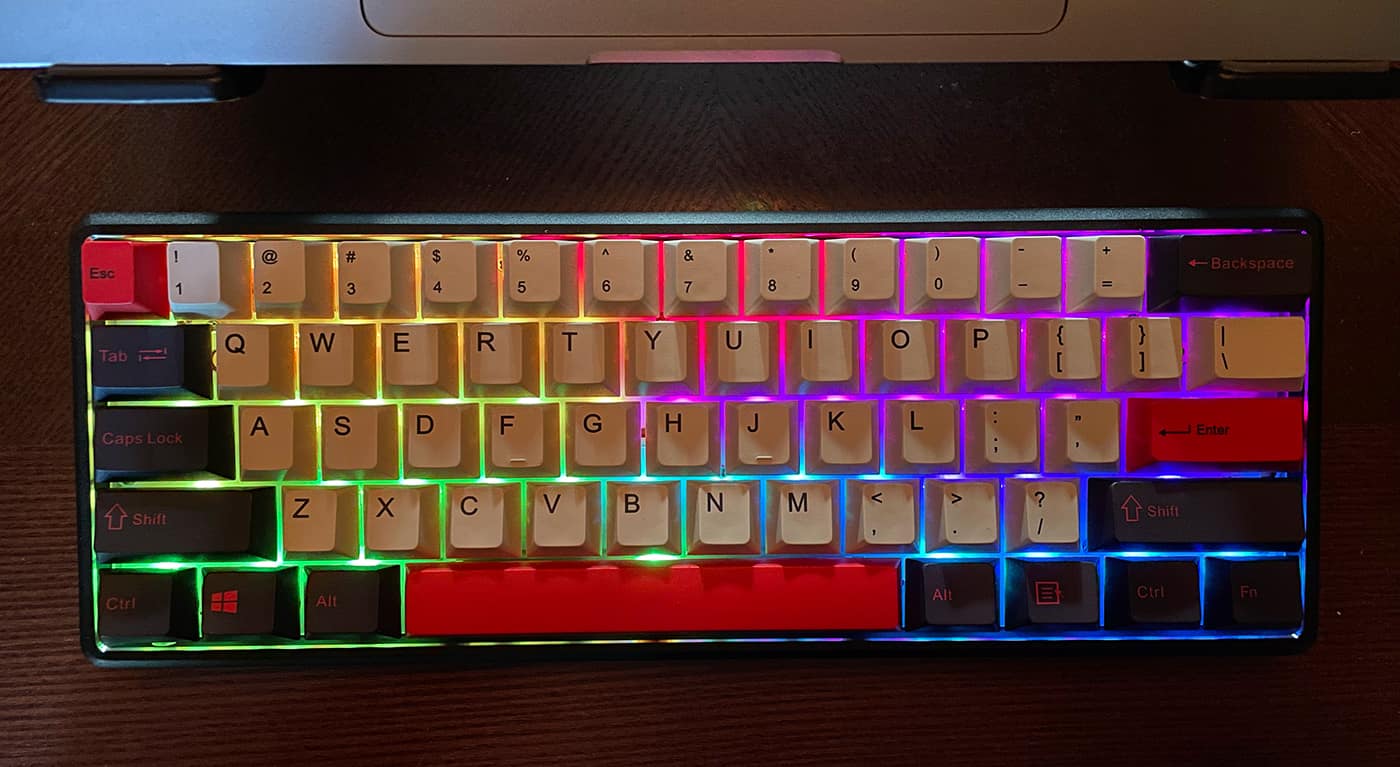
RGB backlighting is a nice touch. It provides a pop of color in dimly lit rooms, but it barely emits enough light to easily see the characters/numbers on the keys themselves. This wasn’t a problem until I got used to the layout.
The lighting has a couple of nice touches, for example, one of the default settings has a green glow, except for the red glow below the question mark key and the three keys below it, which act as arrow keys down when the FN key is held down. It’s a handy visual reminder of where those most important keys are. So I pretty much only use this backlight setup.
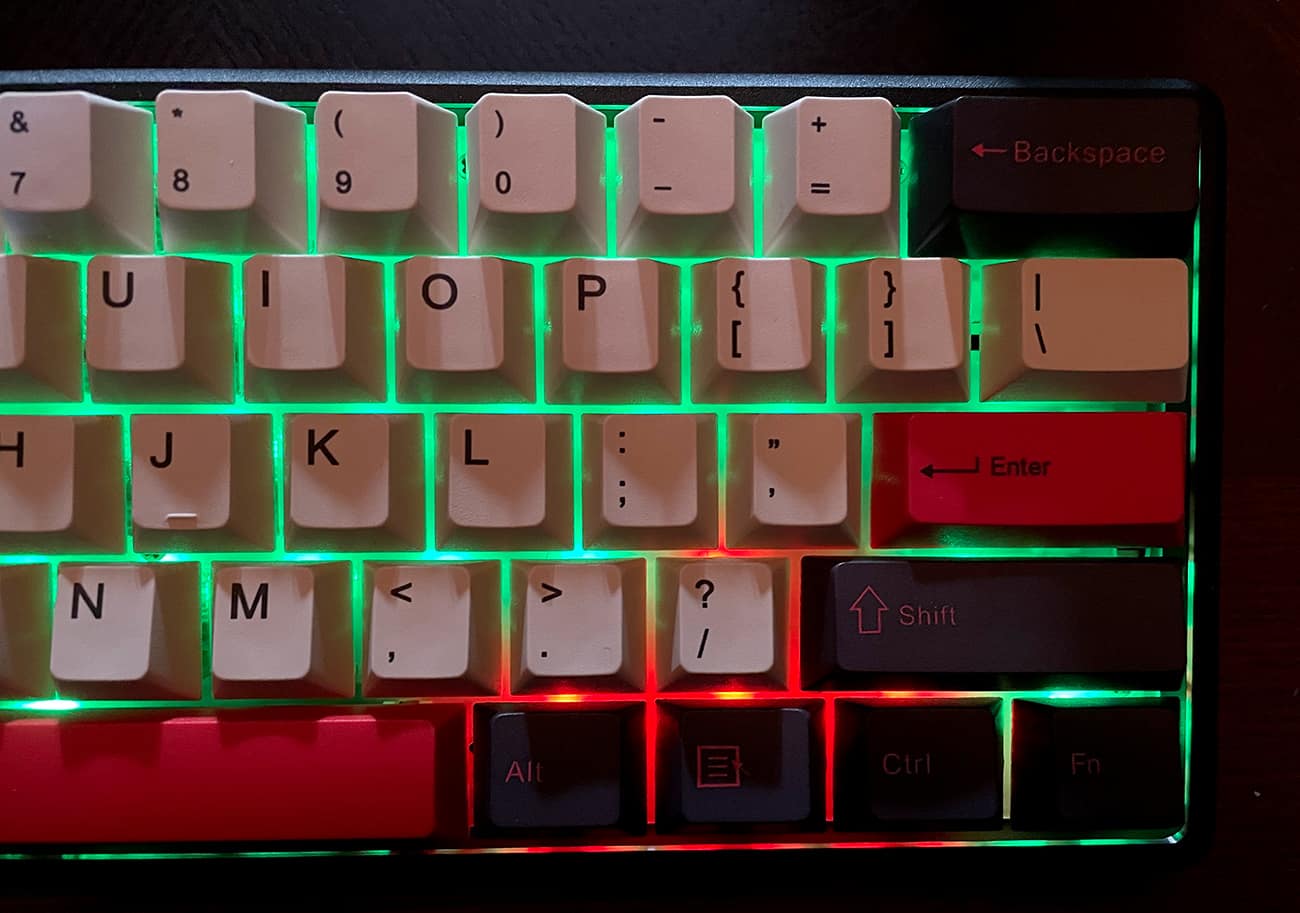
Holding down the FN key will make the E or W backlight glow white, confirming you’re in Windows or Mac mode, and also make the Z, X, or C backlight blue, letting you know what device is currently connected. A nice detail. A quick swap works great. I can easily switch between typing on my laptop and jotting down quick notes on my phone and back to my laptop, all without external switches or swapping cables. so cute.
The other backlight settings are your standard distracting rainbow cascading crap that I can’t imagine anyone using outside of their gaming rig photos. You can adjust the brightness of this backlight or turn it off completely if it’s not your thing.
But what is missing?
I realize I’ve come a long way in this review without really mentioning what it’s like to actively use a 60% layout keyboard all day. I was amazed how quickly I adjusted to the height of the keyboard, the pressure required to type, and even the noise the keyboard made. It quickly becomes a background sound— I, a reminder.In fact, even without the super loud blue switch, this thing makes a lot of Noisier than a standard keyboard is definitely out of the question for anyone with office colleagues.
One thing I’m not used to is the lack of arrow keys.Even the smaller arrow keys on modern Apple keyboards are at least something. I think I can get used to holding down the FN key to activate the inverted T combination next to the space bar as an arrow key, but muscle memory is hard to break. Especially design software.
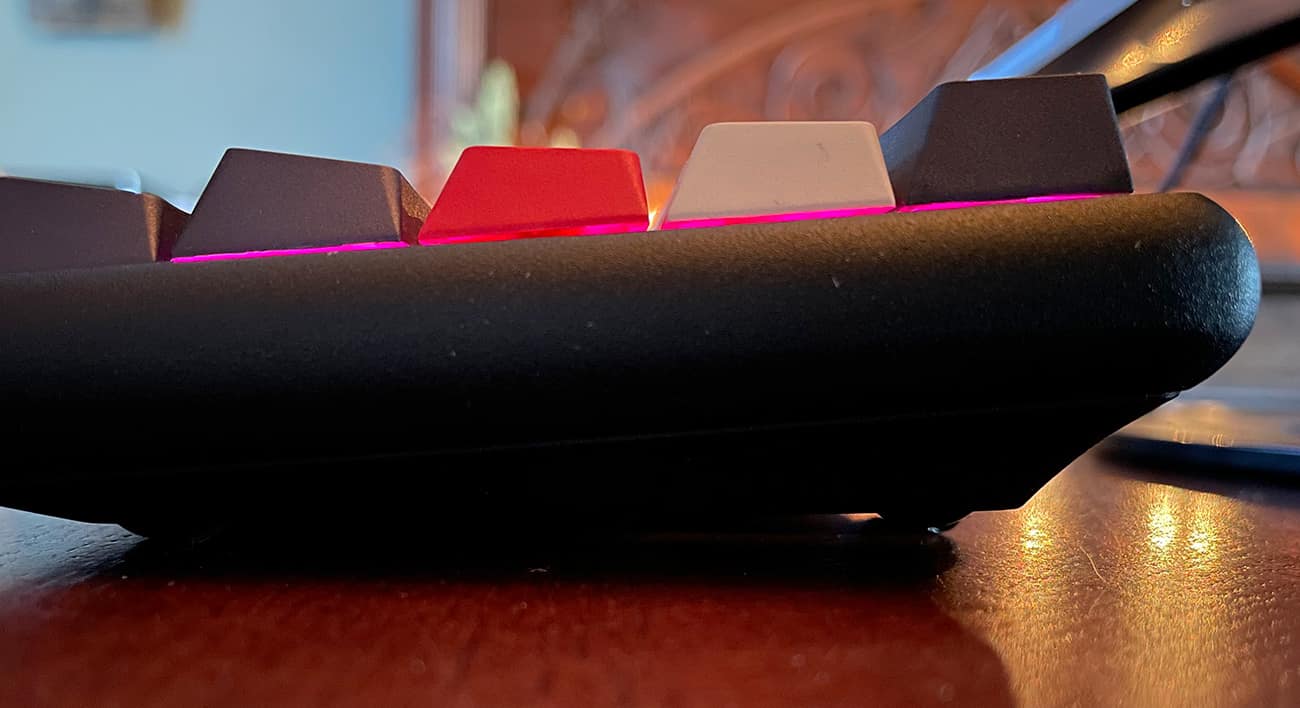
I live in Photoshop and InDesign almost all day and don’t have arrow keys for quick access to pinpoint objects, adjust kerning and line spacing, move text cursors, and many other uses…I can’t handle it. It’s a pain to have to lift your hand, grab the mouse and manually manipulate the little sliders in the text palette. Also, I miss quite a few function key combinations.
Typing is also problematic in this regard. For example, let’s say you want to quickly select a few words to copy and paste to another line…you have to hold down the FN key with one finger, and the other finger to hit a key that doesn’t fit the size of the arrow keys, while the other hand holds down shift -option can highlight whole words at once…not possible with this keyboard because the FN key also triggers these keys to do other things. It just doesn’t work the way it should.
So I had to use the mouse more often than I liked. Once you get really proficient with the keyboard combo, you’ll be surprised how little you need to use a mouse, any damage to it makes me feel like I’m walking through molasses.
For my work, specifically, I don’t think I can keep using it.
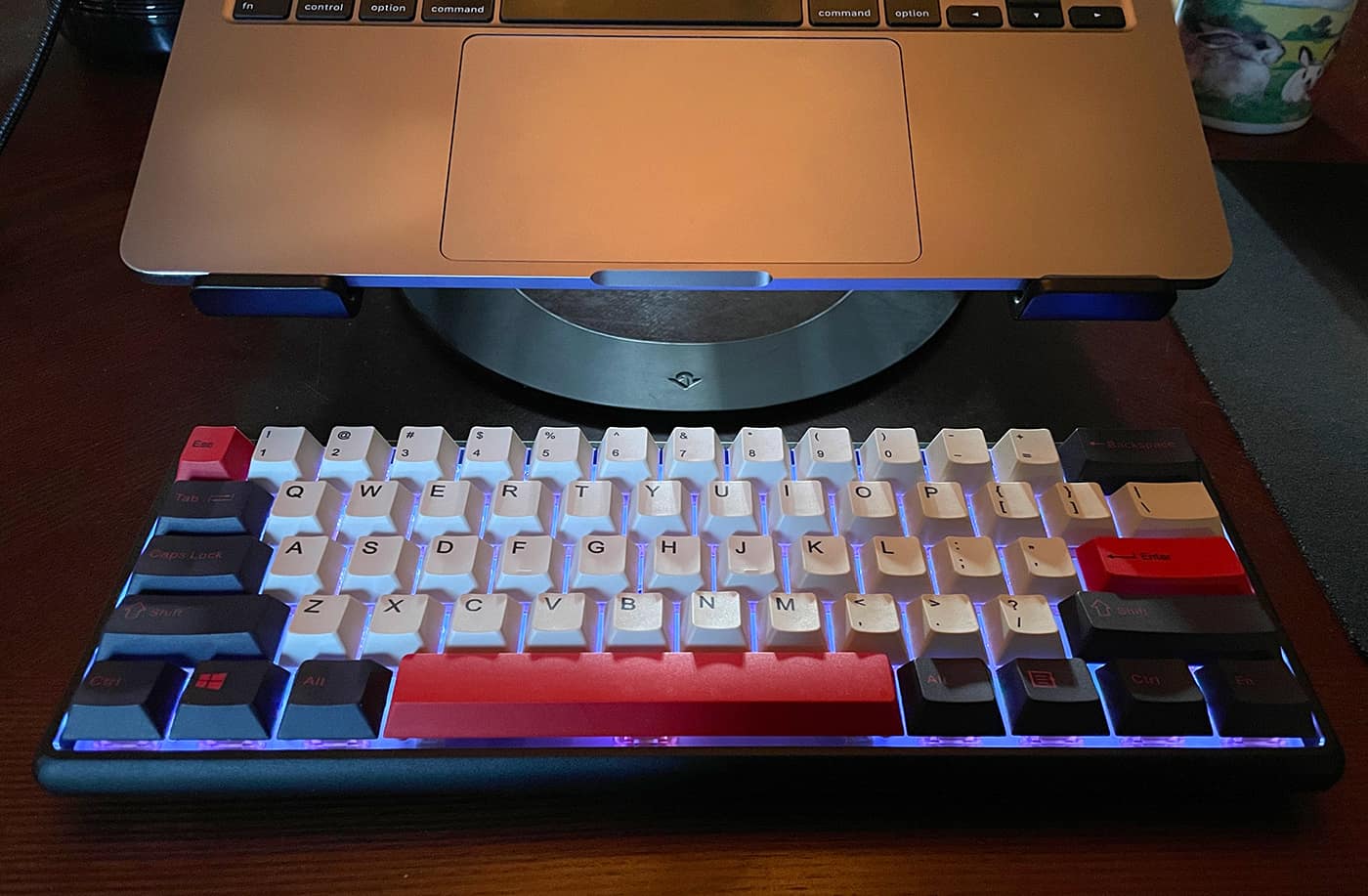
While that sounds bad, a big negative is actually an indictment of the entire 60% layout keyboard, not the Epomaker Lite specifically. It’s weird to use a keyboard that wasn’t designed for people who type for a living, but here we are. Of course, this size is better for games that are compact, programmable, and small enough to keep the mouse from moving.
This keyboard does a great job, it does real Well, if you can get over the limited number of keys and the mysterious FN key combination, you’re left with a great typing experience and a solid numpad.
Yes, of course I typed the entire review in Lite, it’s a happinessI think I’ll keep it within reach so I can switch to it when I’m doing more long-form typing or non-work use. Or if I use an iPad in the future with this keyboard as my writing station. One can dream. Using the Epomaker Lite is definitely a joy to write as long as I don’t have to do a lot of text selection.
what do I like
- sturdy construction
- In my book, the included switch is perfect
- budget price
- Easily pair/switch between multiple devices
Areas for improvement
- 60% may not fit everyone – I miss my arrow keys!
- Software is hard to figure out
- The flip foot on the bottom is worthless
final thoughts
And compact size Epomaker Lite Might turn off some people, but anyone interested in a great typing experience should really give this keyboard a try for themselves.it has customizable everything, reliable performance, good looks, and is at the lower end of the cost spectrum.
price: $79 Kickstarter Backer Price
Where to buy: You can learn more about the Epomaker Light keyboard here, or Support Kickstarter By January 25, 2022 to secure your order. Shipping starts in April 2022.
source: Samples of this product are provided by Epomaker.


