


Post views:
11
Hello everyone who wants to change the mobile app interface before a new version is released, everyone who wants to A/B test without unnecessary modifications, and all business owners who want to use it Backend Development Services. In this article, we’ll discuss the basics of a backend-driven UI: we’ll take an abstract look at how everything works on the backend and the client.
Backend driven UI
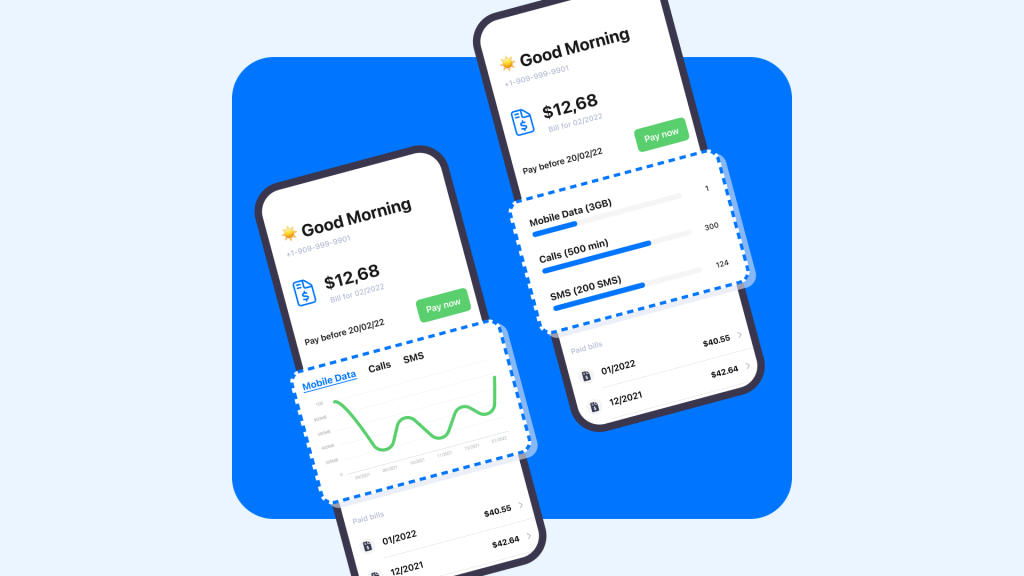
Backend-Driven Development (or Server-Driven UI) is the concept of developing front-end applications whose screens and transitions are generated on the server. The backend manages not only the data in the application, but also its layout.
This method allows you to create a new page, run A/B testing, and easily change the navigation flow. This can all be done over a cup of coffee, and the changes will appear instantly across all platforms and will not be reviewed in the store.
In other words, a backend-driven UI allows product managers to self-publish different stories on all platforms at any time of the day without developer involvement.
Backend-driven UI approach
When using this concept, you can make a very flexible tool where the entire layout, all elements and their properties will be determined on the server. Some applications use high flexibility, such as Spotify. However, the higher the level of flexibility, the more difficult the system is to maintain, and the higher the barrier to entry.
How backend-driven UI works on the backend of mobile clients
The whole process is divided into several stages:
- When the application starts, we request a page from the Composer API via the URL. The Composer API is a backend service that requests and aggregates responses from vertical backend services.
- The Composer API requests a page template from a layout management tool via a URL. In response to the Composer API, the LMT returns an array – a list of layouts in which the order of widgets on the page has been determined.
- The Composer API goes through the array, into the backend service – each widget receives JSON data from them.
- All data is combined into a single JSON and sent to the client as a single response. So we make a request and receive a response, and the Composer API doesn’t parse the JSON from the service, but passes it to the client in the received form.
Contract and its role
A contract is a set of files containing descriptions of widget models from the backend, job descriptions, screenshots, and sometimes mocks. All contracts are stored in our Git repository.
The contract contains the following information:
- Description of optionality and field types
- Which fields are only platform-specific
- Which fields are obsolete (marked as deprecated) and the backend no longer sends them for newer versions of widgets
Since all clients use the same template, contracts help to adjust client behavior. Before developing a new widget, we always write its description and we agree on all platforms and backends.
How backend-driven UI works on mobile clients
We already know that when we start an application or open a page, we make a request to the Composer API and receive JSON as a response, which contains data for the layout list and widgets. On the client side, page requests and processing happen in Composer SDK modules. Module tasks: request the page, decode the data, convert it to a model, collect widgets and display them on the page.
How widgets work
A widget is a standalone UI element, or even a module that contains custom logic and decoding models. When we need to develop a new widget, we create a new module from the template, describe the model from the contract in the WidgetModel, then design the layout widget UI in the WidgetView, and write the logic in the WidgetViewModel.
In this article, we abstracted how the backend-driven UI works on the server and client.For the perfect performance of this job, we recommend that you contact a professional Mobile website development services.

