


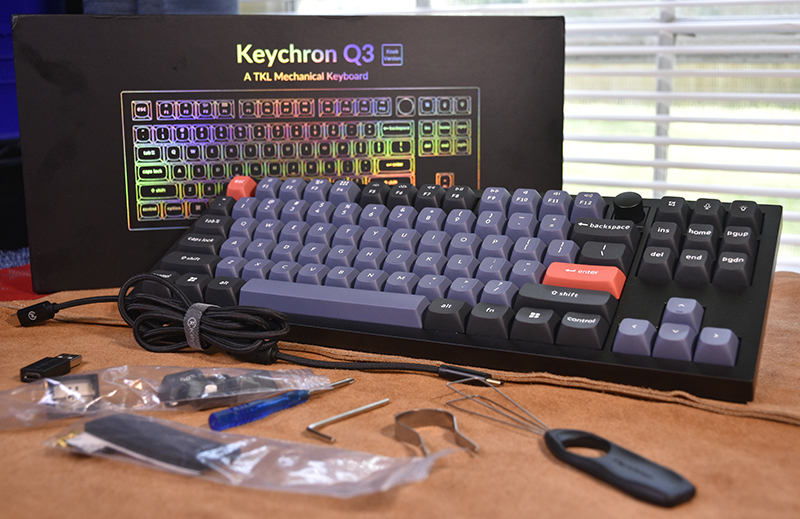
review – If you’ve ever wanted to build your own beautiful mechanical keyboard or want to buy one that’s customized to your liking, I highly recommend checking out the Keychron Q3 QMK Custom Mechanical Keyboard. Since I have an unhealthy obsession with mechanical keyboards, but don’t have the budget to support it, I just had to review the beauty.
What is it?
Keychron Q3 QMK custom mechanical keyboard is wired mechanical keyboard It can be ordered as a barebones kit or fully assembled with a variety of options to make it your own. I received a fully assembled knob unit for review and I think I’m in love.
What’s in the box?
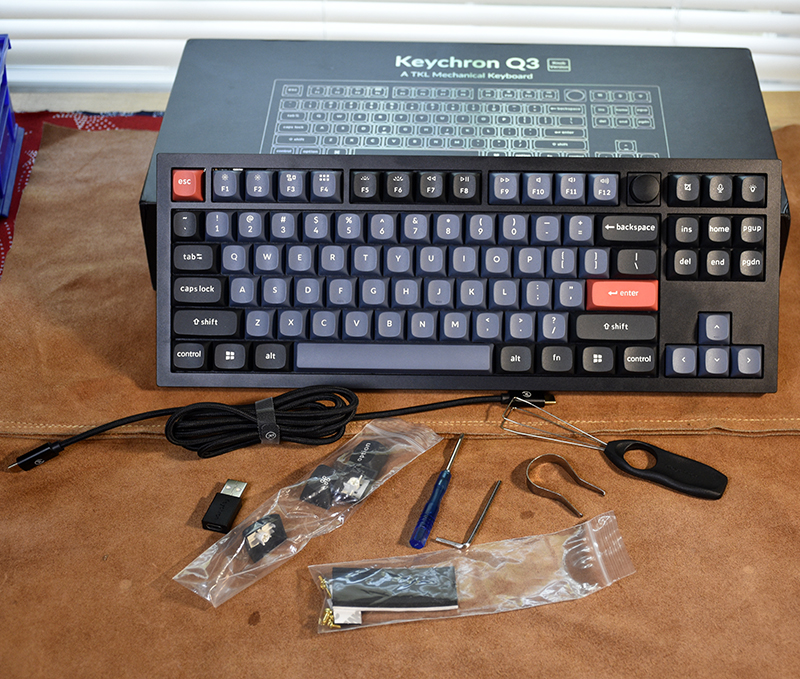
- Keychron Q3 QMK keyboard, fully assembled including:
- Aluminum shell
- A printed circuit board
- iron plate
- sound absorbing foam
- shell foam
- Foam gasket for frame
- PBT two-color keycaps
- Gateron G Pro Switch Selection
- keycap puller
- key switch extractor
- Allen wrench
- Small Philips screwdriver
- USB C to USB C cable
- USB A to USB C Adapter
- User Guide
- Quick Start Guide
- Mac option and command keycaps
- Windows and Alt keycaps
- Baggie with extra foam strips and screws
- A card with a friendly reminder to make sure the switch pins are straight before re/inserting
Hardware Specifications
- Width: 137 mm / 5.4 inches
- Length: 1mm/14.4 inches
- Front Height: 19.7mm/0.77in (without keycaps)
- Back Height: 32.6mm/1.4″ (without keycaps)
- Foot Height: 2.4mm/.1″
- Angle: 5.2°
- Weight: 2000 g ± 10 g / 4.4 lbs (fully assembled version)
- Body material: full CNC machined aluminum
- Plate Material: Steel
- Polling Rate: 1000 Hz
- Keycaps (fully assembled): Two-color PBT keycaps, opaque, OSA profile (OEM height, SA shape)
- Microcontroller Unit: Ultra Low Power Arm Cortex-M4 32-bit STM32L432 (128KB Flash)
- Switches: Gateron G Pro (Fully Assembled)
- Backlight: South facing RGB LED
- Switch Support: Hot Swap (5-pin and 3-pin)
- Stabilizer: Screw-in PCB
- Connectivity: Type-C
- Operating Environment: -10 C to 50 C / 14 F to 122 F
Design and Features
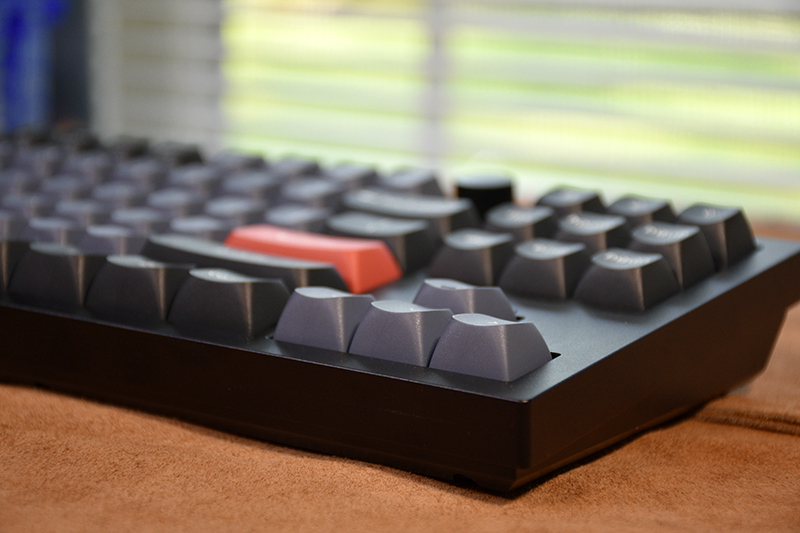
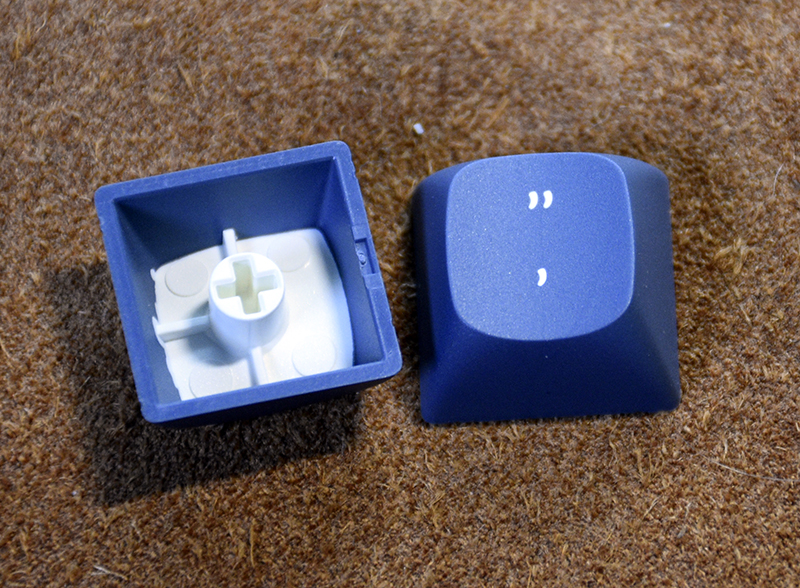
The Keychron Q3 QMK keyboard is 80% mechanical, so there is no number pad. It has several different variants. Fully assembled with or without knobs and barebones kit. Fully assembled, you can choose from anodized carbon black, navy blue, or silver gray two-piece aluminum frame with color-coordinated PBT two-tone keycaps. Side note: If you don’t know what a PBT double key is, that means these keycaps are good keycaps. They’re lightfast and the font won’t wear out because it’s not screen printed. The character is actually a secondary color for the hat.
This version is also available with your choice of Gateron G Pro red or brown pre-lubricated switches or non-lubricated blue switches. I bought the blue ones because they clicked before activating. All keycap stabilizers are screwed to the frame, so there is no need to worry about the tabs on the bottom of the keycaps breaking. You can also choose an ANSI or ISO layout.
The barebones kit also offers three choices of the same frame color with or without knobs. Besides the switches and keycaps, it includes all the features of the assembled version in the box. This might be a good option if you have different switch or cap preferences.
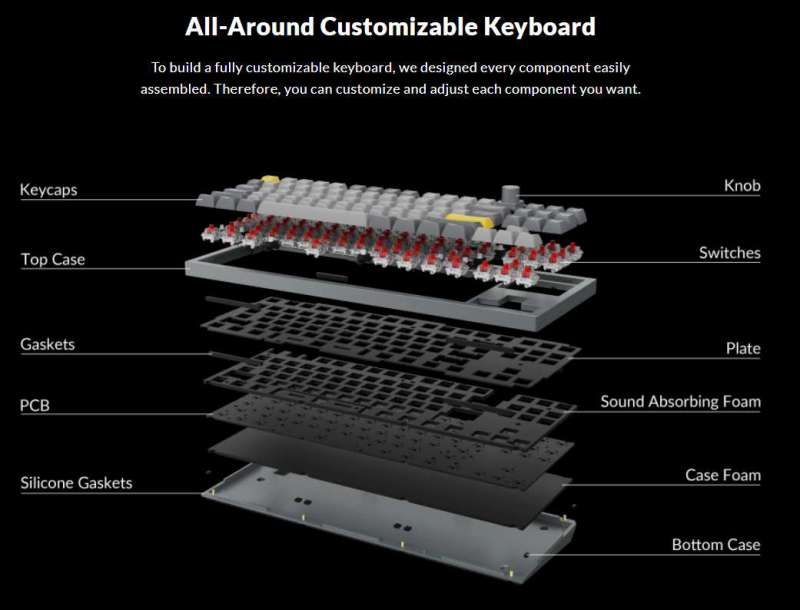
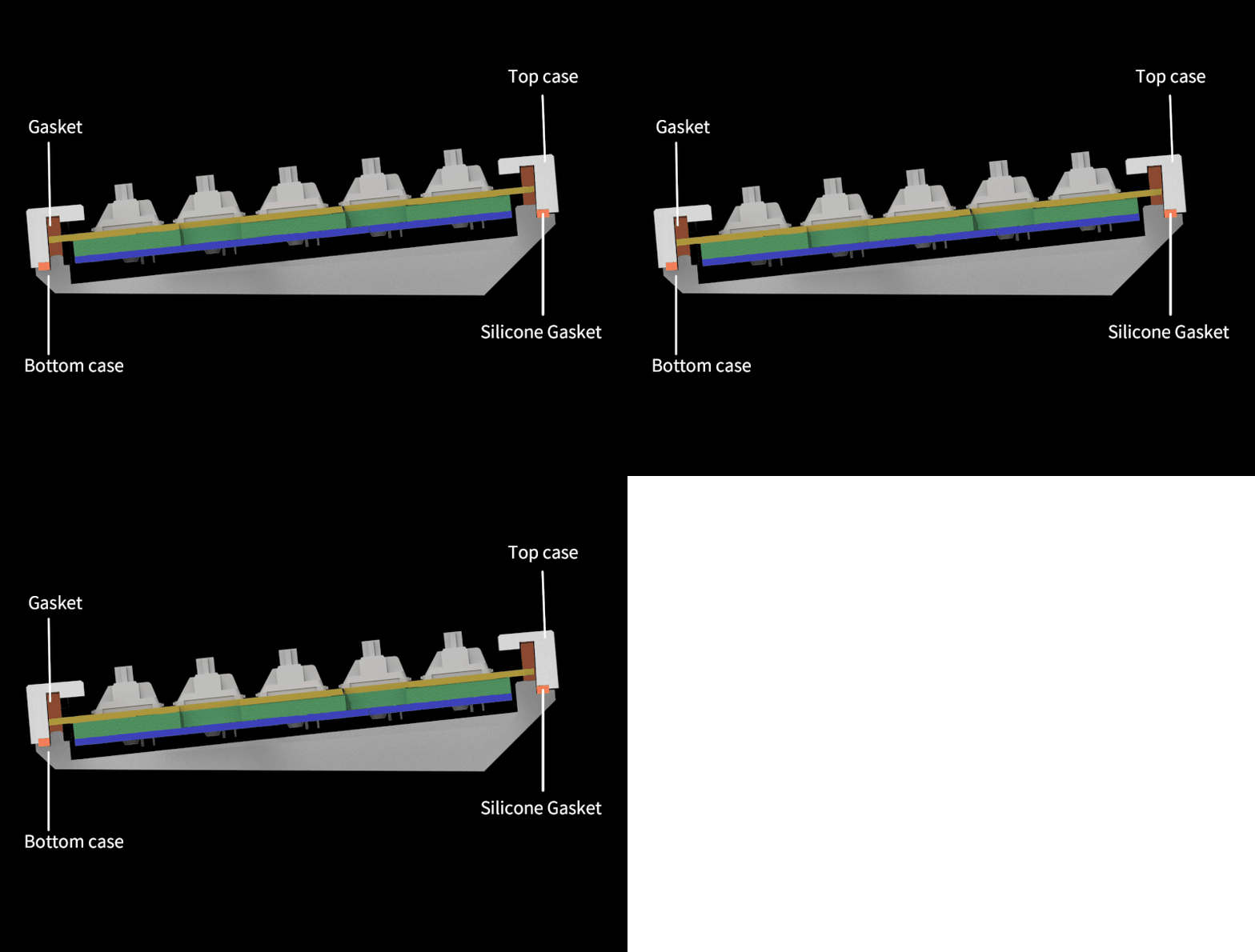
I’ve never used a noise-cancelling keyboard of any kind before and was pleasantly surprised by how it affects the sound of the keys. There are 4 layers, yes 4 layers, separate foam inserts. There are foam strips between the top case and the steel plate to hold the switch in place. There are more of these strips between the steel sheet and the bottom case. There is another laser cut foam board between the board and the PCB. Finally, there is a layer of foam between the PCB and the bottom case. For lack of a better term, keyboards without foam can give them a rattling feel and sound.
The Keychron Q3 QMK mechanical keyboard supports both Mac and Windows using the mode switch next to the USB-C port on the back. It comes with appropriate Windows and Alt uppercase or Mac commands and options. So all your favorite keyboard shortcuts should work just fine.
The PCB supports hot-swappable switches, so if you don’t like switches installed by Keychron or yourself, depending on the model you choose, you can swap them out. No soldering or desoldering involved. I would say that the first time I removed a key on this keyboard, it was difficult. The included switch puller dug into the side of my finger, so I used the other one I had. The switch was firmly attached to the steel plate, so I had to pull hard. Having said that, the next time I pull one out, it’s a lot easier. If you’re not familiar with replacing switches, be aware of the bent pins. Make sure they are straight before inserting. If you don’t, you can easily break one without even knowing it until you go to use the keyboard. OK, yes, it’s me. I did it. But that’s okay. I was able to straighten it out and it works fine now.
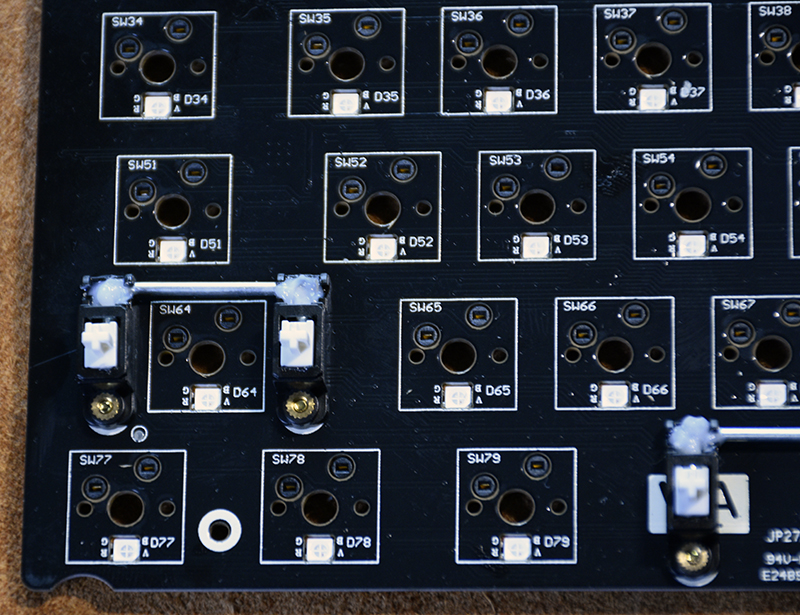
The PCB has south facing LEDs. Why is it important? Well, I’ll tell you. These keycaps do not allow LEDs to illuminate. So to get a better view of them and all the different lighting modes, Keychron placed the LEDs on the bottom of the switch socket. Players, rejoice! There are keyboard shortcuts that allow you to choose one of 12 different modes, LED brightness and speed. For those of us who don’t necessarily want our keyboards to resemble the Las Vegas Strip, there’s one more. Fn+Tab allows you to close them.
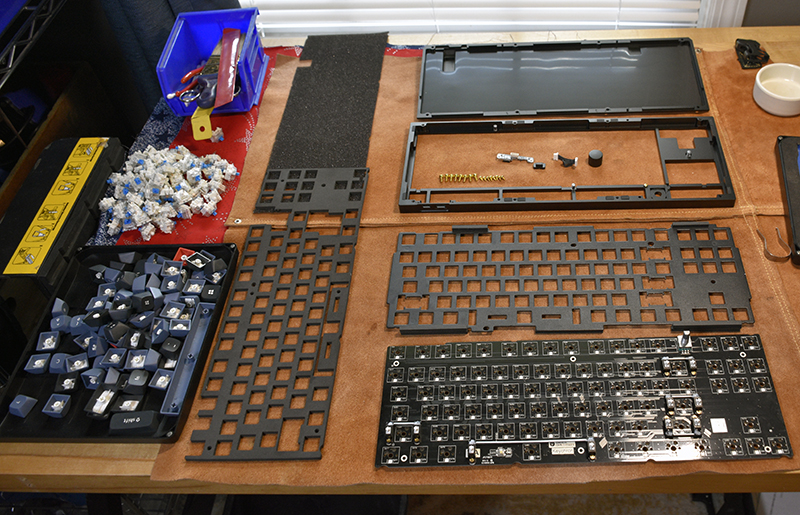
Let’s talk about this case. This thing has a top and bottom CNC machined aluminum. The machine works great. Honestly, it looks striking. Having said that, once it’s fully assembled, it weighs almost 4 and ½ pounds! If you’re one of those unfortunate souls who still have to get into the office, you’re going to want to think twice. If you’re wondering what the heck is a nearly 5-pound keyboard, I know I am, here it is completely disassembled.
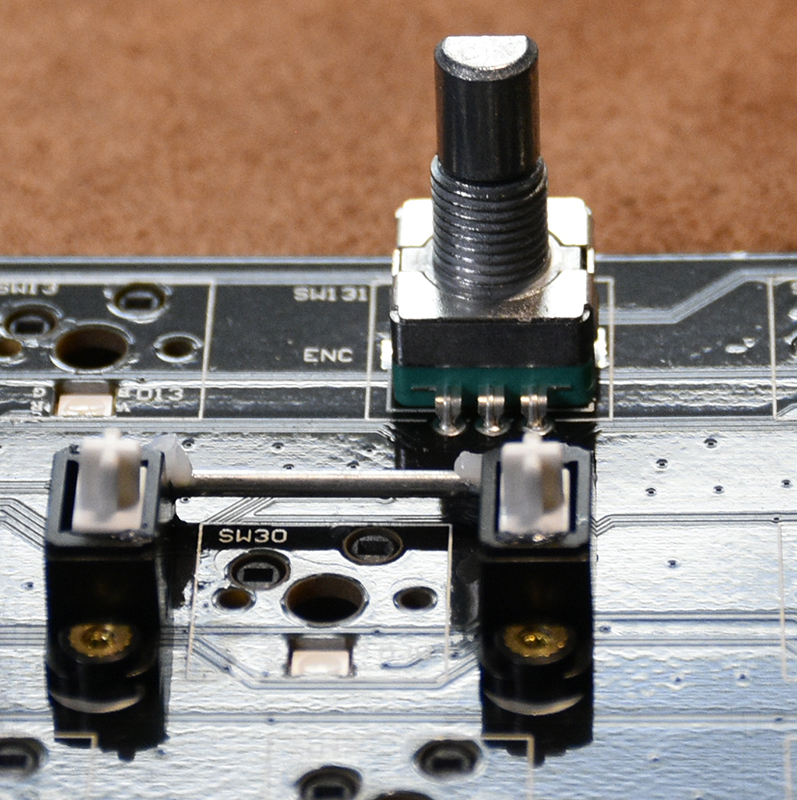
knob. I love knobs. Knobs are practical and fun. yes. I know. I’m weird, I can take it. The knob itself is aluminum and knurled. They don’t skimp here. The potentiometer used is solid. I guess I don’t have to worry about accidentally posting a post on it. It also clicks or stops very aggressively when you turn it. However, I do have a little problem. The cap is a bit short and not to my taste. I have sausage fingers so the space between it and the surrounding keys is tight. It’s no big deal, but it’s the only one I can find and kind of don’t like.
what do I like
- Build quality.It surpasses any other keyboard I’ve used or owned
- Keycaps have the perfect shape, feel and look
- aesthetics.Is the male protagonist good-looking?
- size.Big enough to do the job, small enough not to take up the entire desktop
- Switch sound and feel thanks to all foam gaskets
- hot swap switch
- Your choice of four different types of Gateron switches
what would i change
final thoughts
If I didn’t already know the Keychron Q3 QMK custom mechanical keyboard, I love it. I like the feel of it, the sound of it, the size of it, the look of it. Even if I don’t decide to use it every day, I hang this sucker on the wall so I can look at it. Keychron describes this keyboard as Refined Metal Art is dead.
The version I own sells for $174, which I think is a good price for the quality of the keyboard you get for your money. If you are a mechanical keyboard lover, I think you will like it. If you want to build your own but the price of all the individual parts makes you cringe, a barebones kit might be right up your alley.
price: The version I received was $174
Where to buy: keychron.com and other models Amazon
source: Review sample provided by keychron.com


