


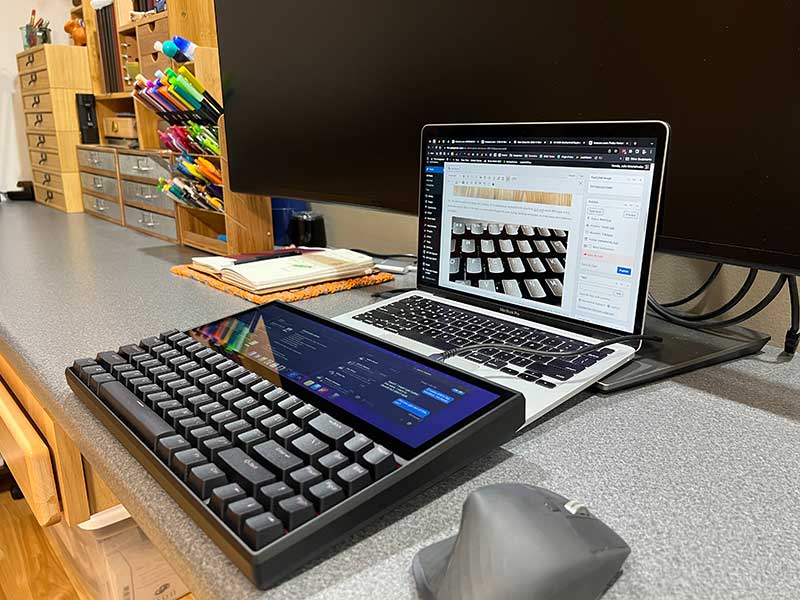
review – Mechanical keyboards have become very popular for their ability to customize, but I bet you haven’t seen a mechanical keyboard like the one I’m going to show you today. Let’s take a look at the Kwumsy K2 mechanical keyboard with a 12.6-inch touchscreen.
What is it?
Kwumsy K2 mechanical keyboard with 12.6″ touchscreen is full size mechanical keyboard Built-in touch display that can be used as an external monitor for laptops or even smartphones.
What’s in the box?
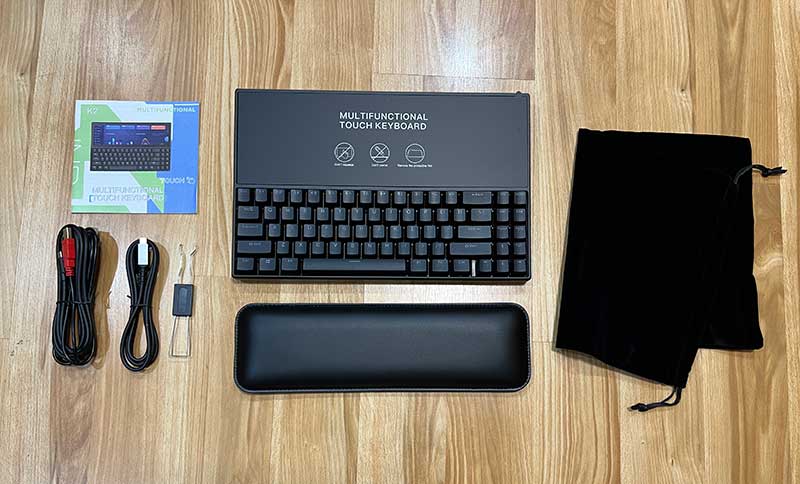
- Kwumsy K2 Mechanical Keyboard with 12.6″ Touchscreen
- wrist rest
- drawstring pouch
- USB-C cable
- cable
- Key and Keycap Removal Tool
- manual
Design and Features
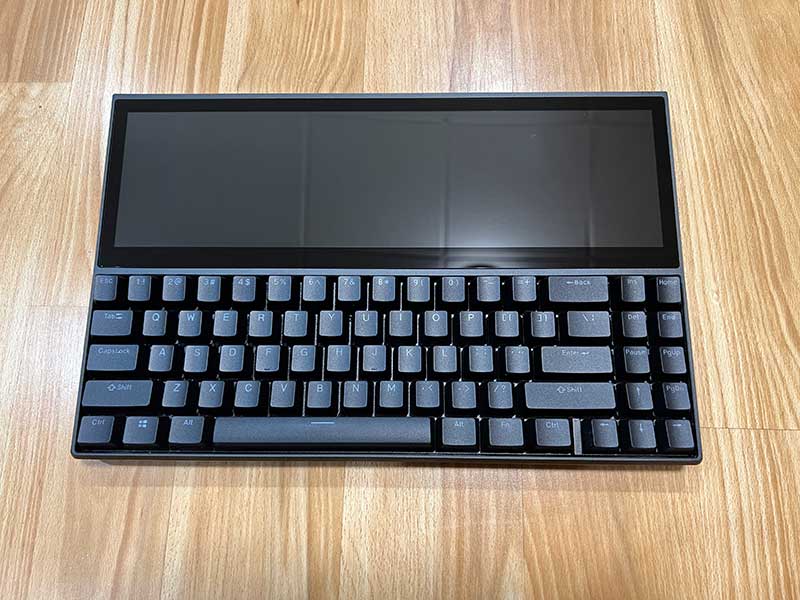
No, this isn’t a wacky new design for a laptop. It’s a mechanical keyboard with a built-in 12.6-inch touch IPS 1920 x 515 resolution display that can be used as a secondary display for laptops, desktops and even some smartphones and tablets.

Mechanical keyboards feature an aluminum chassis with replaceable keycaps and switches. My sample has blue Gateron switches with very nice click and action.

I haven’t tried many mechanical keyboards, but I believe the switches in this keyboard are my favorite for the sound and feel. Some switches have a very stiff action, and the blue switches with this keyboard are comfortable to type on. You can also get keyboards with brown or red Gateron switches, according to the manual.
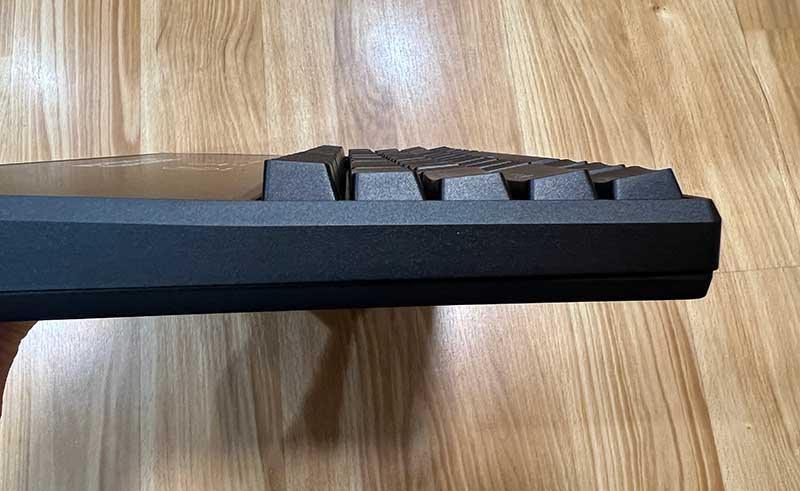
The 71-key keyboard has RGB backlighting. I’m not a huge fan of fancy backlighting effects, so I’m missing this feature. But if you like it, you can choose from 15 lighting effects. See the video below showing the RGB backlighting in action.
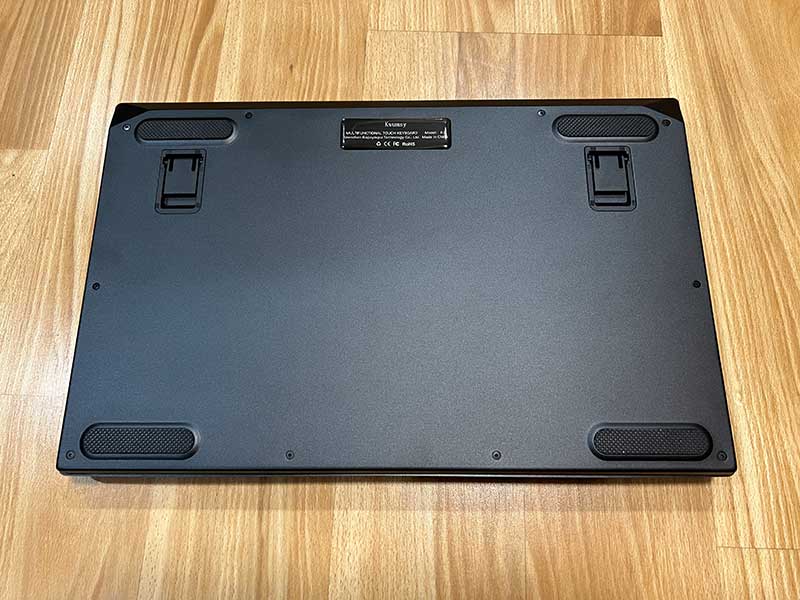
There are folding feet on the bottom of the keyboard to support the back of the keyboard at an angle for better ergonomics.
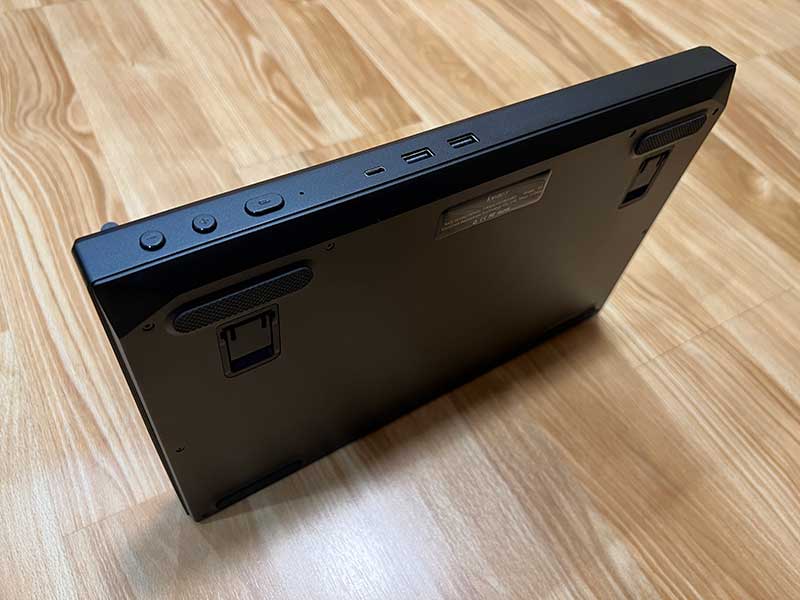
The rear edge of the keyboard has a USB-C connector and two USB-A connectors. I tested the Kwumsky with my MacBook Pro and was able to connect the keyboard with a USB-C cable. If your desktop or laptop doesn’t allow a single USB-C cable connection, you can use the included USB-C to HDMI+2USB-A cable.
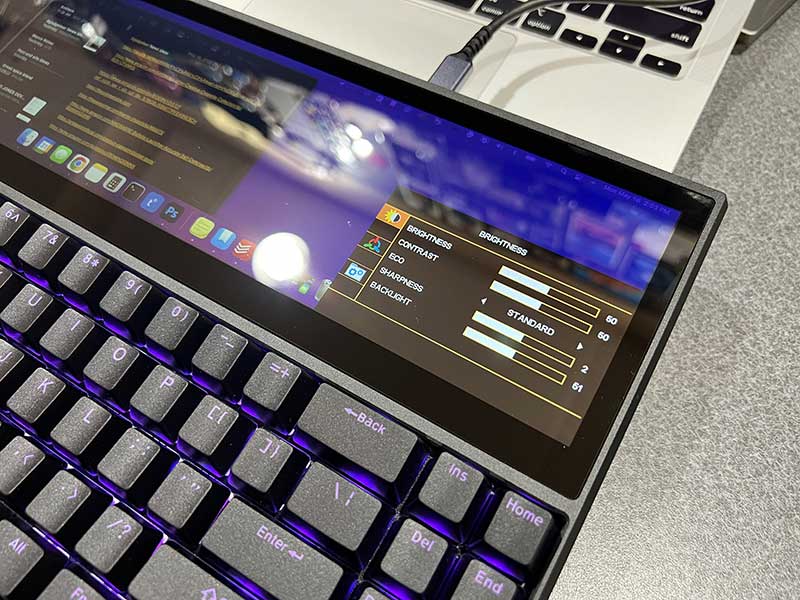
There are also 3 buttons on the back edge of the keyboard. The large button is the power button, and the other two allow navigation through the built-in OSD menu.
Using the built-in touchscreen
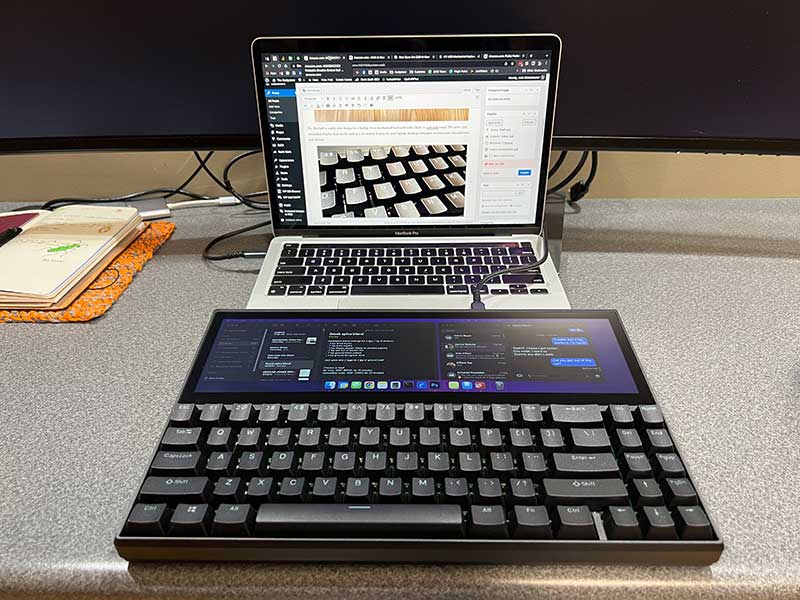
Having extra screen real estate is always welcome, and the fact that the built-in display is also a touch-enabled display makes it even better because you can click, drag, move, and interact with windows on the display. See the video below showing some of the ways you can use your monitor.
See and hear the Kwumsy keyboard in action
I used the Kwumsy K2 mechanical keyboard on my MacBook Pro for several days and missed the fact that it didn’t have any dedicated function keys. You have to use the FN + other key combination to perform various tasks, such as adjusting the volume and changing the backlight mode. I also had to use the Windows key instead of the Command key on the Mac. It’s no big deal, but the Windows button is a little different than I’m used to, so it feels awkward to use.
But for regular typing, I had no issues and really enjoyed the feel and sound of typing on this mechanical keyboard.
what do I like
- Built-in 12.6-inch touch display
- One cable connection (if your computer allows it)
- Additional USB ports for other peripherals
what would i change
- Mac version available
- Add a bluetooth connection
final thoughts
If you’re a fan of mechanical keyboards, the Kwumsy K2 mechanical keyboard should grab your attention because of its built-in display. The monitor does raise the price to nearly $400, so that’s a concern, but if price isn’t an issue and you want a mechanical keyboard and more screen real estate, this one is worth a shot.When you use it, please see my comments on Kwumsy P2 Pro Triple-Screen USB-C Monitor and also. With this keyboard and that monitor, your laptop will be epic!
price: $399.00
where to buy: Coombs
source: Samples for this review provided by Coombs.


