


REVIEW – When we were kids, my sister and I enjoyed watching birds from our bedroom windows. We each kept notebooks where we recorded the birds that we would see. Dorky? Yeah, but we loved it and it was before I even knew that bird watching was a thing. When I was offered the Netvue Birdfy Feeder Cam to review, jumped at the chance to try a smart bird feeder that would tell me the types of birds that were visiting. Let’s take look.
What is it?
The Netvue Birdfy Feeder Cam is a bird feeder with a built-in wireless camera that lets you get up close and personal with the birds in your yard and even tells you the types of birds that you’re seeing (…or is supposed to… ).
What’s in the box?
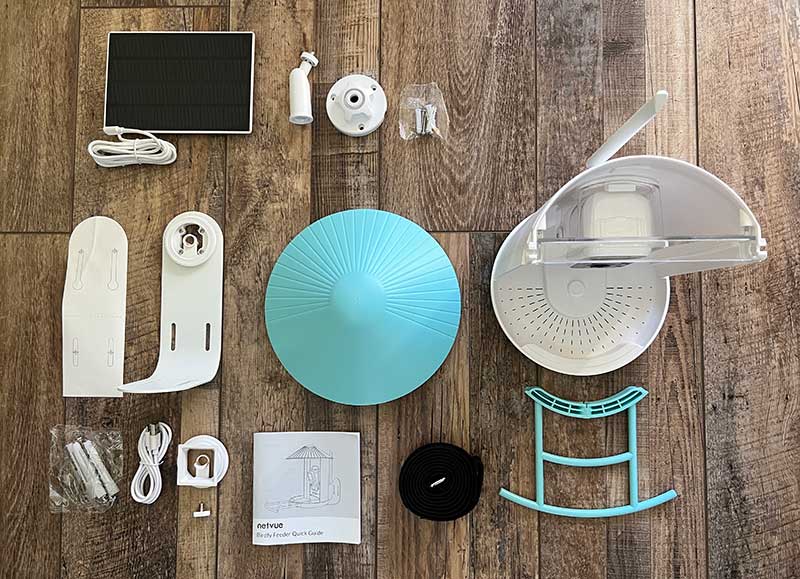
- Netvue Birdfy Feeder Cam
- Mounting hardware
- Charging cable
- Solar panel
- Quick guide
Design and features
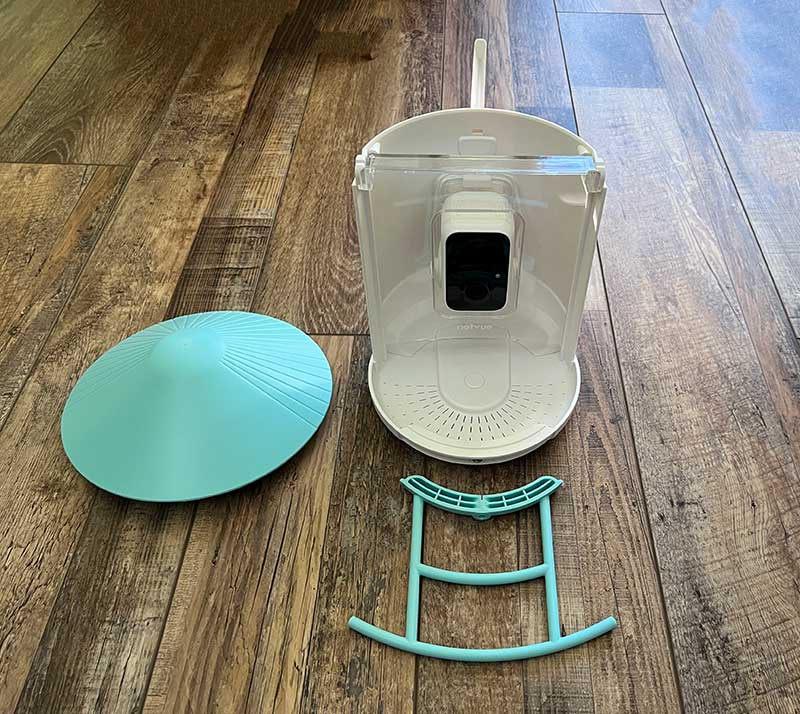
The Birdfy feeder comes almost fully assembled. All you have to do is snap on the cover/roof and attach the bird stand to the front of the seed tray.
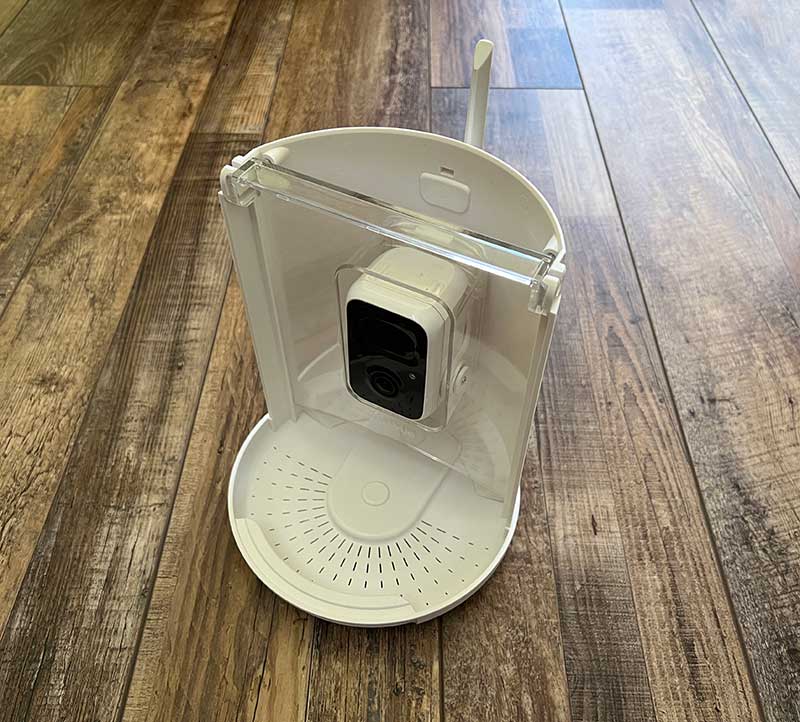
The feeder is made of white plastic with a clear plastic window around the 108oP wireless camera. This clear window is actually the front of the seed container.
The back of the feeder has the camera’s WiFi antenna and a USB-C charging port which can be used to charge the camera and/or attach a solar panel that will recharge the camera’s battery when the sun is shining.
Set up and installation
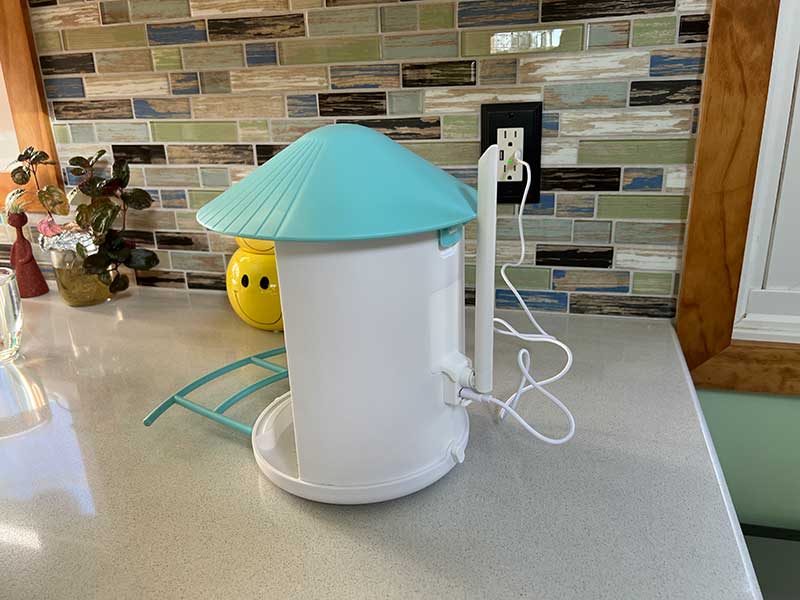
Before you can take the Birdfy bird feeder outside and mount it to a tree or wall, you’ll need to charge the camera by attaching the included USB-C cable to the port below the WiFi antenna on the back of the feeder.
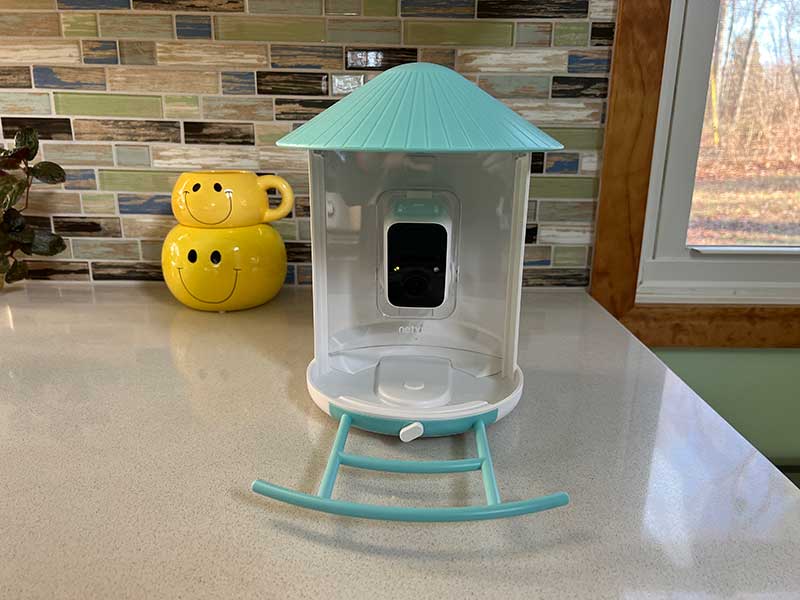
A small LED status light on the front of the camera will glow yellow while charging and will then turn green when the camera’s battery is fully charged.
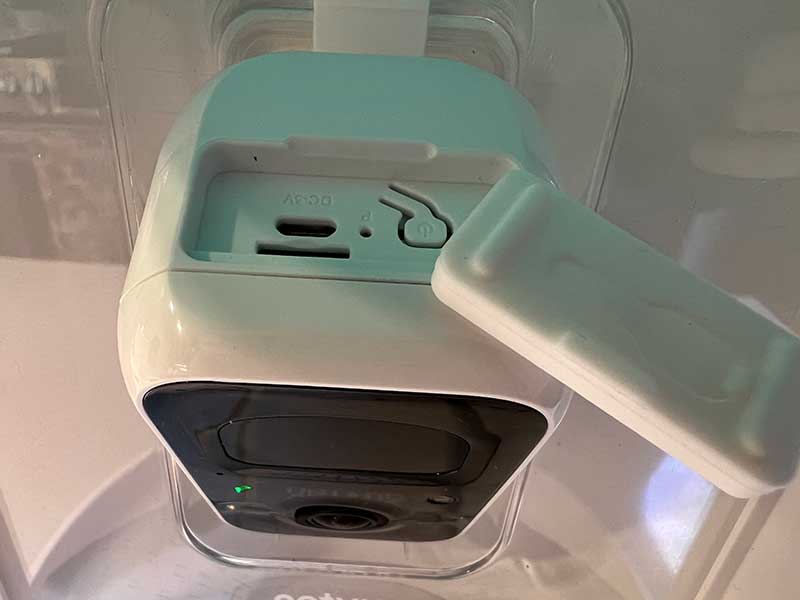
The next step is to install the Netvue app on your phone or tablet and add the feeder/camera to your account. You’ll be instructed to turn on the camera by pressing the power button which is located under a protective rubber cover on the top of the camera. Under this cover, you’ll also find a reset switch and a microSD card slot. A microSD card is not included with the camera, so you’ll need to supply one yourself so that the camera can capture video of the camera birds that visit the feeder.
Mounting the Birdfy feeder outside
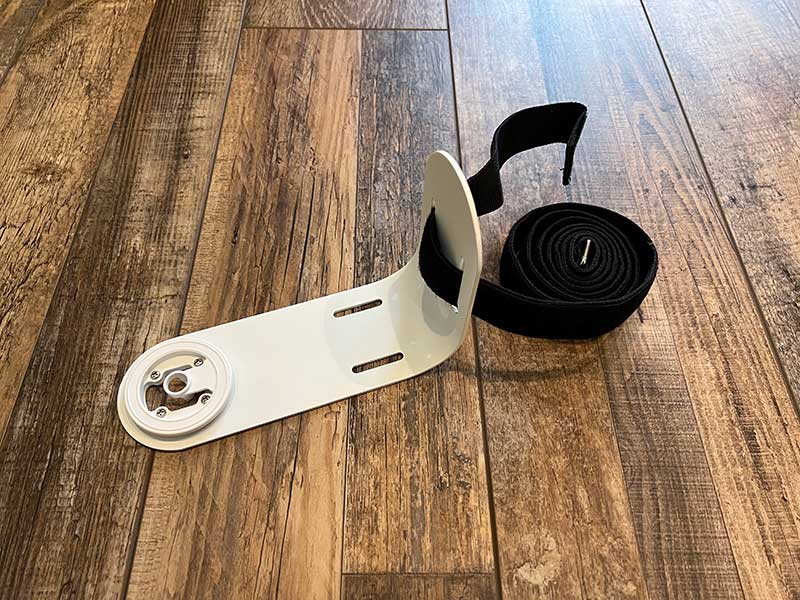
The feeder can be mounted in a couple of different ways using the included mounting bracket that snaps into the bottom of the feeder.
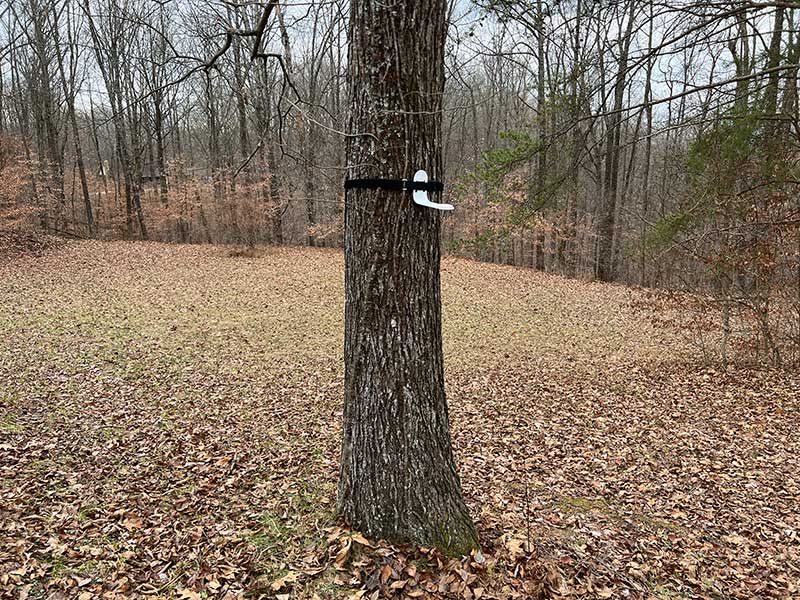
The bracket can be lashed to a tree using a strap (not included). You can also attach the bracket to a wall or other structure using screws that are included with the bird feeder. You can even mount the feeder on a tripod using the included connector. As you can see from the image above, I decided to strap the Birdfy smart bird feeder to a tree in my yard.
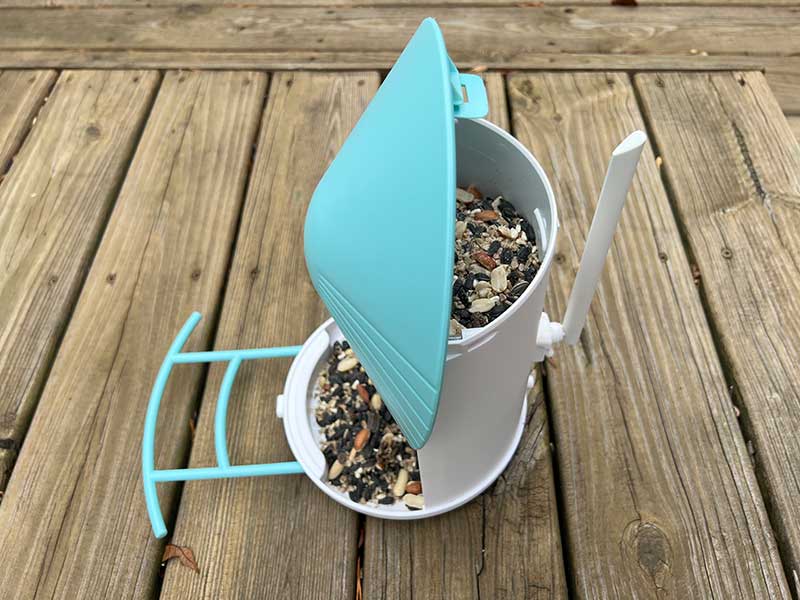
I then filled the seed container with seed by opening the cover/roof of the feeder.
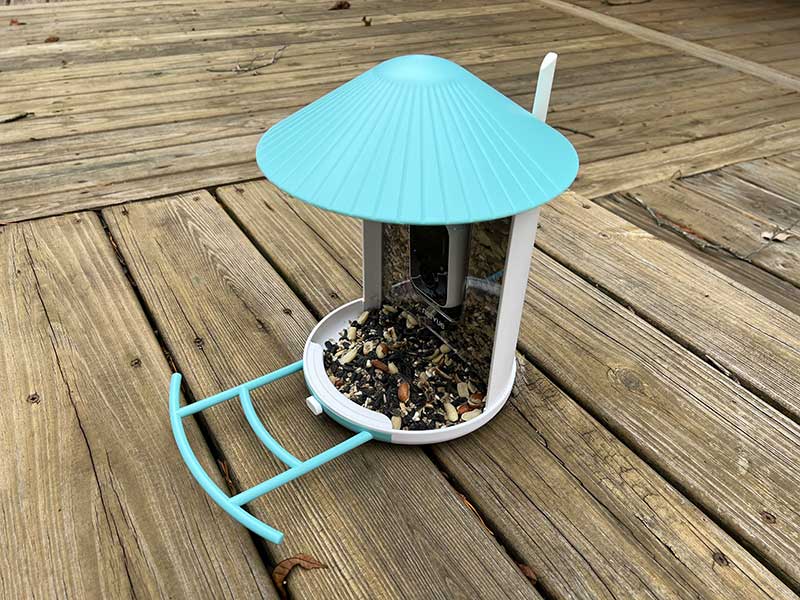
The feeder is designed so that even bigger seeds and nuts won’t get stuck in the container and can easily fall into the large seed tray.
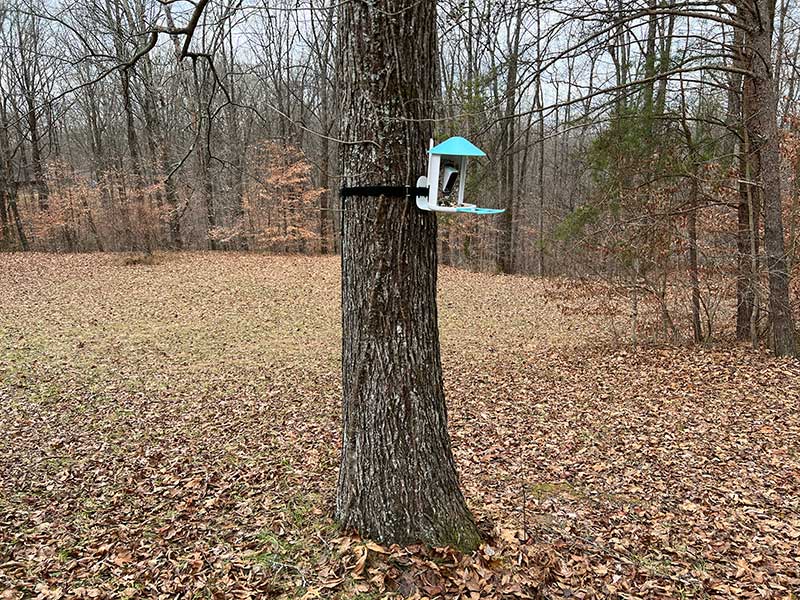
With the feeder full of seed, I snapped it into the mounting bracket and waited for the birds to discover their new seed cafe.
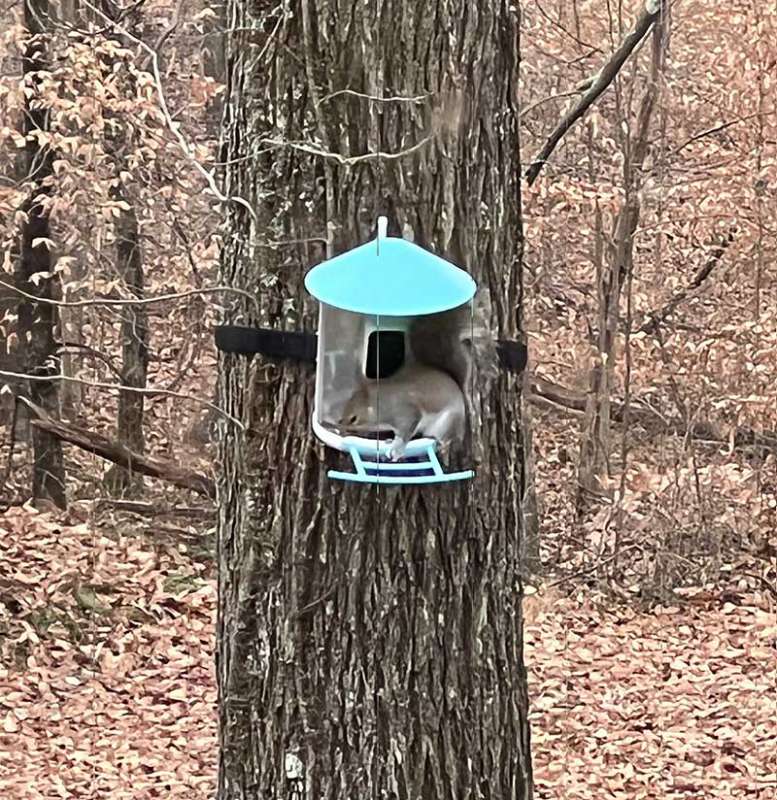
Unfortunately, the first patron was not a bird at all, but a pesky squirrel which is the foe of many a birdwatcher who puts out feeders. The Birdfy feeder has some deterrent features for these critters like a siren/alarm and a bright light that you can manually activate. I tried both of those features many many times to try to scare off squirrels but they didn’t seem to mind at all and kept eating the seeds.
The Netvue app
The app’s user interface is simple to understand and use. It shows a thumbnail of the cameras/feeders attached to the account and by tapping the thumbnail, you can go into a live view of the camera.
You can also customize how sensitive the motion detection is, set up a sleep schedule so you won’t receive notifications when birds/motion is detected during certain times and you can also filter the notifications to only detect people, birds, etc.
The camera’s image quality is sharp, which makes it easy to see and recognize the birds or squirrels (grrrr) that visit your feeder.
You’ll be notified with a quick thumbnail on your phone/tablet when the camera has detected motion. You can also scroll back through a timeline to watch short video clips of the detected motion.
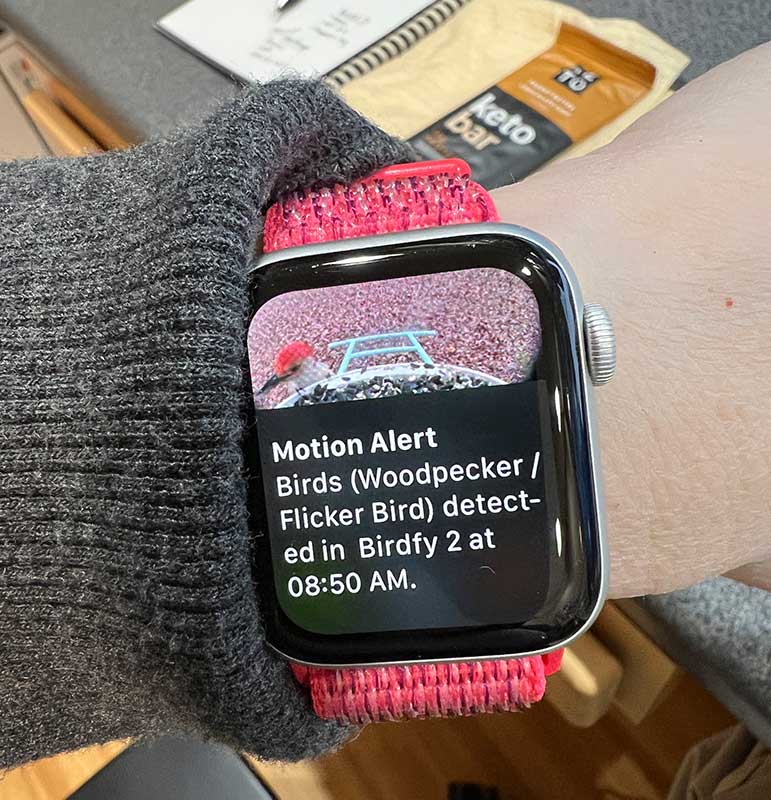
If you wear an Apple Watch, you’ll receive notifications there too.
It’s fun to receive the notifications and see what type of birds visit the feeder, but it can quickly become annoying if the feeder becomes a popular destination for a bazillion birds and you receive notification after notification…
Battery life is amazing!
Even without the optional $19.99 solar panel that you can plug directly into the Birdfy, the built-in battery life of the camera is stellar. I don’t have a solar panel installed and the battery has lasted for weeks and is rated for up to 6 months per charge!
Is the Birdfy bird feeder smart or not?
Now let’s talk about the AI feature of the Birdfy smart bird feeder. Receiving a picture of a bird on the feeder and watching short video clips of birds is fun, but if the software can actually recognize the type of bird on the feeder, then that’s super cool, especially if it’s a bird you’ve never seen before and might have missed had it not been for the notification. At least that was my thought.
Unfortunately, I quickly came to the realization that the Birdfy’s AI is terrible. With the exception of the picture of the woodpecker shown above, all the other notifications have shown wildly crazy inaccurate guesses for the birds on my feeder.
As you can see above, the software seems to think that a Titmouse is a jay, vulture, partridge, and even a seagull!
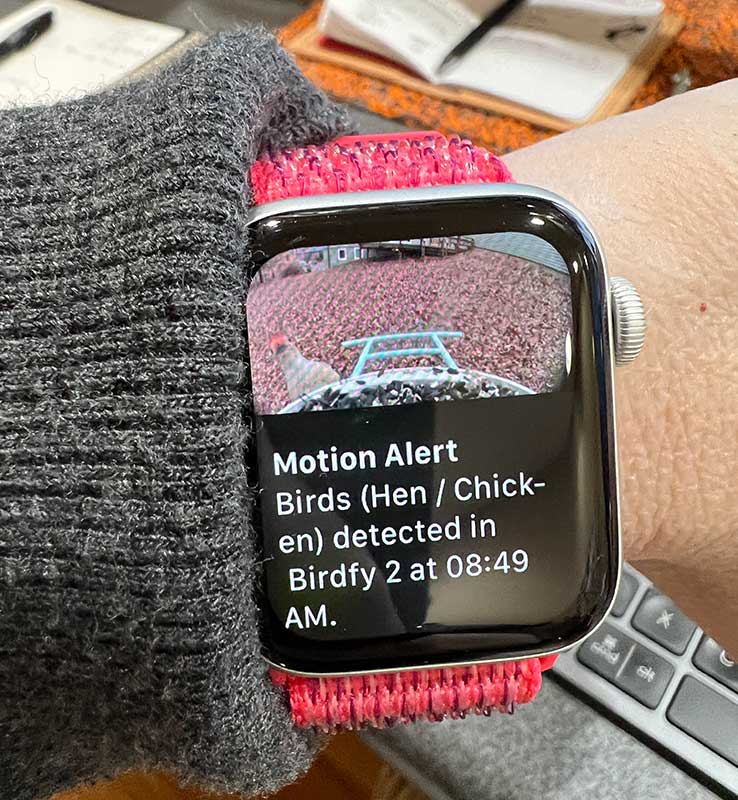
It even thought a Red-Bellied Woodpecker was a hen or chicken. Really??? Hilarious. There is an option to leave feedback for each AI guess, but I don’t see that it learns from the corrections that are submitted. This is disappointing considering the price of this feeder.
What I like
- Well made, easy to fill but you will need a ladder if you mount it very high
- Camera doubles as a security camera
What I’d change
- The software’s AI for bird identification is pretty terrible and needs a lot of improvements
- Expensive considering the AI barely works
- Alarm/siren and light don’t scare the squirrels off the feeder
Final thoughts
As a bird feeder that also has a built-in security cameraBirdfy is well made and has the best battery life of any security camera I’ve ever reviewed. As a novice birdwatcher, it’s a lot of fun to be able to watch the birds up close as they visit the feeder. But as a smart feeder, it’s a disappointment because the AI feature that supposedly recognizes birds does a lousy job. If the software gets fixed, then the price can be justified, but as it is right now, I think it’s way overpriced.
Price: $249.00
Where to buy: Netvue
Source: The sample for this review was provided by Netvue.


