


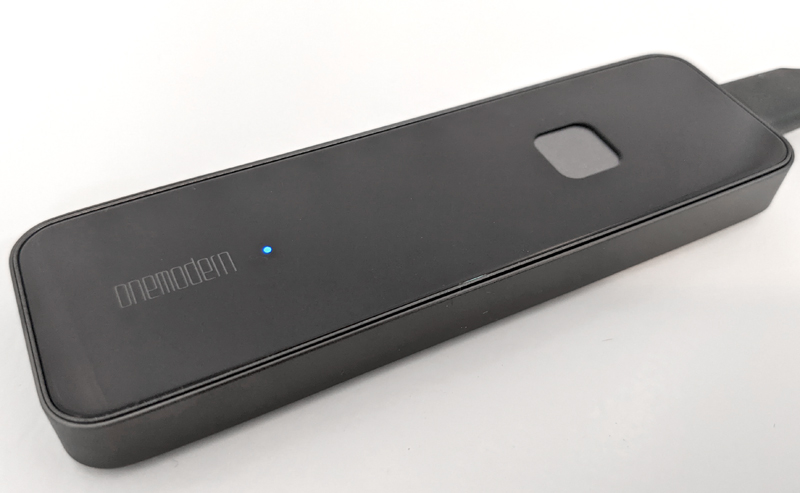
Review – I have a set of portable backup drives that I use regularly. Most of them are standard-sized backup drives, about the same size as men’s regular-sized wallets. In the past, I had a computer crash and I lost all the files on the hard drive. Therefore, I am very consistent in regularly backing up important files to multiple backup drives. I also have some things that are automatically backed up to the cloud, just for better measurement. So I have been looking for an effective and simple way to back up. The fewer things I need to do, the more likely it will happen. The biggest trouble for me is having to back up my phone. I use an Android phone, and a lot of data on the phone will be automatically backed up to Google Cloud.But OneModern S8 SSD aims to make this easier, especially mobile phones, so I decided to give this Kickstarter products Review to understand how it measures other solutions.
What is it?
Portable 500GB SSD drive with built-in fingerprint encryption.
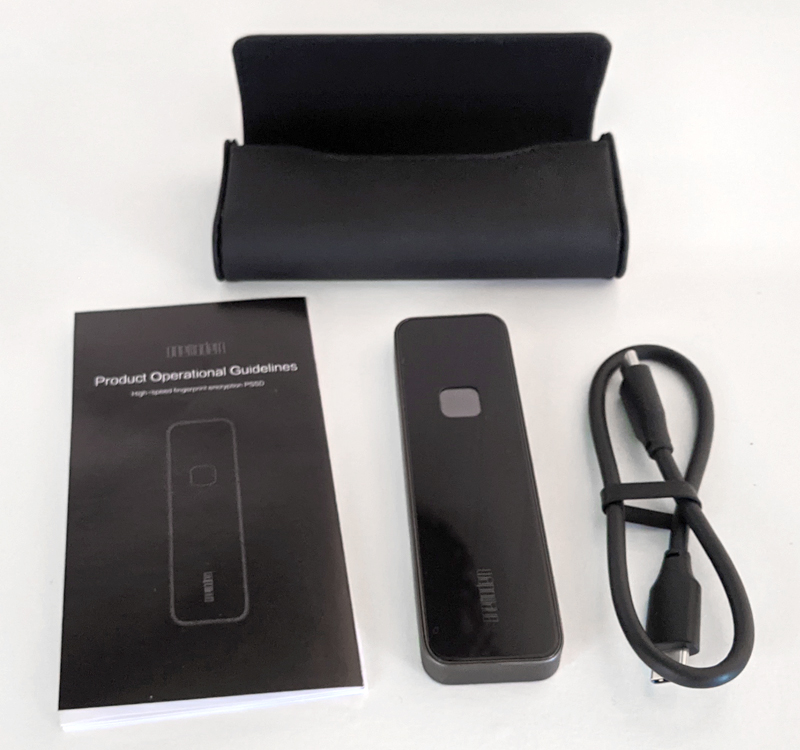
What’s in the box?
- S8 solid state drive
- 12 inch USB-C to USB-C data cable
- Artificial leather handbag with magnetic buckle
- Quick start guide
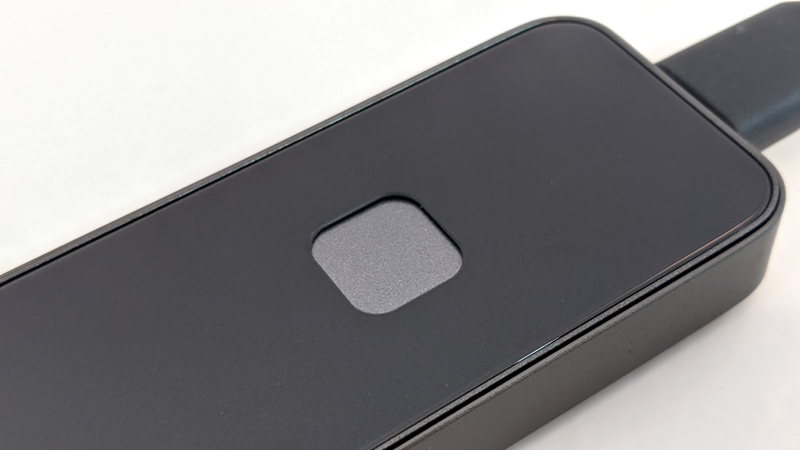
Hardware specifications
- storage: 500GB
- compatibility: Android, Windows, Mac, PlayStation 4/5, Smart TV and iOS/iPad, and data transmission line (not included)
- size: 4 inches x 1.2 inches x .4 inches
- weight: 1.2 oz
- Read/write speed: 540mb/s
- interface: Type USB-C 3.1, M2SATA
- Material:Aluminum alloy, tempered glass, plastic
- Safety: AES 256-bit encryption, with fingerprint recognition
Install
Following the instructions in the quick start guide, I downloaded and installed the Android application using the QR code in the guide. I set up fingerprint recognition and password, and it went well. When I connected it to my Windows computer, I navigated to the Windows folder and ran the installer, and it also ran smoothly.
Features and performance
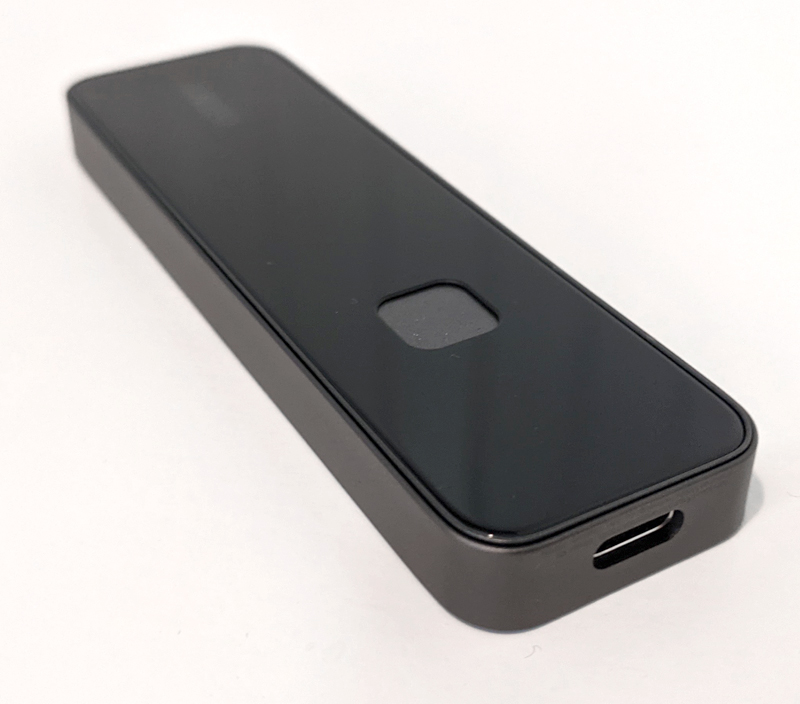
When you hold the S8 in your hand, it feels very good. The aluminum alloy on the edges and the tempered glass on the front and back feel good. The rounded corners and 0.4 inch thickness make it beautiful, slim and easy to put in a pocket. It also comes with a beautiful leatherette pouch with a magnetic closure that can hold S8 and USB-C cables. There is only one port on S8, the USB-C port, located at the end of the device. There is a blue indicator light on the front to let you know that it is turned on and working normally during use. The fingerprint sensor is on the top, but the blue indicator light is on and slightly recessed, making it easy to feel without looking at it. The sensor is also flawless, it always recognizes my fingerprint for the first time.
You can specify up to 10 fingerprints for S8, which means you can use it with a team that can share the drive. The interface of the Android application is very clean and intuitive. When you connect the S8 to your phone, it will automatically launch the OneModern application, and you must use your fingerprint to open it, or enter the password you set during the installation process. This is the main screen of the application:
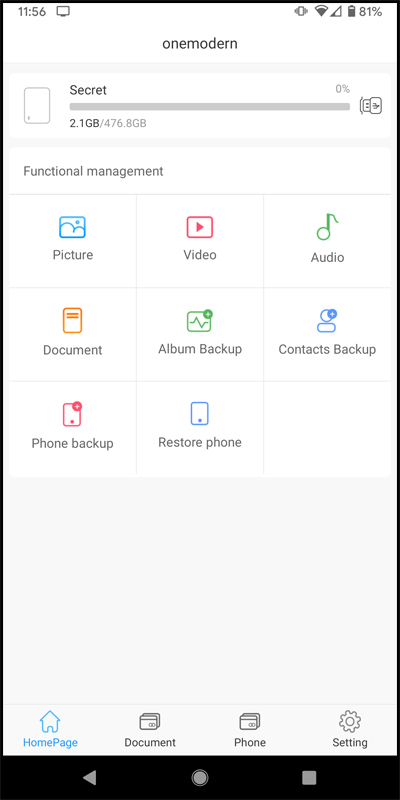
As with almost all backup software, you can choose to automatically back up what you want when the software loads, or you can manually start the backup when you need it. The backup process backed up my contacts, photos, videos and files. Or I think so. The strange thing is that my photos and videos are only backed up until May 2019. So about 2 ½ years of content was backed up, and I can’t think of a reason other than the application’s failure to run properly. Or it may work as designed, which is unacceptable from my point of view. I want to back up all my thousands of photos, not just photos from the past 2.5 years. depressing. I also tried to get help from people running Kickstarter campaigns through the Kickstarter website and email, but there was no response. Again, it is frustrating. This does not give me confidence that if I get into trouble in the future, I will be able to get help.
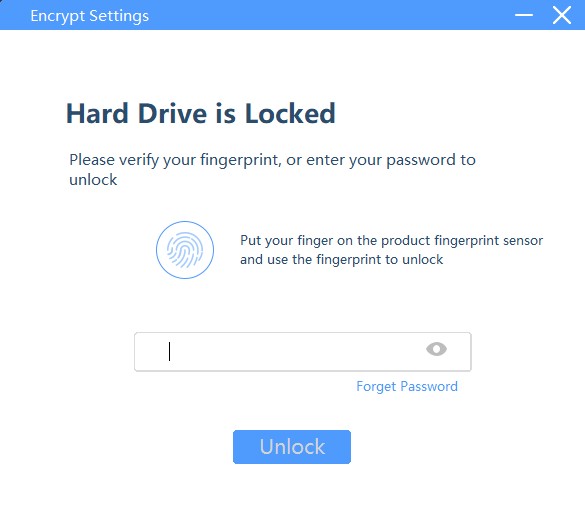
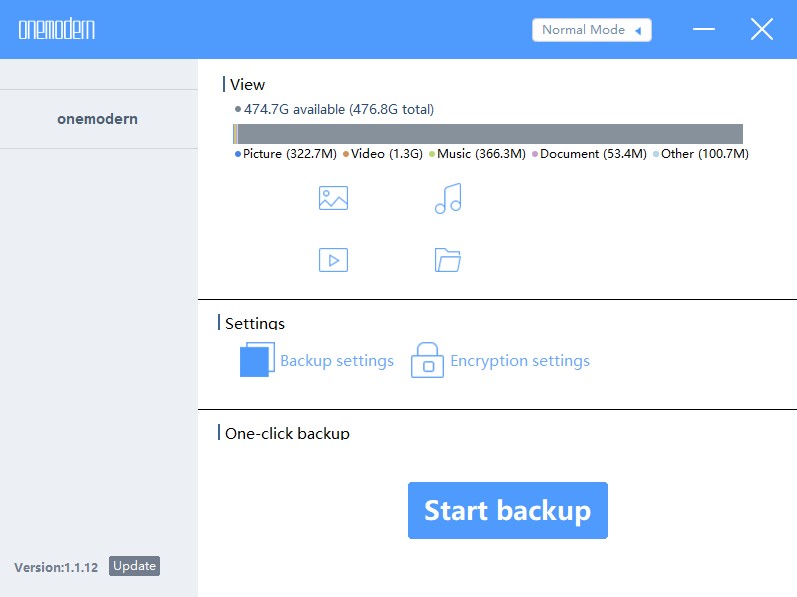
The Windows application that loads when you connect it to the laptop is a typical representative of most backup software programs, but it requires me to provide a fingerprint. You can set it to automatically back up any folder you specify, or you can start the backup manually. The backup software worked as I expected, and I did not encounter any problems. The following are screenshots of the desktop software when it first starts and when the main screen loads:
what do I like
- Excellent design and construction, feel high quality
- Fingerprint encryption works flawlessly
- The suitcase is very convenient
What will i change
- Android apps don’t seem to be ready for prime time.
- Technical support does not exist
Final thoughts
I want to like this device. I am willing. Fingerprint encryption is flawless, so you can be sure that your data is safe. It feels like an advanced device. The backup software works as designed and can be customized to back up what you want when you need it. But there are frustrating bugs in the Android app, and I can’t get anyone at OneModern to reply to me to see if there is an updated app or something I can do. If I am more confident that the Android application can indeed back up my entire phone, then I will support S8 wholeheartedly. But there are other products that provide backup solutions that can be directly compared with S8. OneModern even listed two products with almost the same specifications on their Kickstarter page. I just can’t recommend S8.
Where to buy: This is their Kickstarter page: https://www.kickstarter.com/projects/onemodern/onemodern-your-ultimate-fingerprint-touch-portable-ssd/
source: The samples of this product are provided by OneModern.


