


Sharing is caring!
Sades Battle Ram keyboard and mouse combo review rating
Generalize
The Sades Battle Ram keyboard and mouse combination is a good recommendation for novice gamers who have won the first PC or anyone looking for a gift this Christmas.
Announced as early as August, the Sades Battle Ram combination is an affordable keyboard, mouse and mouse pad set, which is a good gift for novice gamers entering PC games.
Specifications/Features
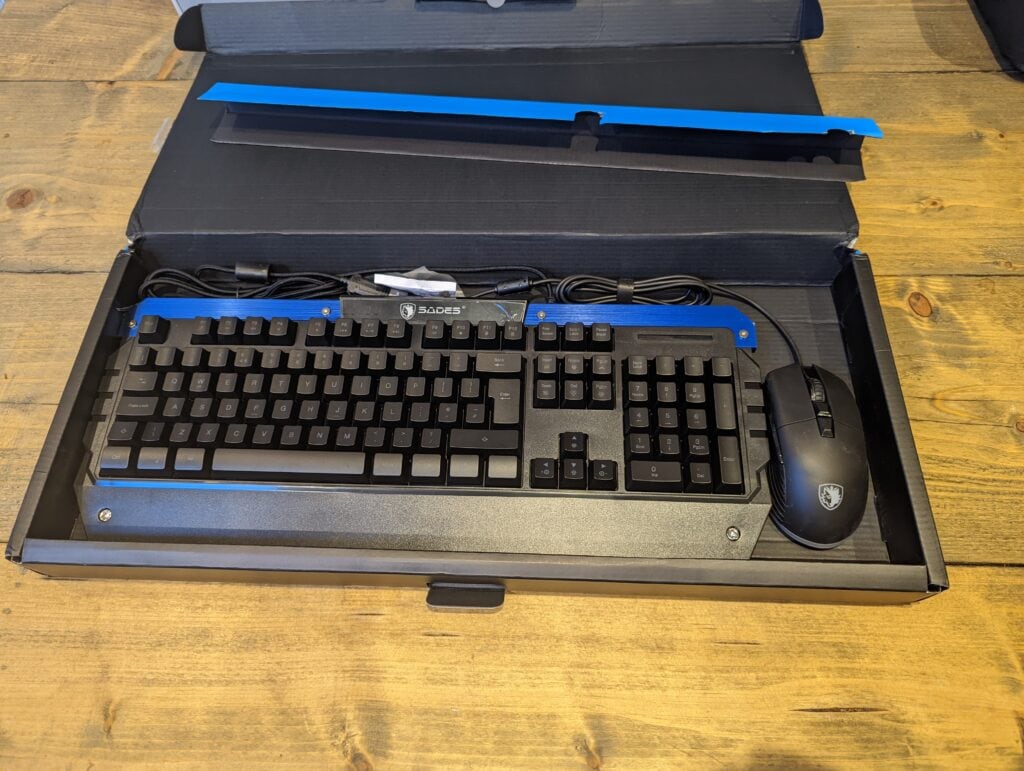
keyboard
- Keyboard type: Membrane switch technology
- Keyboard layout: 104-key American layout
- Switch life: 10 million cycles
- Size: 471*195*37 mm/ 18.54*7.68*1.46 inches
- Weight (keyboard only): 0.858 kg/1.89 lb
- Cable length: 1.8 m/5.90 ft
mouse
- Tracking method: optical
- Resolution: 4000 DPI
- Switch life: 10 million cycles
- Size: 131*71*41 mm/5.1*2.8*1.6 inches
- Weight (without cables): 0.105 kg/0.23 lbs
You will also get a mouse pad, which is very basic but can save you some money.
Keyboard review
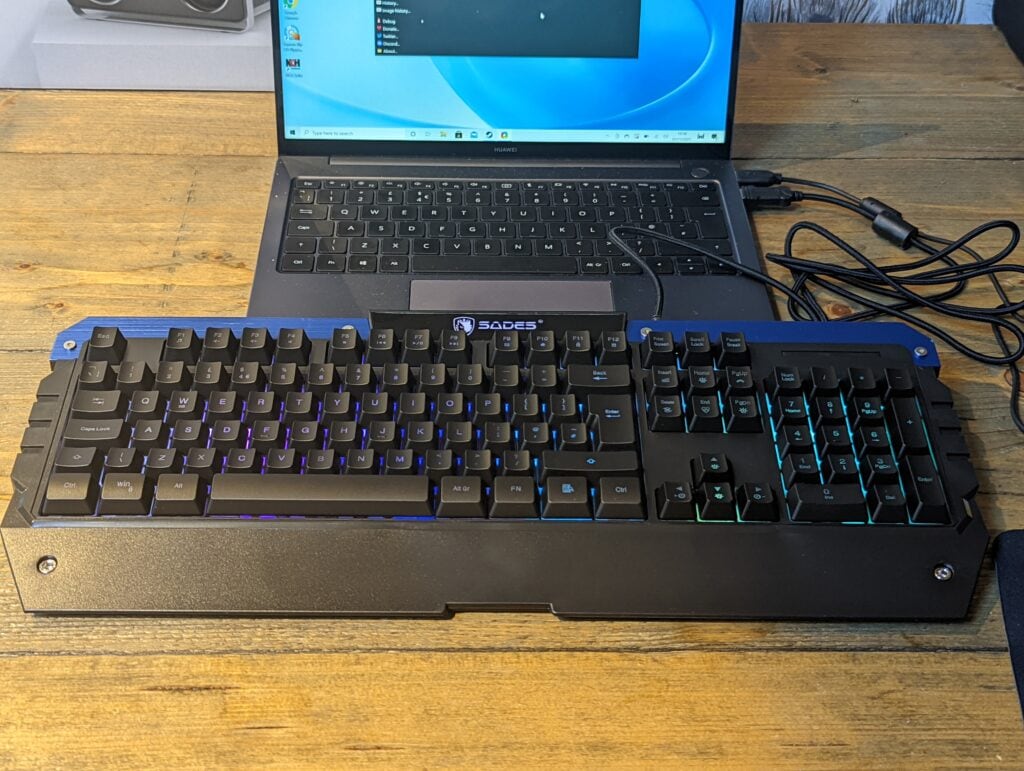
As a long-term mechanical keyboard user, it is difficult to be over-excited by the keyboard in this package. The cost of all major brand mechanical keyboards is much higher than this combination, so recommending them is not particularly constructive.
However, it is good enough. The typing experience is very good, if you have not used a mechanical keyboard before, you will not notice the difference.
Compared with the recent popular compact design, it is a full-size keyboard that most people will be more familiar with. There is no dedicated media key, but you can use the FN + F key combination to control the media.
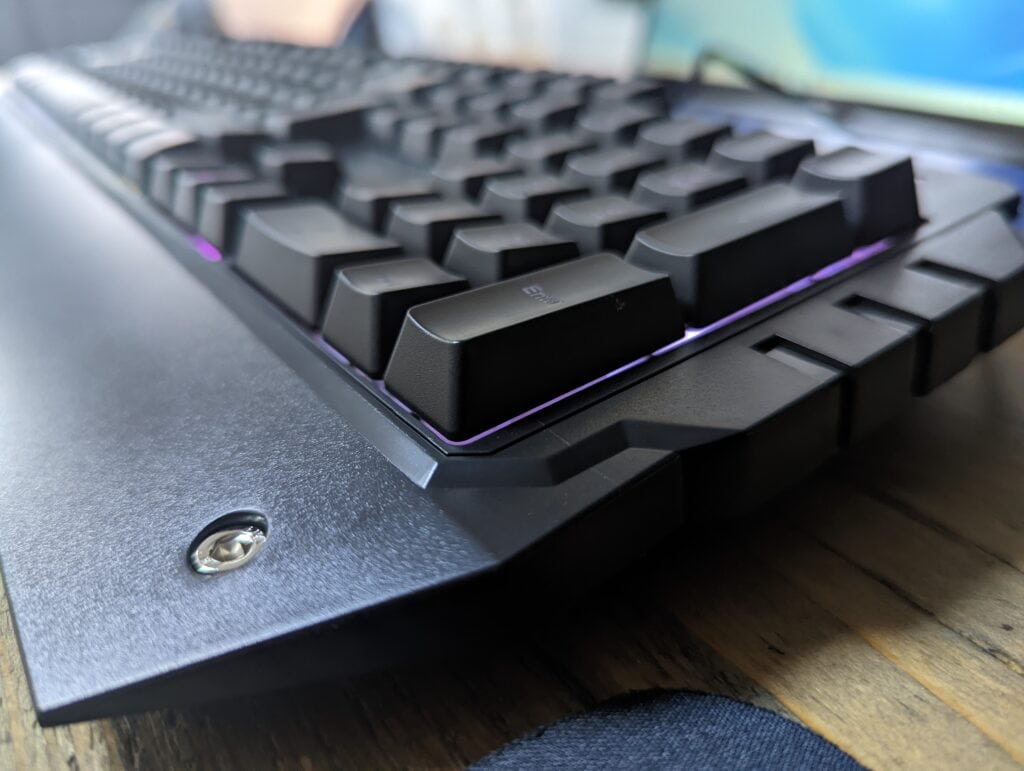
RGB lighting is pleasant, but the position of RGB LED embedded in the circuit board is very low, so the overall lighting level is very subtle. Depending on how you feel about RGB, this may be positive or negative. In contrast, many mechanical keyboards now have no lip around the bottom of the keys, exposing as much RGB as possible-I found this design may be a bit too bright.
RGB can be controlled directly on the keyboard through 14 presets, and you can use the Fn key to change these presets.
Mouse reviews
I prefer the mouse, it can meet all the needs of gamers. You have a good quality PMW 3050 optical sensor with 4000 DPI, which can be easily moved up and down, allowing you to have a faster response time in FPS games.
Then, you have a total of 8 buttons, including the left and right mouse buttons, scroll wheel, DPI+, DPI-, forward, backward, and the third side button Sniper button.
The mouse can also customize the buttons according to the game being played.
The RGB lighting looks very impressive and brighter than the keyboard.
Prices and alternatives
The Sades Battle Ram Combo has a suggested retail price of £39.99, which is an attractive price option for anyone who has just bought a gaming PC and needs to pair it with some peripheral devices.
However, since the end of September, the price has been 49.99 pounds, which is still ok, but its price point allows you to choose many other good options.
There is a Havit wired RGB mechanical gaming keyboard and mouse combo, priced at £39.99, which is the same as Sades’ suggested retail price, but you will get a mechanical keyboard.
If purchased separately, you can get:
- The Rii RK908 7-color mechanical gaming keyboard costs £25.99-it may be a random brand, but typing on a mechanical keyboard is a more enjoyable experience.
- Logitech G213 Prodigy Gaming Keyboard £35-You can get the Logitech brand name, customizable RGB and media keys.
For mice, you have:
overall
Sades Battle Ram is an excellent keyboard and mouse combo set that will appeal to anyone who wants a typical gamer aesthetic. The RGB lighting effect on the mouse is particularly bright and charming, and the overall performance of the mouse is excellent.
Currently, the pricing is not amazing, but it is not terrible either. This is a simple recommendation, priced at 40 pounds, but it is worth shopping for 50 pounds.
The nature of this combination makes it a good recommendation for those who might be looking for gifts this Christmas. Especially for any gamer who might get the first gaming PC.
Last updated on 2021-09-19 / Affiliate link / Image from Amazon Product Advertising API


