


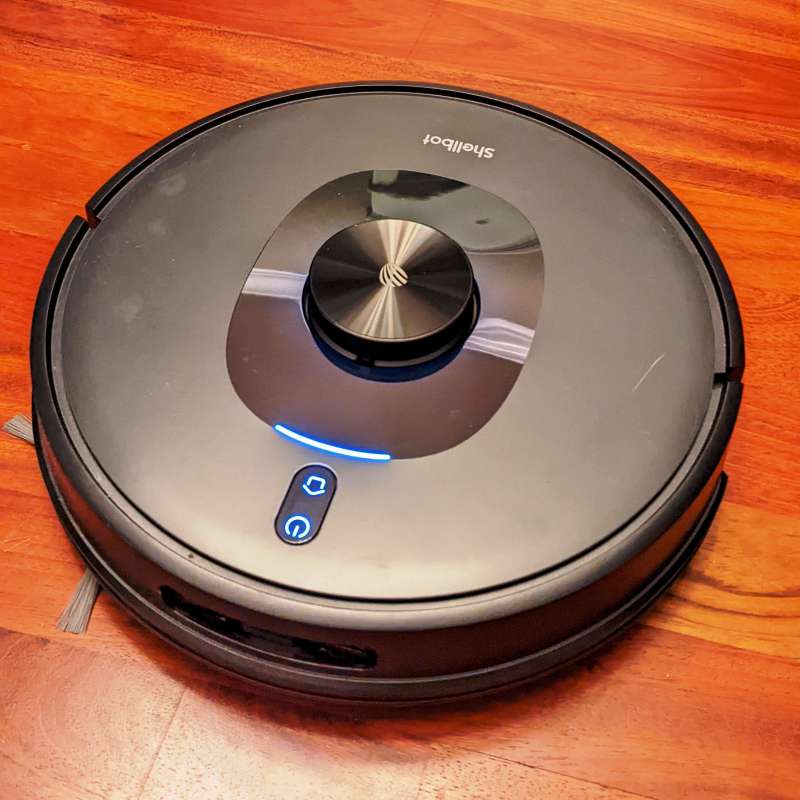
Review – I have two cats, a son and a spouse who shed more hair than all of us combined, so sweeping and vacuuming is a daily duty in my house. I used the Shellbot SL60 Robotic Vacuum to help fight the waves of hair follicles. Let’s see if it helps me keep going.
What is it?
The Shellbot SL60 is a small robotic vacuum that uses a pulsed laser (Light Detection and Ranging or LiDAR) to measure range. It’s capable of mopping and vacuuming automatically (though Shellbot recommends supervision while mopping). It runs for 200 minutes at the lowest vacuum setting and has a maximum suction power of 4000Pa.
What’s in the box?
● Shellbot SL60 lidar sweeping robot
● Dust bucket
● Two-in-one water tank
● Charging cradle with power adapter
● 2x mop clothes
● 2 side brushes
● Cleaning tools
● Remote control
● User Manual


Specification
- Power: 45W
- Suction: Four-speed 800/1,600/3,000/4,000 Pascals (Pa)
- Dimensions: 14″W x 4″H
- Battery: 5,200mAh
- Rated input: 20V at 1.8A
- Run time: 200 minutes
- Charging time: 5 hours from empty
- Weight: 8 lbs
- Controllers: Remote, vacuum buttons, app, Alexa and Google Assistant controls
- Maximum carpet height: 2 cm
Design and Features:
The Shellbot SL60 robot vacuum is neatly packaged, and after reviewing the manual and quick setup manual, I plugged the Shellbot SL60 into charging. I didn’t expect it to speak, so when she (female voice) announced that she was charging and was on, it was a bit surprising at first, but now it’s very convenient to hear her announcement (you can set a quiet time so you don’t hear 2am point voice) about what she’s doing. Then I downloaded the app to set it up.
If you’ve ever set up a similar smart device, you can expect the same process, you have to connect to Wi-Fi, then connect to the device via Wi-Fi, then wait for it to transfer the information to the device, then it says it’s successfully connected and ready to use. The prompt was worded a bit wrong, but I was able to gather what I needed to do and set it up pretty quickly. I received a confirmation email in Mandarin with a one-time numeric code. You have 60 seconds to enter the code or it will time out, so if the email goes into your spam folder, you may miss the time limit, but you can try again.
After picking up a name for Shellbot (I naturally chose Shelly) and removing some stickers, packing foam, and installing a rotating brush, Shelly’s first foray into the wild was an exploratory attempt that didn’t involve cleaning.Scan 1 took about 12 minutesstone My floor is about 1,400 square feet. You can map up to 5 floors, but for this review, I’m just sticking with the first floor. Also keep in mind that when you want to clean the base station, you have to move the base station to each floor because it acts as its reference point. It’s pretty cool to see it paint the floor for the first time on the app, and I’d say the LiDAR is pretty accurate. It’s also beautiful to see Shirley represented as a white dot on the map that she’s doing her duty, and to see the road she’s walking on is marked with a blue line.
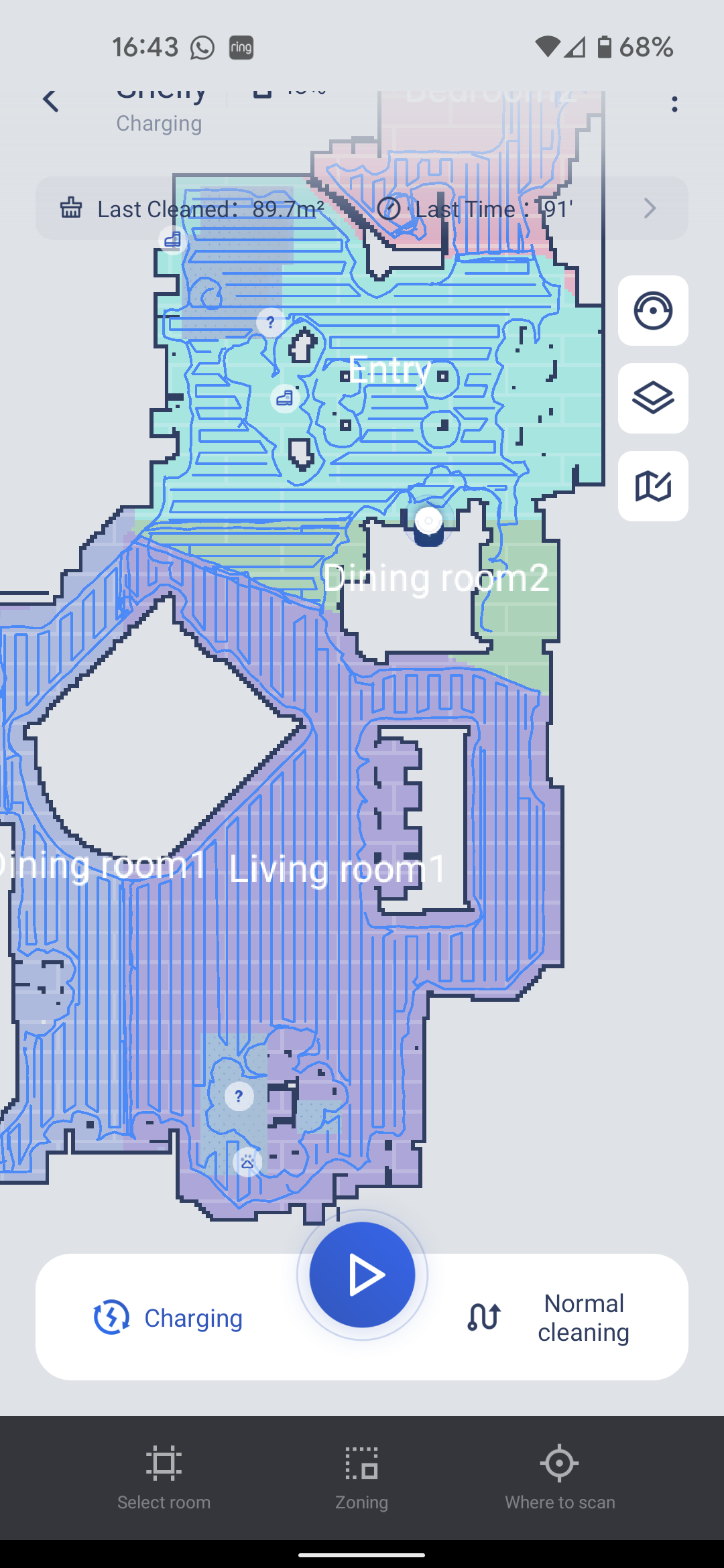
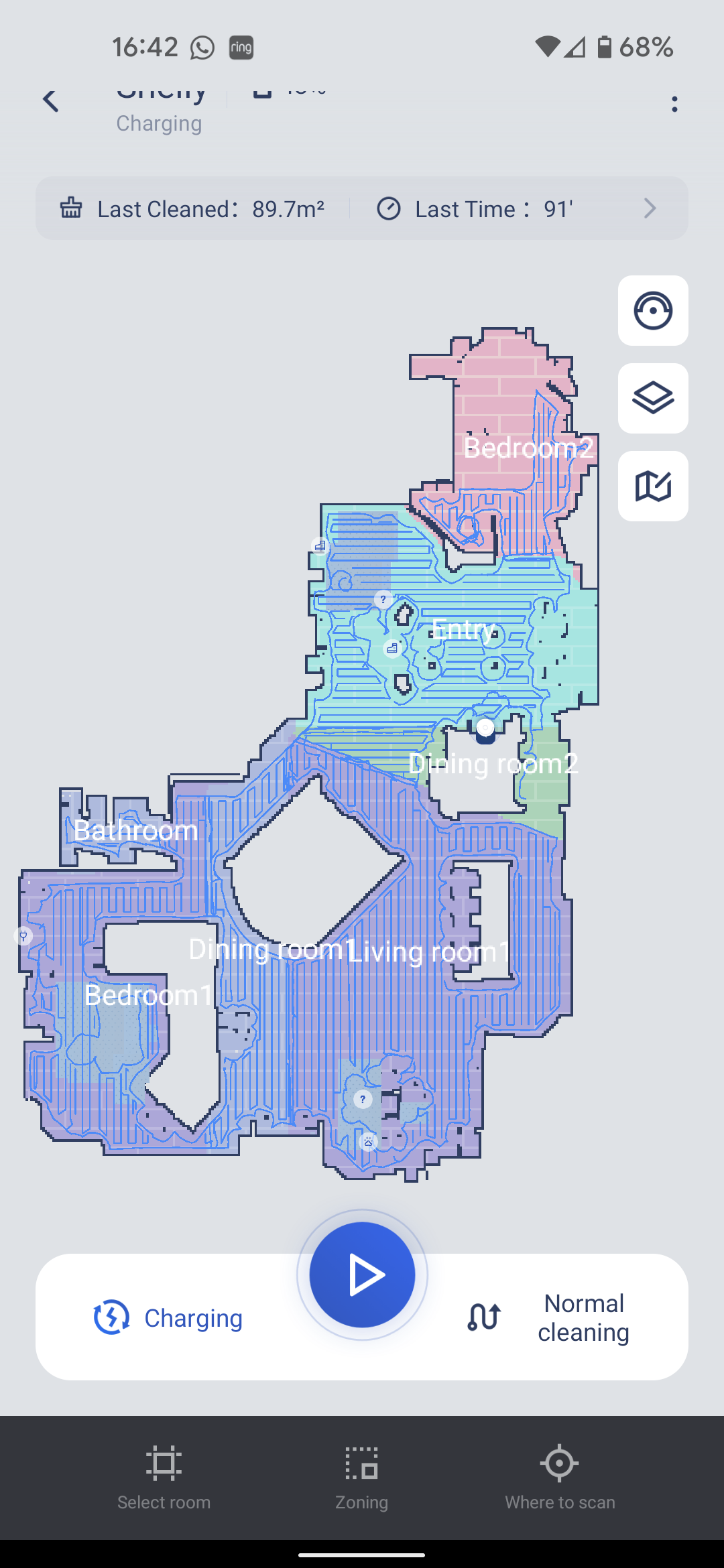
Through the cleaning report, I found that she was not walking on one of my thicker rugs. It can pass through objects with a maximum height of 2 cm, and the rug is so close that she keeps walking around it. Our regular rugs and welcome mats are fine. Not a big deal to me, but if you have thicker rugs or larger transitions between rooms, there are a few things to consider. I’ve also found that breaking larger rooms into smaller chunks allows it to complete a room faster, as it wraps around the entire perimeter of an area, then works in a back-and-forth pattern to cover the designated area.
Depending on cats and other obstructions, I spent an hour and a half vacuuming my downstairs area. As with other smart devices, it’s a good idea to prepare a little by picking up toys and putting away your shoes to leave as much open floor space as possible to ensure maximum efficiency. It’s wise to make sure the brush is free of tangled hair and that the errant nerf darts aren’t blocking the litter box port. If there’s something bigger, the Shellbot SL60 will mark it with a small shoe icon or plug icon to let you know there’s some great features out there.

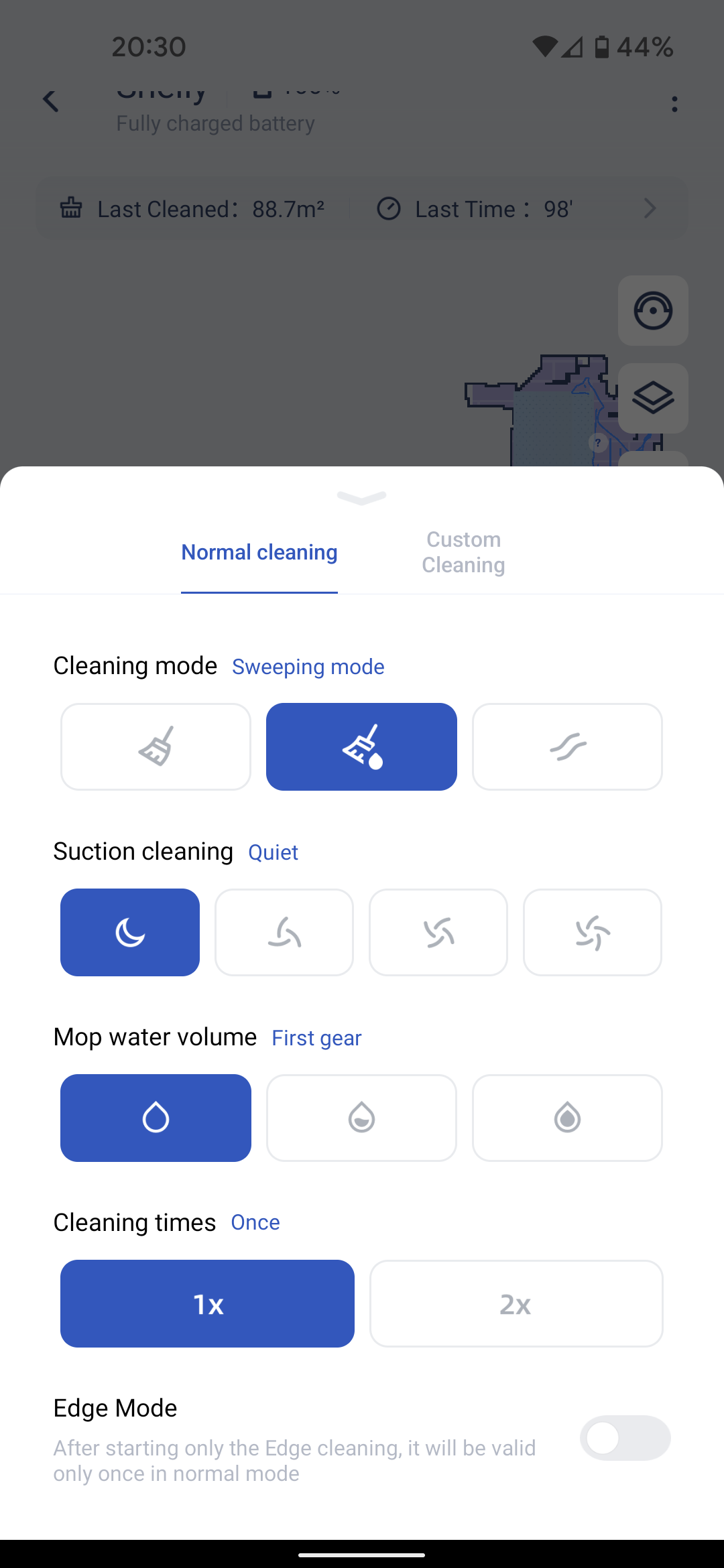
The vacuum cleaner has 4 power levels, silent, standard, mid-range and turbo. On quiet or standard power, if the TV enters the room, I can still hear it. The mid-range and turbo were a little too loud, so I had to pause and wait for it to go away before resuming my performance. Standard is the default level, but I found Quiet Mode to be equally good at picking up pet hair and dirt, so I’ll leave that on for now. LiDAR works well even in the dark, which is a huge benefit over camera-based robots. I even stood in front of her to see if she would hit me, unlike my 7 year old pushing a grocery cart, she never hit my feet or ankles. Found a dime in the bin and I was very impressed that it was able to pick up at the lowest setting due to the rubber/silicon fins on the main brush.
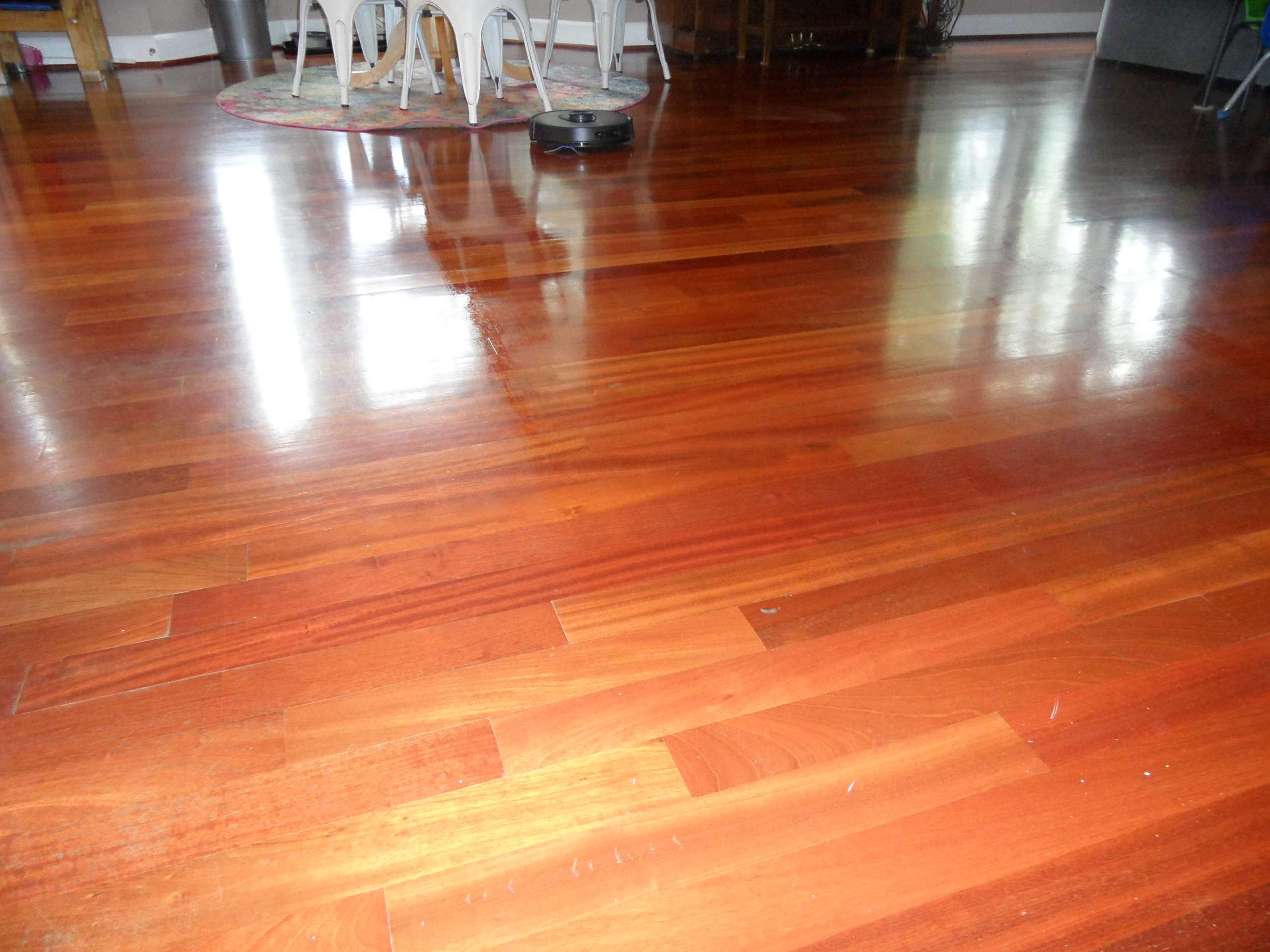

I have hardwood floors so I only use mopping at the lowest water level. It worked great and I was able to do two moppings in the kitchen area before needing to refill the tank. The 2-in-1 tank is just that, it has a smaller bin for normal vacuuming and a separate tank. In mopping mode, I found that she would vacuum first and then mop. The mop pad attaches to the water tank, so the entire litter box and pad can be removed at once.
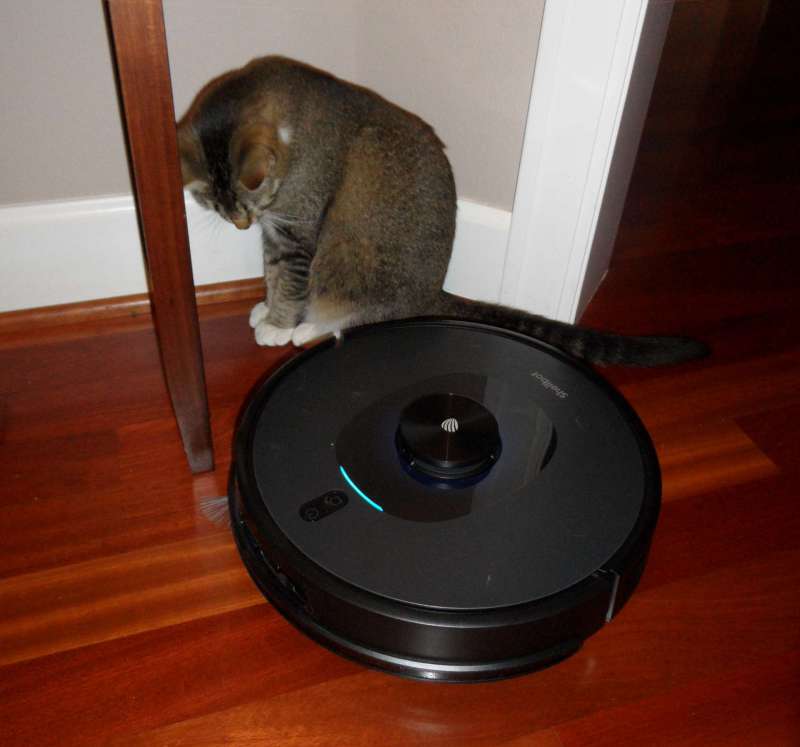
The remote is pretty basic, and once I figured out how to set the time, you can use the remote to program a schedule without having to download an app, but it’s limited. It doesn’t tell you the battery level or if the Shellbot is cleaning or charging, so it’s pretty much a set-it-and-forget-it device. However, it did distract my 7 year old and we made a game with the remote to pick up any dirt he could find. I found my two cats were very curious about Shirley, one was blocking her exit behind our dining table, so she kept going in circles until I moved my cat.
One problem I found that you can see in all the screenshots is that my Android phone’s status bar is blocking the first line of information in the app, including the battery level of the vacuum cleaner. I emailed customer service and did receive a letter stating that the app has not been optimized for Android 12, so I see it appearing correctly when using a tablet with Android 11. I did notice that when I log into the tablet it logs me out on my phone and vice versa, so if you want to share your account with significant other you have to use a shared password. Unfortunately, I can’t use the Alexa skill, but I found the app easy to use, so I don’t think it’s worth trying to get it to work with Alexa. Customer service is also very responsive and helpful.
what do I like:
- Customer Service Response Questions
- Effective vacuuming capacity and battery life
- Great sensors and lidar prevent hitting objects and cats
What I want to change:
- Use and set web-based interface options without having to use an app
- Nice to see the battery level on the remote and even the small display on the robot itself
- Reminder or display to let you know the reservoir is empty and the bin is full, or let them see through
Final thoughts:
The Shellbot SL60 LiDAR Robotic Vacuum works well under furniture and in areas I usually miss with a broom or cordless stick vacuum. It picked up a lot more pet fur than I thought, and the mop worked really well without using too much water on hardwood floors. After getting a $100 coupon for $259.99, I think it’s a great option if you’re looking for help keeping your floors clean. Their customer service was kind enough to help me with my problem, and in the end Shelly never had a problem with pet fur.
price: $459.99
Where to buy: Amazon ($100 coupon on page)
source: The samples for this review are provided by Shellbot.


