


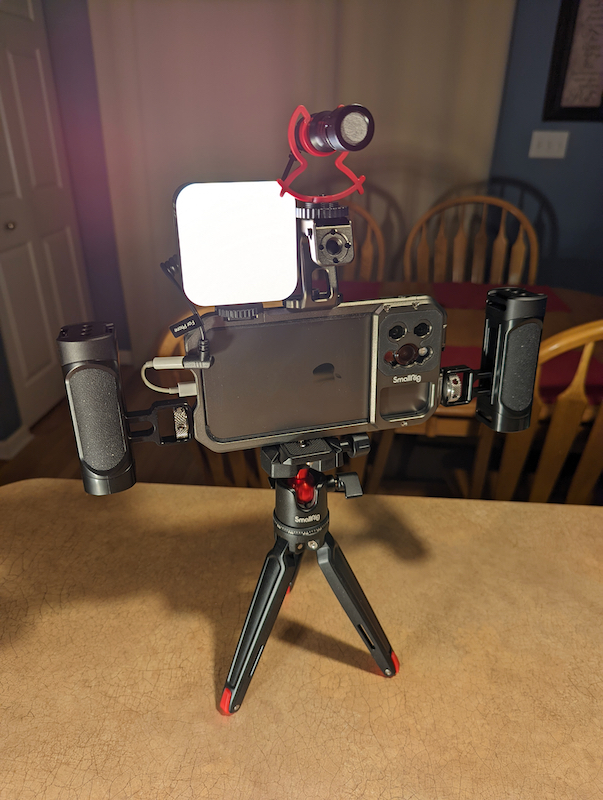
review – Mobile filmmaking has become a phenomenon in recent years. For more than a decade, people have been shooting movies and TV shows with their phones, short clips, and some even shoot full-length movies on smartphones. SmallRig, a well-known manufacturer of video accessories, has released Mobile Video Cage for iPhone 13 Pro and Pro Max phone models. Here’s a quick overview of its capabilities and some test shots I took nearby. I hope you like it.
What is it?
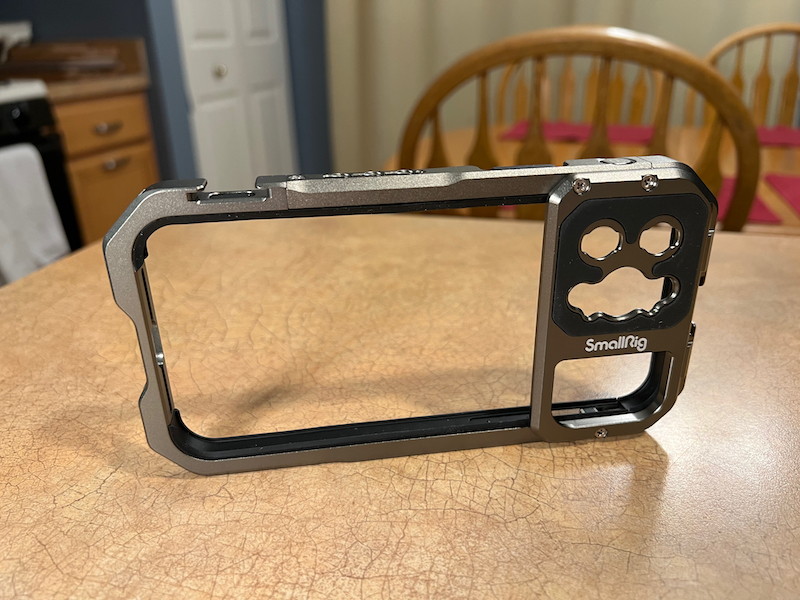
The SmallRig Mobile Video Cage is a lightweight aluminum frame designed to hold an iPhone 13 Pro or 13 Pro Max. In addition to securing the iPhone, SmallRig has attachment points for various accessories, some sold by SmallRig and some from third-party suppliers. There are separate SmallRig models for each size phone, so make sure you get the right one for your device.
What’s in this box?
- SmallRig Mobile Video Cage
Hardware Specifications
- aspect: 6.38 x 3.44 x 0.61 in (162 x 87.5 x 15.4 mm)
- weight: 87 ± g
- Material: Aluminum alloy, silicone
Design and Features
The SmallRig Video Cage is similar to a bumper-style phone case that protects the top, bottom, and sides of your phone, but not the screen or back. Around the lens area on the back of the phone is a small framed section that can be used to mount lens accessories for wide-angle, telephoto or macro lens options. The cage supports M-mount or 17mm threaded lenses. SmallRig says the frame doesn’t interfere with the built-in wide-angle lens or lidar array on the back of the phone, so all features are still available.
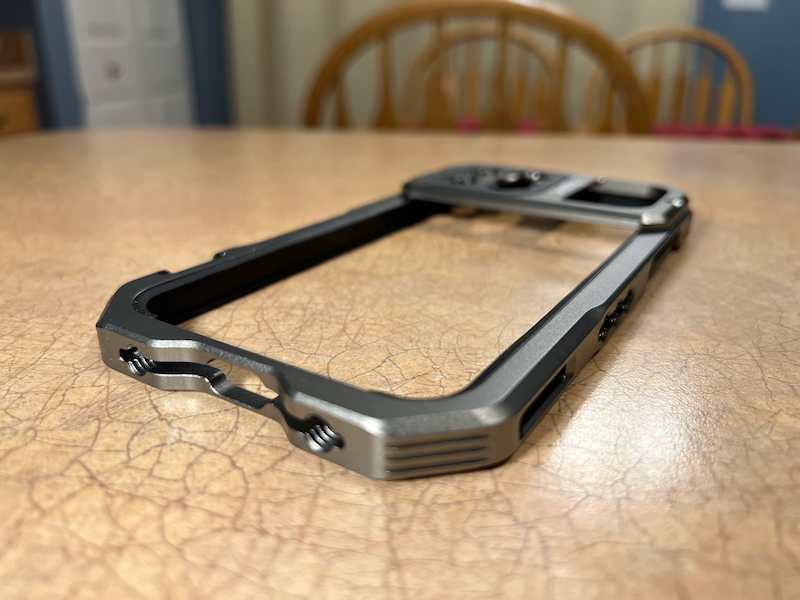
Around the edges of the frame are 1/4″-20 threaded mounting holes and cold shoe mounts, both of which are used to mount various accessories such as top handles, side handles, tripods, lights, microphones, and other required items. SmallRig allows horizontal and vertical shooting mode.
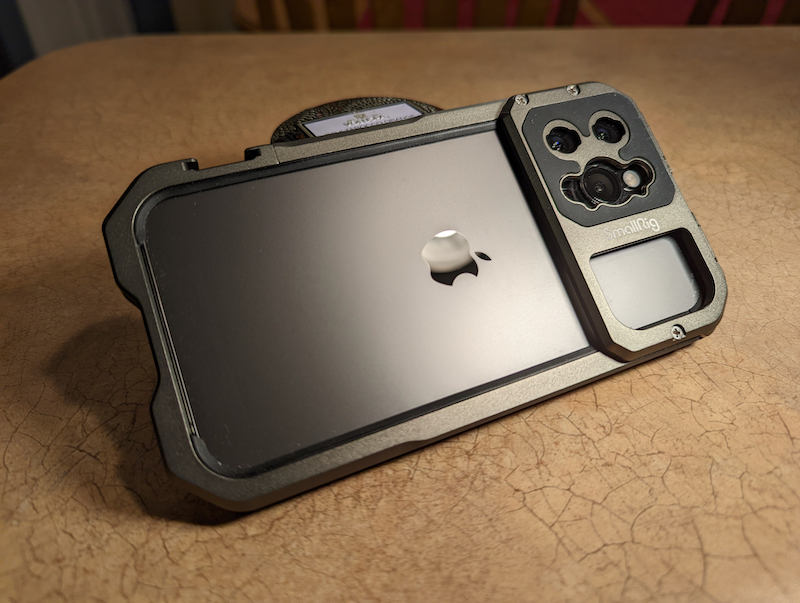
In addition to securing the phone and accessories, the cage is compatible with several quick release plates that work with gimbal, notably the DJI and Zhiyun models mentioned on the SmallRig website, although I think it can mount other gimbal as well.
Inside the cage is a soft rubber material that prevents the edges of the phone from getting scratched in the cage. All ports are still accessible, and the buttons are also covered in a soft rubber material, but still fully functional.
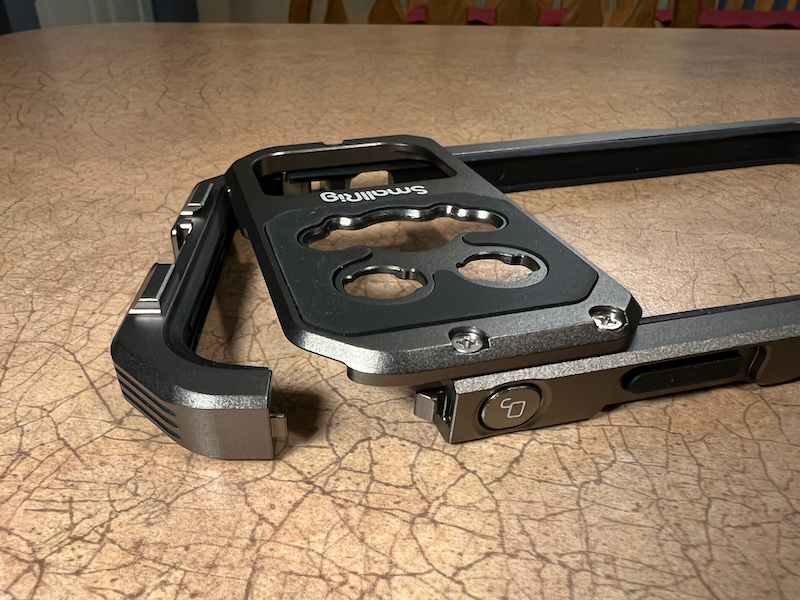
installation and setup
SmallRig sent me the Mobile Video Cage and a box of optional accessories to test it out. (Please note – these are optional accessories and are not included with the purchase of the SmallRig Video Stand.) The accessory package includes:
- simorr Wave S1 Lite Microphone
- simorr Vibe P80 Double Sided LED Video Lights x2
- SmallRig BUT2664 Desktop Mini Tripod with Panoramic Ball Head
- SmallRig 2772 Lightweight Side Handle x2
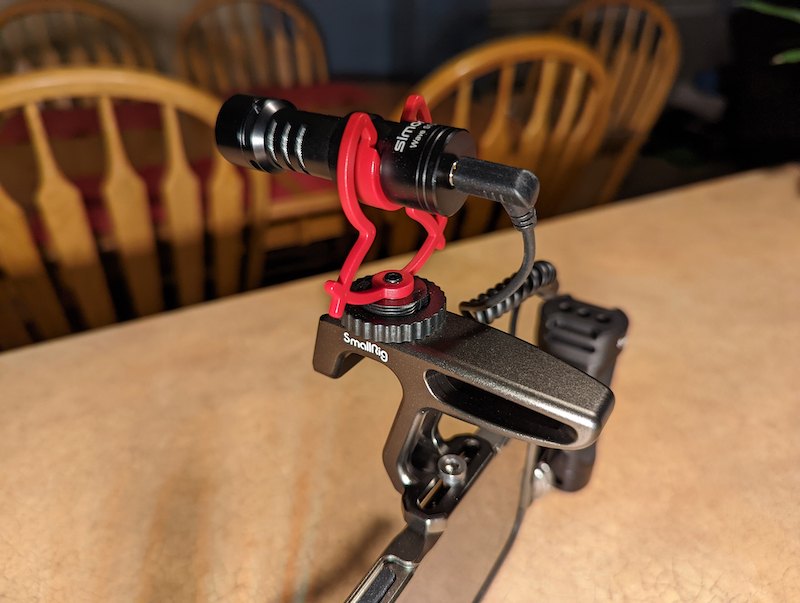
- SmallRig HTS2756 Mini Top Handle
- SmallRig 2070B Articulating Arm with Dual Ball Joints
- SmallRig 2066B Articulating Arm (9.5″)
- SmallRig 2903 Swivel and Tilt Adjustable Monitor Stand with ARRI Style Stand
This is a nice accessory pack for many shooting scenarios, both stills and video.
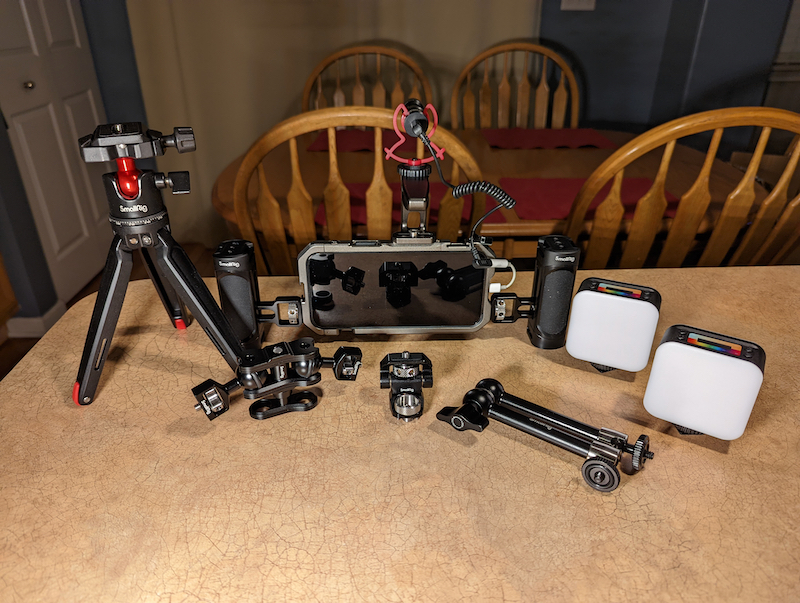
As far as installation and setup go, all you need to do is take the phone out of the case, press the button to release the hinge portion of the cage, slide the phone in and close the hinge portion. It locks securely; I don’t worry about it popping open when shooting. If you have optional handles, microphones, lights, or anything else, you’ll need to connect them as needed, but otherwise, there’s no need to mount your phone in this cage. It couldn’t be easier. I did find that if I moved it too hard, one of the handles seemed to wobble a bit. It didn’t affect my ability to shoot with it, but I turned it down as best I could and it still had a little wobble.
is using
Once the phone is in the cage and you’ve connected the accessories, you can shoot anything you want. I decided to walk around the neighborhood and take some shots on a cool, cold, cloudy day after a decent snowfall. The phone with the handle is easy to hold – I can go wherever I want without worrying about mistaking the touchscreen, changing apps, changing settings, etc. When I’m ready to shoot, I grab the cage with both handles, select the shot I want to shoot in my camera app, and hit the volume up button to start/stop the shot with my gloved hands.
**Ignore the hum – I think my headphone dongle is broken**
This ends up being a convenient way to move around and be ready to shoot. The dual grips provide a nice surface to hold rather than trying to grip the edges of the phone, which is a narrower surface to grab onto. It also means I can hold it with my gloved hands and don’t have to worry about my gloves getting into the lens, as they are far enough away from the lens to not get in the way.
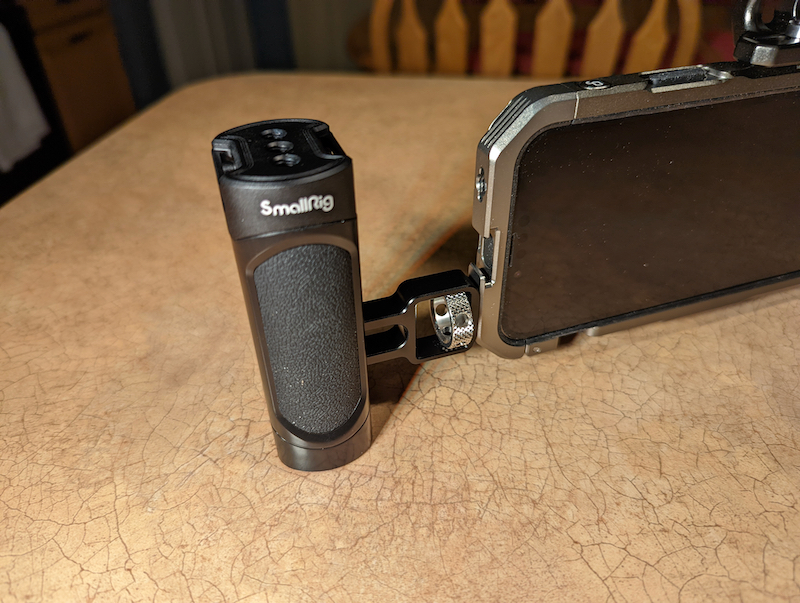
Whether it’s a phone or a dedicated camera, there’s a lot to be said for getting a firm grip on the camera you’re shooting with. Keeping a good grip on the camera, being able to hold it away from your body in a comfortable position makes it easier to shoot and get better angles than you can shoot with just your phone.
This review isn’t about accessories, but I’ll mention a few of them here in particular. The tripod is sturdy enough to hold the phone and all its accessories without any problems. I also use it to prop up a Rosco DMG DASH Pocket LED that I’ve had on an old Joby GorillaPod for a while now. It’s a sturdier tripod than the Joby, which means I don’t have to worry about knocking the lights over as many times as I do with the GorillaPod.
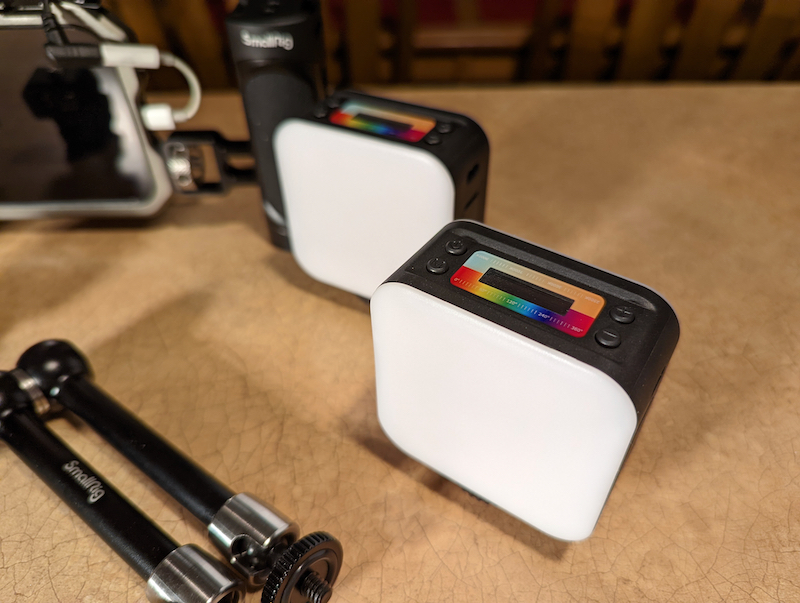
The next accessory I want to mention is the simorr Vibe P80 LED video light. This light is double-sided, one covers the full RGB spectrum, the other is white, and the color temperature can be adjusted from 2500K to 9000K. Magnetic sides allow you to attach multiple light fixtures into an array, and the included cold shoe mount allows it to be attached to SmallRig cages and other mounts and cameras including hot shoe mounts.
Finally, the simorr Wave S1 Lite microphone is a great accessory for recording better audio than the microphone built into your smartphone. This can also be mounted on cold shoe mounts, including foam windshields, furry windshields, suspension mounts, and cables that connect to regular cameras or smartphones. An external mic is necessary to capture good natural sound and to bring the mic closer to the subject than using the built-in mic.
what do I like
- ultimate flexibility
- sturdy construction
- low price
- Lots of accessories to choose from
what would i change
- Fixed swing with optional handle
final thoughts
It’s not what I have on my phone every day, but they don’t sell it for that purpose. Being able to take your phone out of your pocket, remove the case, slide it into the cage, and be ready to shoot in about 30 seconds means you’ll be ready to shoot almost anytime. Today’s phones can take such great shots, and a device like this can decorate it to suit just about any shooting scenario.
Price: iPhone 13 Pro model for $39.90 smallrig.com
where to buy: smallrig.com or Amazon
resource: The samples for this review were provided by SmallRig. For more information, please visit their website.


