


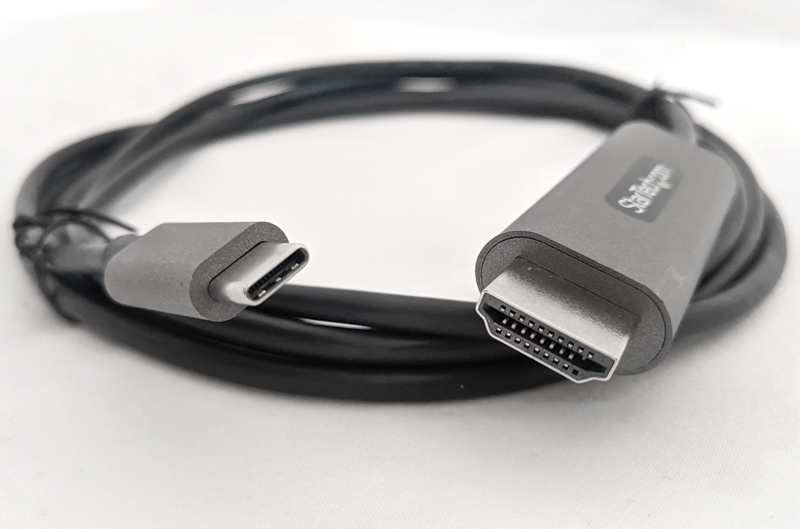
Review – A few days ago I wanted to show some photos to a group of friends on my TV. The picture is on my tablet. This is a Samsung Galaxy Tab S4. I want to do it with a Samsung TV in the living room. I think it will be a piece of cake, right? It’s not like this. The TV and the tablet are on the same wireless network. I have the SmartView app that Samsung needs. The TV connection guide says it should work, but it doesn’t. (Another article on another day). So I said to myself: “Oh, I just wish I had a simple cable to connect this tablet to the TV”, of course I didn’t. So I received a USB-C to HDMI cable from StarTech to solve this problem, and it worked. So let’s talk about what I learned.
What is it?
This USB-C to HDMI cable allows you to connect USB Type-C (supports DP Alt mode. More details later) or Thunderbolt 3 devices to HDMI displays, such as TVs or computer monitors (requires HDMI 2.0 compatibility). It is 6.6 feet long and can support Ultra High Definition (UHD) resolutions up to 4K 60Hz (3840×2160) and HDR10 (High Dynamic Range. See below for more details). It works on any operating system… macOS, Windows, Linux, Android and Chrome.
This sounds like a lot of technical terms, and it is true. But what it really means is that this is one of those hard-to-find cables that most people don’t have in their arsenals. Almost everyone has multiple USB cables and multiple HDMI cables. But this one is very special. continue reading.
Features and performance
First, let’s talk about some of the terms I mentioned in the previous section. First, let’s solve HDR, which is high dynamic range. It is understandable to confuse the HDR function on the TV with the HDR function on the phone camera, because they have the same name but are fundamentally different. I believe that our experts in these fields can join and correct me, so please do so. But in order to keep it basic, the HDR function on the mobile phone camera will take multiple images with different exposures and blend them together to make the photos look deeper and look more dynamic. I have used this feature on several phones in the past few years, and in some cases, it does make the photos look better, although sometimes they seem a bit impractical.
The HDR function on the TV is completely different. Likewise, in order to stay basic, it will expand the contrast (brightness and darkness of the TV) and the number of colors available in the available palette, thereby displaying more realistic colors in the image/video. This may be split hair, but there is a difference. Most TVs launched in the past few years will have HDR capabilities. The important thing to remember is that this cable will support the latest TVs you buy that are advertised in the form of “4K” or “Ultra HD.”
Now, many people may say “I need to buy the highest resolution TV, right? Doesn’t more pixels produce better images?” Not really. If you go to Walmart or Best Buy and check all the TVs, my guess is that 9 out of 10 times you will choose a TV with better contrast and vivid colors instead of the maximum number of pixels. This is why HDR is so important, and why every TV will soon have it. Therefore, choosing a TV with HDR is one aspect of the equation. You also need to have access to HDR content. In order to take advantage of HDR on your TV, you need to display HDR content on it. Well, Amazon and Netflix have HDR content, and they are adding their products. If you have a Blu-ray player and disc, then these may also be HDR. Therefore, although not all content has HDR quality, this situation is constantly changing.
So now you have to ask…why did he do this? this is very simple. If you want to take advantage of truly high-quality content (such as HDR movies and videos) and display them on your devices, and connect these devices together, you need a cable that can handle high-quality audio and video transmission. This is what this cable does.
But what I also like about this cable is that it is actually able to connect my mobile device to my TV. Most of the devices in my house (phones, tablets, laptops, etc.) have USB-C ports, which are gradually becoming the standard. This cable has USB-C at one end, so I should be able to simply plug it into any device with USB-C, and it should connect to my TV, which makes sense. But this is not entirely correct. Indeed, USB-C is designed to transmit charging signals and audio and video signals at the same time. However, if your device cannot support all the data sent through the USB-C port, then this cable will not solve the problem.
So back to the original question I detailed in the first paragraph. I have tried to connect this cable with multiple mobile devices to my TV. But before I run the results, let me mention that unless your device is compatible with the Displayport 1.4 protocol (also known as DP output mode), it will not work. So let me go through the list of devices I own and the results:
Pixel 3A plus – Alas, my Pixel phone does not output Displayport 1.4 mode through the USB-C port. This means that when I plug the StarTech cable into my Pixel and connect it to the TV HDMI, it will not display anything. Gurulu. (Please solve this problem on the upcoming Pixel 6… okay?)
Samsung Galaxy Tab 7 – This is the 7-inch tablet I use by the bed. It has a USB-C port for charging, but it can’t handle audio and video, so this StarTech cable doesn’t help me in any way.
Samsung Galaxy Tab S4 – This is my 10-inch tablet. It really allows me to use StarTech to connect to my TV and watch videos, pictures, etc.
Macbook Pro 13 inch – My daughter’s Macbook Pro USB port supports DP output mode, so the StarTech cable works well!
HP Envy laptop – My HP laptop can also be connected to our TV with a StarTech cable, and it works great!
Samsung Galaxy S9 mobile phone – I have an old Galaxy S9 phone that works well with the StarTech cable, and the Samsung phone has a cool feature that can be connected to a TV and monitor. It is called “Samsung DeX” software. I have some screenshots below, but basically, you can use the Samsung DeX app to use your Samsung phone with a monitor or TV, and turn your phone into a touchpad to control a desktop mouse. You can also let your Samsung phone display videos on the TV while still using your phone as a mobile phone to receive calls, text messages, etc. And StarTech cables allow you to do this without some kind of dongle or adapter. Very cool.
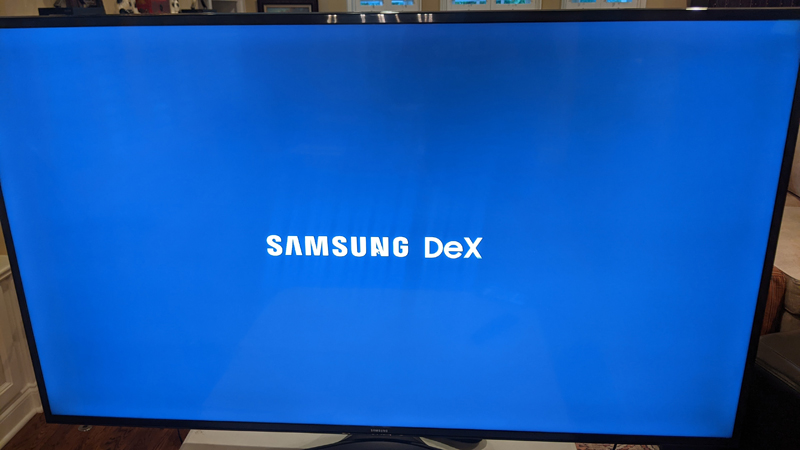
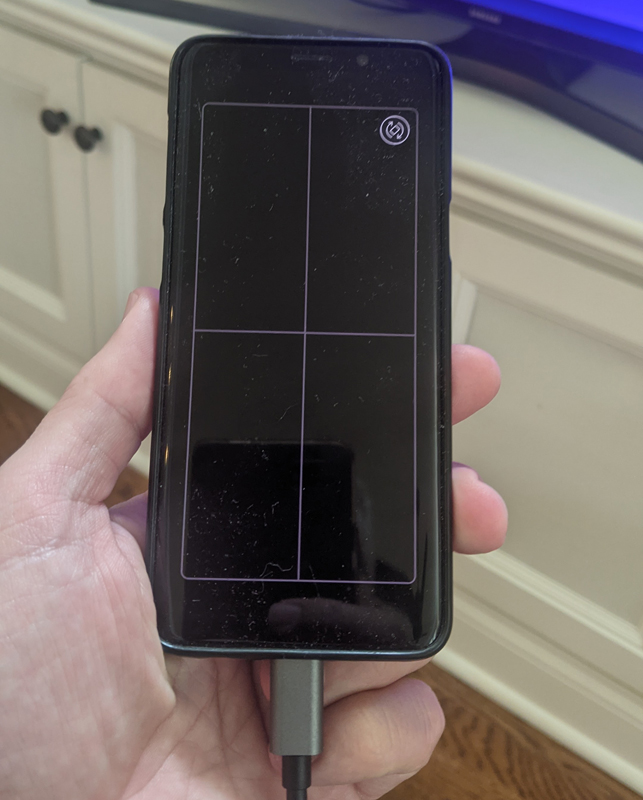
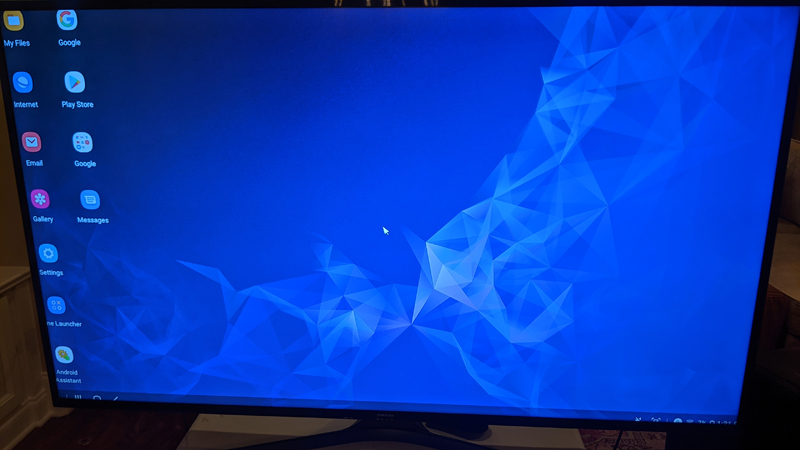
what do I like
- No need to drive, plug and play!
- Backward compatible with 1080p resolution.
What will i change
- Can’t think of anything.
Final thoughts
Now that I have this cable, I use it often. I find that I can now connect my laptop and S4 tablet to the TV more frequently. I used to use HDMI cables on my laptop, but now I have StarTech cables that can be used on tablets and laptops, and the HDMI cables have been stored in the cabinet. Before ordering this cable, please check your device to make sure that the device you are considering can support the DP output mode. If so, grab one of the cables that will surely become a standard as soon as possible.
Price: $37.99
Where to buy: purchase Amazon Or from Star Technology.
source: The samples of this product are provided by StarTech.


