


Sharing is caring!
Following up on my previous post about upgrading TerraMaster NAS device with Unraid and TrueNas, this article is about upgrading mine TrueNAS Core Installation to TrueNAS scale.
My main home server is Ubuntu Server, so I’m more comfortable using Linux and Docker than FreeBSD. I also like to try new things.
TrueNAS Scale is still in beta, so it might not be the best choice for highly important data, but I’m not too concerned since my backups aren’t necessary.
Although this is not required, I do want to be able to keep the existing data on my TrueNas just to save me the time of backing up the data again. Thankfully it’s easy to do, but I’m not sure I recommend it.
TrueNAS Scale performance on TerraMaster F4-422 is not very good
TrueNAS Core has been around for years and is highly optimized. TrueNAS Scale is still in beta.So it’s no surprise that overall performance isn’t that great, especially when used on relatively low-end hardware, where TrueNAS Scale’s performance is TerraMaster F4-422 Based on (Intel Celeron J3455 with 8GB DDR4).
My biggest problem is the admin app, which loads very slowly. It takes over 20 seconds to load the installed apps page, I only have Nextcloud and NZBGet installed
I’ve also installed the Truecharts app directory, which gives you a wide range of installable apps, similar to UnRaid’s Community Apps Plugin.
The end result is that I will most likely go back to TrueNAS Core. I’m sure TrueNAS Scale will be great at some point, but for me, on my TerraMaster, it’s not ready to be my primary NAS OS.
Install TrueNAS Scale on TerraMaster F4-422
I followed the same process as the first two TerraMaster upgrades.
- I use Rufus to burn a TrueNAS Scale ISO to a USB drive
- I turned on the NAS and replaced the TrueNAS Core USB with a new blank USB stick.
- Plug the installation USB into the rear port and connect the keyboard and monitor to the HDMI port
- Follow the basic installation dialog
Import pools from Truenas Core for scaling
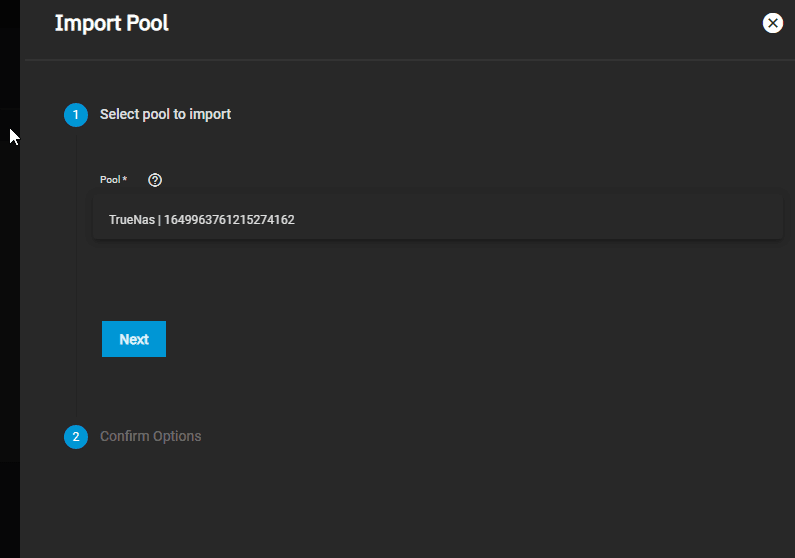
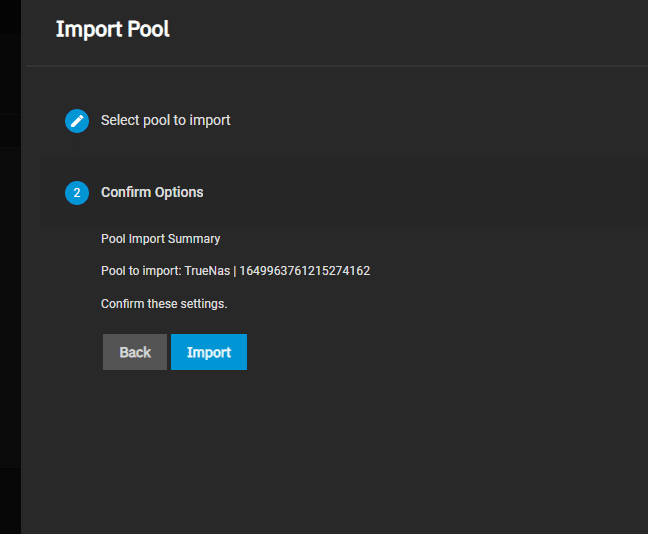
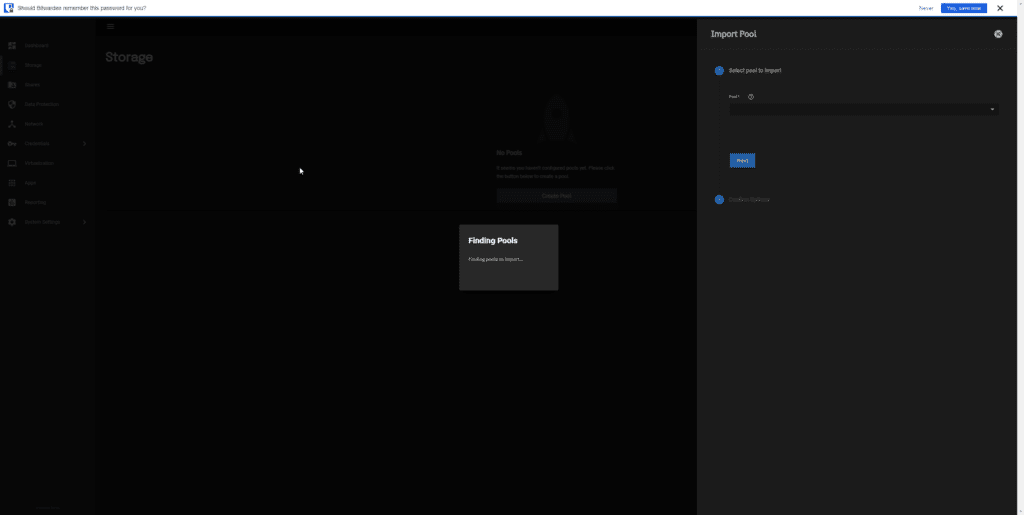
The first task is to restore all my old data. It’s simple, choose storage, choose import, choose your pool and import. It took a few minutes, but everything was restored with ease, including the SSD cache.
In Storage, you just go to Import Pool, select Existing Storage Pool, then Next and confirm your options. It’s all done in seconds.
The UI is a bit different from Scale vs Core, but very simple. For a basic SMB share, you just select Add SMB, choose your path and give it a name. Then you can set a preset, I mostly use the default SMB, but with Time Machine and multi-protocol sharing.
Set static IP
Again, setting a static IP is different, but still easy. One problem I’m having is that it’s not immediately obvious which interface my 10GbE port is.
Just like the Core, you can only assign one DHCP and one static IP address.
Settings app
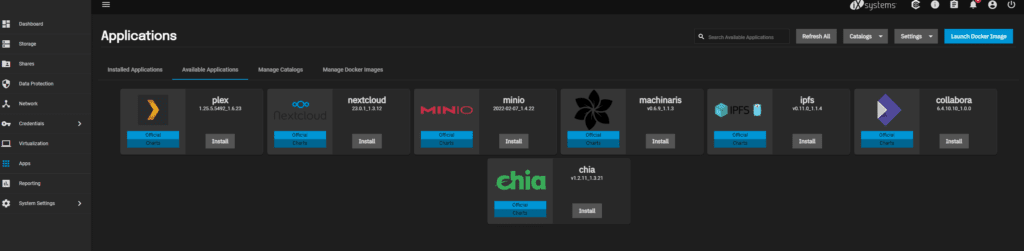
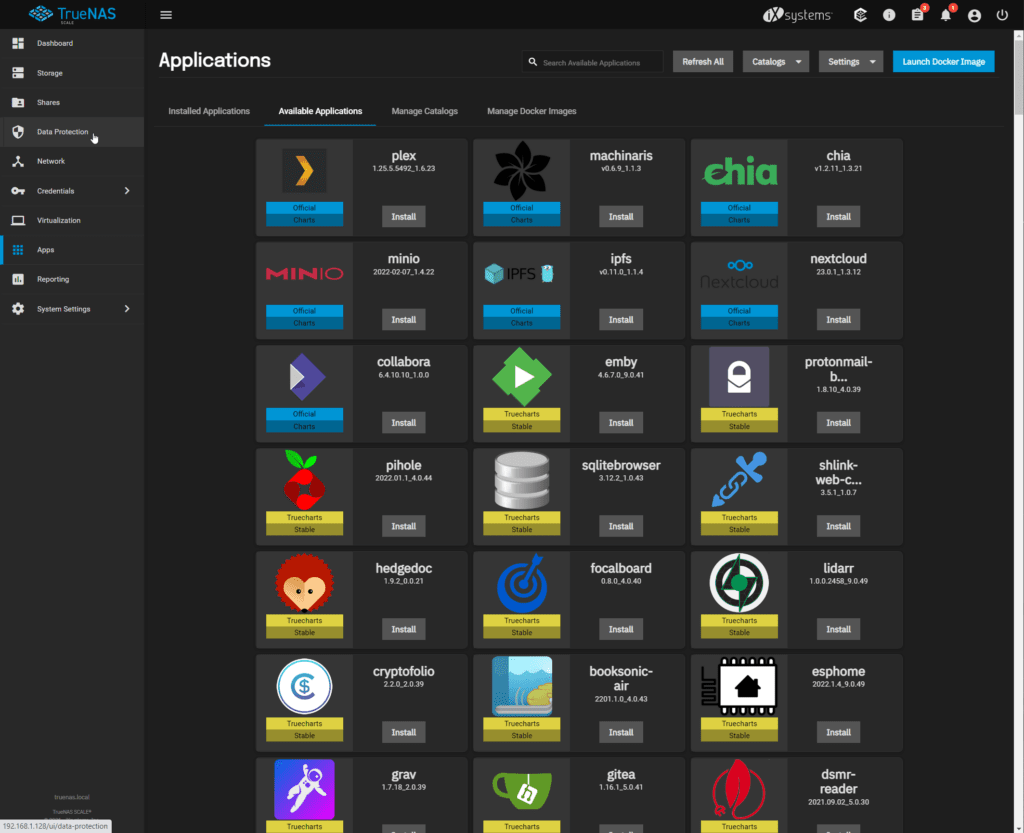
The default available applications are limited to 7 options. For me, the only two of interest are Plex and NexCloud.
However, there is a TrueCharts catalog that expands the available apps to around 300 (too many for me to count correctly)
For many, this will be a big selling point for TrueNAS Scale. This is your last level to access Synology App Store or Unraid Community Apps.
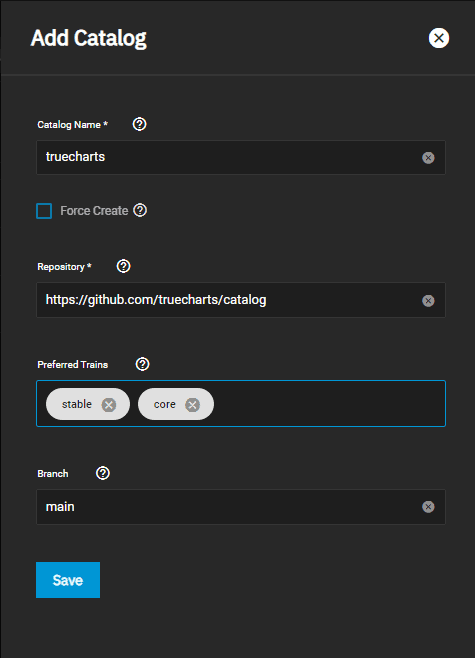
Adding TrueCharts is easy:
To add a catalog, click the Add Catalog button in the Manage Catalogs tab and fill out the form
| site | describe | Truecharts |
| directory name | The name that TrueNAS will use to look up the directory. | real chart |
| Force creation | Catalogs can be added to the system even if some trains are unhealthy. | Unselected |
| repository | A valid git repository URL. | https://github.com/truecharts/catalog |
| Preferred train | TrueNAS will use the train to retrieve the catalog’s available applications. | stable (and optionally: incubator) |
| branch | TrueNAS will be used for the git repository fork of the directory. | main |
However, with TerraMaster, it takes a long time to add the catalog completely. If not an hour, I’d say more than 30 minutes.
Installing apps isn’t that bad, but it’s a little more practical than UnRaid or Synology.
10GbE throughput performance with RAID Z1 and SSD cache
With CrystalDisk, network throughput performance is excellent. The SSD cache had a huge impact on write speeds, allowing me to achieve nearly 600MB/s for the SEQ1M Q8T1 file.
comprehensive
I guess it’s a case of not fixing undamaged. Moving from a stable and well-developed NAS OS to a beta OS on low-end hardware might not be the smartest idea. Still, at least it cured my curiosity.
For now, I will switch back to TrueNAS Core


