


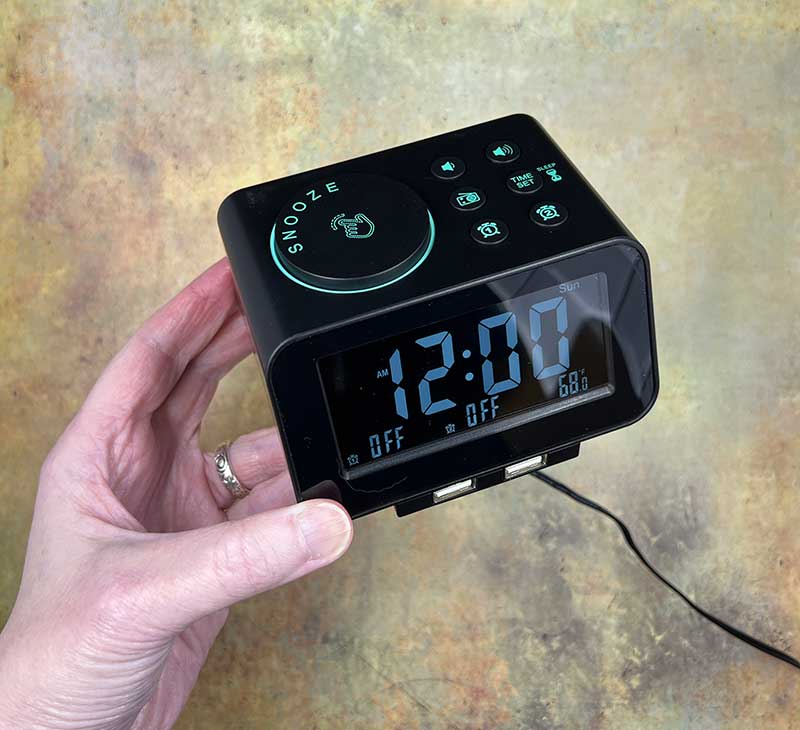
Review -Do you use an alarm clock when you wake up in the morning? I have used iPhone and Amazon Echo Dot for several years, but is the old clock radio a better choice? Let us find out by looking at the USCCE digital clock radio.
What is it?
The USCCE digital clock radio is a small alarm clock with a built-in FM radio.
What’s in the box?
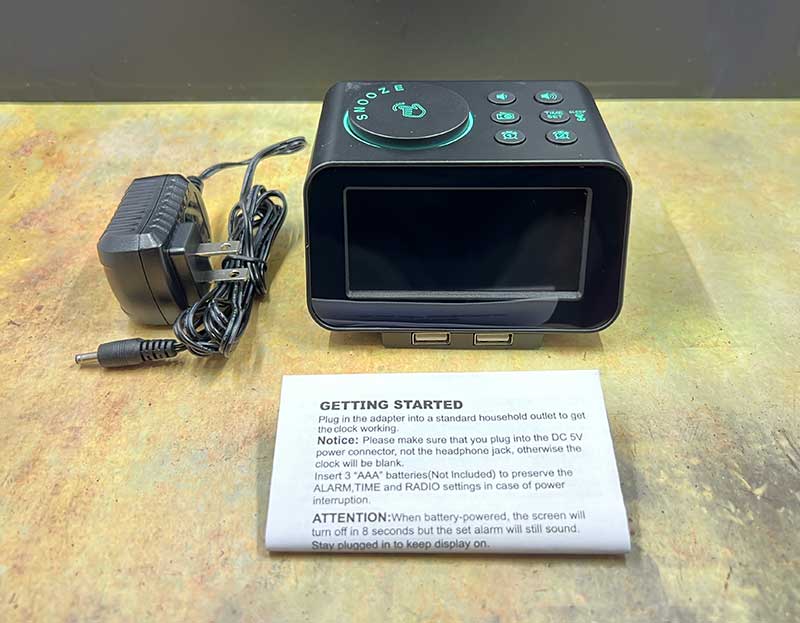
- USCCE Digital Clock Radio
- AC adaptor
- manual
Design and features
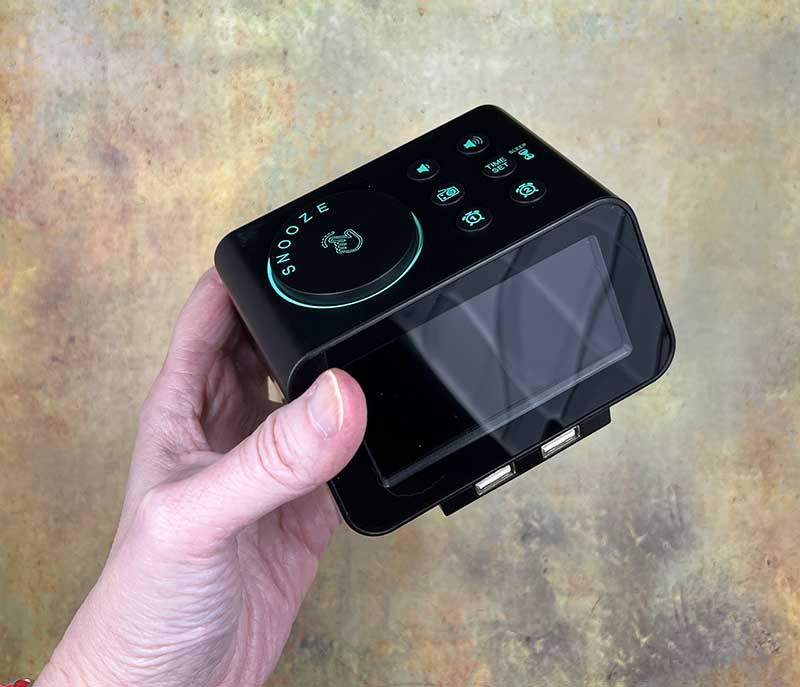
There is a backlit mono display on the front of the USCCE digital clock radio. There are 2 USB ports under the display, which can be used to charge mobile phones or other gadgets.
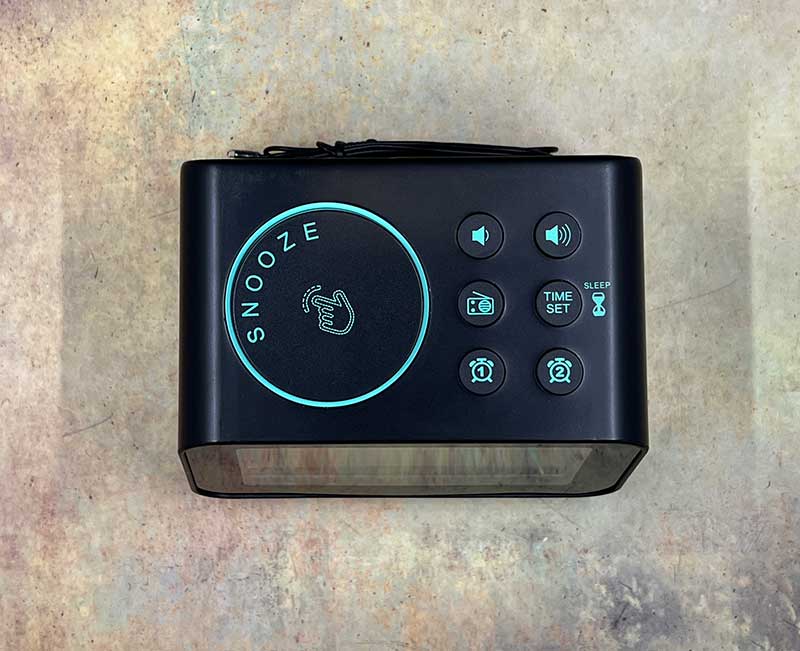
There is a big snooze button on the top of the clock. It serves a dual purpose as a rotary selector. You can use it to dial in the time, radio station and other settings. There are 6 other buttons on the top of the clock. There are 2 volume control buttons, a radio on/off switch button, a time setting button and 2 buttons to turn on and off the 2 alarm clocks.
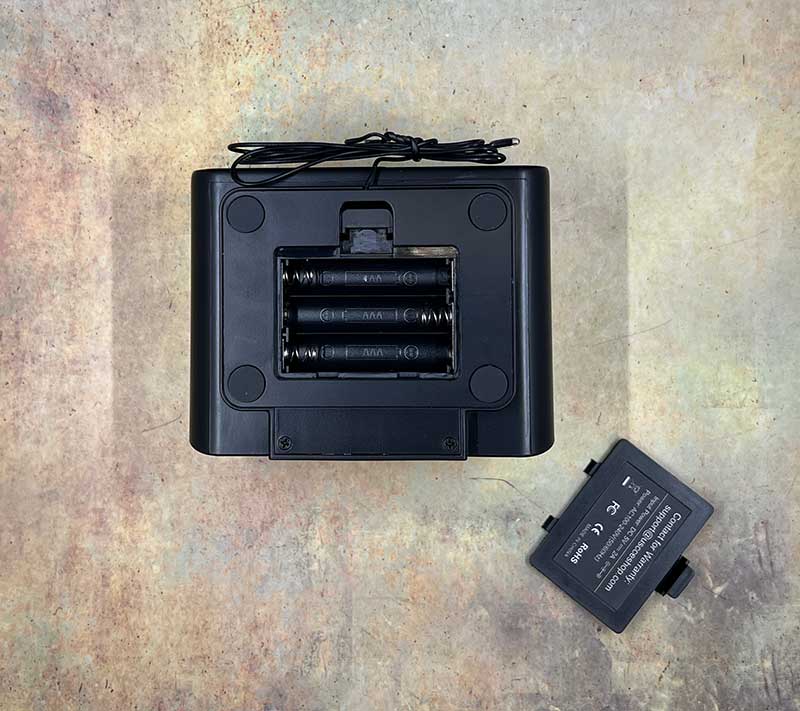
There is a battery compartment at the bottom of the clock, which can hold 3 AAA batteries (not included). Please note that the USCCE clock radio also comes with a power adapter. The battery is actually just to save the settings in the event of a power failure.
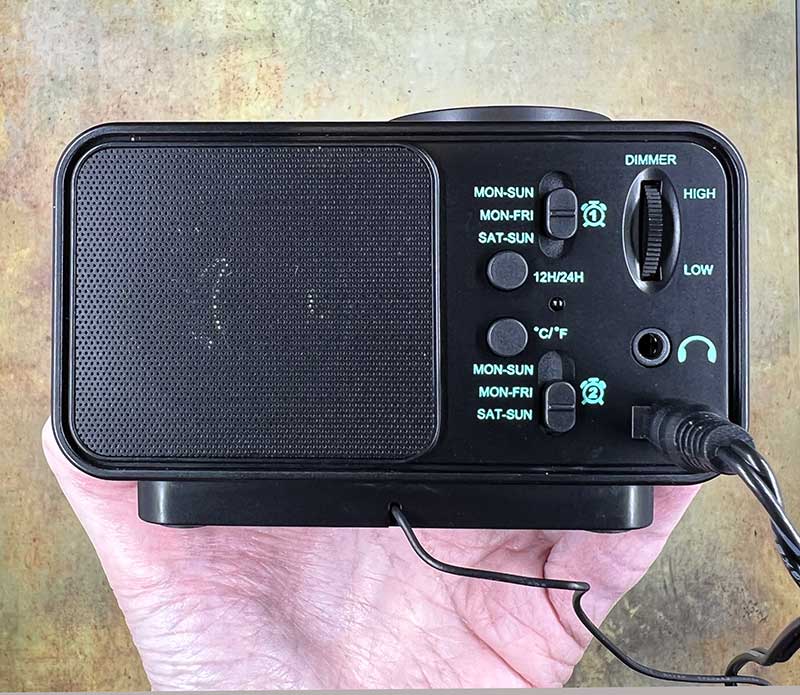
There are several buttons, switches and ports on the back of the USCCE digital clock radio. There is a switch between 12 hour and 24 hour time format. There are also 2 switches that allow you to customize the alarm settings. Since you have 2 alarm clocks, you can specify the active time of each alarm clock. Monday to Sunday, Monday to Friday, or just Saturday and Sunday on weekends. There is also a display dimmer turntable and an antenna wire about 24 inches long.
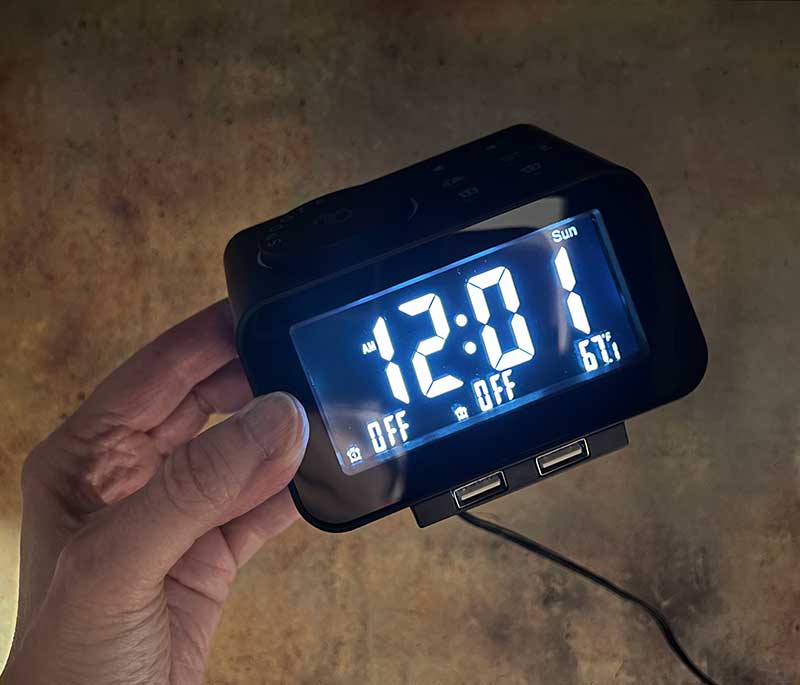
This is the display set to maximum brightness.
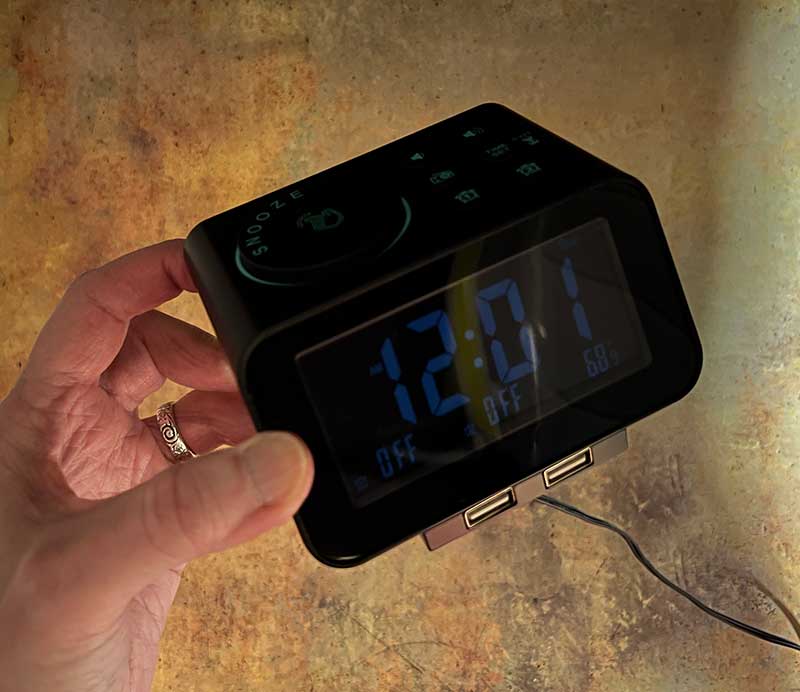
Here it is set to one of the darkest levels. If you want it to turn off completely at night, you can actually lower the display brightness level to 0%.
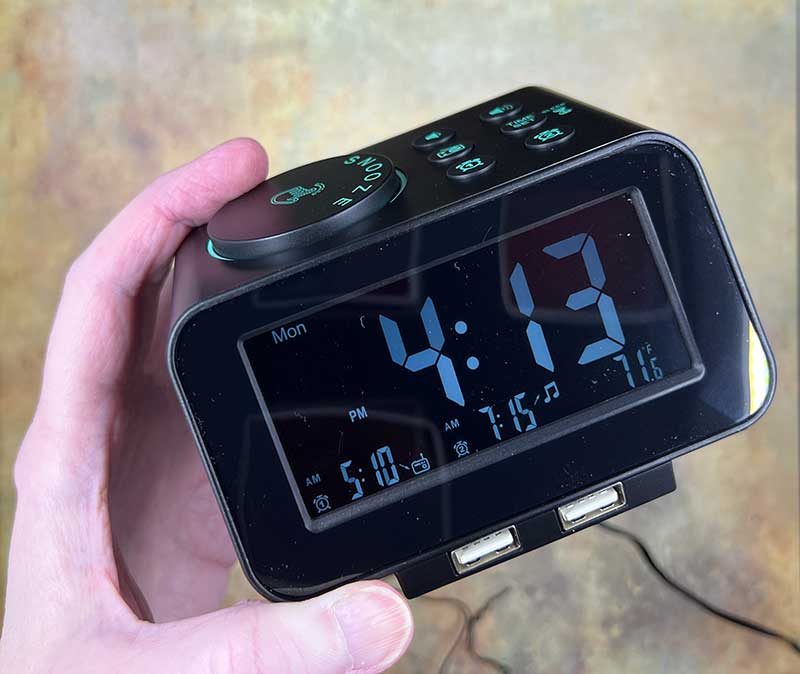
The display of the USCCE digital clock radio shows the day of the week, current time, temperature and two alarm clocks.
For the alarm clock, you can choose between 5 alarm ringtones or FM radio stations. There are 2 traditional (annoying) buzzing/beep alarm tones and 2 more beautifully melodic “nice” tones. There are even birdsong/natural sounds.
When the alarm goes off, you can press the big snooze button/dial, which will turn off the alarm for 9 minutes and then go off again. If you don’t snooze the alarm, it will buzz/play for 15 minutes and then turn off automatically. If you set the alarm to the radio, it will play for 1 hour before turning off. To turn off the alarm completely when it beeps, you must press the corresponding Alarm 1 or Alarm 2 button once. The problem I have is that the button is very small. If you accidentally press the wrong alarm button, it will actually turn off the alarm completely, so it won’t trigger again until you turn it on again. The same is true for the correct button. If the alarm clock goes off, and you happen to press the alarm button twice instead of once in a groggy situation, the alarm clock will turn off completely and won’t go off again the next day.
The display does show whether the alarm is set to off, which is great, but if you don’t check the alarm status before going to bed every night, if the alarm turns off when you expect it, you may oversleep.
radio
The built-in FM radio of the USCCE digital clock radio works as expected. I can pull in all normal sites in my area. The sound quality of the radio speakers will not surprise you, but it is sufficient for a clock radio.
what do I like
- Easy to set time and alarm
- You can set 2 alarms for MF, weekends, and every day
- 2 USB ports
What will i change
- Add the function of setting the snooze length.
Final thoughts
The USCCE digital clock radio is a clock radio with enough extra features to make it an affordable bedside companion. But for technicians like me, is it worthy as a morning alarm replacement for smartphones? Personally, no. I created a special shortcut automation on my iPhone that will tell the weather, tell any appointments of the day, and then play a 5 minute breaking news podcast every morning. In the past, I have used Amazon Alexa routines to do the same thing. If I have not been spoiled by it, I would like the USCCE digital clock radio. Actually, I really like it. I just don’t want to use it 😉
price: USD 26.99
Where to buy: Amazon
source: The sample for this review is provided by USCCE.


