


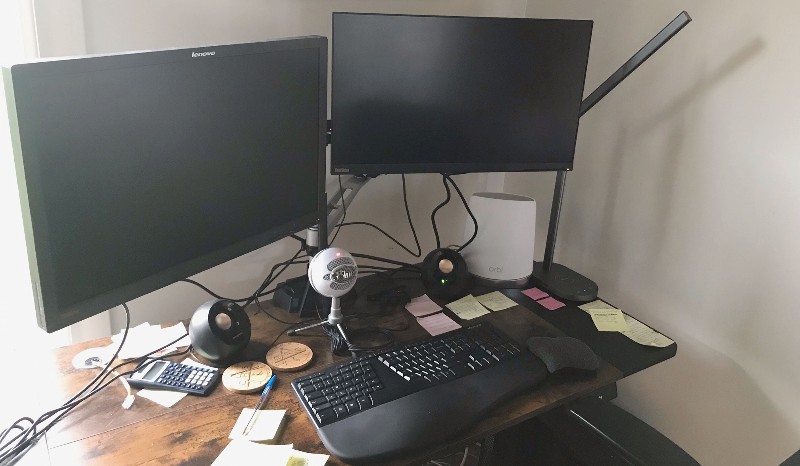
review – Are you still perfecting your home office setup?Have you recently upgraded to a convertible desk like us Earlier this year? If so, then you might be considering investing in a monitor arm to hold the screen securely where you want it. The Vari’s dual monitor arm is one worth considering.
What is it?
Vari’s dual monitor arms stabilize your computer monitors while also giving you the freedom to extend, swivel and rotate them to suit different lighting and usage situations.
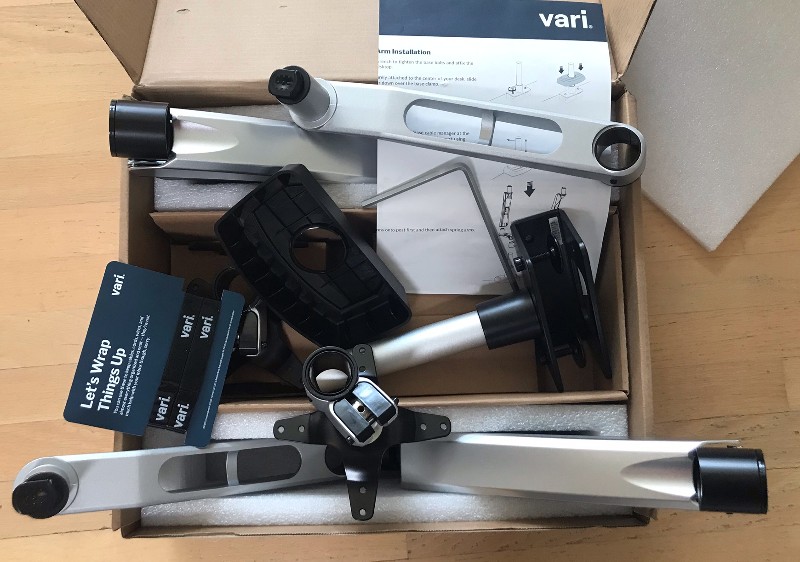
What’s in the box?
- Pedestals/Uprights and Covers
- 2 spring arms
- 2 swivel arms
- 2 monitor stands
- Mounting hardware and tools (stand-up collar/quick release; small, large and shank hex keys; 8 monitor screws)
Hardware Specifications
- Item number: 48003
- Weight: One arm max 19.8 lbs; pole max load 44.1.b
- Recommended monitor aspect ratio: 16×9
- Monitor size: 27 inches or smaller
- VESA Compatible Monitor Stands: 75x75mm and 100x100mm
- Angle: 100 degrees
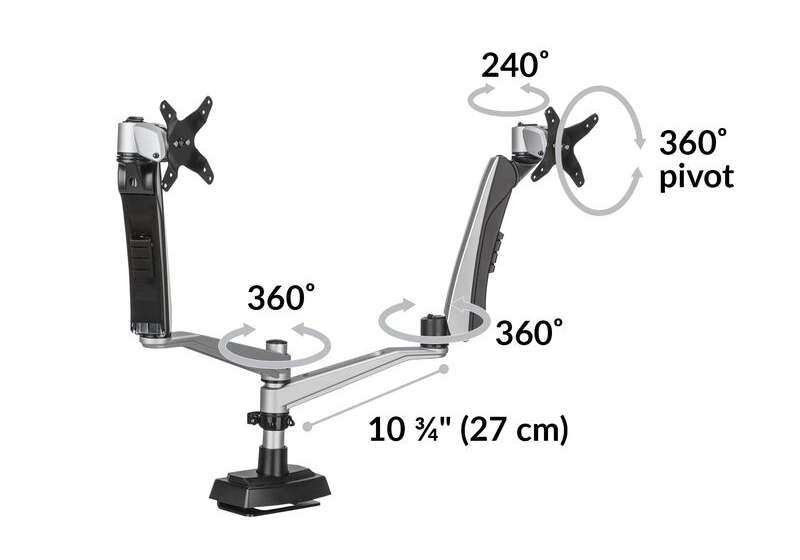
- Pivot: 360 degrees
- Rotation: 360 degrees
- Pan: 240 degrees
- Tilt: 105 degrees
- Extended: 23.2 inches
- Vertical: 10.6 inches
- Lift: 5.9 inches
Design and Features
set up
The Vari Dual Monitor Arm comes in several parts, so first, you’ll need to unpack it.
A really nice feature of this product is that it not only comes with all the hardware you need (including extras), but also all the tools you need.
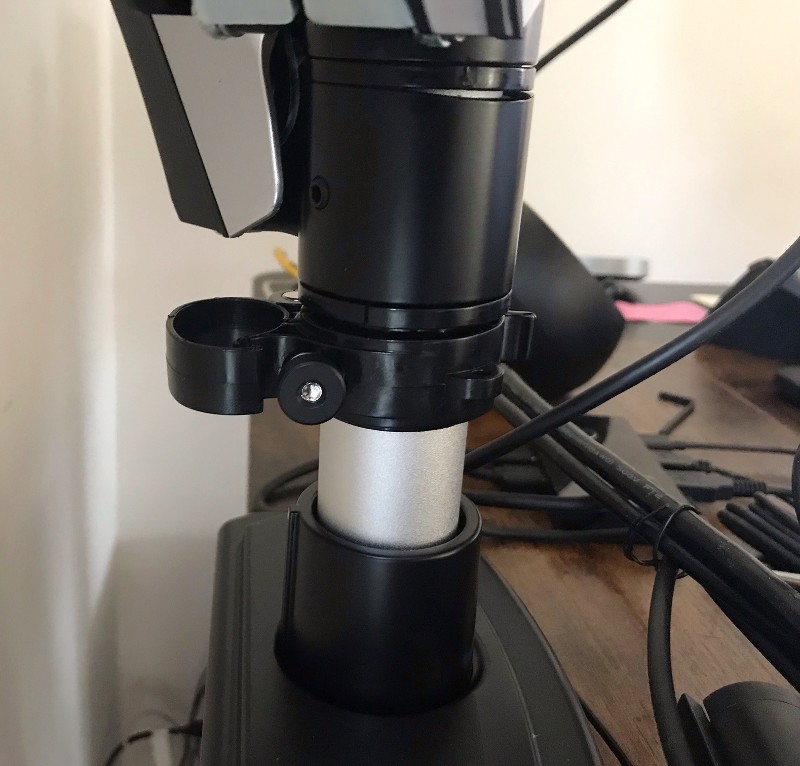
Start by tightening the bolts to attach the base to the tabletop, then slide the base cover onto the base clip. Then you position the post ring and screw it to your desired height with the quick release cable.
Then slide the swing arm onto the post and attach the spring arm.
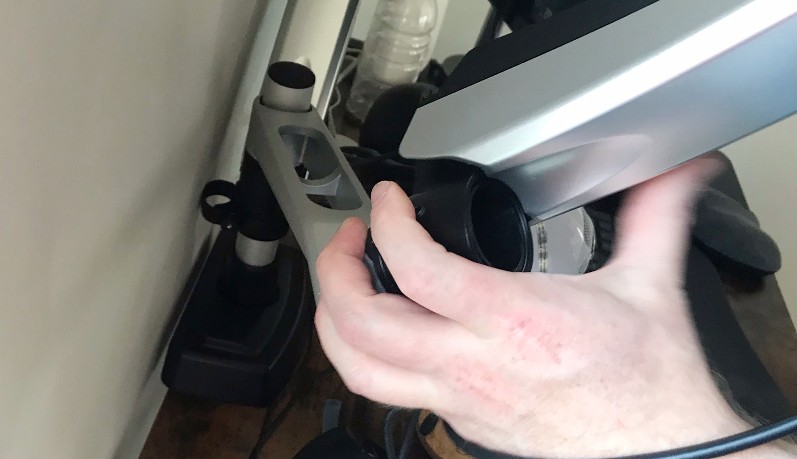
Once the posts and arms are in place, you’ll need to attach the stand to the back of the monitor using the monitor screws. You can do this manually or with a flat-blade screwdriver.
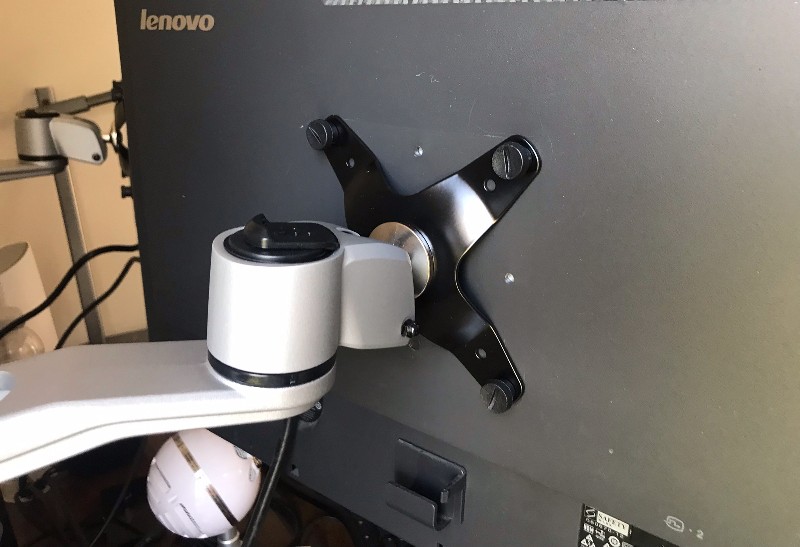
To attach the monitor to the spring arm, place the monitor display-side up and slide it onto the top post of the spring arm until it clicks into place. Repeat for the second monitor. Then you can adjust it however you want.
Overall, it’s easy to put together.
Performance
It’s important to note that this dual monitor arm is suitable for monitors 27 inches or smaller. Each arm can hold up to 19.8 lbs, and the bar has a maximum load of 44.1 lbs.
The spring arm is designed to support monitors from 5.5 to 9.9 lbs. If your monitor is too heavy or too light, you can adjust the tension by adjusting the bolts inside the spring arms.
Another caveat is having plenty of room behind your desk to clean up. If your desk isn’t very deep, you may end up feeling like the monitor is too close. If your desk is against a wall (like ours), you may need to move the desk away from the wall to accommodate them.
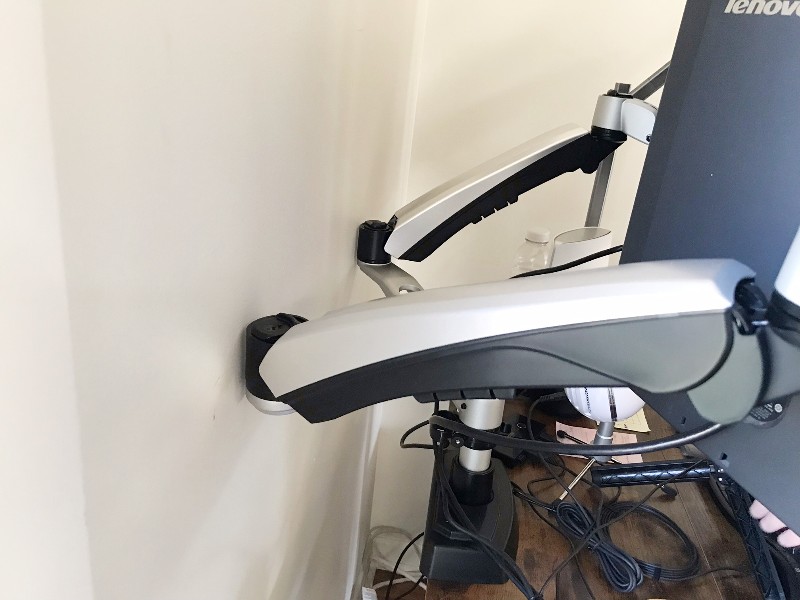
Our main goal with the Vari Dual Monitor Arm is to hold the monitor securely on the table as it moves between standing and sitting heights. It definitely does.
The real beauty of this monitor stand is that it’s beautiful and adjustable. The arms can be extended, retracted, rotated and tilted so you can easily move them around when changing positions or when the lights change by the hour or season.
what do I like
- Lots of adjustment options
- easy to install
what would i change
- Ideally, the design doesn’t force you to use too much space behind your desk (like a telescoping arm or a longer main pole)
final thoughts
Vari Dual Monitor Arm is any WFH Office setups, just make sure they offer the height, weight and clearance you’re looking for.
price: $275.00
where to buy: variable site and Amazon
source: This product sample is provided by Variety


