


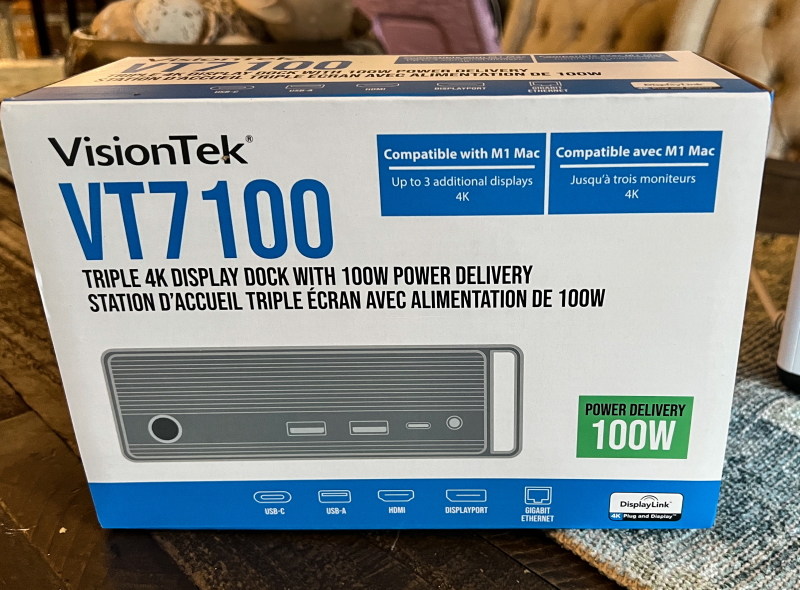
review – A few months ago, I started testing and reviewing the Visiontek VT7000 docking station that I have been using. If you read this review, you may be reminded of the adapter I had to use because I needed more USB ports. I also mentioned that the VT7000 is designed to lay flat with ports on both sides, and I found it difficult to put it on my desk. Since it worked so well, I wasn’t looking for a better solution, but I couldn’t resist the offer to test and review the VisionTek VT7100 Triple 4K Display USB-C Docking Station.
what is it?
The VisionTek VT7100 Triple 4K Monitor USB-C Dock is designed to easily connect Windows™, Mac™ or Chrome™ laptops, up to three 4K monitors and up to 8 accessories and peripherals via a single USB connection.
what’s in the box
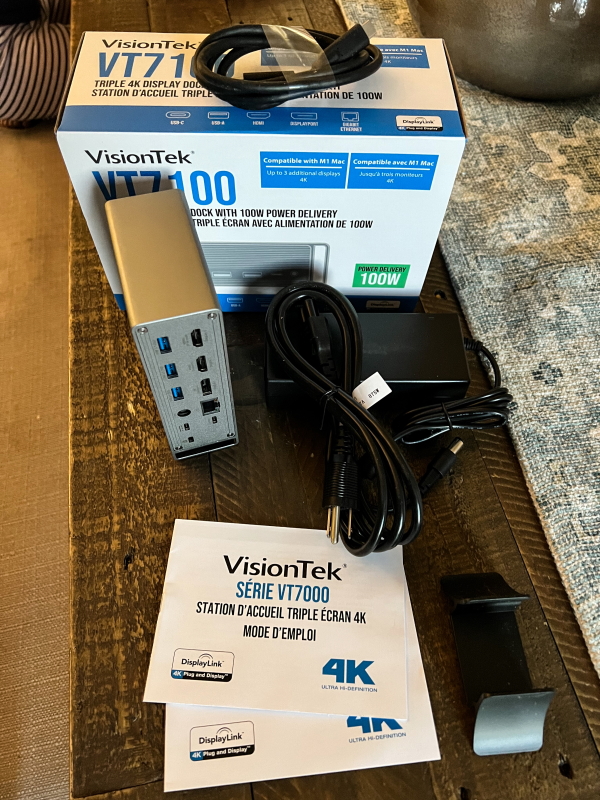 1x VisionTek VT7100 Triple 4K Display USB-C Docking Station
1 x 120W – DC 20V/6A Certified Power Adapter
1 x USB-C to USB-C cable
1 x User Manual
Design and Features
feature
- Universal compatibility for USB Type-C
- Supports up to 3 external monitors
- Up to 100W USB-C Power Delivery
- 4 x USB-A 3.1 Gen1 ports 5Gbps
- 1 USB-C 3.1 Gen1 port 5Gbps
- 1 x USB-A Fast Charge Port
- 1 x USB-C Power Delivery Port
- 1 DisplayPort 1.2
- 1 HDMI 2.0
- 1 HDMI 1.4
- RJ45 Gigabit Ethernet port
- Enterprise function
o Wake on LAN
o MAC address passthrough
o PXE boot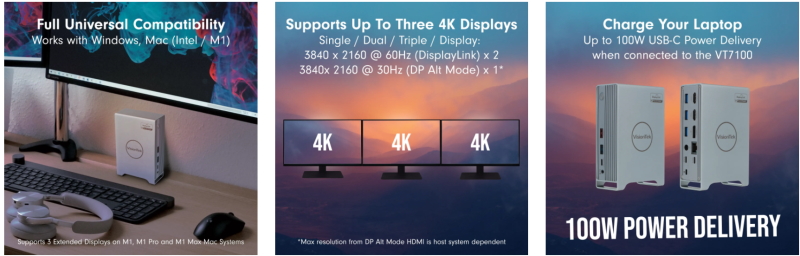
Specification
Dock connection: USB-C, USB 3.0
Show link: DP Alt Mode
Power Adapter: 120W – DC 20V/6A
powered by: up to 100W
Supported Displays: 3
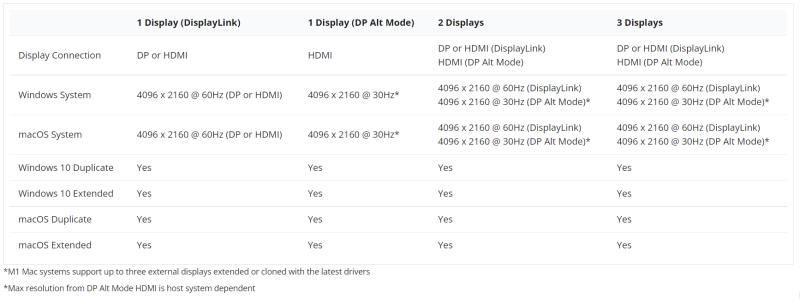
Maximum supported resolutions: 2 x 4K @ 60Hz (DisplayLink); 1 x 4K @ 30Hz* (DP Alt Mode) – *Maximum resolution for DP Alt Mode HDMI depends on host system
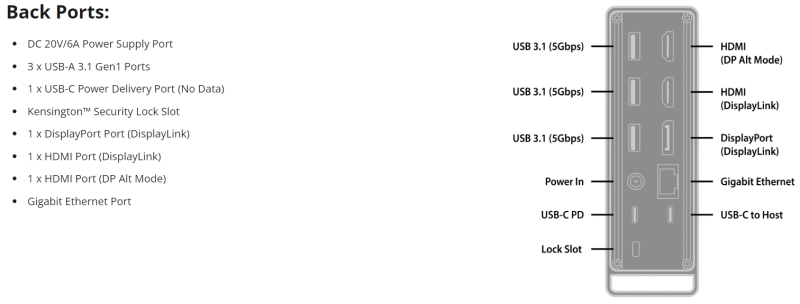
Video interface: (1) DP 1.2 (DisplayLink); (1) HDMI 2.0 (DisplayLink); (1) HDMI 1.4 (DP Alt Mode)
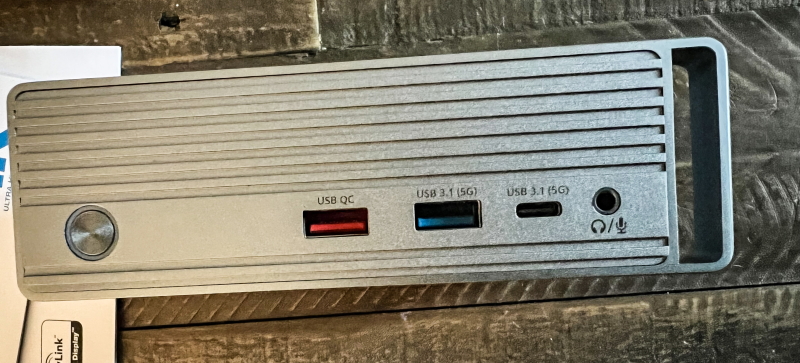
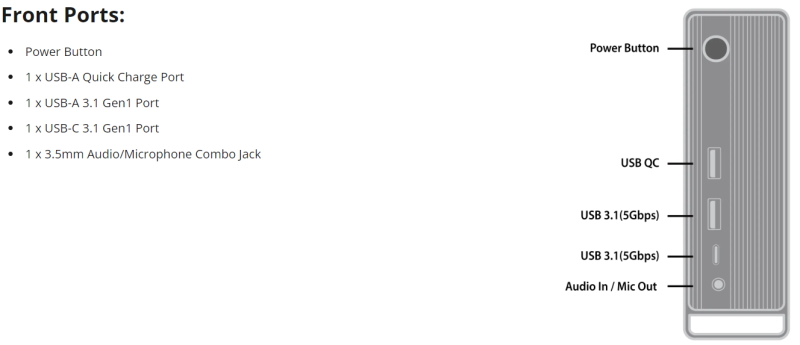
port: (4) USB-A 3.1 Gen1 (5Gbps); (1) USB-C 3.1 Gen1 (5Gbps); (1) USB-A Fast Charge; (1) USB-C Power Delivery; (1) 3.5mm Audio/microphone combo port; (1) RJ45 Gigabit Ethernet
cable length: 1.0m – USB-C
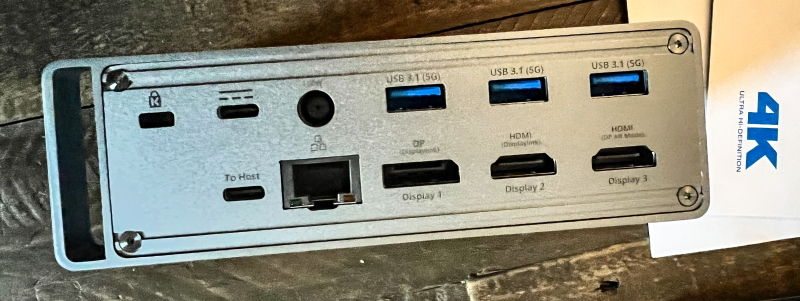
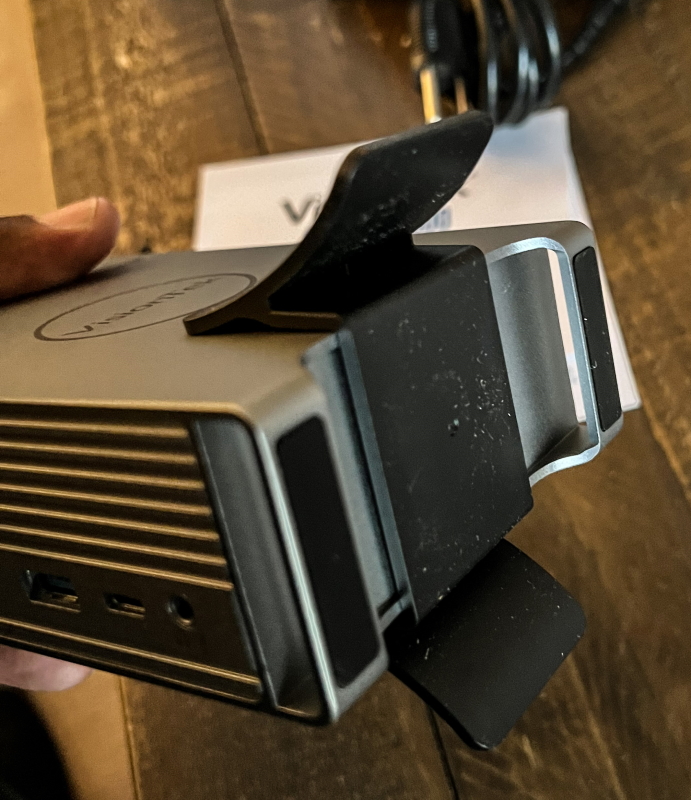
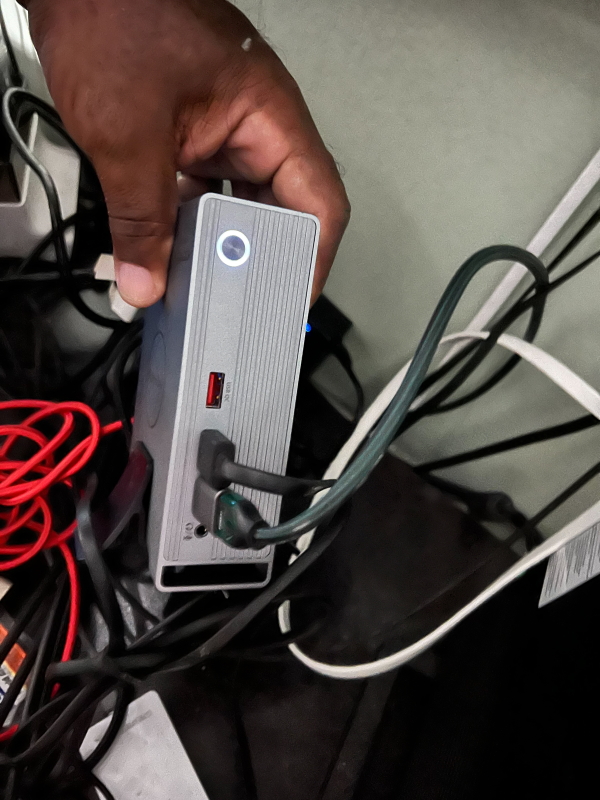
The VisionTek VT7100 docking station is built into a plastic enclosure, but it is sturdy. There are ports on both long sides as well as the power button. The dock has an attachment on the bottom that allows it to stand upright in a very secure manner.
Performance
If you read my review, you already know that I do a lot of photo editing, video editing, and audio editing. It’s really important to me to use as much screen space as possible. Also, I use an external hub that can connect many USB devices. This dock gives me an extra USB-A port as well as a USB-A charging port and a USB-C power delivery port. The VT7100 also uses the DisplayLink driver, so as soon as I swap out the VisionTek VT7000 dock and plug my device in, everything works seamlessly. However, after a few days, the monitor stopped working. Then I read the instructions indicating that the latest drivers are mandatory, especially when using DisplayPort. This stand is upright, and while it still has ports on its two opposite sides, it fits my desk better than the VT7000.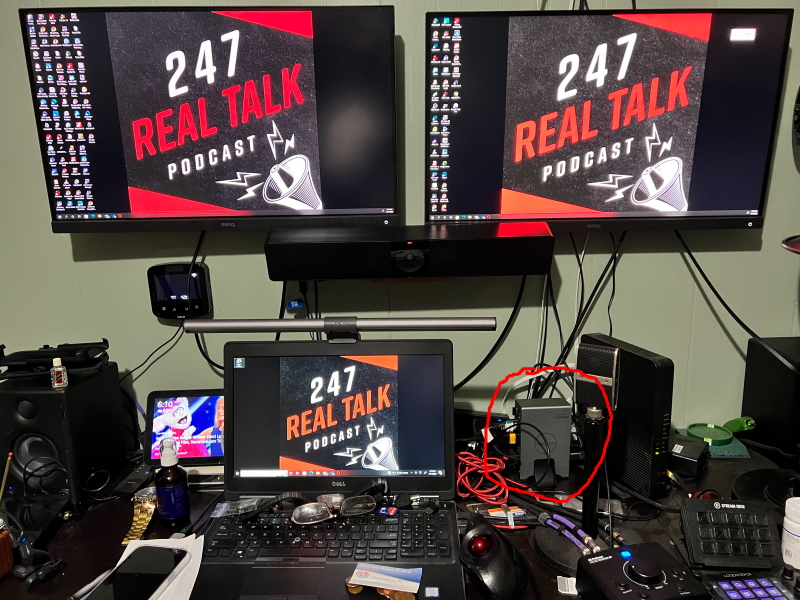
As you can see in the photo below, I have the USB and HDMI cables connected on one side. The red USB cable you see is mine, I swapped out the cable that was attached to the computer with the one that came with it. My cable is longer and braided and it works great. In the second photo, you can see that I have more USB devices plugged into this dock.
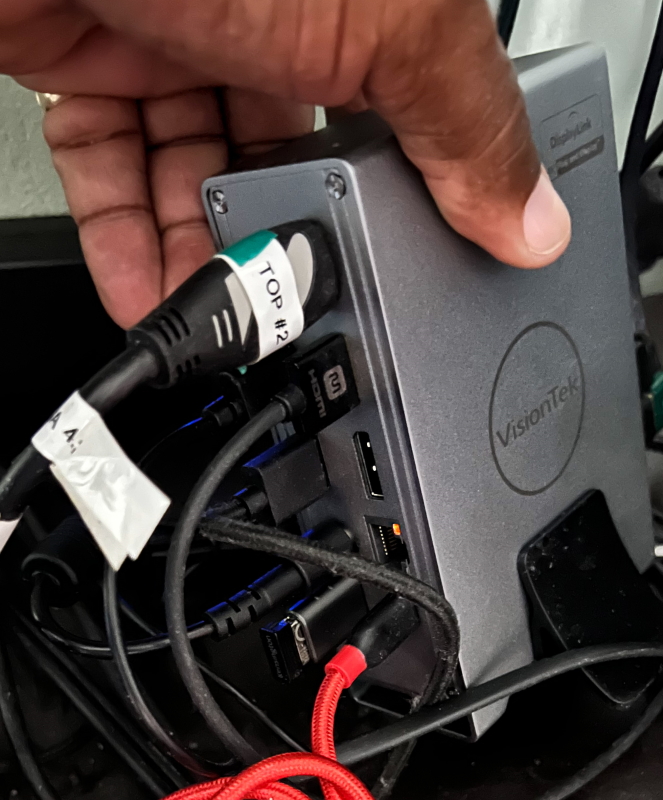
Overall the same as before VisionTek VT7000 I really like the VisionTek VT7100 docking station. It has slightly more ports than the previous model, which really helps someone like me who needs as many USB connections as possible. I like the look of my 4K monitors, although they look great on previous models too. My monitors can use both HDMI and Displayport, and with this dock, I have one monitor connected via HDMI and one monitor connected via DisplayPort. The ethernet port works great too, but I switched back to connecting directly from the router to the laptop because the laptop I’m using has a built-in gigabit ethernet port. FYI, my internet connection is 1GB/1GB. The dock also offers a working audio port, but since I’m using an external DAC, I’m sticking with it for my audio needs.
what do I like
- build quality
- Number and type of ports
- consistent performance
- Design and its ability to stand upright
what would i change
- Although I prefer this model to the previous one because it can stand upright, I still want all the ports and connections to be on the surface
final thoughts
VisionTek VT7100 Triple 4K Display USB-C Docking Station VisionTek VT7000 As far as ports go, the design works better for me. It performed flawlessly. The connections are solid, and considering I have a USB hub connected to the dock and a couple of extra USB devices and drives plugged in, it’s great that I didn’t encounter any challenges. This is the same as the previous model. I have one monitor connected via HDMI and the other via Displayport and they work great and look great. This is a very nice pier. awesome! !
price: $349
where to buy (this: Amazon
resource: Samples for this review were provided by VisionTek.

