Post views:
1
Windows introduces a new update. After successfully using Windows 10, Windows 11 is on its mark. There is no doubt that a newer version or update is always an improved version of the previous one. The basic design and structure of Windows 10 and Windows 11 are almost similar.So let’s see what we can find out from this Windows 11 and Windows 10.
Should you consider upgrading from Window 10 to Window 11?
We always owe windows free upgrades.as Windows 10 A free upgrade to previous Windows versions, Windows 11 is also a free upgrade to Windows 10 versions. You can upgrade yourself by following some simple steps. To make this upgrade, the most important thing is that your computer must meet the minimum requirements. These requirements, known as TPM 2.0 requirements, have also created new controversy. When people want to upgrade their current computer systems, it leaves people wondering what to do.
If you’ve already bought a new device or own a Surface device, chances are you’ll be able to upgrade on Windows 11 launch day. However, with Windows Update, you can update your new device from Windows 10 to Windows 11. Microsoft announced a phased implementation. In November, Microsoft also announced that Windows 11 was rolling out at an unexpected pace. From this statement, we can conclude that this operating system can now be used in a large number of computer systems.
read more:
If you have a compatible device, Windows 11 is worth checking out. But if you don’t, don’t worry. We offer you an alternative solution. You can still install Windows 11 on a compatible PC without using the update. You can easily install Windows 11 on your PC just by using the installation assistant. While you can try this alternative solution, it is not recommended by Microsoft authorities. Doing so may cause some problems. For example, you might have to deal with some bugs or even deal with a common problem known as a “blue screen of death”.
Windows 11 vs. Windows 10: Based on Performance
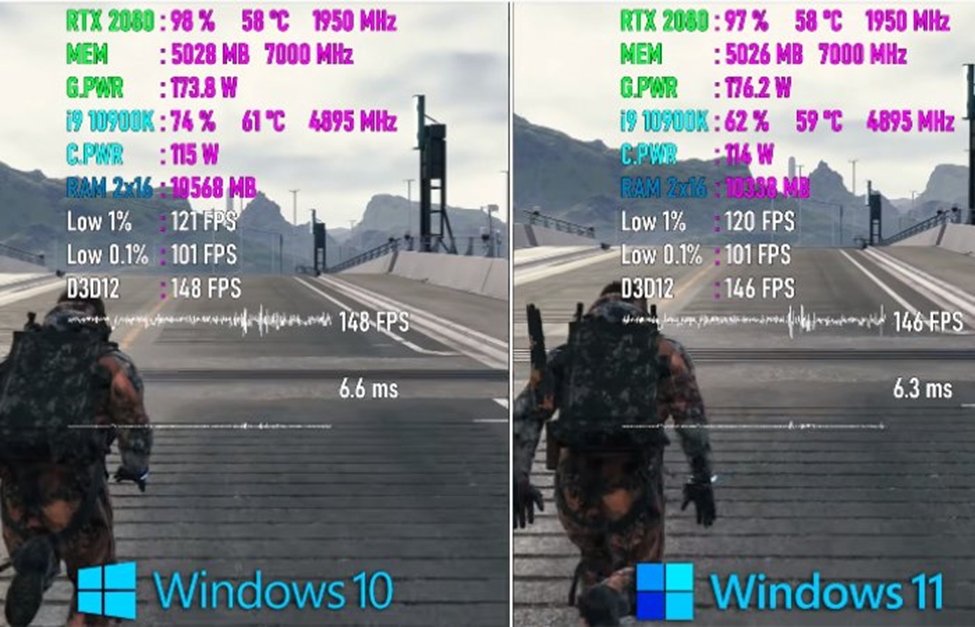
comparison between Windows 10 and Windows 11 Showcasing the fact that Windows 11 will increase the speed at which the operating system works. A full YouTube tutorial video is available in which Microsoft itself explains the optimization and performance benefits of Windows 11. It was also pointed out that the processing power of system processes for newer operating systems plays a huge role in improving the performance efficiency of Windows 11. You can assess this yourself when you open the task manager.
Microsoft officially reports that Windows 11’s excellent performance is due to its ability to perform extensive memory management. This extensive memory management is specifically designed to support opening and running application windows in the foreground. There is no doubt that such excellent performance requires and obtains more CPU power than other system resources. Microsoft has explained everything in detail. It shows that even if the central processing unit is very busy and you open the Excel application, it will open within a few seconds. Although the load is below 90%, the Excel application starts incredibly fast. Same idea for Windows 11’s shell. The Windows 11 shell powers the visuals, but specifically the Start menu.
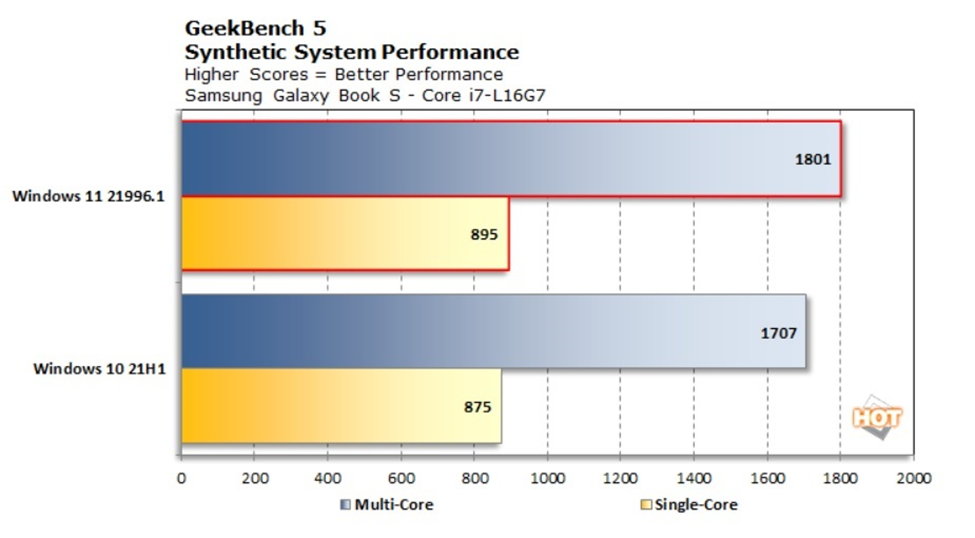
This is not the end of the story. There are many more pending. New performance changes in Windows 11 deal with the management of CPU resume mode from sleep and standby time. Microsoft has announced that in Windows 11, your RAM will continue to be powered even when the entire system is in sleep state, i.e. your RAM will remain powered on even in sleep mode. The core benefit of this update is boot speed. If the RAM remains powered on, the computer will wake up 25% faster. Such performance features do not exist in Windows 10.
Windows 11 uses the Edge browser as its default browser. You will experience more improved performance in the Windows 11 browser instead of the Windows 10 browser. As Microsoft has clearly explained, in Windows 11, a feature called “Sleep Tabs” is great for saving CPU usage by 37% and memory by 32%.
Android application integration
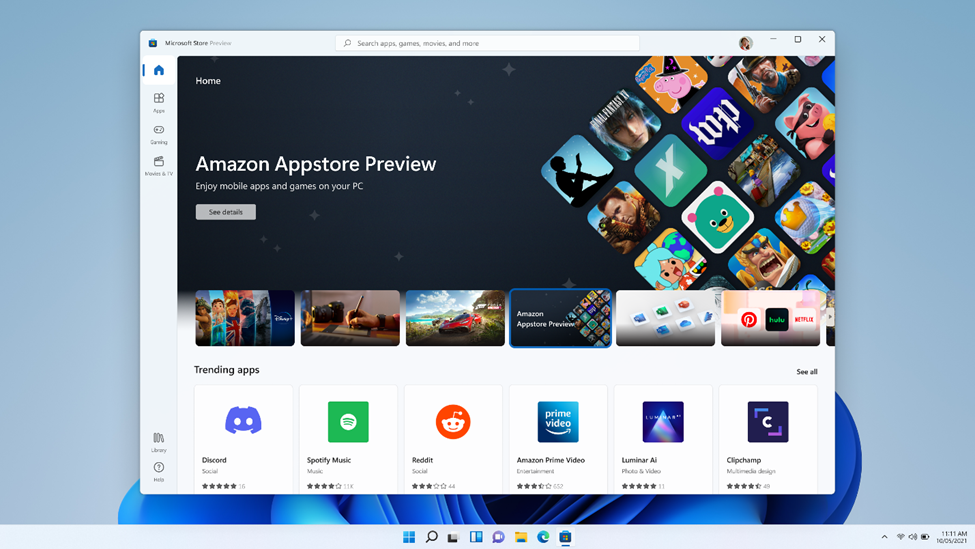
With the updated Windows 11 version, you can access all Android application Via the Amazon App Store or the Microsoft Store. With Windows 10, you can only do this with Samsung Galaxy models, but now it’s native to everyone. Windows users have been craving this feature for years, and now, when it arrives, all Windows users are satisfied and happy. This may be one of the key reasons for the success of Windows 11. It represents another step in the integration of mobile and laptop devices.
Improved virtual desktop support
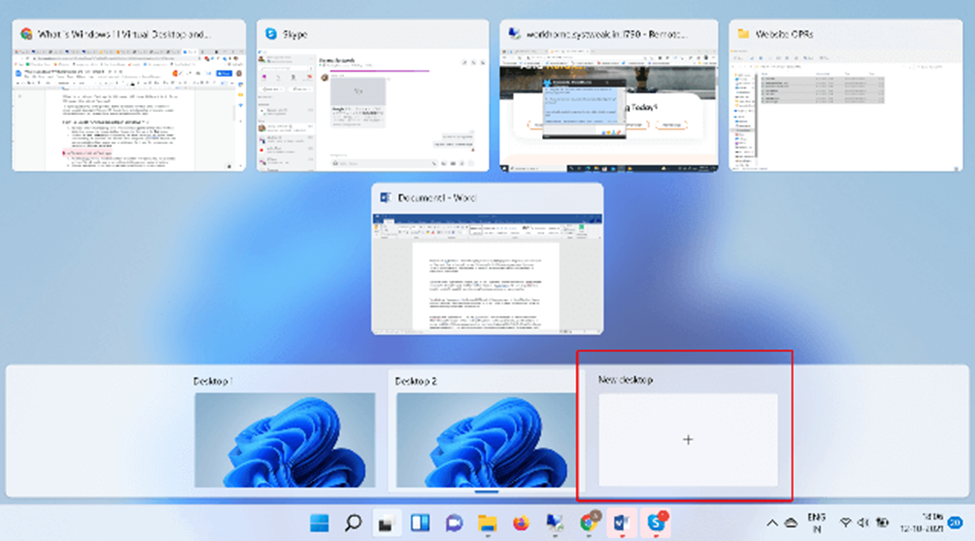
Windows users love its new update, which allows them to manage multiple desktops at once.Management of virtual desktops has become possible Apple Computer But now Windows 11 has it enabled on all Windows devices. It has the same functional mode as on the Mac. Now you can switch between multiple desktops, one for work, one for school, one for gaming, and one for personal use. Windows users have to face several issues when setting up on Windows 10 systems.
Xbox technology for better gaming
Windows 11 reportedly includes features like direct storage and automatic HDR designed to improve your gaming experience. Windows 11 will include only Xbox console. This is one of the aggressive steps Microsoft has taken to integrate the Xbox game console and computer operating system.