


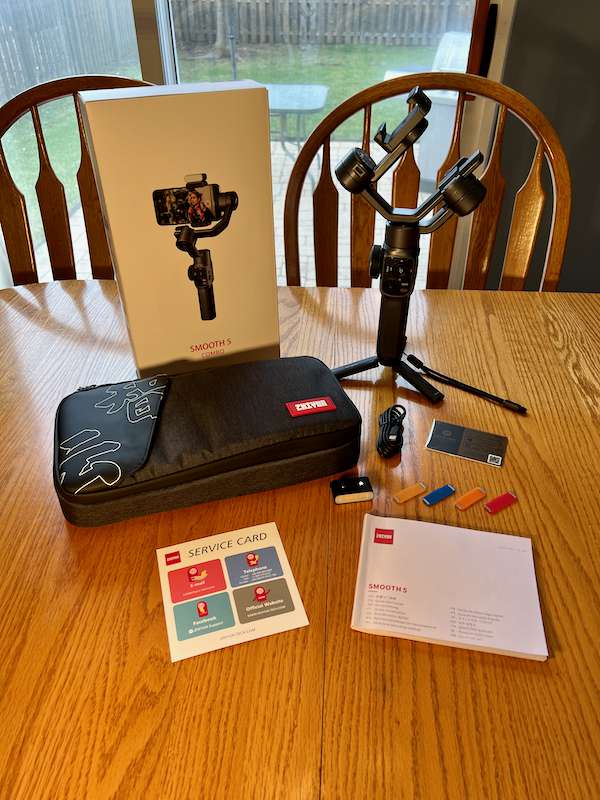
review – Mobile filmmaking has taken off over the past few years, but holding a phone, holding it steady, and getting creative with on-screen controls has always been a challenge. You can use a mobile cage to hold your phone and other accessories, but they won’t necessarily help you keep your phone stable. High-end productions have used Steadicams and other similar stabilizers for years, but these are too big (and too expensive) for mobile filmmaking. Enter the cloud platform. These have been made for small cameras for years, but in the last few years they have also been made specifically for smartphones. ZHIYUN is a company that offers several models and today I am reviewing their latest SMOOTH 5.
What is it?
ZHIYUN SMOOTH 5 is a smartphone gimbal, which means it has sensors and motors that help detect and counteract your body movements to keep your phone steady as you move. Not only will this keep your camera steady, but it will also help you get creative shots that you can’t get with a tripod or handheld.
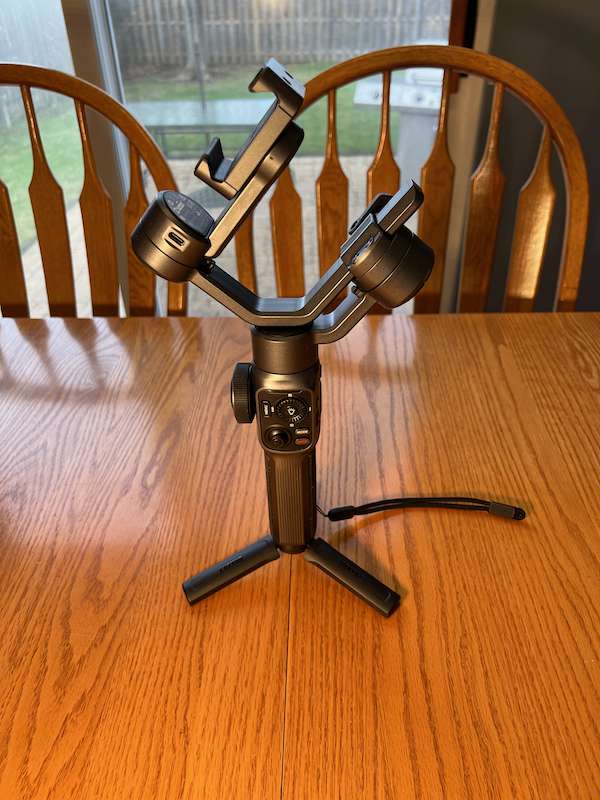
What’s in this box?
- ZHIYUN SMOOTH 5 Gimbal
- mini tripod
- USB-A to USB-C cable
- protective bag
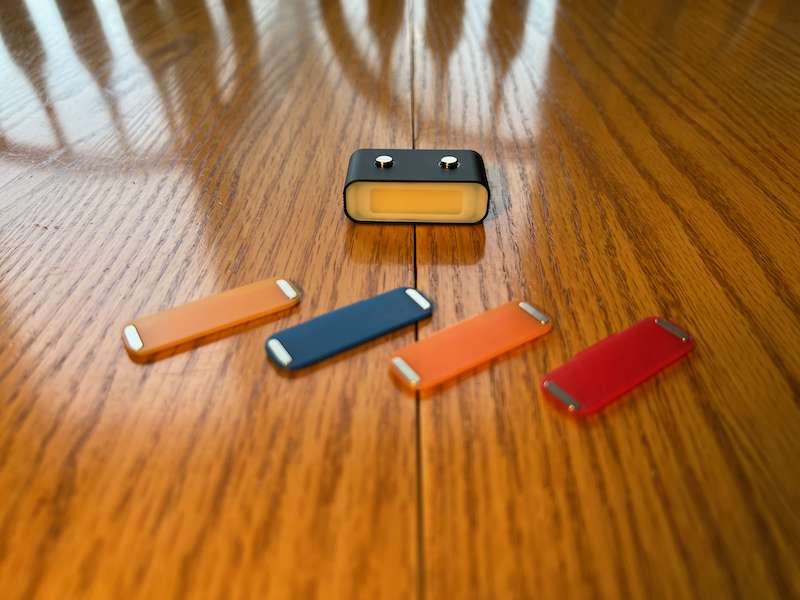
- fill light
- Fill light filter x4
- wristband
- VIP membership card
- Quick Start Guide
These items are included in the ZHIYUN SMOOTH 5 COMBO package, which was sent by ZHIYUN for this review. Standard package includes gimbal, tripod and USB cable.
Hardware Specifications
Battery
- Operating Voltage
- Maximum: 8.4V
- Standard: 7.4V
- Minimum: 6.5V
- Working current
- Operating temperature
- Highest: 45℃
- Standard: 25℃
- Min: -10℃
- The output voltage
- battery runtime
(Data was collected under the following conditions: Specified temperature 25°C; gimbal balanced and installed with iPhone XR (220g). When the fill light is set to maximum brightness, the gimbal runs for 4.5h. The fill light is off and When the gimbal is in standby state, the running time is 25h.)
(When using a 15W fast charge to charge at a specified temperature of 25°C, the charging time is 2h. When using a 5V/2A rated power adapter to charge at a specified temperature of 25°C, the charging time is 4h. The actual charging time varies due to environmental factors.)
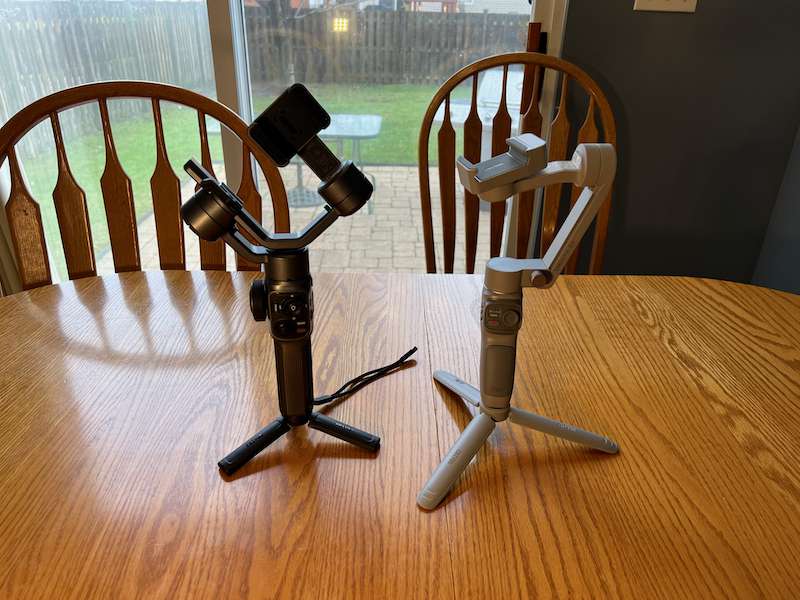
stabilizer
- Tilt mechanical range
- Maximum: 209°
- Standard: 349°
- Minimum: -140°
(including folded state)
- Roll Machinery Range
- Maximum: 210°
- Standard: 300°
- Min: -90°
(including folded state)
- Pan mechanical range
- Maximum: 180°
- Standard: 360°
- Min: -180°
- Product Size
- 12.25″ x 6.61″ x 2.05″ (311 x 168 x 52 mm) (WxDxH)
- Product net weight (single device)
- 1.36 lbs (615 g) with battery
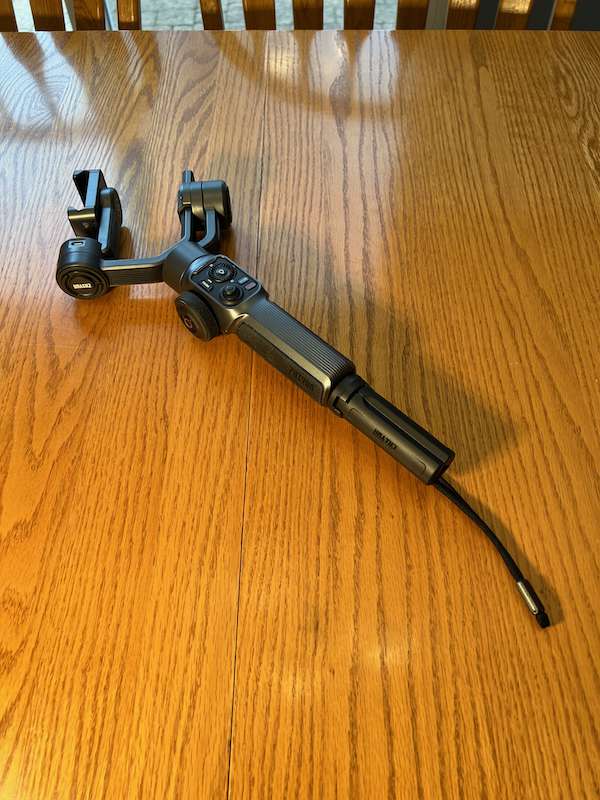
Design and Features
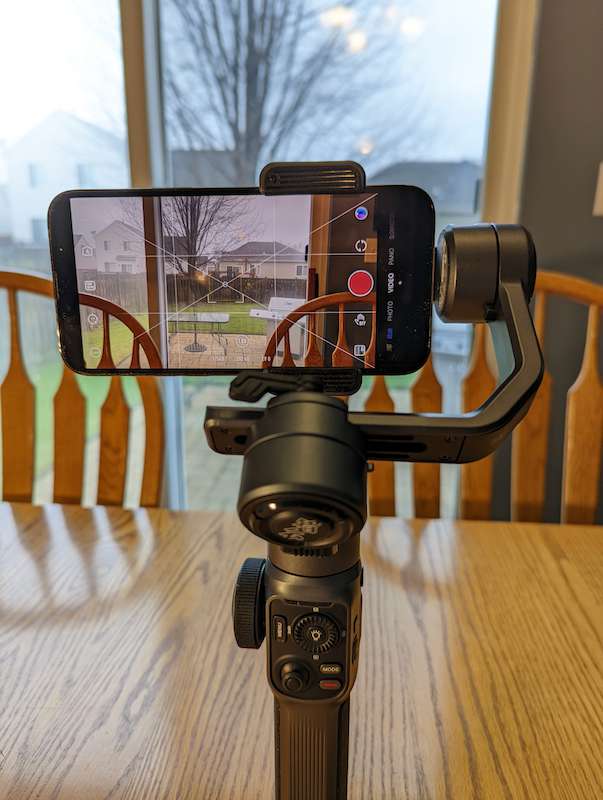
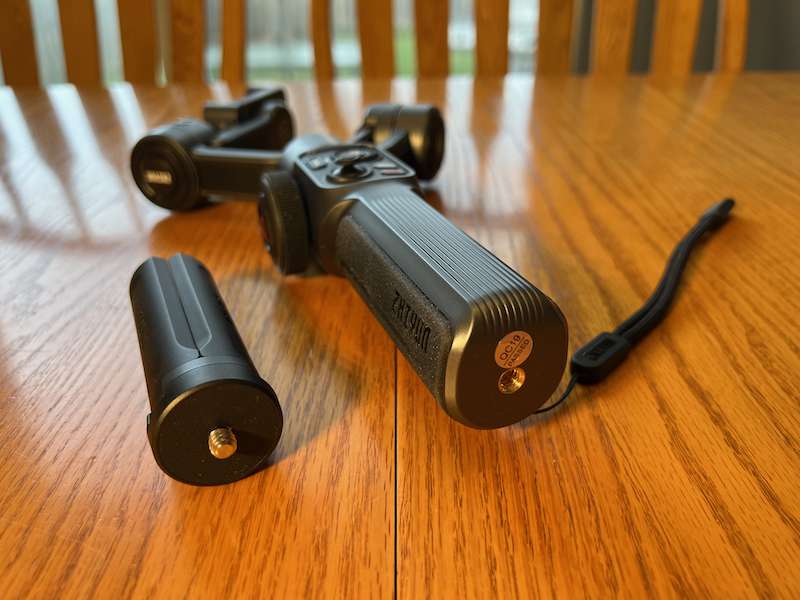
The ZHIYUN SMOOTH 5 gimbal is a smartphone gimbal with a large handle at the bottom, a control section in the middle, including the focus/zoom control wheel and other controls, and a bracket on the top for fixing the camera and attachable lights. On the bottom end of the handle is a tripod mount socket for attaching the included mini tripod or attaching the gimbal to another compatible tripod.
installation and setup
Install before starting ZY Cami App From the iOS App Store or Google Play Store. Make sure your phone has Bluetooth enabled. Launch the app and give it permission to use Bluetooth. To start using the gimbal, you must unlock the tilt, roll and pan axes. Once done, unfold the phone clip and slide the camera in. The camera can be mounted in portrait or landscape orientation, depending on the type of footage you’re shooting. It’s important to balance the camera as much as possible to save battery power before turning it on (ZHIYUN says that when the camera is unbalanced, it uses more of the motor and thus more battery). After the phone is balanced, turn on the gimbal, open the ZY Cami app, and you should be able to find the gimbal via Bluetooth. Once connected, press the camera icon in the upper left corner to enter shooting mode.
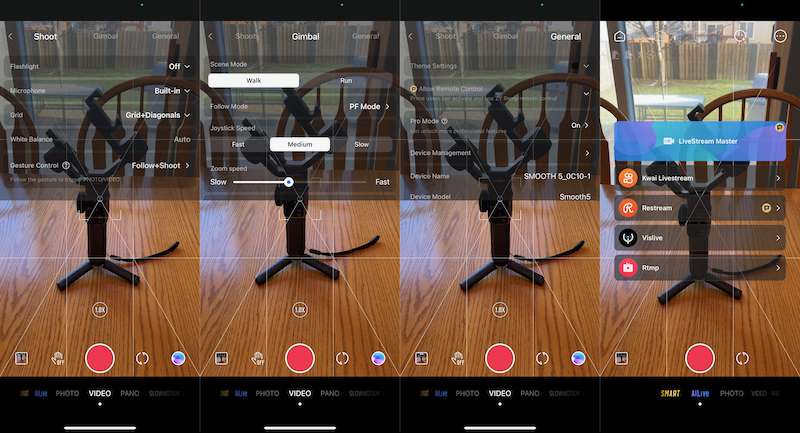
In shooting mode, there is a menu button (three dots) that pops up three submenus, shooting, gimbal and general. Under Capture, you can turn the flashlight on or off, choose a built-in or external microphone, turn the grid on or off, choose white balance, and enable gesture controls. The gimbal provides you with scene mode (walking or running), follow mode (PF, L, POV, roll and pan follow mode, phone walk mode and eddy current mode), joystick speed (fast, medium, slow), zoom speed, Inverted pan and tilt controls, M-button configuration (no instructions for what, and no configuration options available), and gimbal auto-calibration. Universal provides theme settings, remote control (from another phone running ZY Cami), professional mode (launch StaCam, ZHIYUN’s professional camera app), device management, device information. (for connected gimbal) and demo mode.
If you need a little extra light, the Combo set includes a magnetic connection light with four magnetic color filters. These can be purchased separately, and up to two of them can be installed and controlled via a button in the center of the adjustment wheel. These are 300-lumen lights, so they won’t brighten a room, but they’re a handy accessory if you need a little fill light, especially when shooting in dark rooms or in selfie mode.
Video resolutions can be set to 720P, 1080P, and 4K, and frame rates of 24fps, 25fps, 30fps, and 60fps, depending on the capabilities of the phone’s camera. ISO, Shutter and EV can be set to Auto or Manual mode, depending on your shooting situation.
Many of the app’s functions can be controlled from the buttons on the gimbal, including bringing up the smart menu to use the smart AI features, changing resolution and frame rate settings, adjusting shutter/ISO/white balance in the StaCam app, turning on your photo/video album and start/stop recording.
ZHIYUN SMOOTH 5 Gimbal is compatible with iPhone 6S or newer iOS 11, and Android phones running Android 7 or newer.A list of compatible phones is available from ZHIYUN. However, this isn’t an exhaustive list of compatible Android phones, as I was able to use it with a Google Pixel 6 that wasn’t on the list.
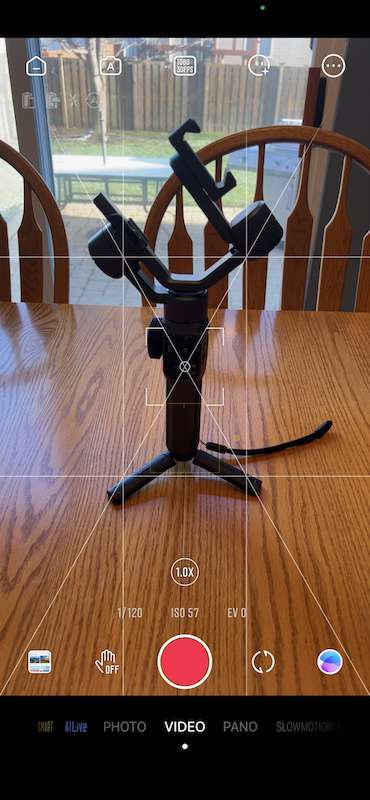
is using
I admit to having never used a gimbal before. The concepts have always intrigued me, but they were always out of reach, so when I had the chance to review the ZHIYUN SMOOTH 5 gimbal, I jumped at it. I found the process of figuring out how to position the gimbal to mount the camera a bit tricky as it keeps moving and I’m not sure which way to start, but once I figure it out I can look at the picture of the gimbal on the front of the box and use that as a Starting point, it makes more sense.
Putting the camera on top of the gimbal in front of me and using the controls took a little getting used to, but being able to take smooth shots while walking, following someone, or even using it as a sort of camera boom, became a natural second place quickly . After I took some test shots, I noticed that my camera wasn’t perfectly balanced. I’ve used auto-calibration a few times, but it doesn’t seem to help. It wasn’t until near the end of the review process that I actually read the part of the manual about what they call six-sided calibration, which seemed to help me dial in properly. I’ll make sure to complete the process before doing more shots.
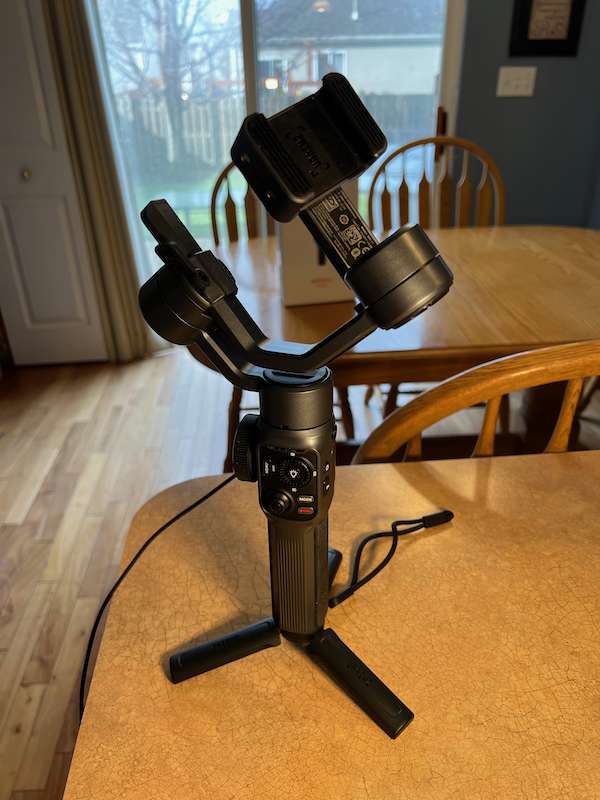
On the left side of the ZHIYUN SMOOTH 5 gimbal is a large zoom control. Being able to control the zoom from the gimbal is a convenient way to frame a shot before shooting or live zooming, although it takes some practice to get a smooth zoom. When using the StaCam app, you can use the focus/zoom switch to enable the controller to change focus or zoom.
You can take a photo or start a video recording using two gestures. Raise the peace sign at the camera or open your hand to start a three-second countdown. Gestures can also trigger follow mode, where the gimbal will follow whoever triggers the gesture. There is no gesture to stop recording.
Rich creative shooting modes, including whirlpool mode, POV mode and Go mode.This manual The modes are explained better than I can here, but the vortex mode seems to be the most interesting. It allows 360º rotation while shooting.They have a great video showing Eddy Mode and many of their other features product page.
One thing I noticed after doing the initial shooting test was the motor making audible noises as it stabilized the phone. You can hear this in the first clip of the video below. This may not be as noticeable if the camera is perfectly level, but it’s something to be aware of if you’ll be recording audio with the built-in mic.
I like to use the joystick to control pan and tilt, but I find it a little easy to push too hard and overshoot or go too fast. Enhancing touch sensitivity on the joystick will make it easier to hold a specific position for longer pans and tilts.
There’s a handy phone charging port on the top of the gimbal, but I can’t imagine you can use it in landscape orientation with a phone, especially one as large as my iPhone 13 Pro Max. There’s probably plenty of room to use right-angle plugs, but I don’t have one that I can test with.
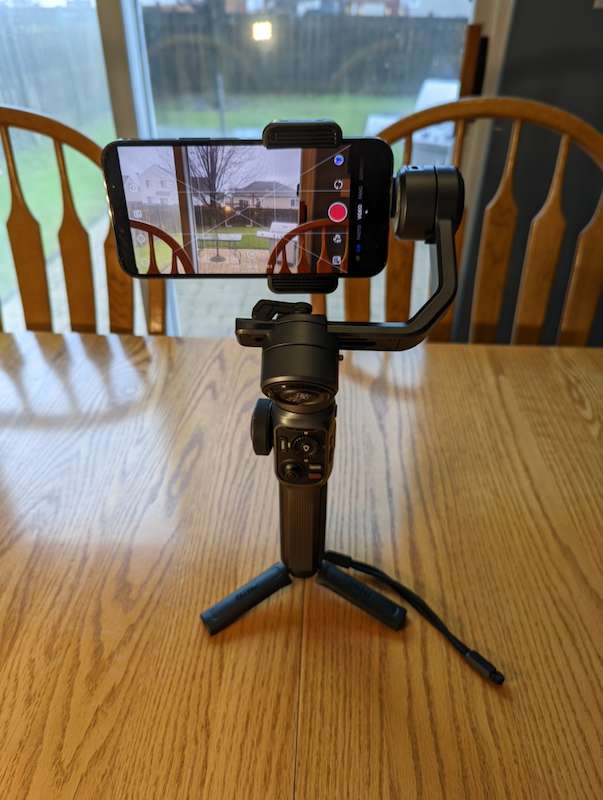
Film Majoris a great video app for iOS and Android, recently made its app compatible with SMOOTH 5. I haven’t had a chance to test them together yet, but I’m looking forward to using the app to do some fun shots with its deep pro features and gimbal.
In addition to all the features mentioned here, there are Prime and Prime+ membership options that enable more built-in templates and glamour effects, live streaming, up to 30 minutes of 4K uploads, remote control from another phone running ZY Cami Gimbal or StaCam etc. There are subscription options for $1.99/month per month and annual plans up to $29.99/year. The best way to learn more about these plans is to go to account settings in the ZY Cami app and start a 1 month trial as I can’t find many details online.
what do I like
- Multiple Shooting Apps
- Provides automatic/manual control
- Rich creative shooting modes
- Manual zoom control
- Magnetically Attached Lamps and Filters
what would i change
- Many controls are only available through the StaCam app or a Prime/Prime+ membership, which has a monthly or annual fee
- Quieter motor when shooting with built-in mic
- Slightly tightened lever for finer movements without overshoot
- More information.Available and able to sign up online as a Prime/Prime+ member
final thoughts
Shooting with a gimbal opens up many creative possibilities, but you may not get there right away. It will take you some time to get used to the shooting process and figure out how these tools work, but if you want to learn these things, the ZHIYUN SMOOTH 5 Gimbal is a great tool to take your mobile filmmaking to the next level.
Also check out our other Zhiyun gimbal evaluation.
Price: Standard: $169, Combo: $219
where to buy: store.zhiyun-tech.com or Amazon
resource: The samples for this review were provided by ZHIYUN.For more information visit their Place.


