


Post views: 5
For various reasons, GPS trackers are very common worldwide. Parents use it to monitor the location of their children at any given point in time, and employers use it to ensure employee responsibility.
However, these GPS trackers are sometimes used maliciously by hackers, and they may try to track your location without your consent.They hacked the victim’s cell phone Track the location of their phone without them knowingTherefore, you must be aware of the signs that indicate the presence of a GPS tracker on your phone, and the steps you can take to remove such a program and prevent it from being installed in the future.
This guide will dive into the five main signs you must pay attention to, and then list the precautions you must take to prevent such situations from happening in the future.
Signs of GPS trackers on mobile phones
Cybercrime rate hits a record high, So you must be aware of signs that may indicate that your phone has been compromised.
Your phone gets hot for no reason
Whether you use an Android or iOS device, hackers can easily install a GPS tracker on your device in a variety of ways. If you suspect that there is such a tracker on your device, the first sign to pay attention to is whether it starts to heat up for no reason. GPS trackers often include other features that enable them to extract other information from your phone.
Therefore, these trackers will continue to run in the background of your device, even if you do not use it yourself, it will cause the device to heat up. This can also happen when you commute or travel from one place to another. If you notice that this happens more than once, you should treat this as a warning sign.
You noticed strange changes on your phone
When we think that someone is tracking us, one of our first instincts is to turn off the location of our device. However, if you find that the location information was opened without you even touching the settings, it may indicate that someone is overwriting the changes on your phone.
In addition, GPS trackers sometimes exist as harmless applications on the target device. Therefore, another thing you must always do is to check the app drawer of your device and scan all apps to make sure there is nothing strange in it.If you notice an application that has never been installed, it is most likely a GPS tracker Designed as a shopping application or a note-taking application. You must get rid of it immediately.
Your device’s battery drains faster than usual
You can also detect the tracker on your phone by checking the battery usage of your phone. If the battery runs out quickly, this may be another sign that you are being tracked. You can check the percentage of battery life by checking the usage of other apps. Tracking software usually runs GPS in the background, wasting device power. If your battery is always low, it means that you have tracking software on your phone.
A quick solution to check if the phone battery is really depleted is to check the device’s settings. If you check the battery section and calculate the sum of the percentages of battery power used by all apps since the device was last charged, you should get a fair idea. If the numbers don’t match, this may indicate that a hidden tracker is draining your device’s battery.
Your phone’s data is consumed faster
Another sign of the tracker on our mobile phone, have you noticed that the data consumption of the mobile phone is much faster than usual. If this happens, especially when you do not use your phone frequently, it may mean that the GPS tracker relies on your data connection to keep track of your device.
Again, you can check the settings of your device to check whether there is a difference between the total amount of data consumed by all applications and the total amount of data used so far.
Your phone will unlock itself
Many GPS trackers are provided as part of more comprehensive spy apps that have many remote functions. They allow hackers to remotely change certain settings or manage certain controls on your device without your knowledge. As a result, you may start to notice that the display of your device will automatically turn on, or it will unlock itself without any input from you. This is the last straw, pointing directly at someone to remotely control your device using a spy app, which may also have a GPS tracker.
What precautions can you take to keep the tracker away from your phone?
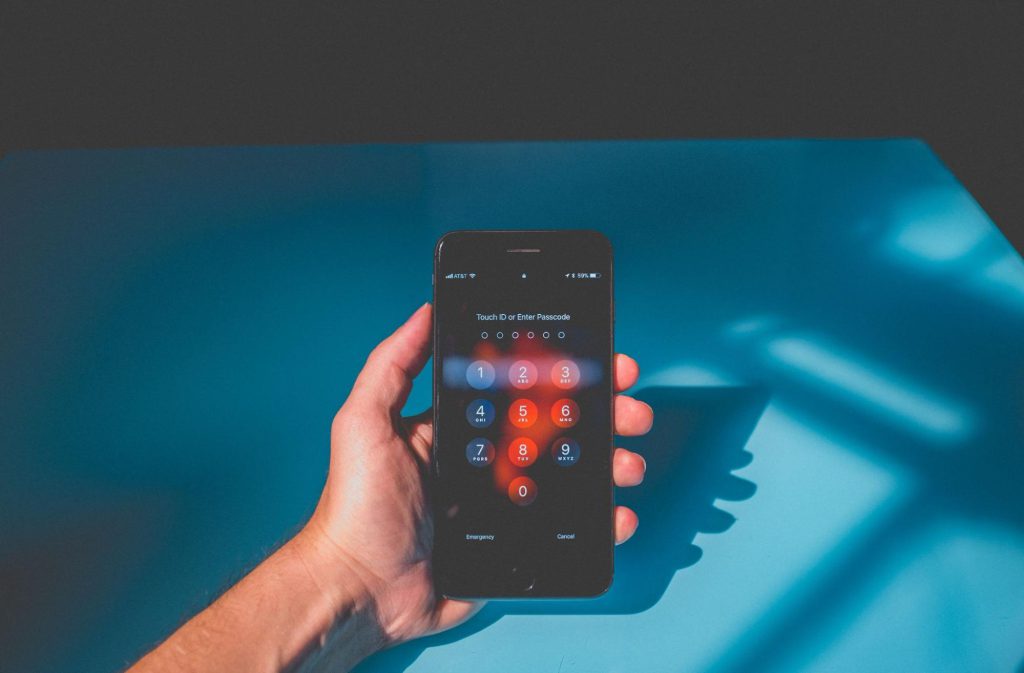
If you have begun to notice all or even some of the above signs, then it’s time to take action. This is what you can do–
- Install an anti-malware program-an anti-malware program is designed to scan your entire device and detect any malware that may be present on it. Once this malware (e.g. tracker) is detected, It gets rid of it and repairs any damage It may be caused by a malicious program.
- Install an anti-virus program – Just like an anti-malware program, anti-virus software will also scan your device to detect and remove any type of virus that may be present on the device. These two programs are necessary if you want to delete the tracker and protect your device security in the future.A sort of The good antivirus software is Norton, And works on Android and iOS devices.
- Never share your iCloud details or phone password-another common mistake many people make is to share their phone password or iCloud or Google credentials with many friends or family members. The problem is that while you may trust them, you can never guarantee that they are not the ones who installed the tracker on your device in the first place. Therefore, the best way is to never share these details with anyone.
In summary
As you can see, keeping your mobile device away from trackers is crucial. Although these trackers are usually used to track your real-time location, they can also be used to access other sensitive data on your phone.Sites like this RealSpyApps.com Show that these applications can record all key operations on your phone, making them a serious threat.
Therefore, you must keep in mind all the signs mentioned in this article and the precautions listed for your digital security.


