


Post views:
1
Classified ads are an effective, simple, and inexpensive way for businesses of all types to connect with potential customers. This is a great way to promote your product, service or brand online, especially if you have a short marketing budget. Bisman Online or BisManOnline is one of the best free classifieds platforms in North Dakota to promote all types of products or services.
What is BisMan Online?
Biseman Online is North Dakota’s largest online classifieds site. The website allows businesses of all types to promote their products or services in the area. From agriculture and automobiles to healthcare and real estate, you can create classified ads for any business on this site.
According to statistics, the site has over 460,000 monthly visits and over 27,000 page views. In addition, 3000 new users visit the site every month.
Beyond type and size, businesses and brands choose BisMan Online to get the most out of their Internet Marketing Activity. If you do business in or around North Dakota, you should create an account on this website to promote your products or services for free.
Is BisMan Online safe to use?
BisMan Online allows you to create a free account to create classified ads for your business for free. BisManOnline is safe to use because it has effective SSL certificate install and The domain does not appear to be fraudulent. However, there are not enough reviews on the web for this classifieds site. This could mean that the site is not being properly promoted or popular with people. But still safe and promising to create classified ads.
How do I create an account on BisMan Online?
If you want to get your business, products or services in front of people in North Dakota, you must create a classified ad on the BisManOnline website.
Creating an account on the website is as easy as having an email address and phone number. Here is a step-by-step guide to create an account on the bisman online site:
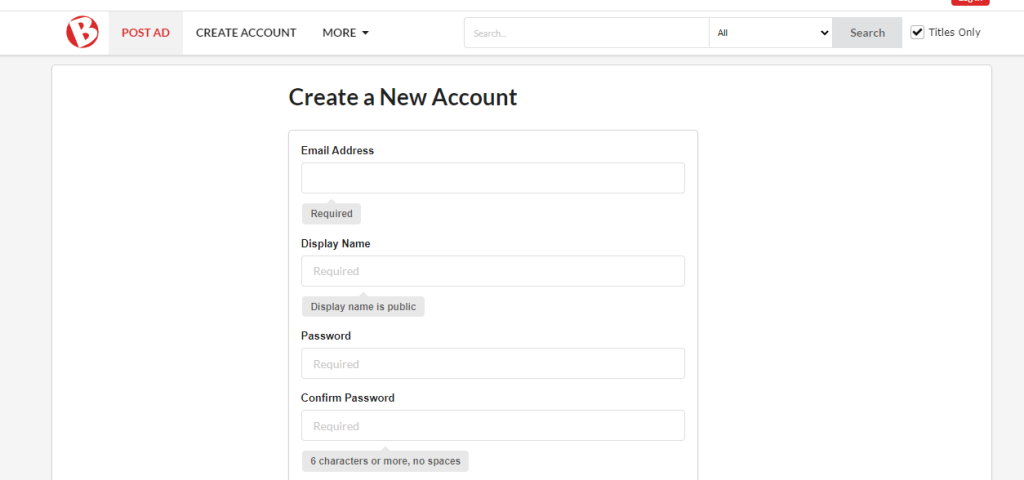
- First, enter your email address in the given box and click “Enter” to check if the email is valid to create an account on the website. Once you see the green line, click the tab button to enter another box to choose a “display name” for your account.
- Your “Display Name” is the name your site’s users will see when you create an ad or send a message to other users. Therefore, choose a valid name and click the Enter button. If you see “Display name OK” then go to the next box “Password”.
- make sure Choose a strong password BisMan Online account to protect your personal data from any third party.
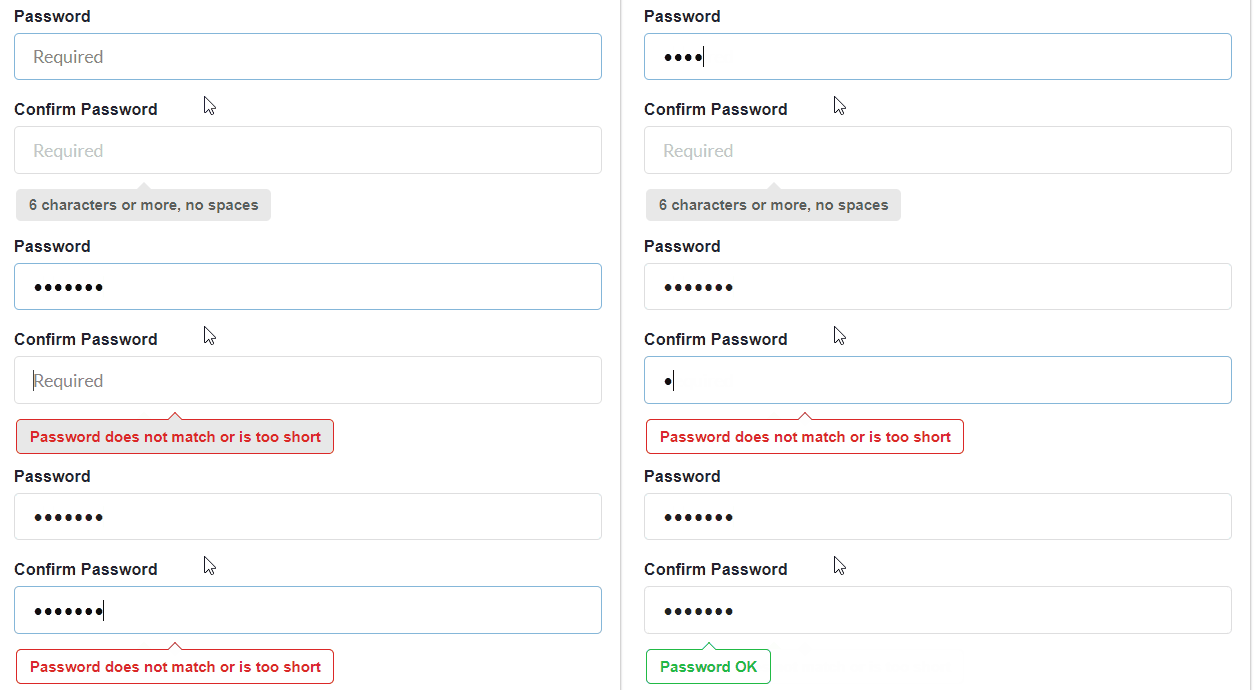
- In the Password box, create a password that mixes uppercase and lowercase numbers. Confirm the password again, if the password is strong and confirm after seeing the “Password OK” notification, continue.
- You need to enter your name (first and last name) in the given box below.
- Then select your gender and enter your date of birth to continue to the next step.
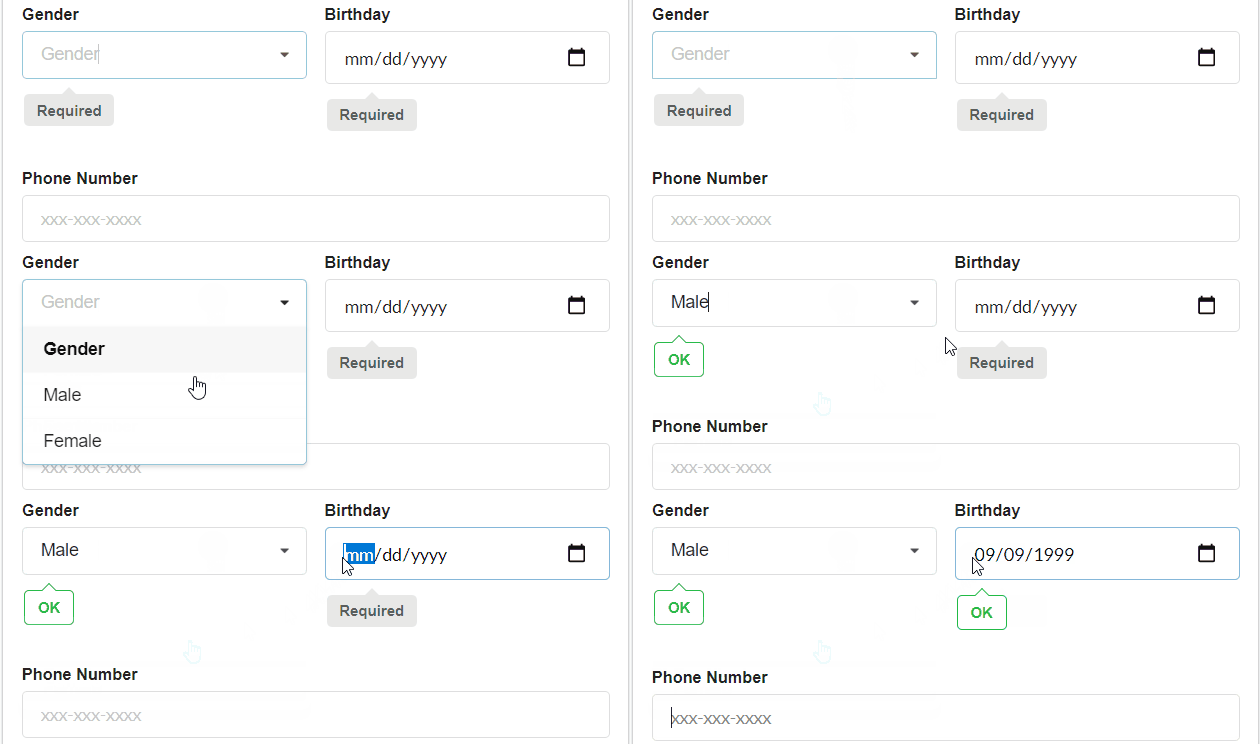
- Once you see “OK” in the “Gender” and “Birthday” sections, go ahead and enter your phone number.
- Enter a valid phone number with the name of your mobile operator. If it is not a mobile number, uncheck the “This is a mobile number” box and enter the other required details.
- Below you will see boxes for entering details such as status. City, zip code and country etc. Currently, the BisMan Online website is only available to users in the United States and Canada. After entering the details, click the Continue button. If something is missing or incorrect on the form, you will be restricted from proceeding.
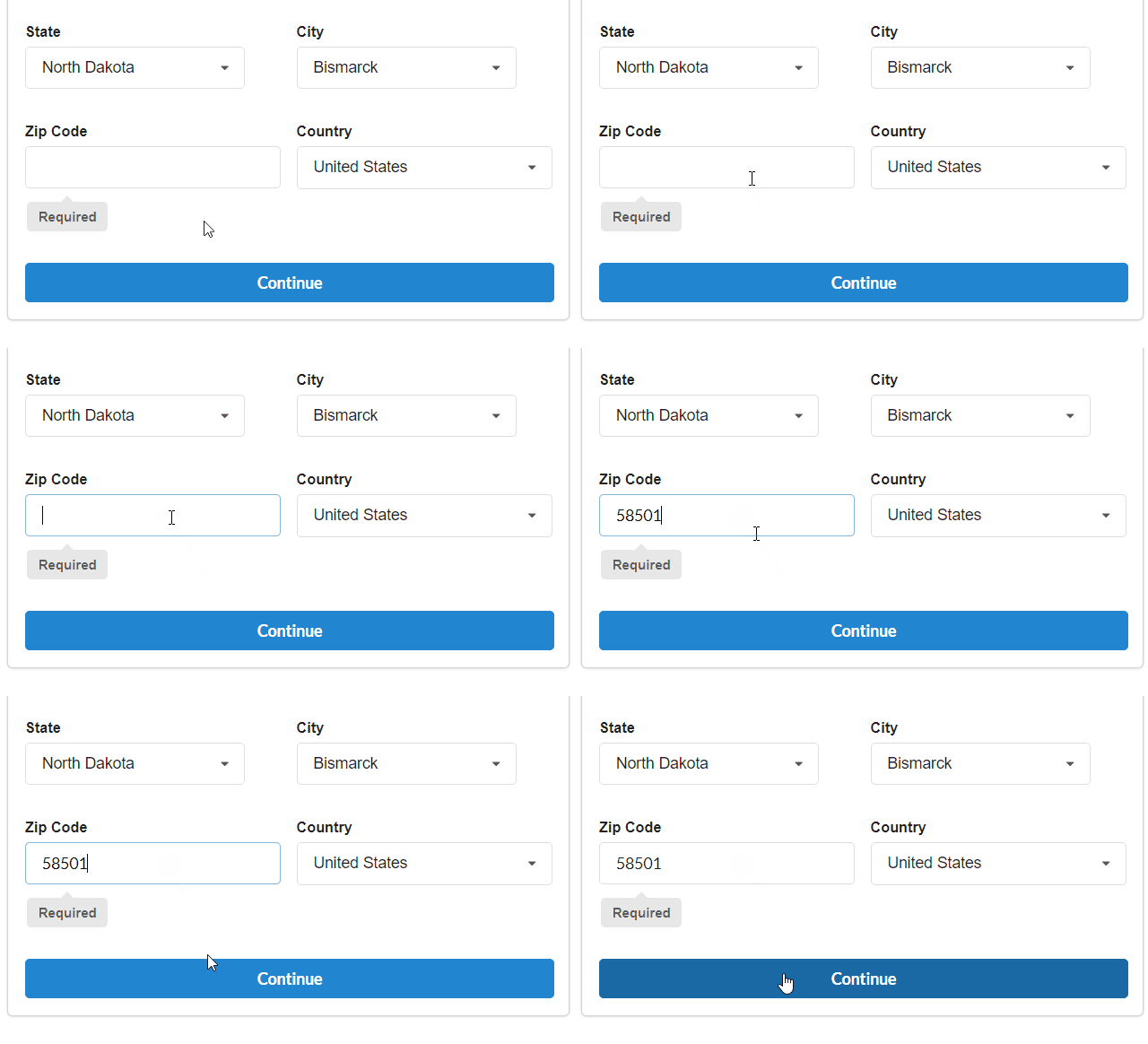
- After clicking the continue button, you will be redirected to a page where you can customize your account and preferences. You will be able to see the categories and other options to choose from. After selecting your preferences, click the Continue button shown below.
- Note: You can also choose to do this later and continue creating your account.
- After setting your preferences and reading the User Agreement, check “Yes – I have read and accept the User Agreement and certify that I am 13 years or older”. box, and then click Create My Account. You must be at least 13 years old to create an account on the BisMan Online website.
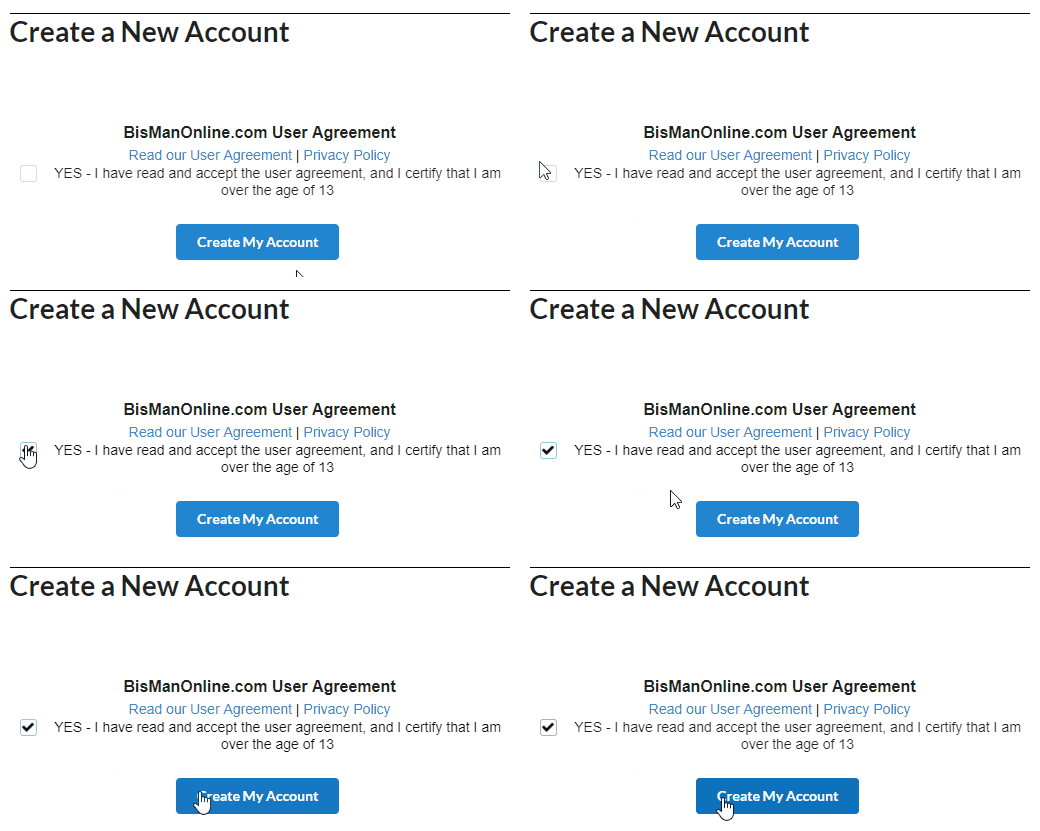
- After clicking the “Create My Account” button, you will be directed to a page where you can verify your email and phone number. If the phone number is a mobile number, the user will be directed to the mobile verification page. A code to verify the mobile number will be sent to the user. Enter the code in the given box and click the Activate button to continue.
After successfully verifying your account, you can create classified ads for your business on this website.
final judgment
Since classified ads are a great way to get your business online, creating an account on BisMan Online can help you create free classified ads. This will help you connect your brand with potential customers in North Dakota without spending a fortune.


