


Post views:
16
Advanced technology provides modern consumers with a variety of tools and small tools to get work done more efficiently. Portable monitors are one of these terrific gadgets that most of us use in the office. They’re designed to expand screen real estate or convert your smartphone into a computer, so you can get more done with a clutter-free screen even on the go. The Mobile Pixels Duex Plus is one of the best portable monitors on the market with great creativity, design and functionality.
Mobile Pixels Duex Plus – Add a Second Screen to Your Laptop
this Mobile Pixel DUEX Plus is a portable monitor with a 13.3″ screen designed to connect to a laptop and add a secondary screen to expand the screen real estate of computer users. It’s one of three portable monitors designed by Mobile Pixels for $299.99. It has a 13.3-inch full HD screen with a resolution of 1920×1080. You can easily mount it to the back of your laptop. It can be used to expand screen space or as a presentation mode with the screen facing out so your colleagues can easily view presentations. With the help of a crowdfunding campaign, the idea became a reality, giving portable monitors a better look, feel and function.
MP Duex Plus Design and Features
The DUEX Plus portable monitor features a simple and attractive design. Compared to other portable monitors on the market, its slim profile and weight make it the perfect secondary screen.The device is attached to the back laptop Use magnets and stickers. This device is best used with a laptop or a 13″ to 16″ laptop. An easy-slide frame secures it to your laptop so you don’t have to deal with extra hardware or stands. Just swipe it to the right to instantly extend your laptop’s screen. Then push it back when you’re done, put the laptop behind your back and move on. The frame of this portable monitor is made of high quality plastic material to securely hold the secondary screen.
How to install and setup?
The MP DUEX Plus’ case is designed with four adjustable circular magnets and sticky pads to fit on the back of a laptop or lid while protecting its back from scratches. Just rip the white tap off the magnet and use the magnet side to connect the device to your laptop. The round magnets sit in slots in the frame, and there’s plenty of room to slide the case right or left as needed. Included in the box is an accessory guide that you can use to mount the device on your laptop without any hassle.
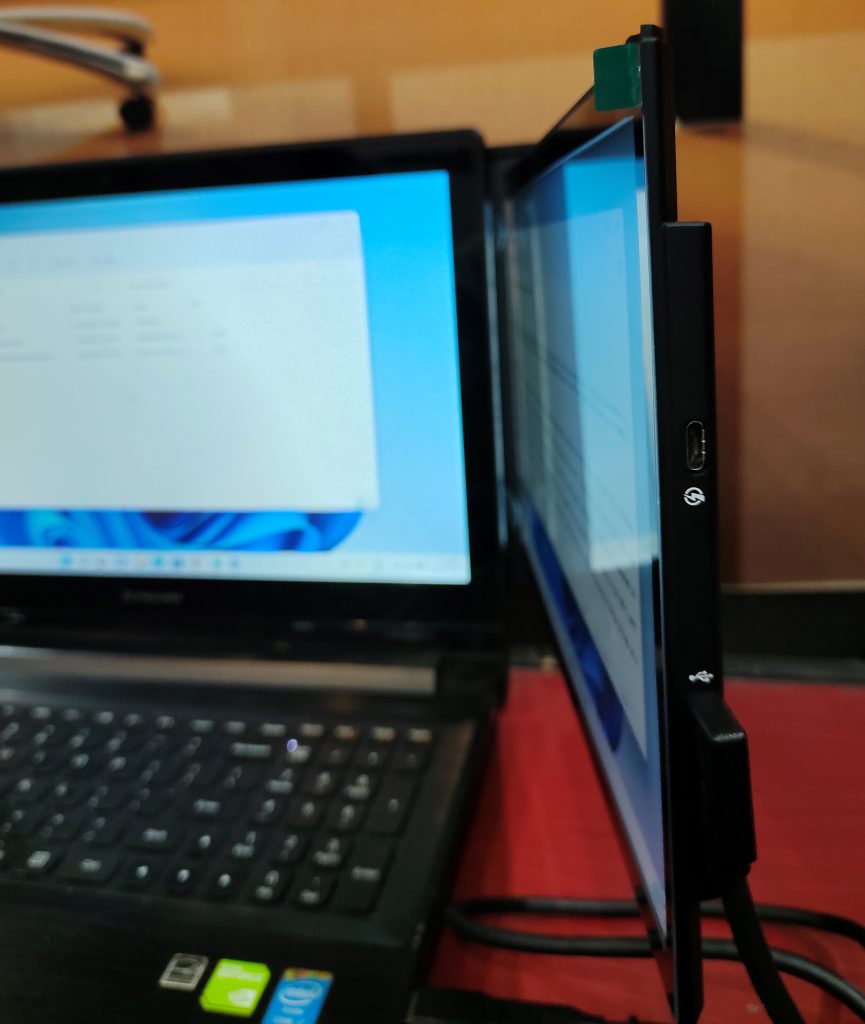
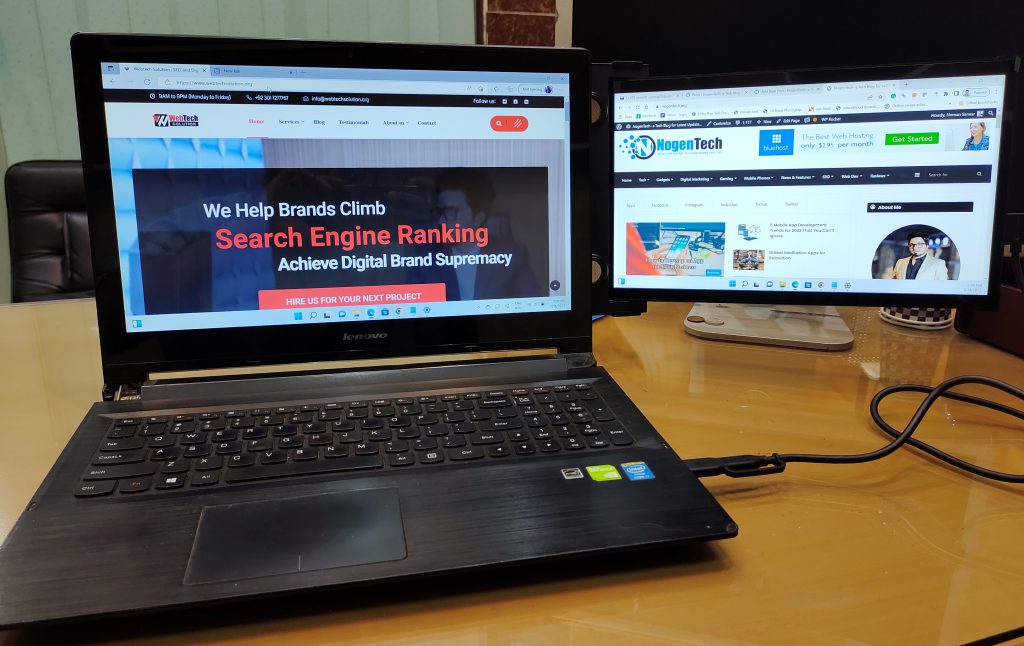
Once successfully connected to the laptop, you can easily slide the screen out of the frame to use it as a secondary screen. You can move the screen towards your eyes or use it as presentation mode by turning it back.connect this now portable monitor Laptop with USB-C-to-C cable (included with USB-C-to-A adapter for computer side). You are done and ready to use the additional screen. Once turned on, change your laptop’s display settings to Extended Display. If you are having trouble setting up your device, simply visit the URL https://www.mobilepixels.us/pages/download-drivers to download and install the drivers. You can change the display settings to landscape or portrait in your laptop’s display settings.
controls
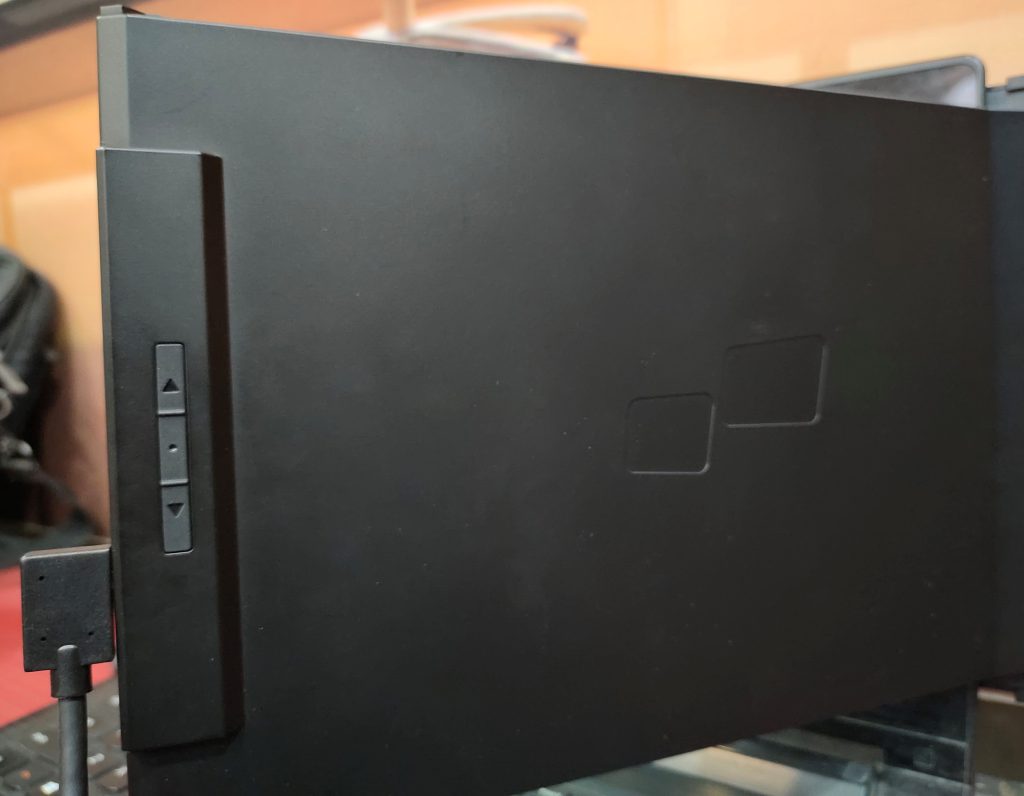
There are two controls on the back of the panel and near the USB port. You can use these controls to adjust the brightness, contrast, and saturation of the backlight. Just press the button to see the on-screen display and select the setting you want to change.
final judgment
If you frequently use your laptop for office work and want to add a second screen without spending money on a bulky and expensive portable monitor, the MP Duex plus is the right choice for you. It has different configuration modes and is very easy to connect and set up. However, you must make sure your laptop is large enough (13-16 inches) to support its frame size.


