


Sharing is caring!
PrivadoVPN Review Ratings
generalize
PrivadoVPN is an affordable VPN with a wide range of server locations, most of which offer excellent performance. Security is excellent, and I have had no issues with online services blocking or restricting VPN IPs.
advantage
- extensive server
- Most servers perform at high throughput
- I didn’t encounter any blockages from Netflix or Google verification codes
shortcoming
- No static IP option
- No low-price contracts over 24 months
PrivadoVPN is a relatively new VPN provider based in Switzerland, and its zero-logs policy appeals to anyone who needs the best privacy possible.
As Swiss VPNs, they are not part of the “14 Eyes” country, Switzerland is not part of the intelligence alliance that originally consisted of 5 core countries (Five Eyes), but has expanded to 14 countries of SIGINT Seniors Europe. These alliances give governments the power to force VPNs to share user data.
Therefore, PrivadoVPN is not legally obligated to share any user data requested by these 14 countries.
On top of that, PrivadoVPN also offers a compelling free VPN service. It’s more limited than the premium service, with 10GB per month and 12 global servers available, but it should be useful if you only need the VPN once in a while.
VPN function
- Free VPN option (10GB data every 30 days)
- Headquartered in Switzerland
- Zero logs policy
- 256-bit AES encryption
- Up to 10 simultaneous connections
- Unlimited devices
Available servers and countries
- 335 servers
- 48 countries
- 61 cities
- nation
- United States: Argentina, Brazil, Canada, Mexico and the United States.
- Europe: Austria, Belgium, Bulgaria, Czech Republic, Denmark, Germany, Finland, France, Greece, Hungary, Ireland, Iceland, Italy, Latvia, Netherlands, Norway, Poland, Portugal, Romania, Serbia, Slovakia, Spain, Sweden, Switzerland , Ukraine and the United Kingdom.
- Asia: Australia, Hong Kong SAR, India, Japan, Korea, Malaysia, New Zealand, Singapore, Thailand and Taiwan.
- Middle East and Africa: Israel, Turkey and South Africa.
Available platforms and installations
As with most VPNs, you have several installation options.
There are dedicated apps for Windows, MacOS, Android, iOS, Fire Stick and Android TV.
You can then use the OVPN files for your router and SOCKS5 for various download clients for torrents.
For Windows, just download and install the app, then log in with your account.
Windows Settings and Performance
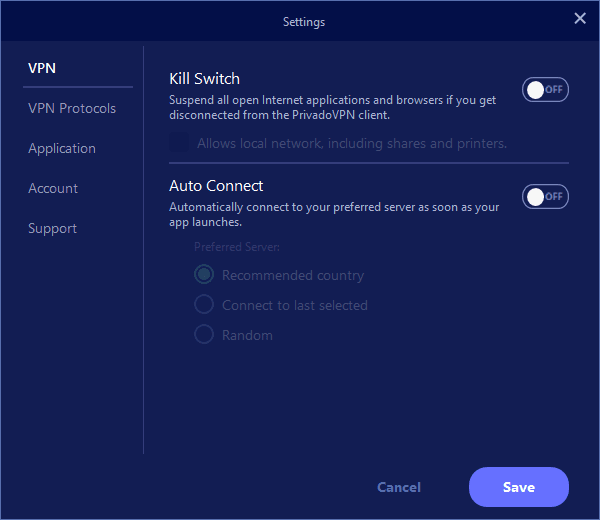

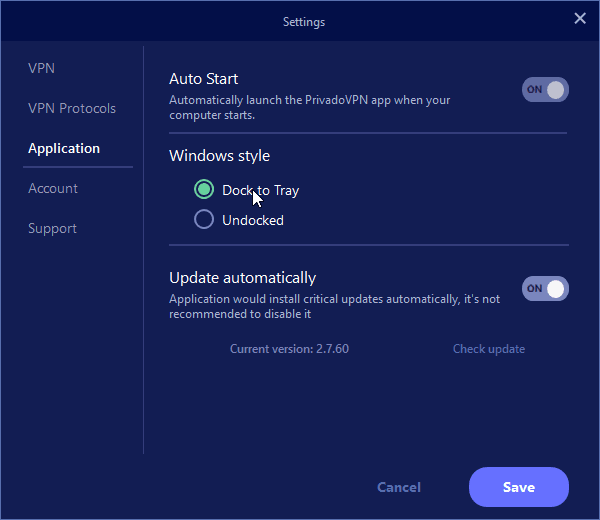
The Windows app is similar to most VPN apps, it’s basic but easy to use.
In the settings, you can set it to automatically start the application and connect automatically when Windows loads. You can also enable a kill switch, which will disable all connections if the VPN disconnects. So it’s very easy to stay safe 100% of the time.
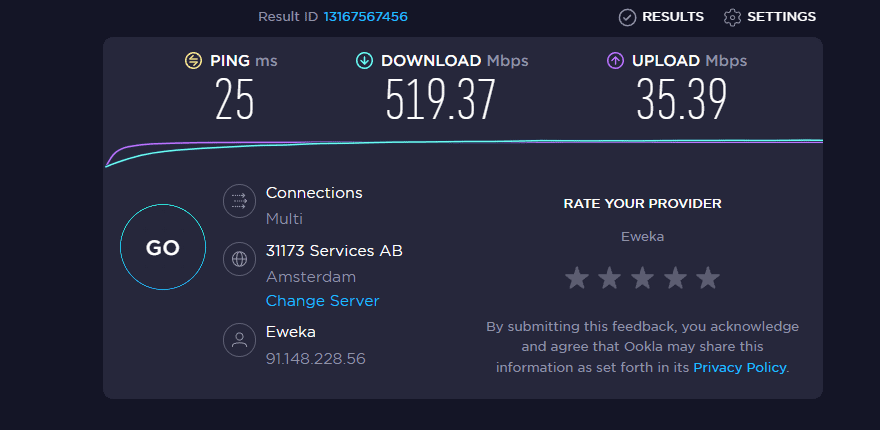
Connecting to a VPN is usually very fast and performs very well, depending on where you connect.
- UK default connection: 524/35 Mbps DL/UL and 13ms ping
- Amsterdam: 520/35 Mbps DL/UL and 25ms ping
- New York City, USA: 476/34 Mbps DL/UL and 107ms ping
- Mumbai, India: 88/15 Mbps DL/UL and 354ms ping
- Hong Kong: 256/18 Mbps DL/UL and 257ms ping
I’m on a Virgin 500Mbps connection and using a UK server didn’t noticeably affect anything. The main difference is the increase in ping from 8ms to 13ms.
Some servers are slower than others, and I’ve found this to be the case with all VPNs. ping obviously increases significantly based on distance.
Argentina was the slowest server I could find at 20/20 Mbps. I only checked this server because sometimes it’s cheaper to sign up for streaming services like Netflix and Disney when going abroad.
Likewise, I checked the performance and accessibility of streaming services in other countries. I mainly use Netflix for this test and have had no issues.
For VPN protocols, the app will choose the best option, but you can manually select your preferred options, including WireGuard. To that end, it’s currently classified as a preview feature, but I haven’t had any issues at all, and the speed remains the same.
Forcing a connection to use OpenVPN can significantly reduce speed. In Manchester, UK, my speeds dropped to around 200Mbps with a ping of 19ms. That’s a perfectly acceptable speed, it’s classed as the safest, and at the same time more combo devices than WireGuard, but I’d stick with WireGuard if possible.
mobile application
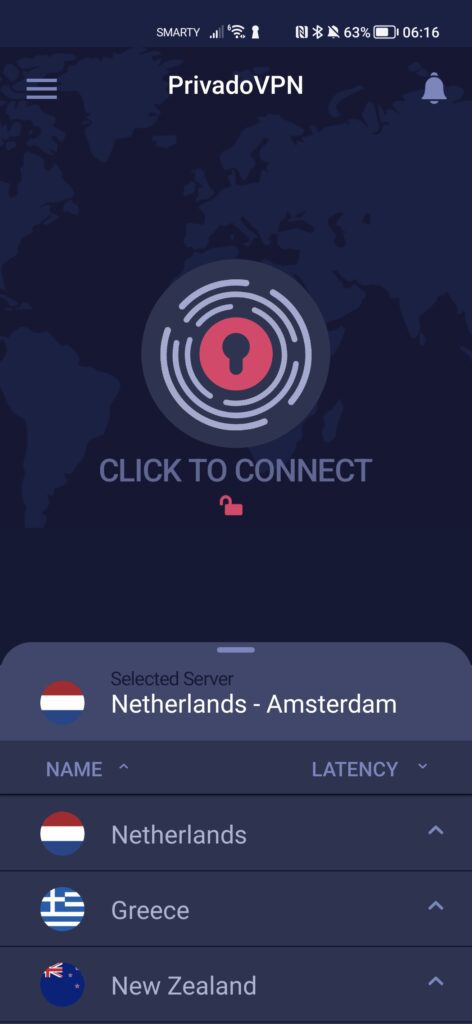
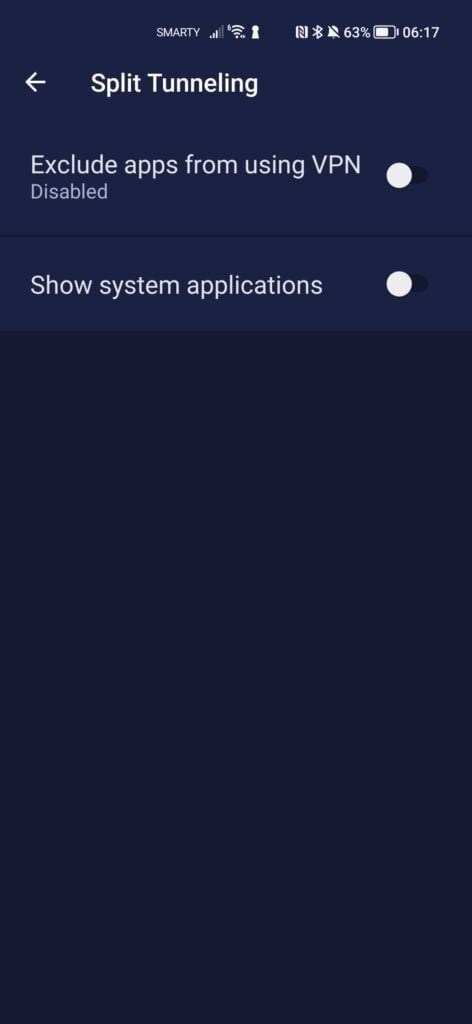
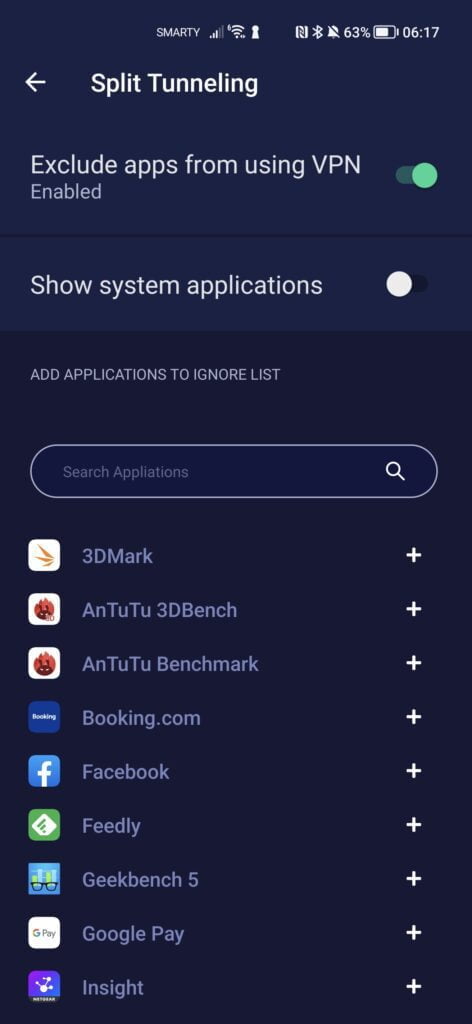
Mobile apps provide essentially the same experience, the speed of the WiFi or mobile connection will be the limiting factor here.
One difference between this application and the Windows application is the ability to do split tunneling. This allows you to choose which apps you want or don’t want to use the VPN for.
price
PrivadoVPN is priced as follows:
- Free plan – limited to 10GB every 30 days and reduced server availability
- 1 month – $7.99 (£6.45)
- 12 months – $59.88, calculated as $4.99 (£4.03)
overall
I am very impressed with PrivadoVPN. The performance is at least as good as the best VPNs I’ve tried in the past, and the price is attractive.
It has all the server locations I need, especially countries that allow me to access cheaper streaming services, and a local connection with no noticeable slowdown in my ISP connection.


