


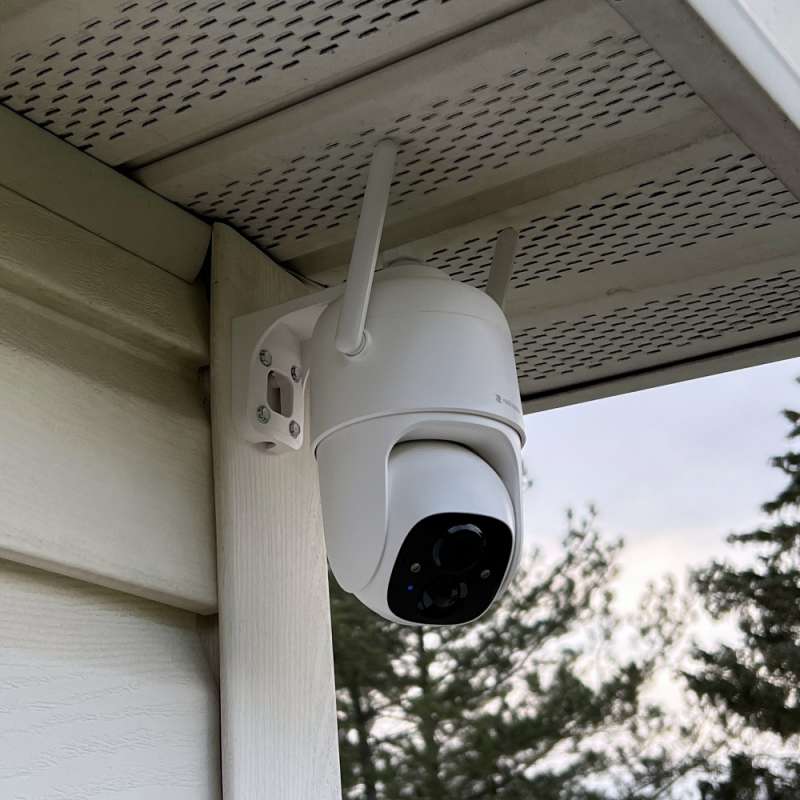
review – Security is more important today than ever before. One way to make sure you and your property are protected is to use security cameras. The security camera I used broke after 2 years of use. So I need a replacement. I don’t necessarily live in a bad neighborhood, but I live on the corner of a fairly busy street. And I have a lot of traffic at all times. This time, I wanted a camera that could cover more area. I chose to check out the Rockspace 360º WiFi Security Camera. This camera has several features that make it attractive. let’s see.
What is it?
Rockspace 360º WiFi Security Camera is Wireless 1080P monitor Has pan and tilt overlays. It features 355º pan and 90º tilt to help eliminate blind spots. It also supports color night vision, 1080P resolution, intelligent motion detection and push notifications.
what’s in the box
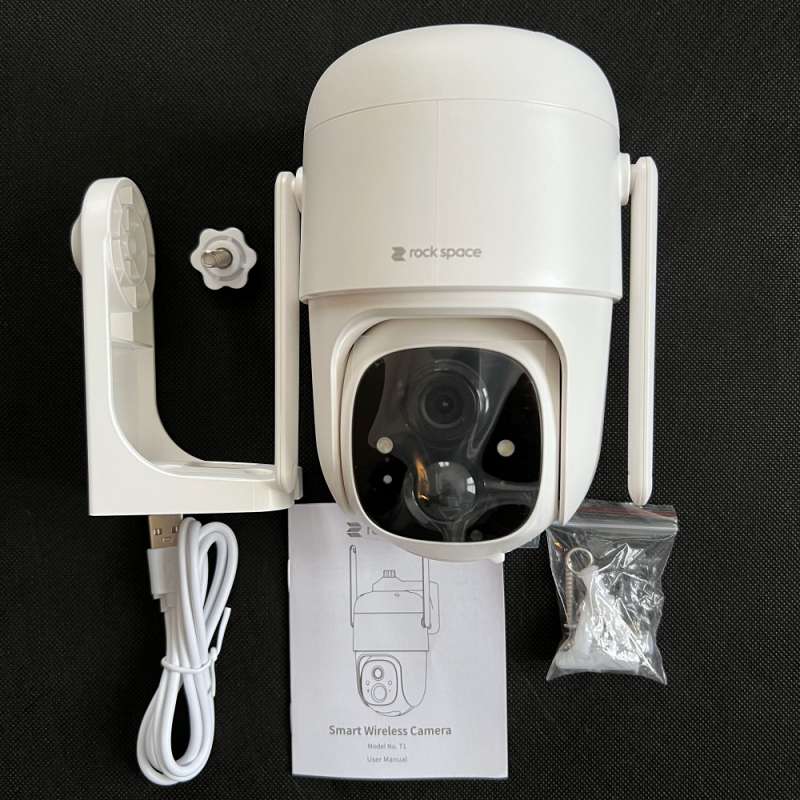
- 1 Rockspace 360º WiFi Security Camera
- 1 camera mount
- 1 x Micro USB Cable
- 1 x reset pin
- 4 screws
- 1 x Mounting Hole Template
- 1 x User Guide
Hardware Specifications
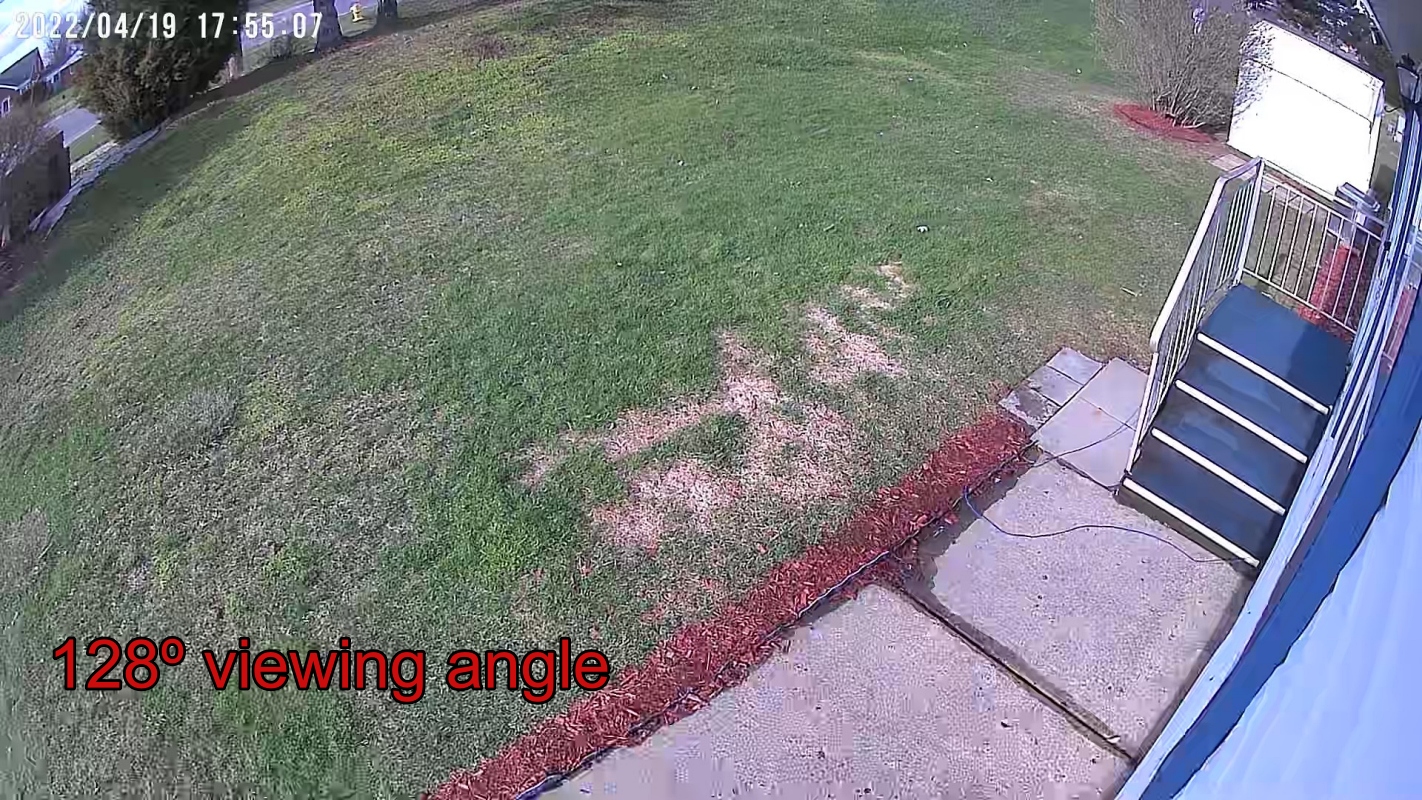
- Field of view: Horizontal: 96º Vertical: 56º Diagonal: 128º
- Image Resolution: maximum. 1920×1080
- Video Bitrate: adaptive
- Media Storage: Micro SD card (up to 128GB)
- Rotation angle: Horizontal: 355º Vertical: 90º
- battery capacity: 9000 mA
- Adapter Requirements: 5V/1.5A
- Dimensions (without stand): 120.2 x 101.1 x 158.3 (mm)
Design and Features
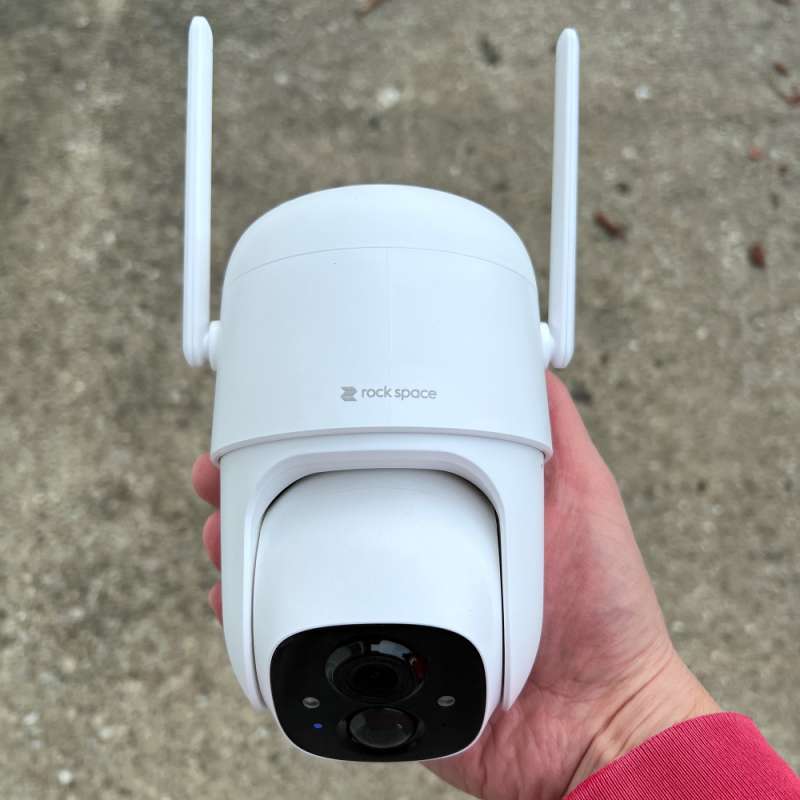
The Rockspace 360º WiFi Security Camera is beautifully packaged and bigger than I thought it would be. Design-wise, it looks like a typical pan and tilt camera. The camera is mounted on a swivel base. The base comes with dual 4dBi WiFi booster antennas and supports 2.4 GHz WiFi. You can also find a 9000 mAh rechargeable battery here.
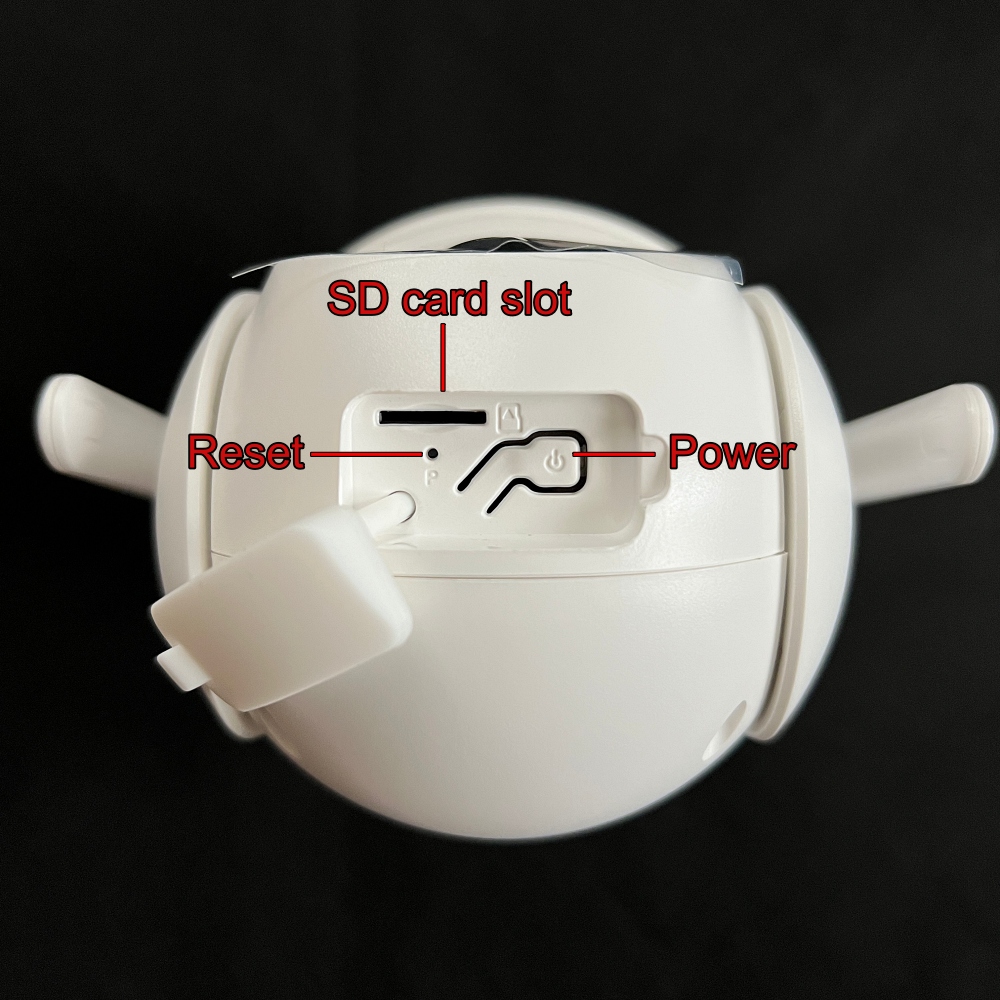
The power button, micro SD card slot and restart hole are located on the top of the camera.
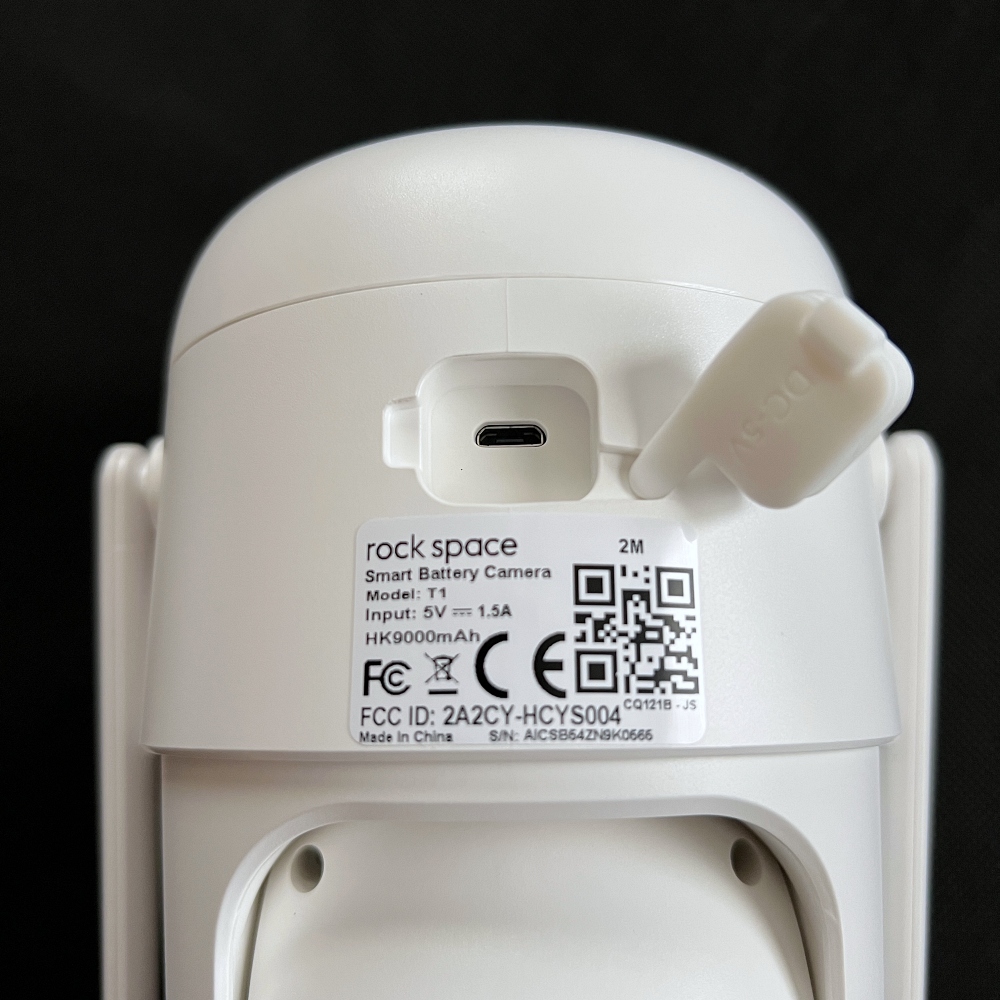
The micro-USB charging port is located on the back of the base. All ports are protected by waterproof silicone covers.
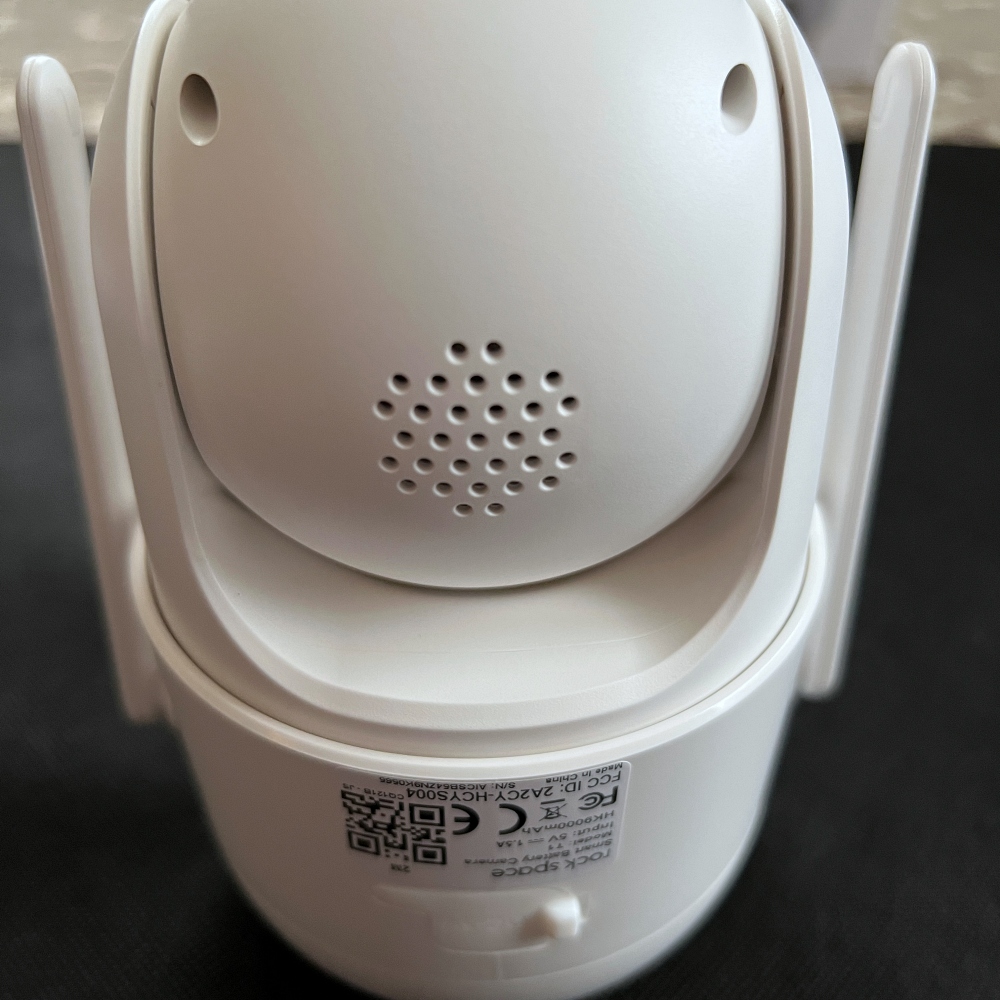
The Rockspace 360º WiFi Security Camera has a speaker on the back.
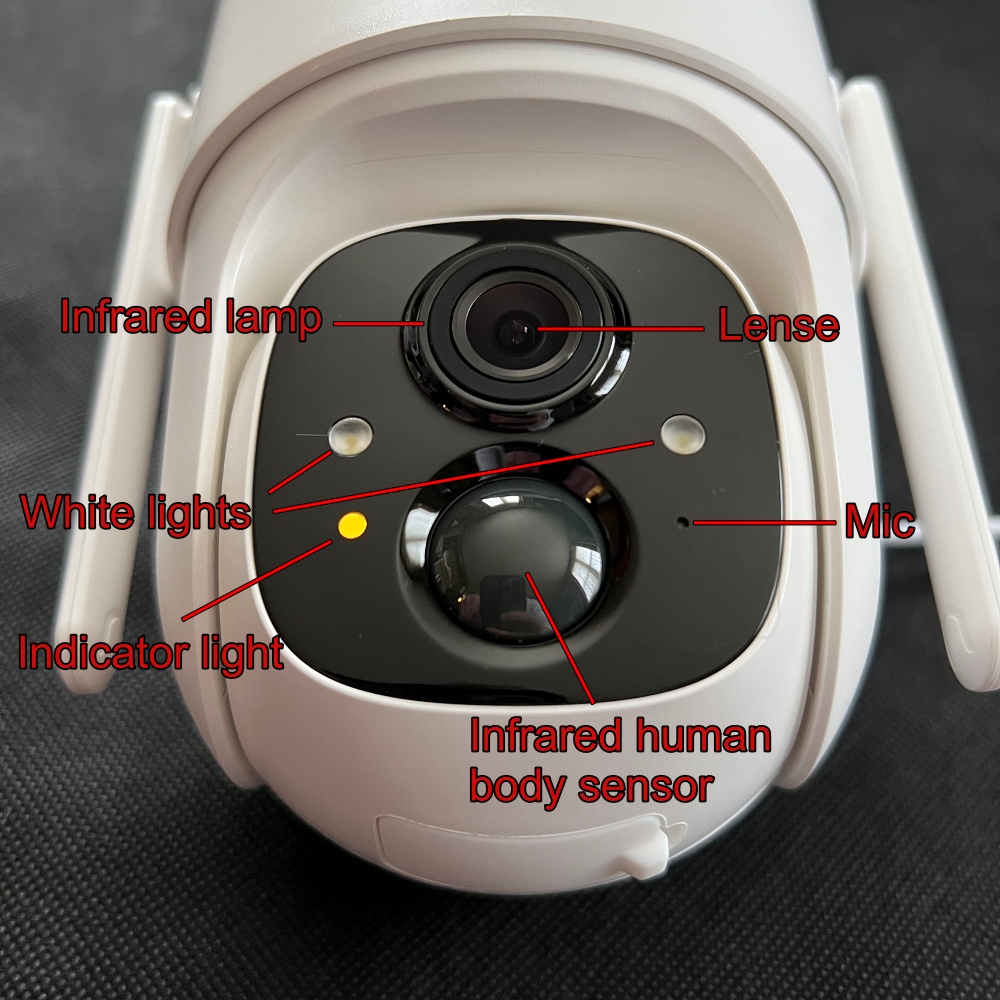 The lens, microphone, infrared human body sensor, infrared light, 2 white lights, and indicator lights are located on the front of the camera.
The battery needs to be fully charged before installing the camera. Use the included micro-USB charging cable to charge. A full battery charge takes 6-9 hours. According to Rockspace, the battery should last up to 6 months.The battery can also be charged 5W solar panel You can buy it separately.
installation and setup

Installing and setting up a Rockspace 360º WiFi Security Camera is easy. I have the camera mounted in the front corner of my house. Orientation allows me to use pan and tilt to view my front and side yard. Mounting the camera is easy with the included L-bracket. Took me about 10 minutes. The camera is attached to the L-bracket using large thumbscrews. This makes it easy to remove the camera when I need to remove it to charge the battery.
You need to download the Rockhome app from the App Store or Google Play to set up the camera. After turning on the camera, follow the instructions to configure and add the camera to your network. The setup is very simple for me. However, during network setup, the application times out 3 or 4 times before connecting. The same thing happened during a firmware update. But once updated, the rest of the setup went smoothly.
During setup, you can also add a micro SD card. This allows you to record and save videos even without an internet connection. You can use any size card up to 128GB.
Rockhome app
The Rockhome app is the camera’s control center. From the app, you can view real-time information or access the camera’s features and settings. I found the interface clean and easy to navigate.
Below are some screenshots from the Rockhome app.
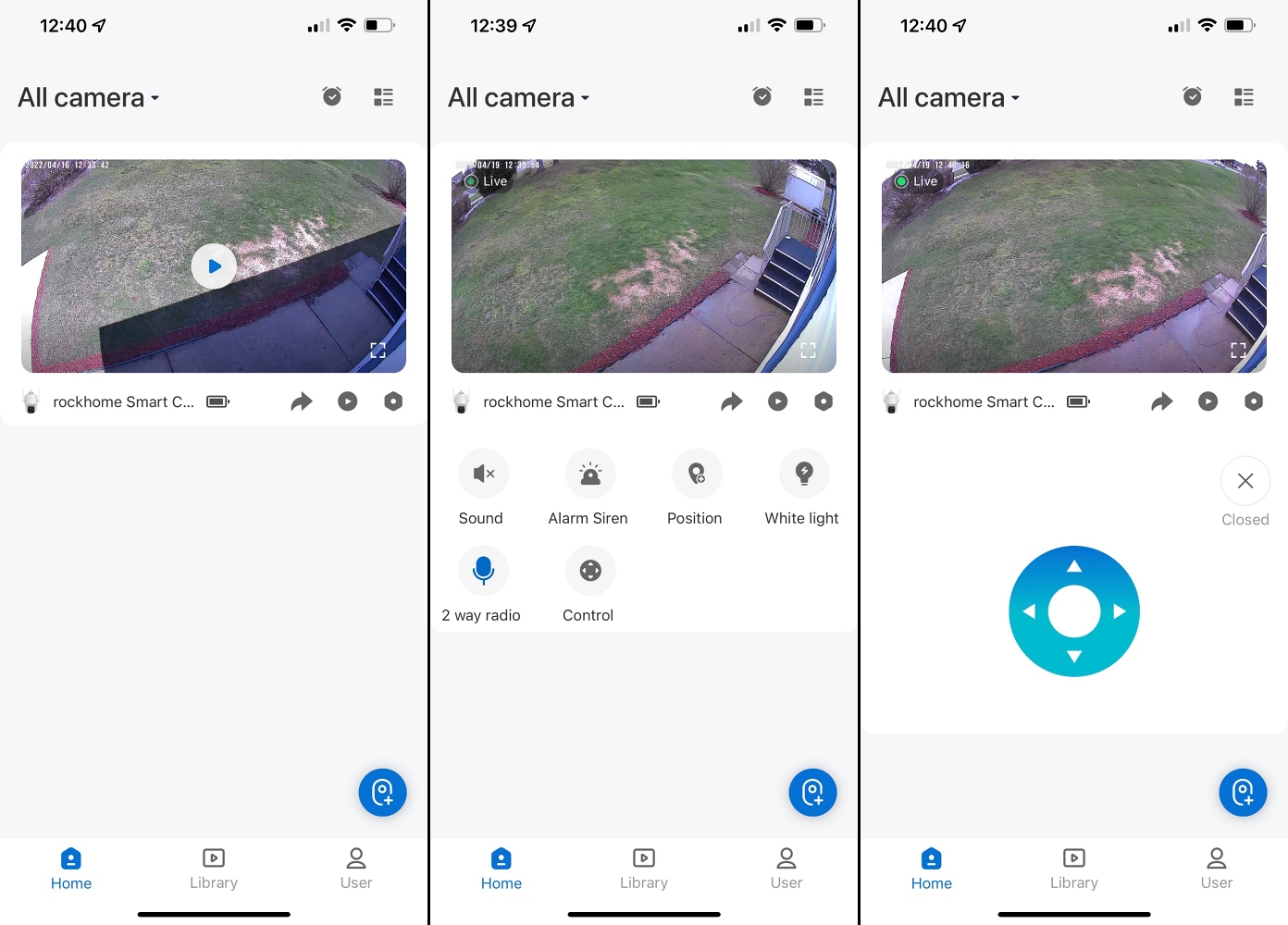
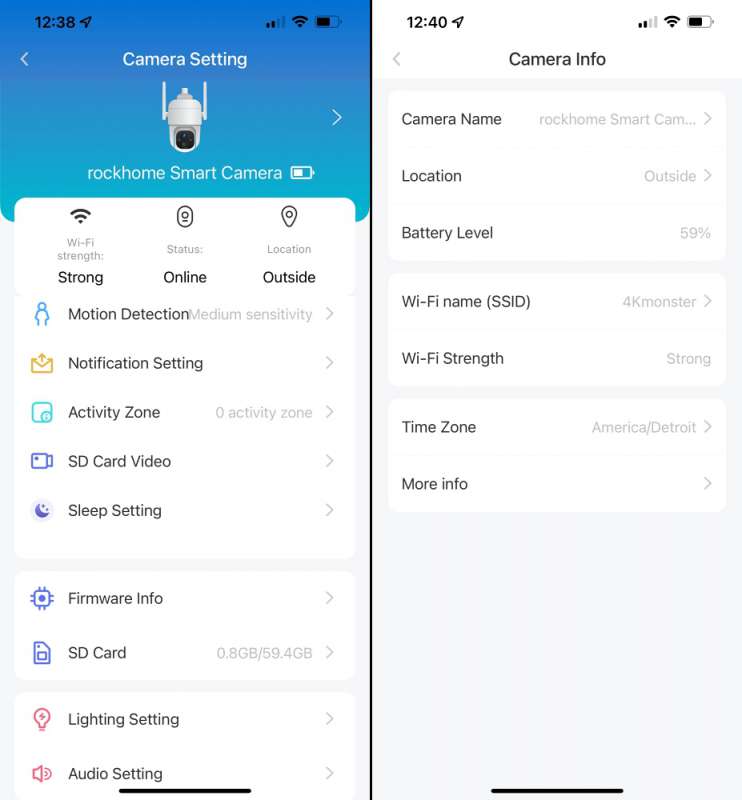
I love that I can use the app to control the pan and tilt of the Rockspace 360º WiFi security camera. I found the controls to be responsive. Below is a video of the feature.

I also like that the app allows me to record videos or take screenshots from the live feed or SD card and save them to my phone.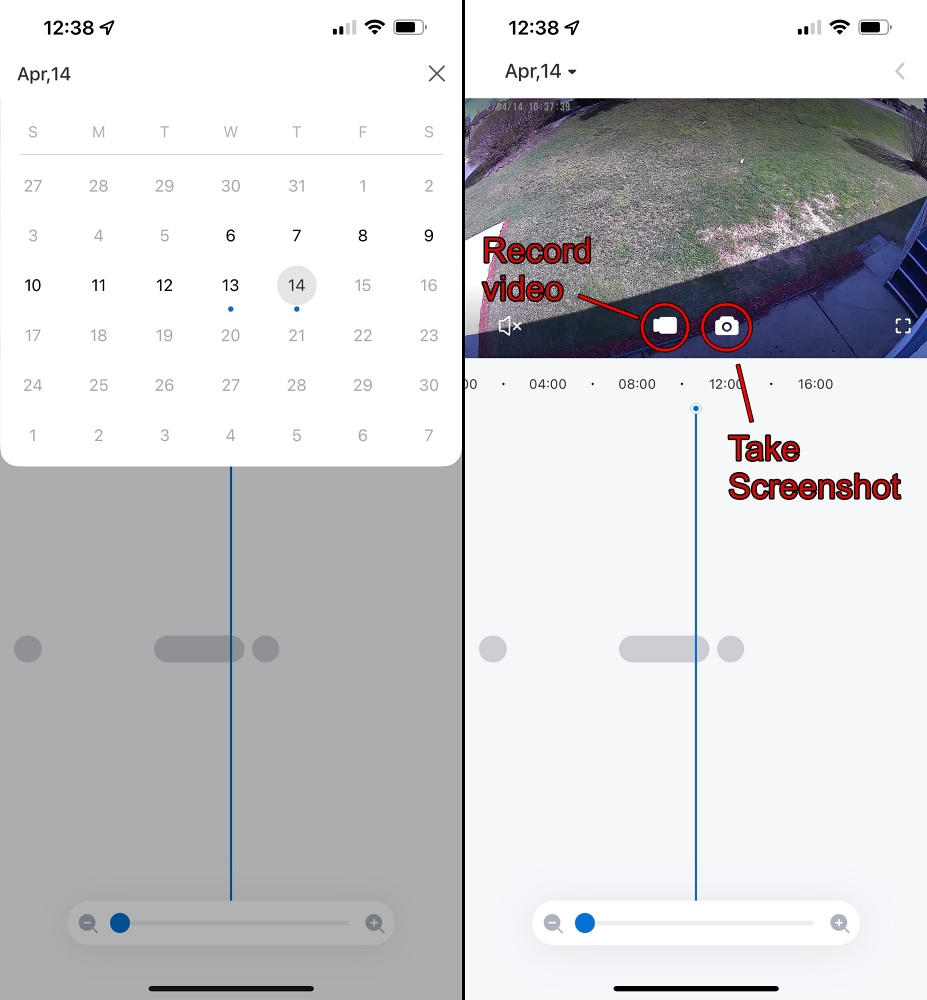
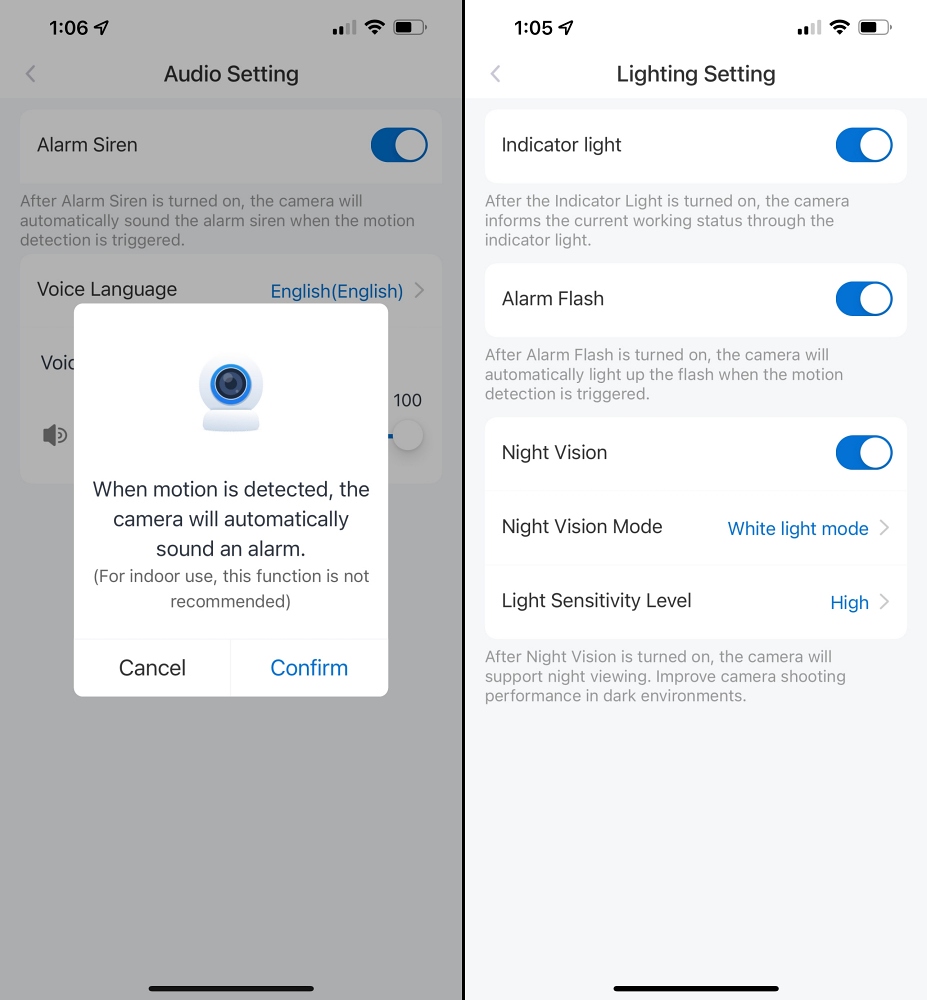
For added security, you can choose to sound an alarm and flash a light when motion is detected.
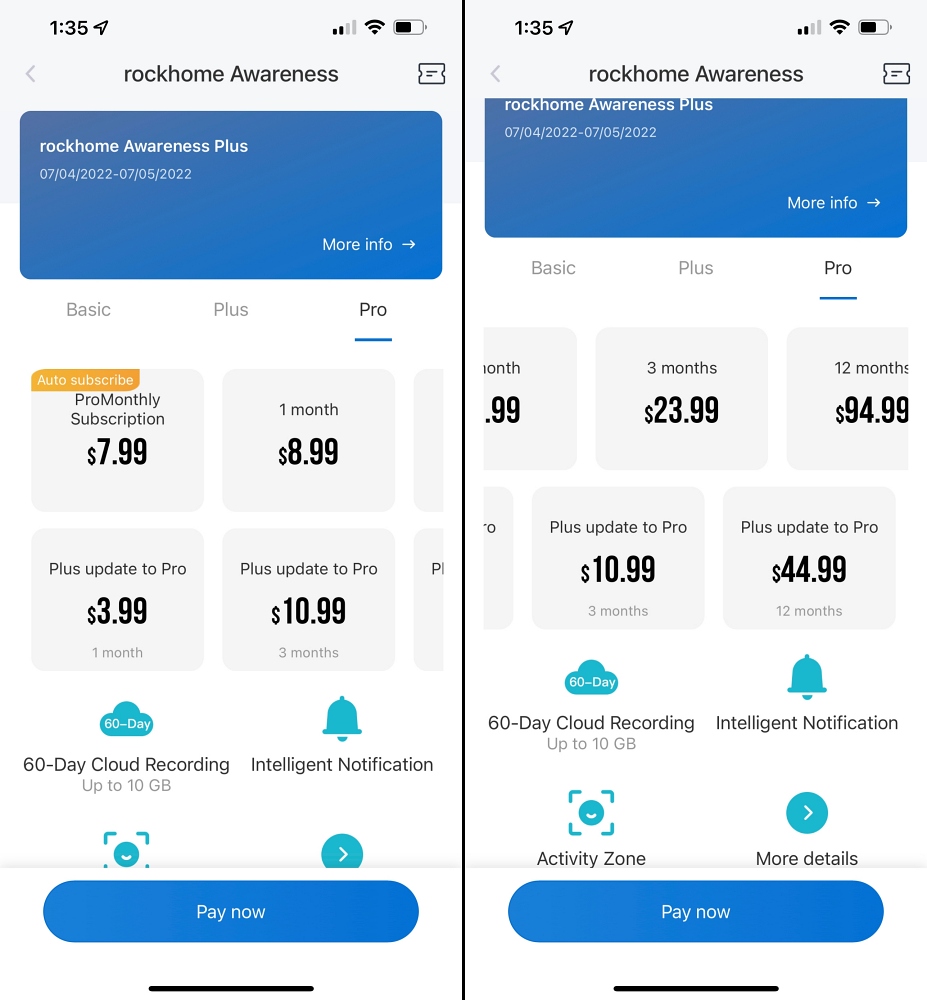
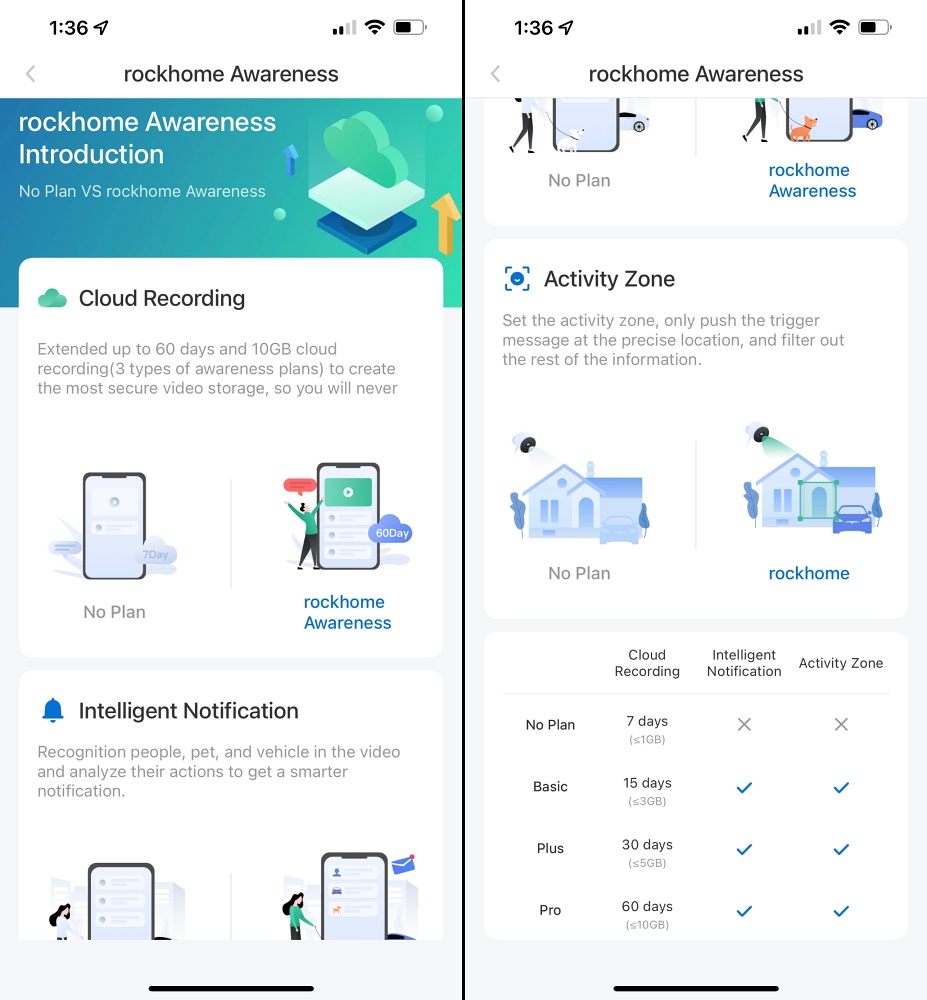
The Rockspace 360º WiFi Security Camera comes with a free 30-day trial of the Rockhome Awareness Plus service, which includes cloud recording and access to premium features. Premium features are smart notifications and activity zones.
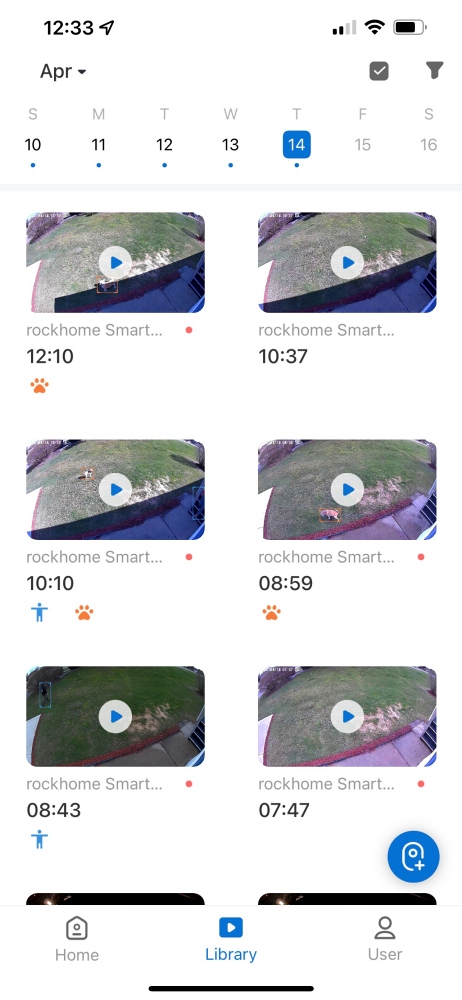
Smart Notifications provide you with more detailed push notifications. It will tell you if the activity is a person, pet or vehicle. As you can see from the screenshots, it accurately recognizes the motion as a pet or a person.

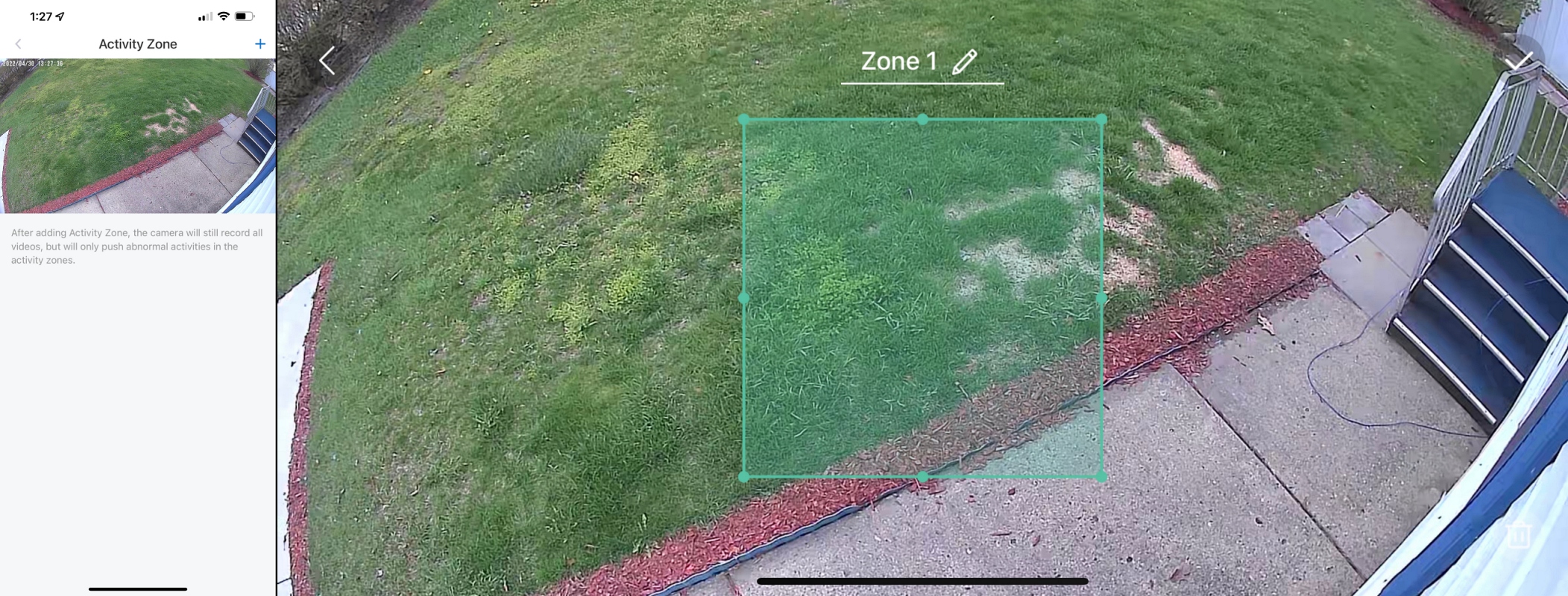
Activity areas allow you to select a specific area, so you’ll only be notified when there’s activity in that area. The camera will still record all video, but will only push unusual activity in the designated area.
At the end of the 30-day trial period, you can choose to subscribe to one of the Basic, Plus and Pro plans. Below are the details and prices for each plan.

Performance
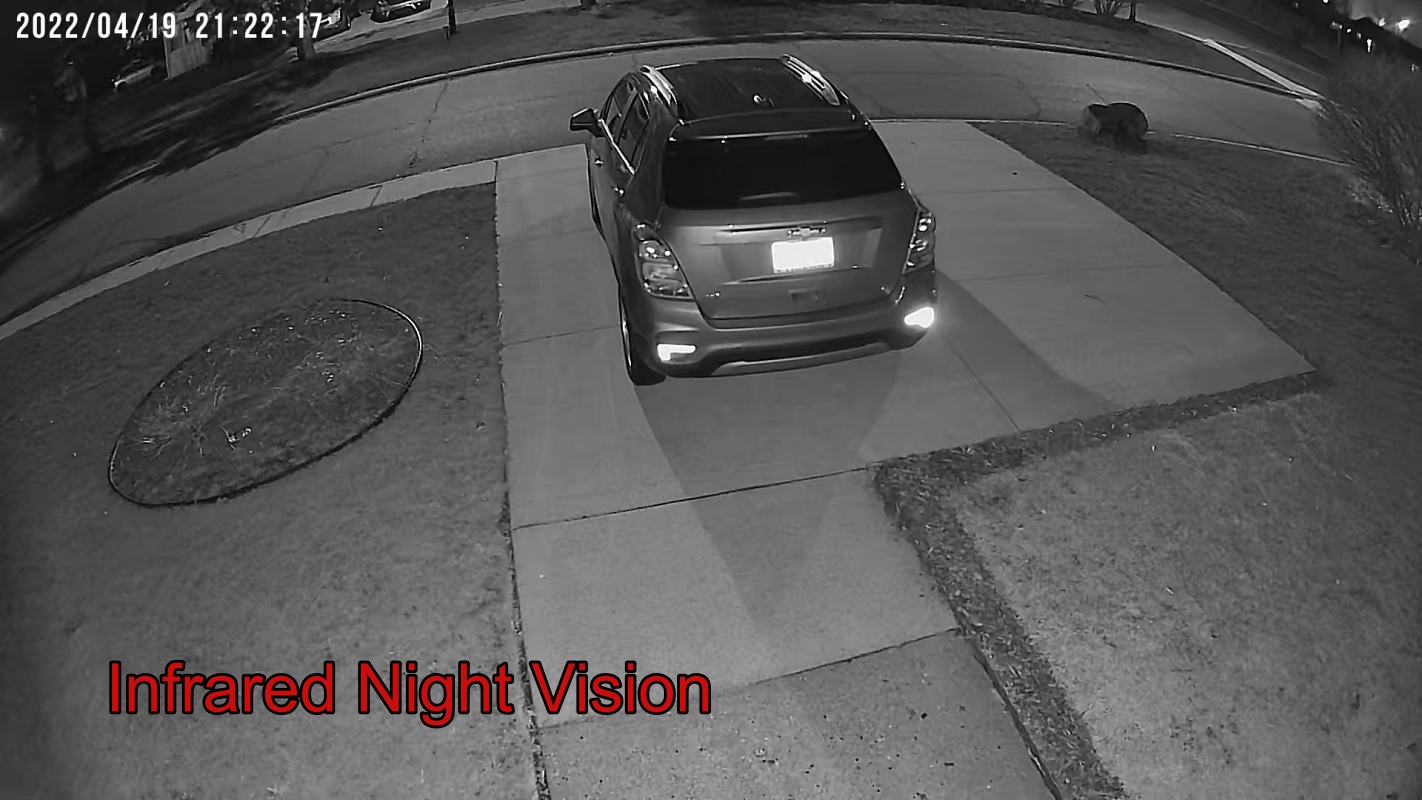
Overall, my experience with the Rockspace 360º WiFi Security Camera has been positive. The pan and tilt functions work well, allowing me to view a larger area than with a fixed camera. Image quality is excellent, even at night.
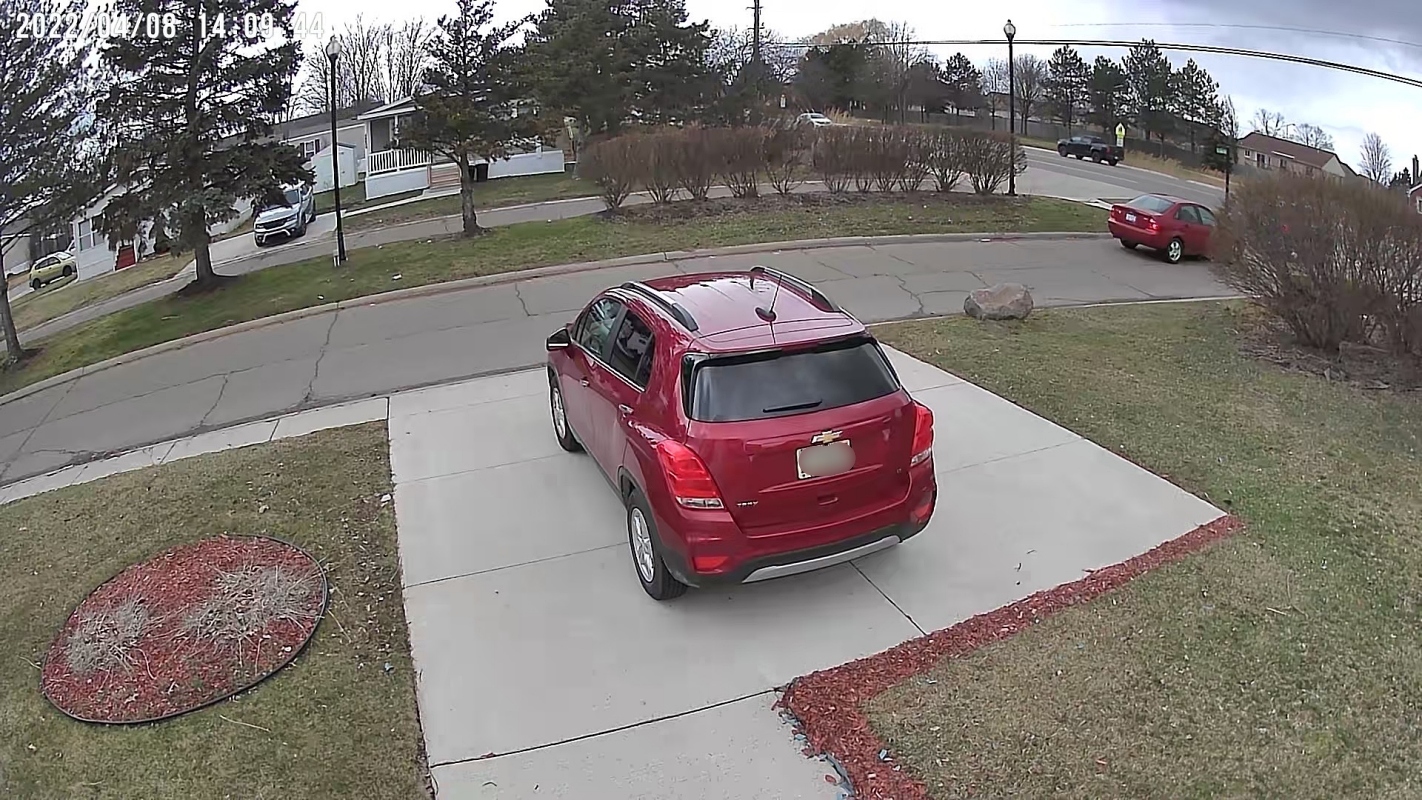
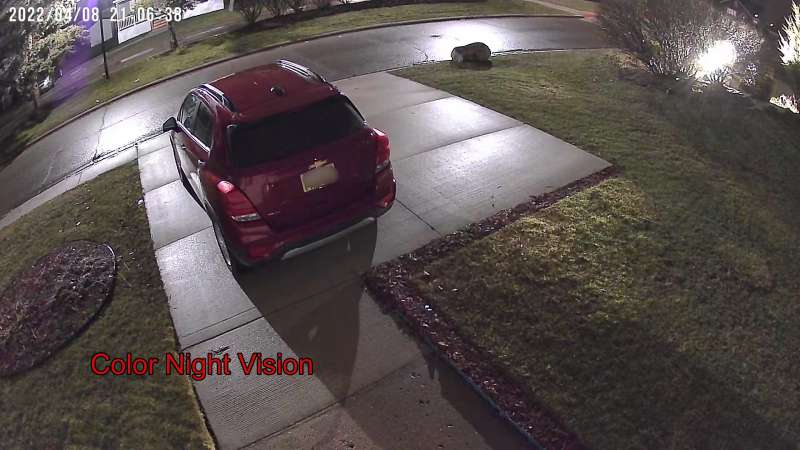
The camera also has a 128º viewing angle, which gives me a good view of my yard.
With the sensitivity settings dialed in, motion detection works well. Push notifications work great, allowing me to instantly see video alerts from the app.
One problem I’m having is 2-way audio. The audio was choppy and inconsistent at best. So if this feature is important to you, I’d give this camera a hard pass.
what do I like
- Easy to set up
- wireless
- Great picture quality
- Color night vision device
- Pan and tilt functions
- The app is easy to navigate and the controls are responsive.
- Ability to add solar panels to charge the battery
what would i change
final thoughts
I’m not sure what to expect from the Rockspace 360º wireless security camera. But after using it for a few weeks, I can say that I am impressed. The camera is well made, the picture quality is good, and I really like its pan and tilt capabilities. Combined with easy installation and an affordable price. Rockspace wireless security cameras get my approval.
price: $99.99
Where to buy: Amazon
source: Samples for this review were provided by Rockspace.


