


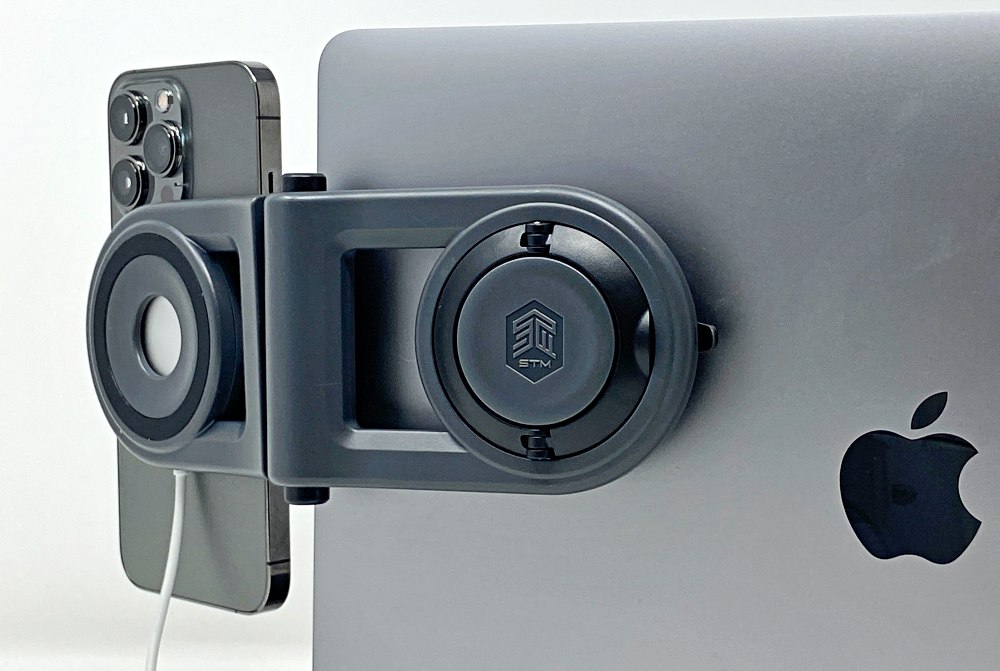
review – If you’ve been looking for a non-permanent way to mount your iPhone on your MacBook, STM Goods might be just what you’re looking for. The STM Goods MagArm tilts your phone so it’s nearly impossible to miss incoming alerts and meeting reminders. Or maybe, like my kids, you have a permanent FaceTime call while you finish your homework. This will prevent your phone from constantly tipping over.
What is it?
The STM Goods MagArm is a MagSafe Compatible Stand for iPhone that snaps to the back of your laptop, with angle adjustment, swivel, and the ability to add a MagSafe charger to keep your phone charged.
What’s in the box?
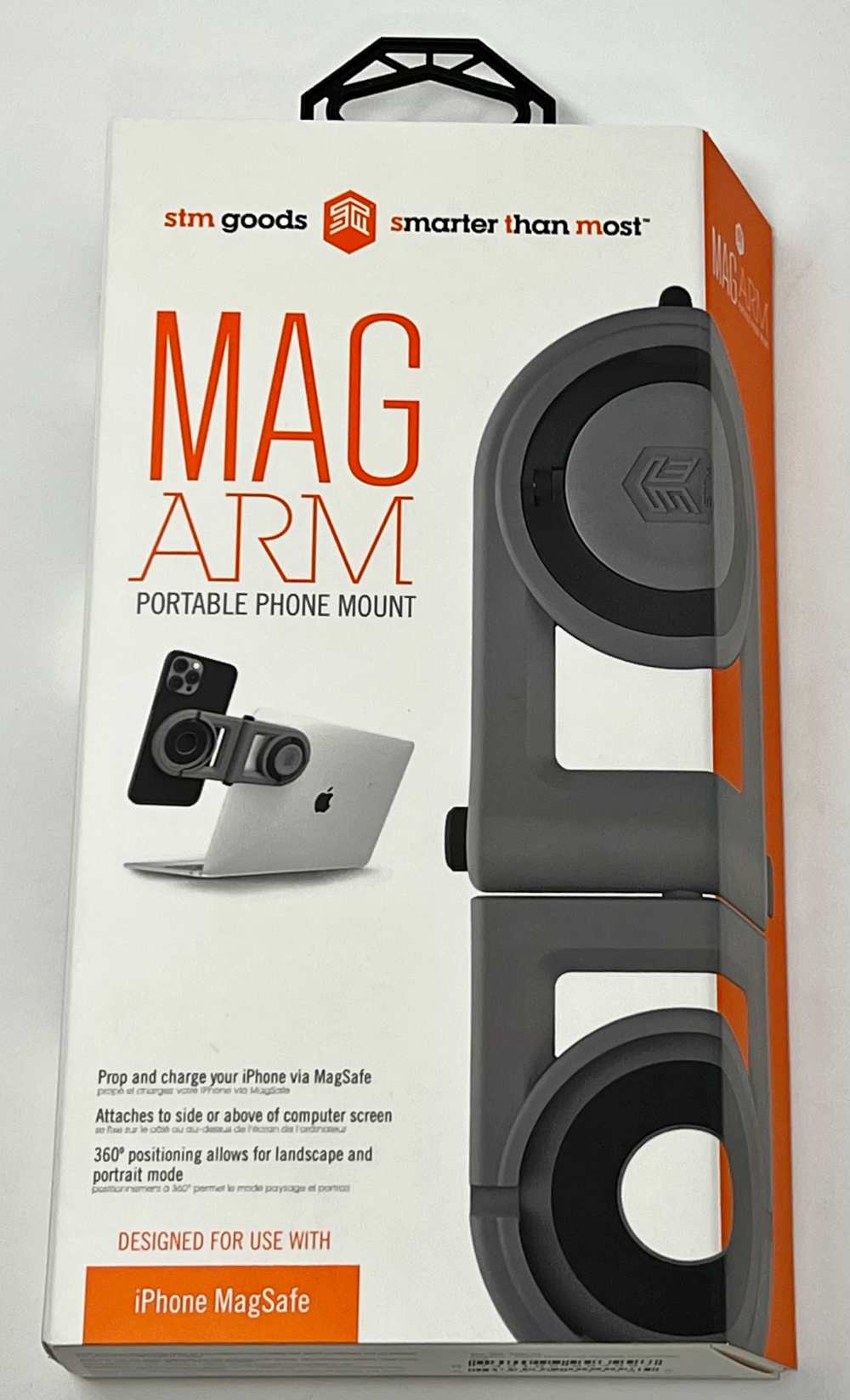
- (1) STM Goods MagArm Phone Holder
Hardware Specifications
Material: High impact ABS plastic and silicone
aspect: 2 x 19.9 x 8.2 cm / 0.8 x 7.8 x 3.2 inches
compatibility: For use with MagSafe charger (not included)
Design and Features
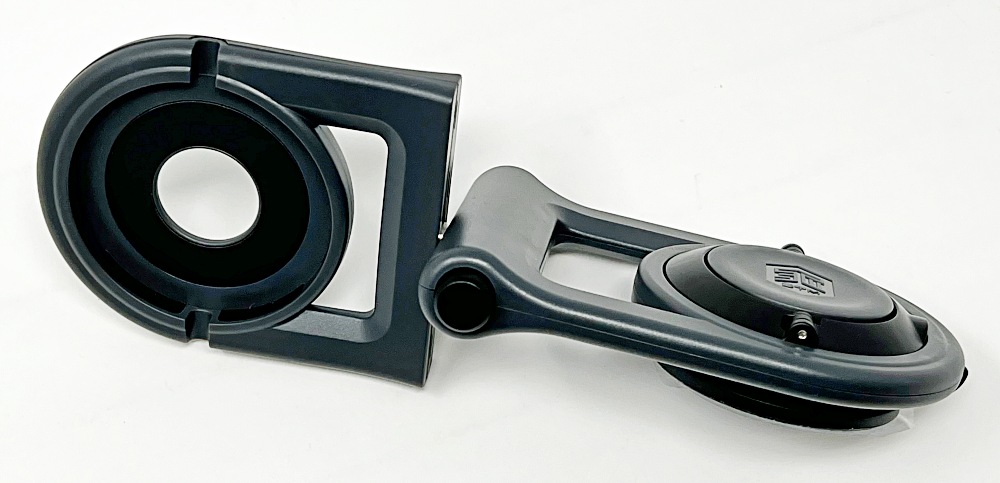
MagArm is made of ABS plastic and silicone. Below and on the left is the built-in MagSafe stand that holds and supports any MagSafe-compatible iPhone. On the right is the twist mechanism for securing the stand to a laptop or monitor.
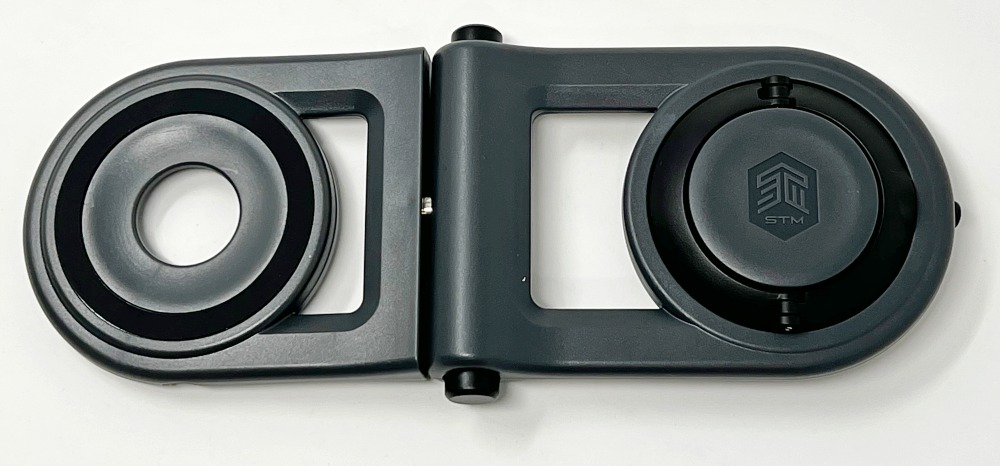
Flip the whole unit over and you’ll find a cavity for the MagSafe charger (you’ll need to bring your own) and the Nano Grip suction cup. The silver post in the middle lets you switch between two phone mounting options. Two black buttons above and below the spine let you rotate the entire unit around the suction cup, so if positioned properly, you can move the device from the side of the screen to the top of the screen.
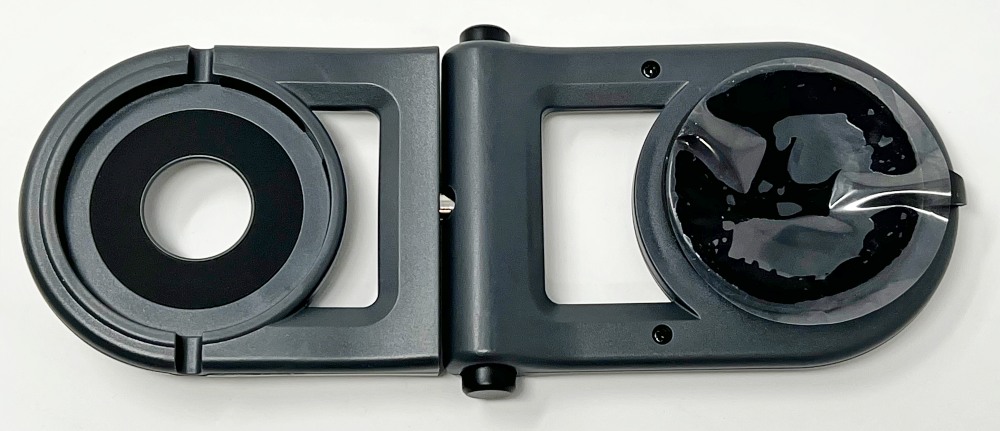
set up
Between the sticky nano-grip surface and the suction cup itself, the MagArm should stick well to most laptops. Just make sure to clean the surface first and know that the smoother the surface, the better the grip. If the material starts to feel less sticky, wiping it with a damp, non-paper cloth should do the trick.
Peel off the protective film from the suction cup and keep it handy so you can put the MagArm back in place before stuffing it into your pack.
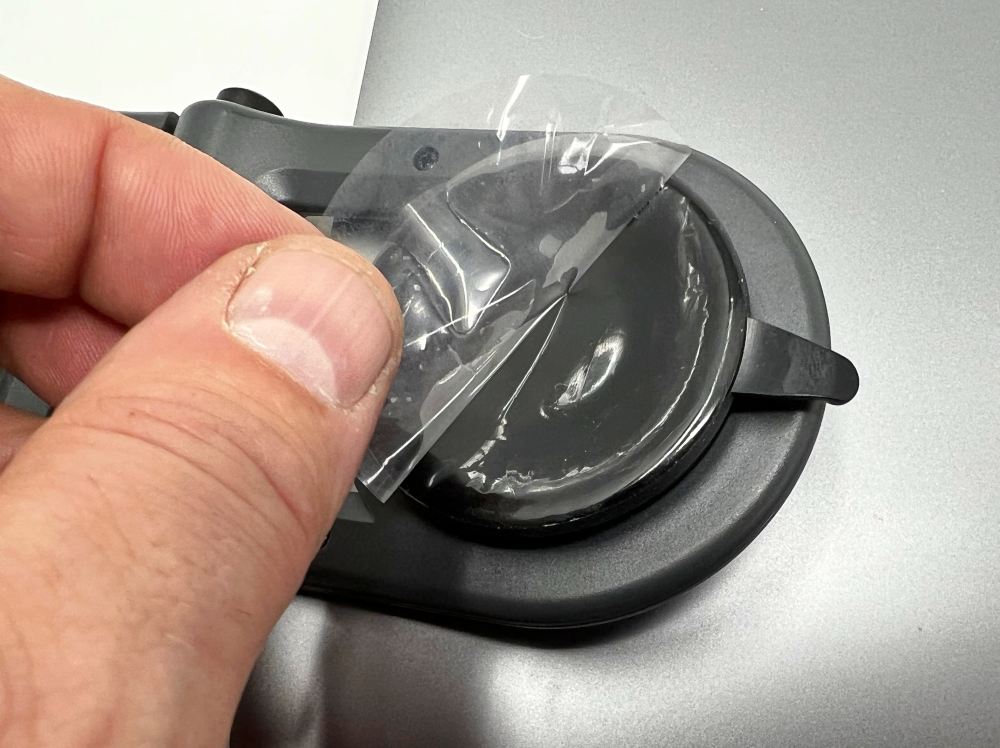
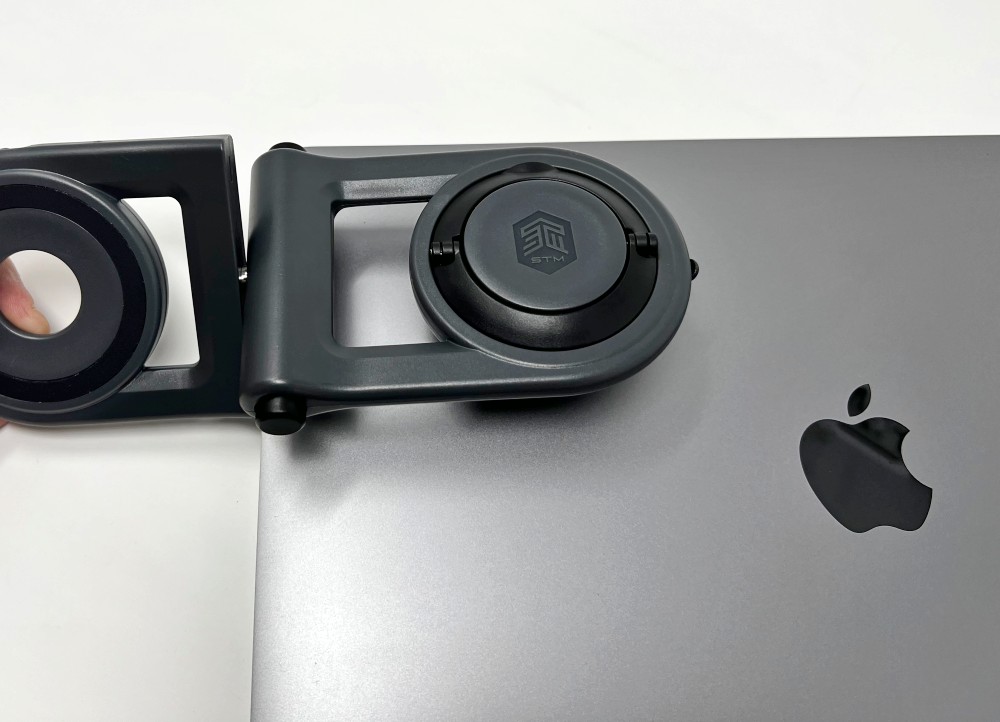
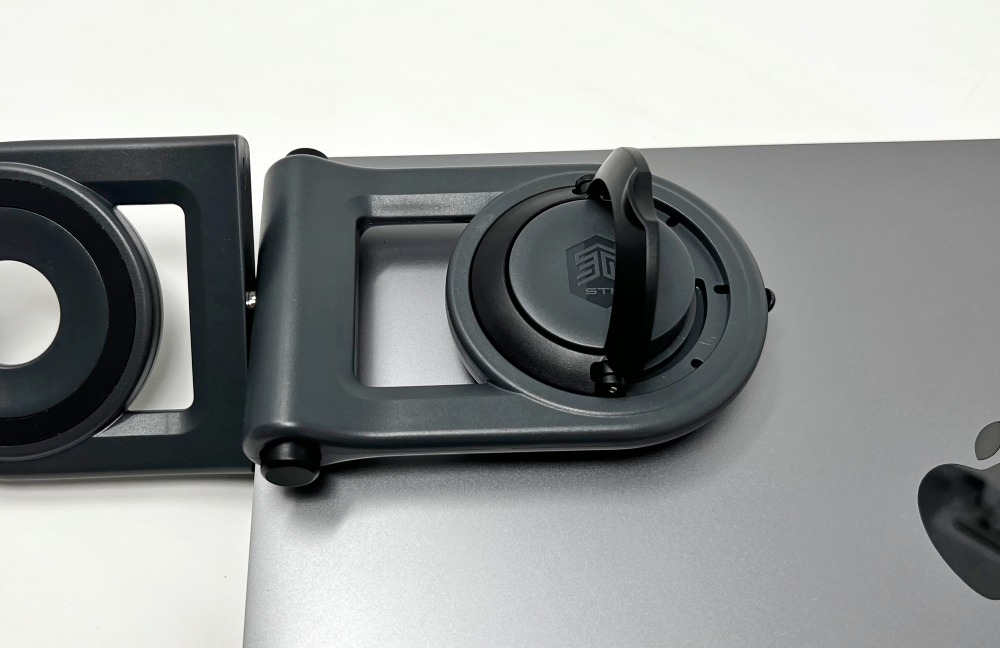
I find it helpful to turn the base 45º so I can better align with the sides of the screen.
While pushing down with one hand, lift and turn the mechanism 90º to pull the center of the suction cup up for a firm hold.
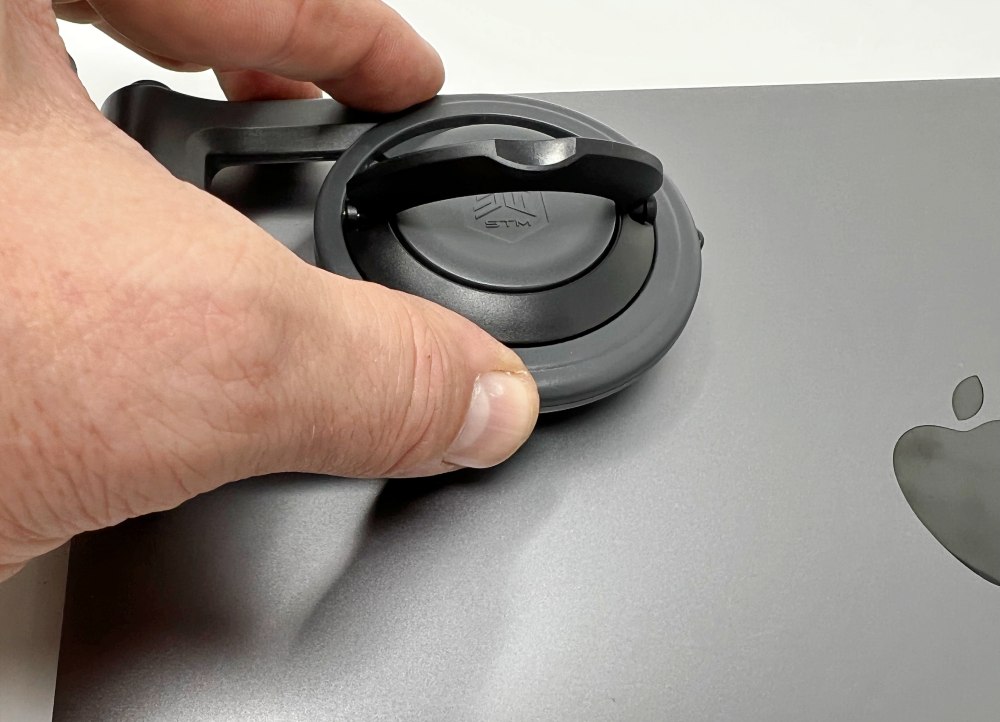
When done, you can close the arm. To remove, unlock the lock and pull up on the very small tab, peering out from the right in the image below. It helps to hold and hold the MacBook as the suction material slowly releases it.
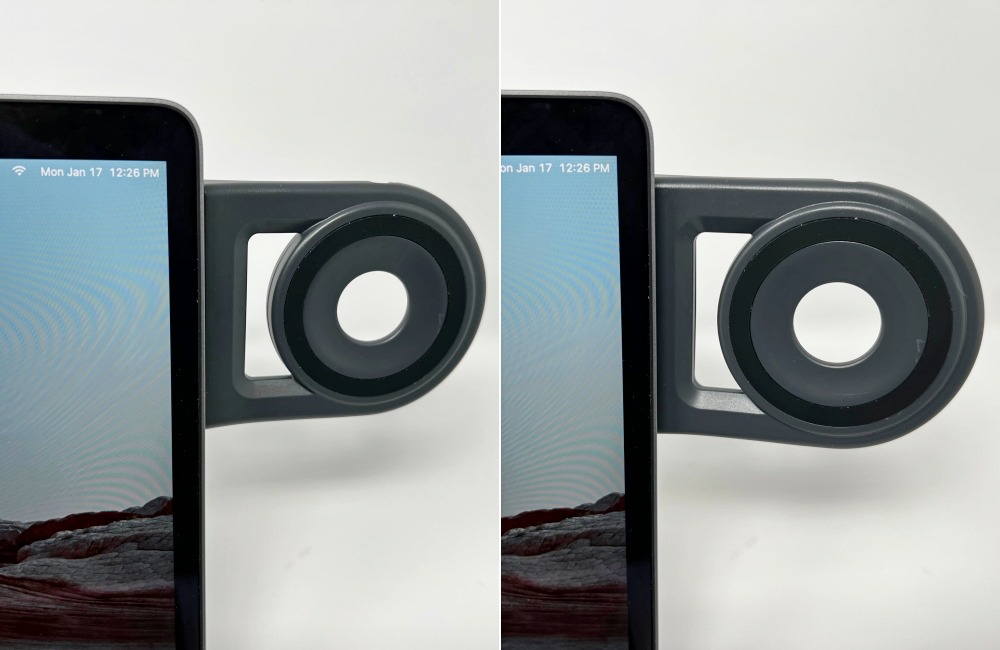
Here you can see that the arm has about 15-20º of forward adjustment which helps to point the phone towards you.
Performance
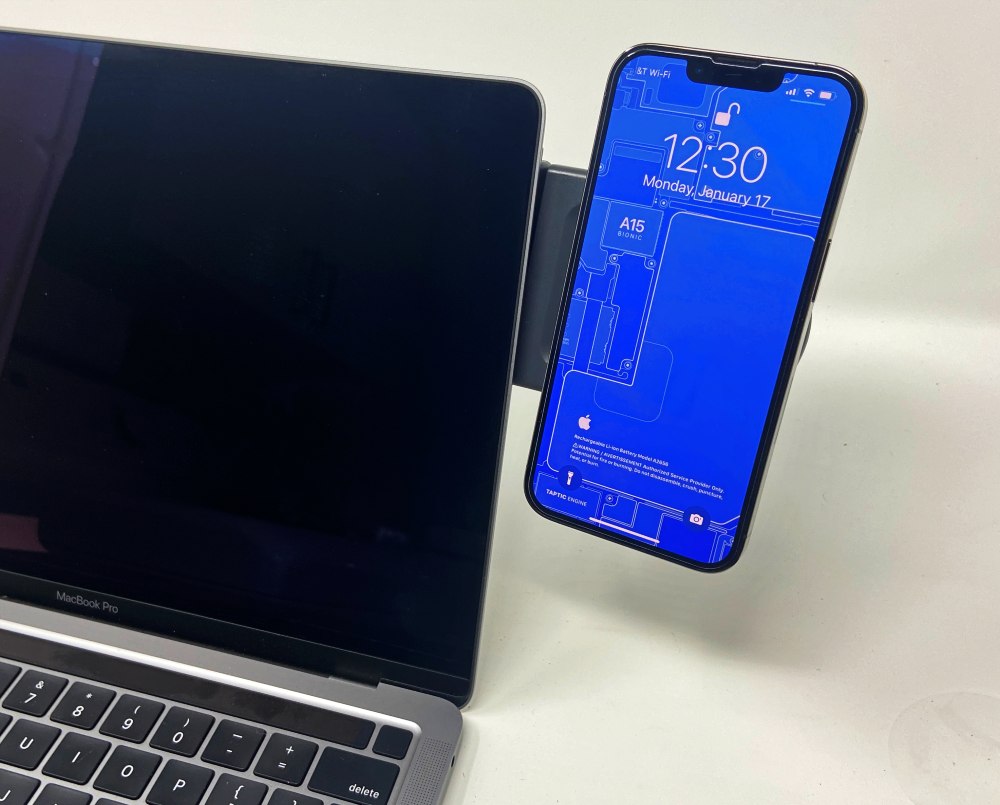
MagArm does what it intends to do. It installs quickly and holds up well. Here’s my iPhone 13 Pro securely attached to the built-in MagSafe side of the stand.
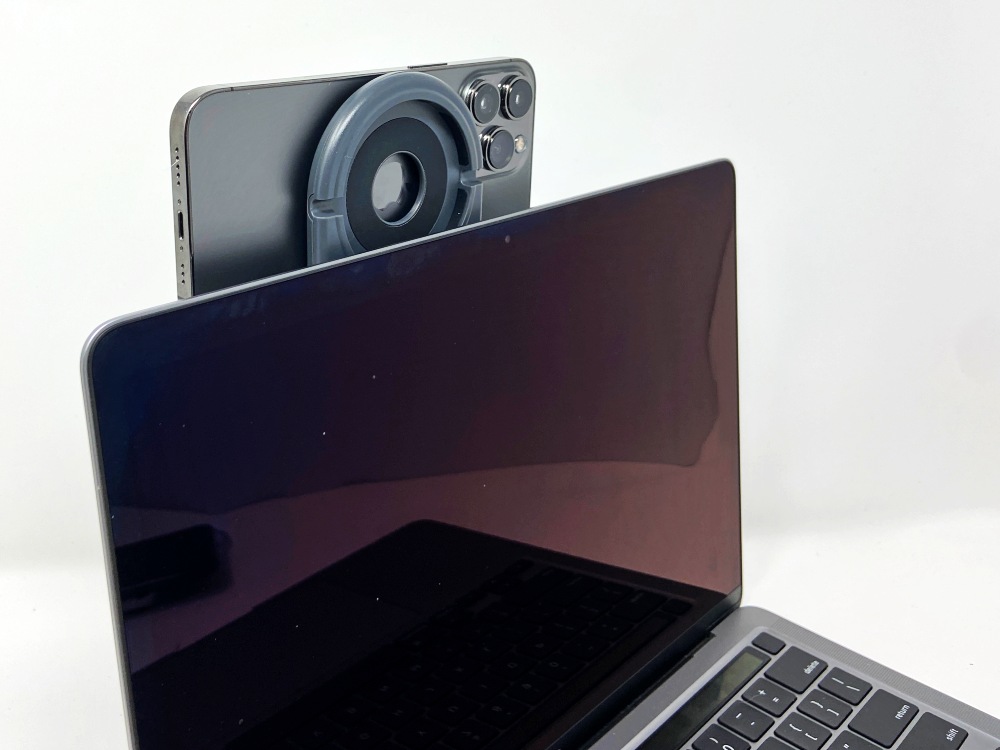
If you want to rotate the phone above the screen, just press two buttons and rotate the base around the suction cup until it locks into place. (Note that it locks in 45º increments). Here, I’ve moved the base so that my phone’s camera is closer to the centerline and just above the top of the screen. This is handy for using Reincubate’s excellent Camo app when I want a better image than the MacBook Pro’s built-in camera provides. It’s worth noting that when running the phone on top like this, you need to keep the laptop’s screen very vertical to avoid it suddenly tilting back. You add enough weight and it rolls back with enough acceleration that it can take the whole thing off the table if you’re towards the rear edge.
Mounting the MagSafe charger on the back of the mounting arm is easy. Just press it into place to align the power cord with the channel. Note that if you have the charging side facing inwards, that surface is too far from the phone to mount the charging on the other side. I know it sounds obvious, but there’s nothing stopping you from mounting it this way, your phone can be mounted to the other side.
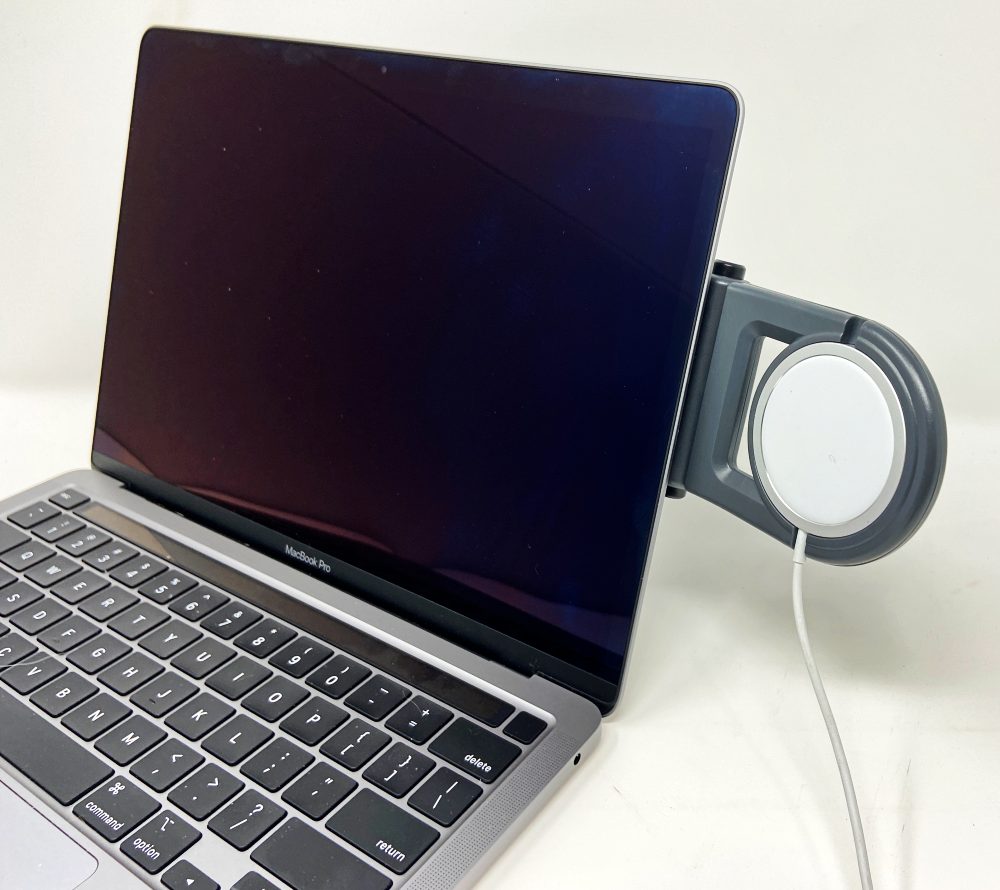
It’s very satisfying to see the charging ring pop up on the screen.
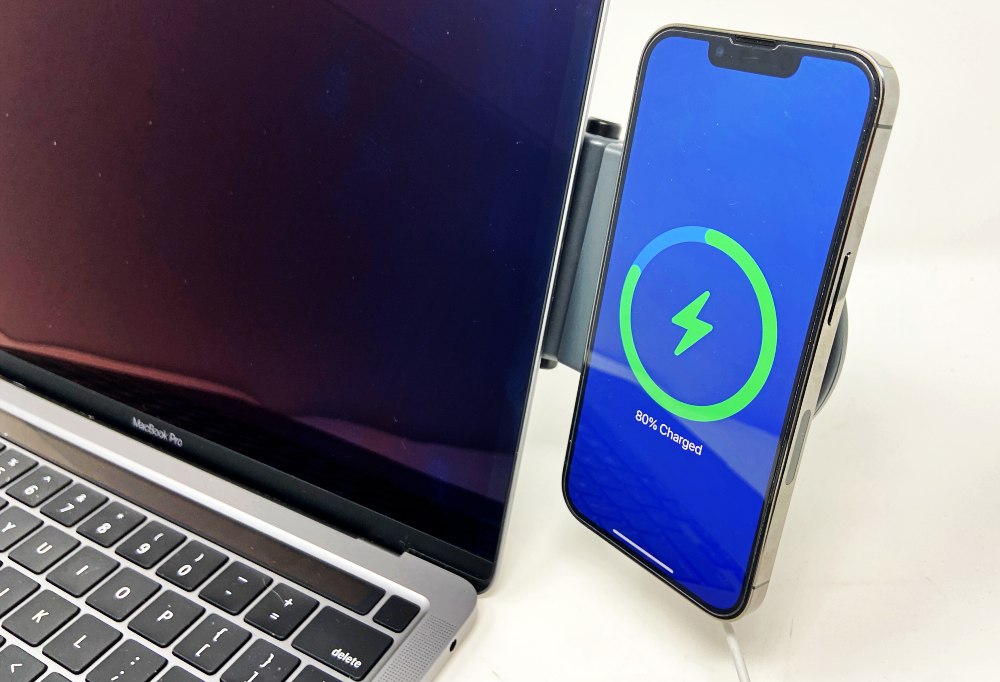
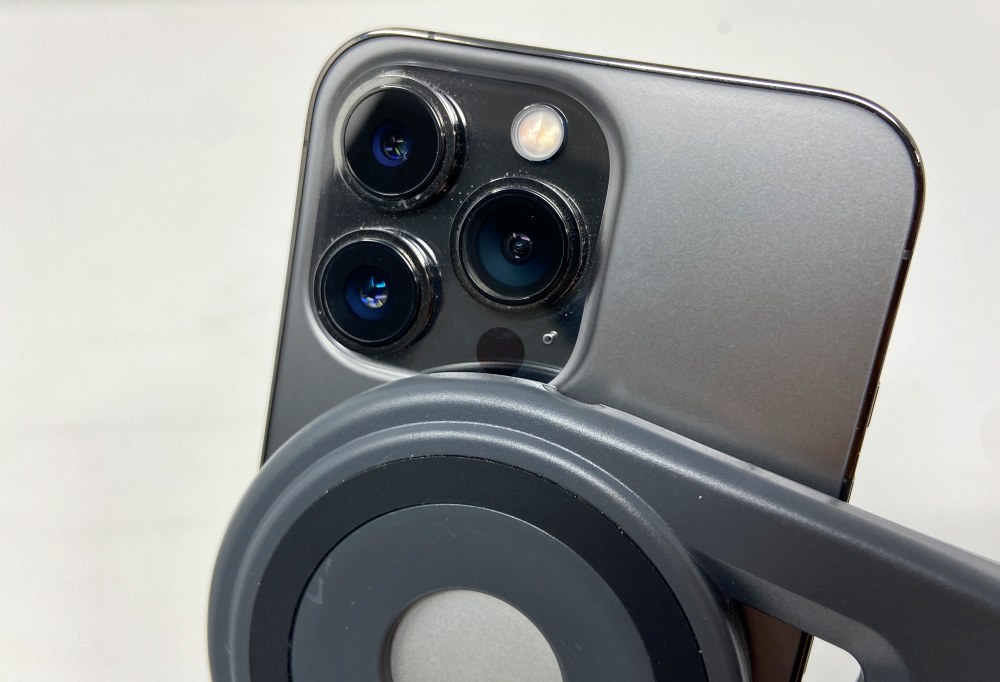
One issue I’ve found is that the camera on the iPhone 13 Pro does touch the edge of the MagArm, preventing it from resting completely flat on the base. This happens on the built-in side, or if you push the MagSafe charger all the way into the cavity, which is what you want to do. If you stick out the charger a little bit, you can get a more secure hold.
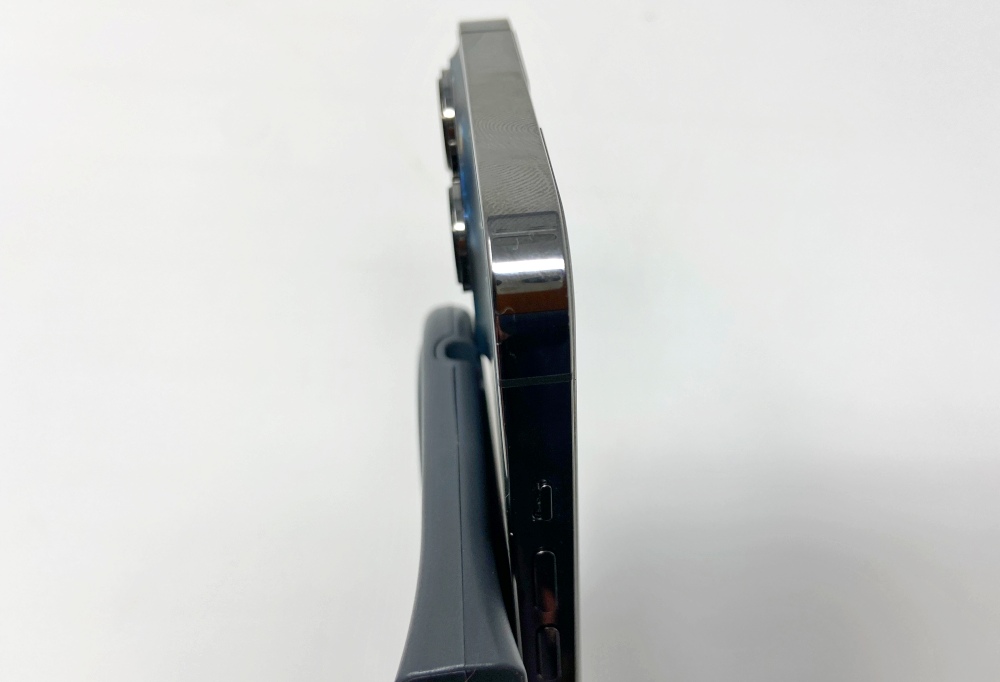
Here’s another shot where you can see the interference to the bottom corner of the camera.
Another minor annoyance is a little rattling and wobbling where the suction mechanism rotates on its pivot. This is most noticeable when the MagArm is not installed or when the phone is rotated to try to align it perfectly with the edge of the laptop.
what do I like
- The suction mechanism is easy to use and maintains well
- Built-in MagSafe mount means you can mount your phone without carrying a charger
- Flip function for mounting and rotating from top of screen
what would i change
- Fix compatibility with iPhone 13 Pro camera. (thicker silicone and shallower MagSafe cavity)
- Adds a more permanent overlay to the nano-grip material when not in use
- Extended suction release tab to make it easier to pull
- Include a warning about the need to have the laptop screen very vertical for use above the screen
final thoughts
There are plenty of desktop docks and MagSafe mounts out there, but I haven’t seen a solution like this that’s portable, portable, and has as many usage options as the MagArm. The STM Goods MagArm may be just what your multitasker has been looking for.
price: $49.95
where to buy: Amazon
source: This product sample is provided by STM merchandise


