


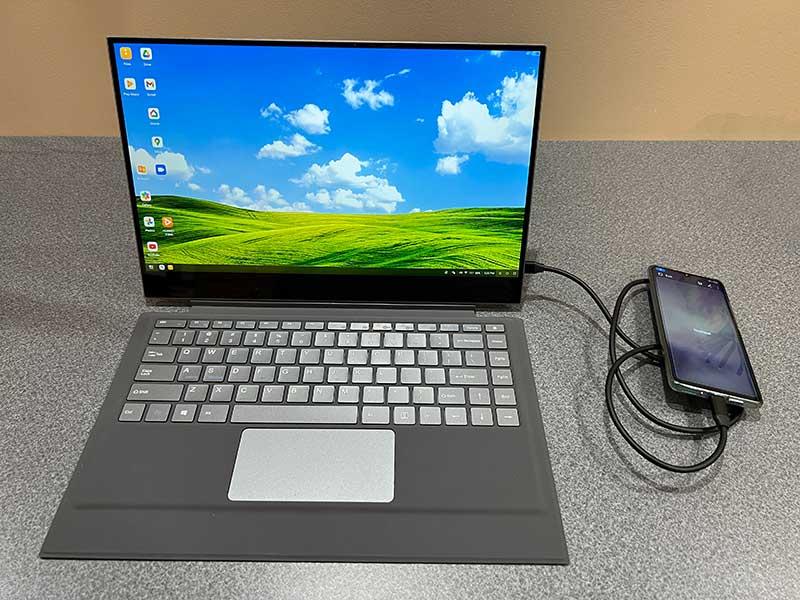
Review – For a long time, I have always wanted to have a device that can be used as my camera, mobile phone and computer. This has been a dream for a long time, but now I have a Dex-equipped smartphone like the Samsung Galaxy series. Has become a reality. When you plug your smartphone into the display, Dex will turn your smartphone into a desktop computing experience. Super cool, but when you also need a mouse and keyboard, it is not suitable for working on the go. This is where UPERFECT X Pro Lapdock can change the rules of the game. let’s see.
What is it?
UPERFECT X Pro Lapdock is a “dumb” laptop with a display, keyboard, touch pad and touch screen. When you connect certain smartphones and tablets, it turns them into a fully functional laptop. It can also be used as a second monitor for a laptop or computer.
What’s in the box?
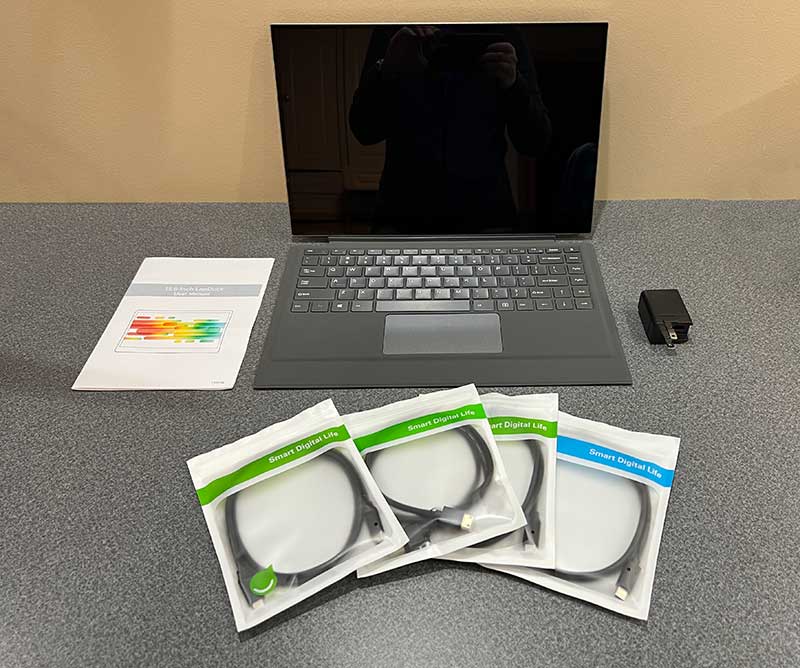
-
- UPERFECT X Pro laptop
- Magnetic keyboard
- Mini HDMI cable
- 2 USB-C to USB-C cable
- USB-A to USB-C cable
- PD 30W charger
- User manual
Hardware specifications
Screen size-15.6 inches
Resolution-3840 x 2160
Panel type-IPS
Color gamut-100% sRGB
Average brightness-300 CD/M2
Interface-USB-C, mini HDMI, 3.5mm audio jack
Battery: 10000mAh/8 hours of video playback/4-6 hours of Dex use
Dimensions – 355 x 221 x 5 mm
Weight-1016g
Design and features
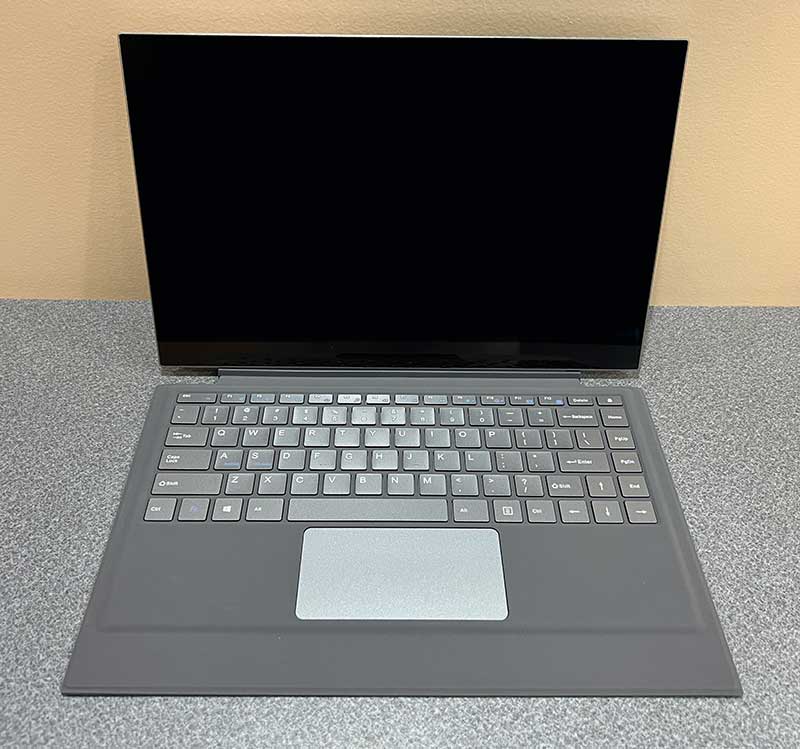
At first glance, most people can easily mistake the UPERFECT X Pro Lapdock for a laptop due to the full-size keyboard and touchpad.
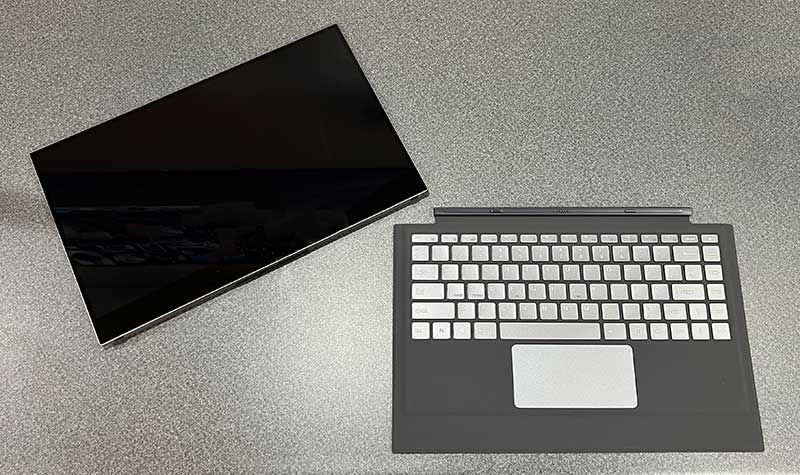
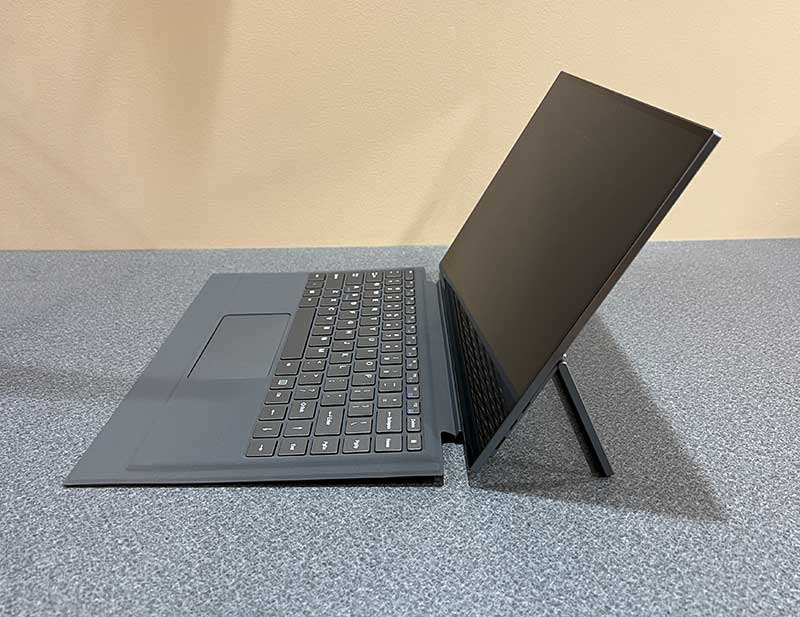
The keyboard doubles as the cover of the display and can be removed from the bottom of the display. Please note that the “housing” around the keyboard is made of soft plastic, and the connection point of the display is not a real hinge. This means that UPERFECT X Pro Lapdock is not designed to work on your lap.
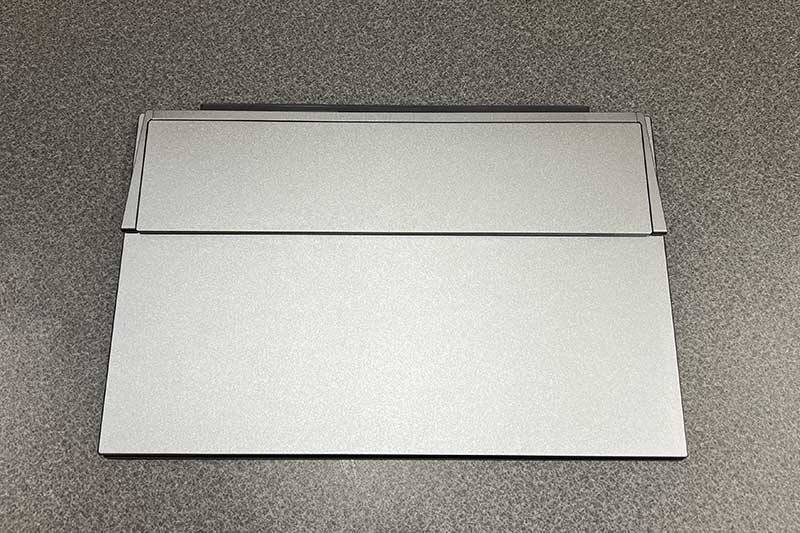
It is best for working on a flat surface such as a desk, because there is a built-in stand on the back of the monitor.
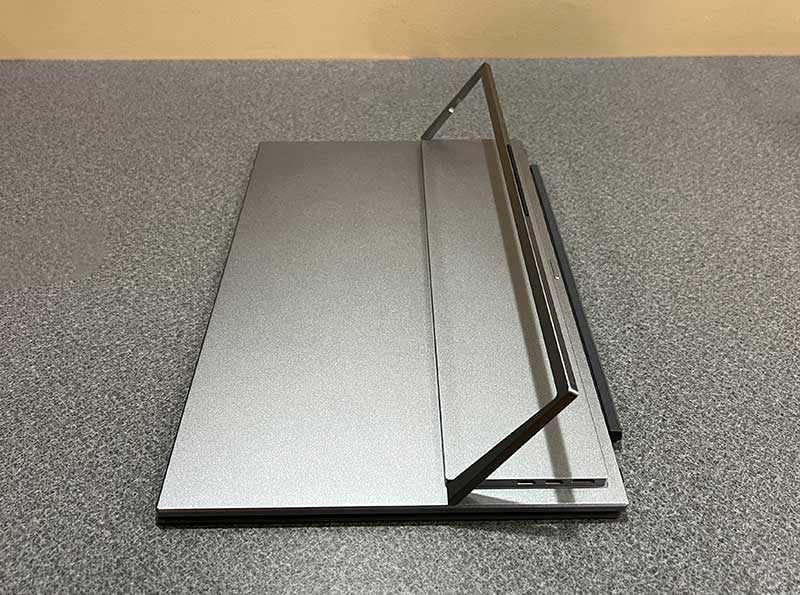
This 180-degree stand allows you to easily adjust the viewing angle of the monitor when unfolded.
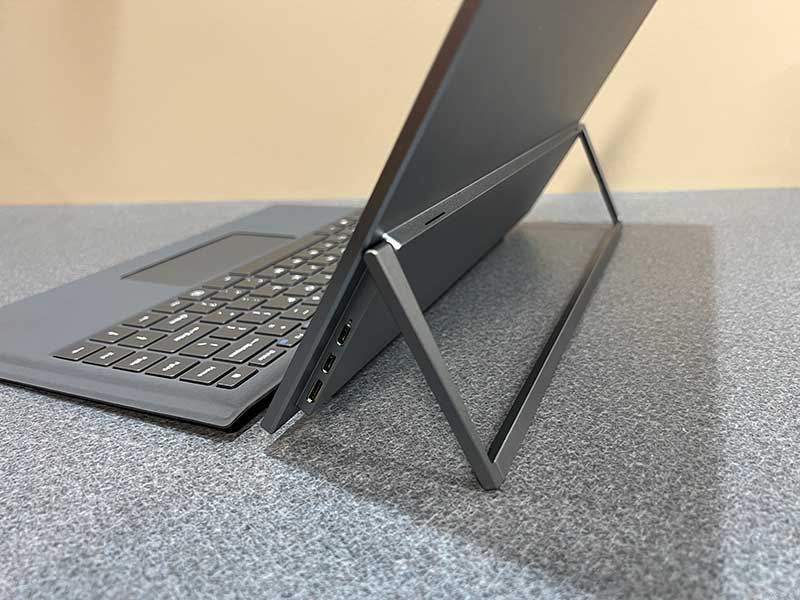
After the stand is deployed, you can use various ports. On the right side of the device, you will find a USB-C port for powering the display and charging the display’s battery, a USB-C (full-featured Samsung Dex) port, and a mini HDMI port.
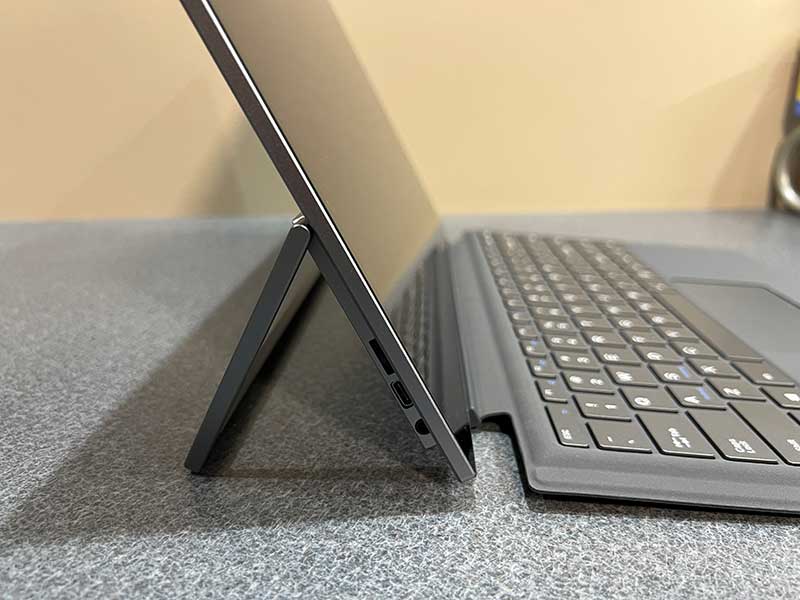
On the other side of the display, there is a power on/off menu button, USB-C (OTG) port and a 3.5 mm headphone jack.
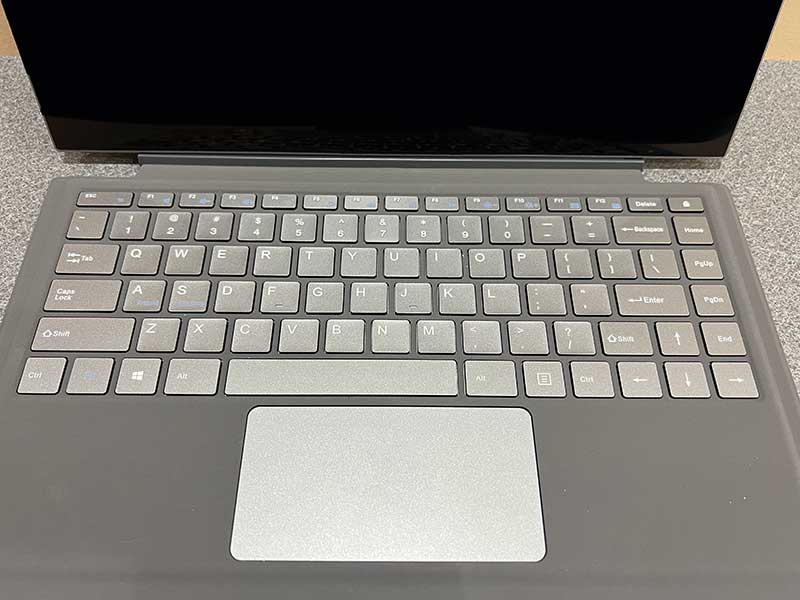
The keyboard is large and spacious, but due to the non-rigid shell/case material, it may bend a bit when you type. The slight bend didn’t bother me as much as the touchpad, it…well…very bad. Scrolling is good, but when using it to select things, it sucks. The function of the lower corner is the same as the left and right mouse buttons, but the actions are not very good. Sometimes I find myself clicking multiple times to perform the operation that needs to be completed.
Let’s connect it to something!
MacBook Pro
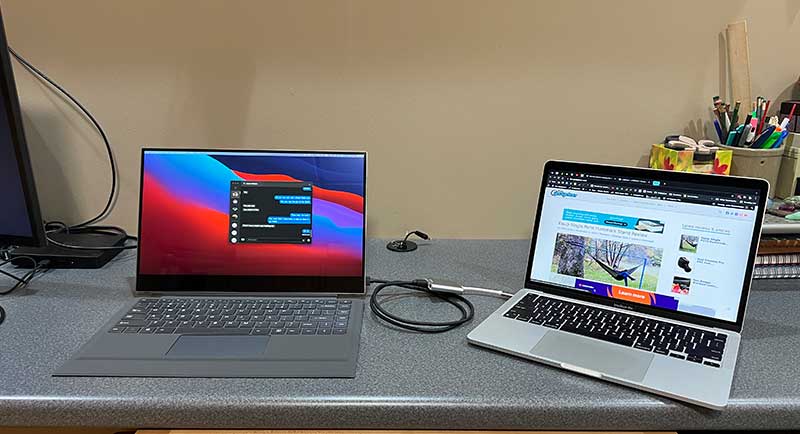
I tested the UPERFECT X Pro Lapdock using multiple devices. First, I used the USB-C -> HDMI adapter and the HDMI -> Mini HDMI cable that came with LapDoc to connect it to my 13-inch MacBook Pro M1. As the second monitor, everything is normal. Of course, the keyboard and trackpad will not work in this configuration.
Then, I used the USB-C -> USB-C cable plugged into the USB-C DEX port on UPERFECT to connect the MacBook to Lapdock. After connecting in this way, UPERFECT will become the second monitor to which you can move the window.
I’m surprised that the keyboard, trackpad, and even Lapdock’s touch screen work properly, which is very cool. However, after a day or so, when I tried to connect everything again in the same way, I couldn’t get the UPERFECT’s display to light up, but the keyboard and trackpad did work, which was strange. Although the touch screen does not work. The subsequent connection worked, and then it didn’t work, so I don’t know what caused the strange failure.
iPad Pro
Next is my 11-inch iPad Pro. I first connected it to the USB-C DEX port of UPERFECT with a USB-C to USB-C cable, and then the display of the iPad was mirrored on the display of UPERFECT. The trackpad on UPERFECT allows me to select and launch applications, but I find that the trackpad does not work consistently. When I move the cursor with my finger on the trackpad, the cursor will move, but this behavior is strange and unstable, and sometimes causes the iPad’s own touch interface to freeze. The keyboard works normally, the audio of the application is played through the speakers of UPERFECT, and even the touch screen on UPERFECT can work several times when connected with this cable, but it is inconsistent.
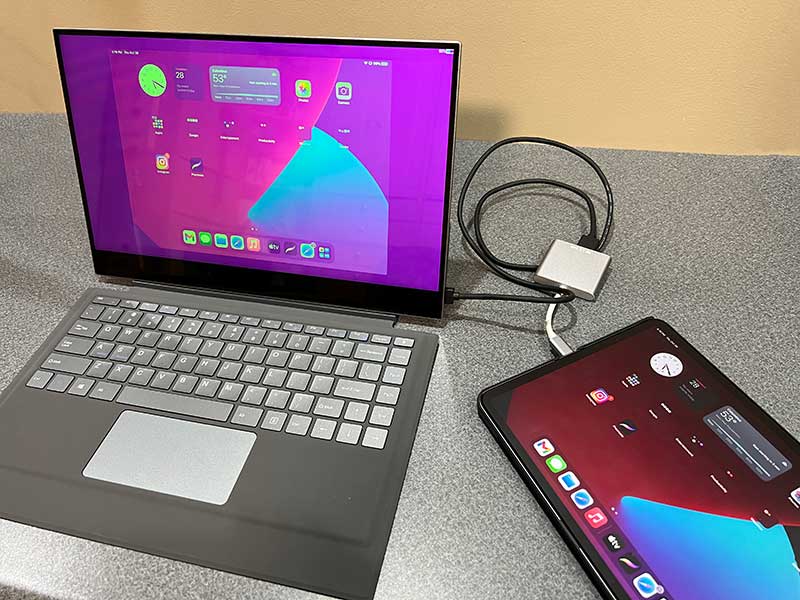
Then I tried to use the same USB-C -> HDMI adapter as the MacBook, and the display on UPERFECT was all pink, as shown in the picture above.
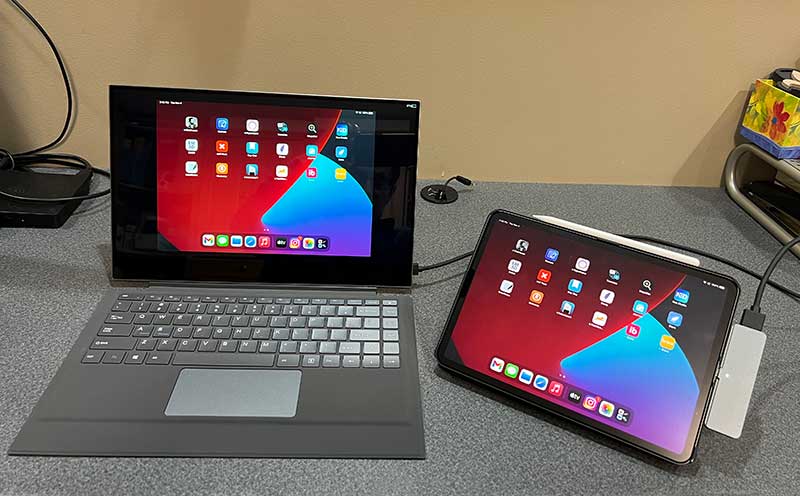
Finally, I tried a newer USB-C hub, using the same HDMI -> Mini HDMI cable, it is very suitable for mirroring the display and playing audio from the iPad app. It’s not surprising that the keyboard, trackpad, and touch screen do not work properly when connected in this way.
I think it would be great if the keyboard and trackpad of UPERFECT are also Bluetooth so that you can use them when connected via HDMI.
OnePlus 9 Pro
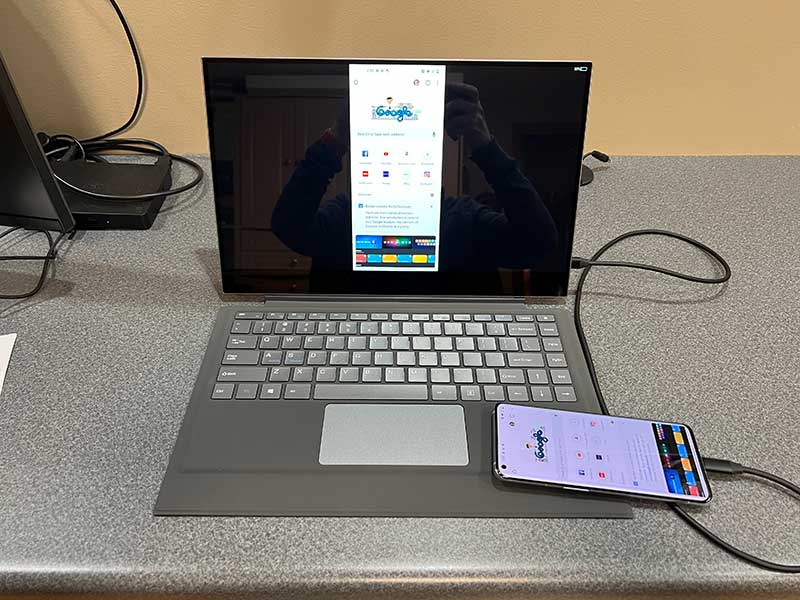
Next is the OnePlus 9 Pro Android smartphone connected to UPERFECT using the supplied USB-C -> USB-C cable into the USB-C DEX port. When connected in this way, the display of OnePlus 9 Pro will be mirrored to the display of UPERFECT. The keyboard is as easy to use as the touchpad, and the touch screen of the monitor can also be used.
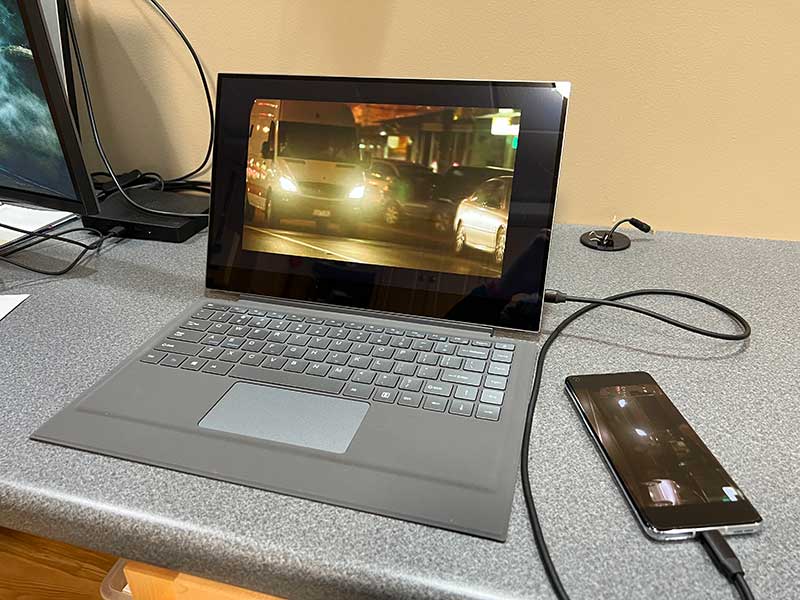
When OnePlus 9 Pro starts NETFLIX, it switches to full-screen mode and plays cool videos at the same time. Audio is played through UPERFECT’s built-in speakers.
iPhone 13 Pro Max
Even with the Lightning to HDMI adapter, I cannot mirror the iPhone’s display to the UPERFECT’s display.
Huawei P30 Pro Android smartphone
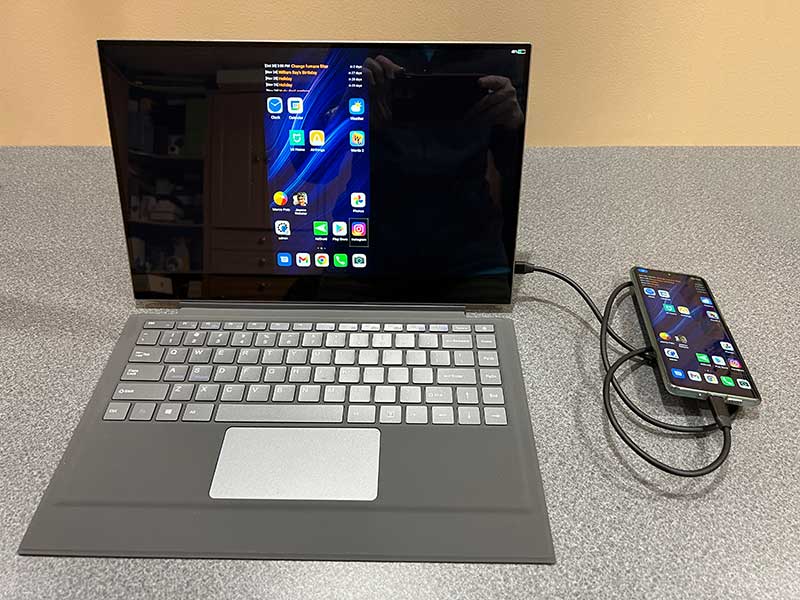
Among all the devices I tested, my best experience is to connect the USB-C -> USB-C cable to the DEX port on UPERFECT when using a Huawei P30 Pro smartphone. You can use the connection shown above, which reflects the display of the phone. In this mode, the keyboard works, the touchpad works, so does UPERFECT’s touch screen and UPERFECT’s built-in audio.
But the best way to use it is in full screen mode. Now, P30 Pro is different from Samsung DEX, which Huawei calls EMUI. But it is very close. It becomes a complete window interface, from the perspective of keyboard, trackpad, audio and touch screen, it is very much like Windows or macOS.
Devices that support desktop mode on UPERFECT X Lapdock:
Samsung Galaxy S8/S8+, Note8, S9/S9+, Note9, S10e/S10/S10+, Note10/10+, S20/S20+/S20 Ultra, Note20/Note20 Ultra, Galaxy Fold, Galaxy Z Fold2, Galaxy Tab S4, Tab S5e , Tab S6, tab S7.
Huawei Mate 10, Mate 10 Pro, Mate 20, 20 Pro, 20 Pro X, 30, X, Xs, P20/ Pro, P30/ Pro, P40/ Pro, Honor Note 10, View 20.
Hammer Pro 3
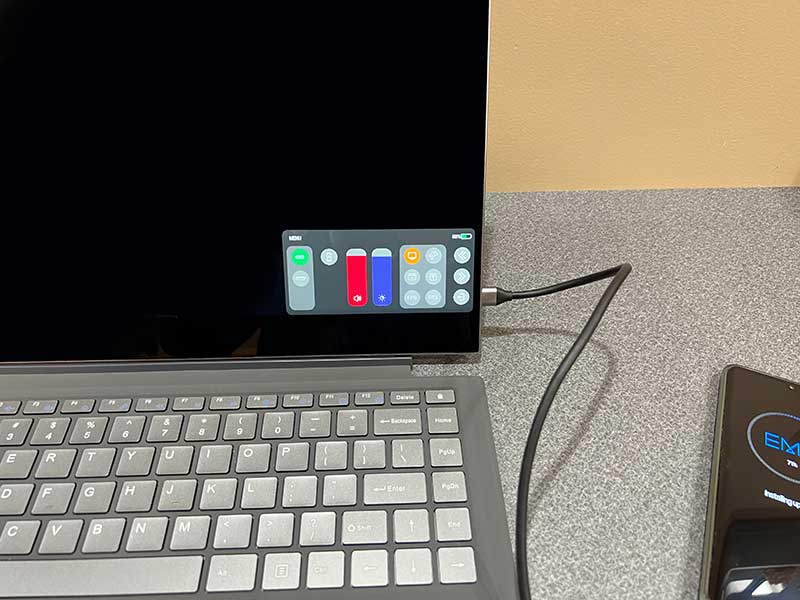
UPERFECT also has a touch-enabled OSD menu that can easily adjust brightness, color and various other settings.
Video quality
In terms of video quality, the display of UPERFECT X Pro Lapdock is bright, vivid and clear. Glossy displays may have some glare issues, depending on where you use it, but I prefer glossy screens over matte screens because they are easier to clean when smudges and fingerprints become an issue.
I am also happy to report that the perspective of UPERFECT X Pro Lapdock is very impressive. You can almost still see the display at a 90-degree angle.
what do I like
- Turn a Samsung Galaxy phone with DEX compatibility into a laptop with a keyboard and trackpad
- Doubles as a second monitor for a laptop or desktop computer
What will i change
- Allow the keyboard and trackpad to connect to the device via Bluetooth.This will make HDMI-only connections more useful
Final thoughts
As a second monitor, UPERFECT X Pro Lapdock is a bit overkill, but when used with a Samsung phone with DEX functionality, it actually becomes a workstation with full laptop functionality. You just need to ask yourself whether it’s worth $550 to turn your phone into a laptop, because there is no real hinge between the removable keyboard and the display, and you can’t really use it on your lap.
Price: $549.99
Where to buy: Perfect They have products Amazon and also
source: The sample of this review is made by Perfect.


